
IT Helpdesk Ticketing System for Small Business (+ Free Tool)
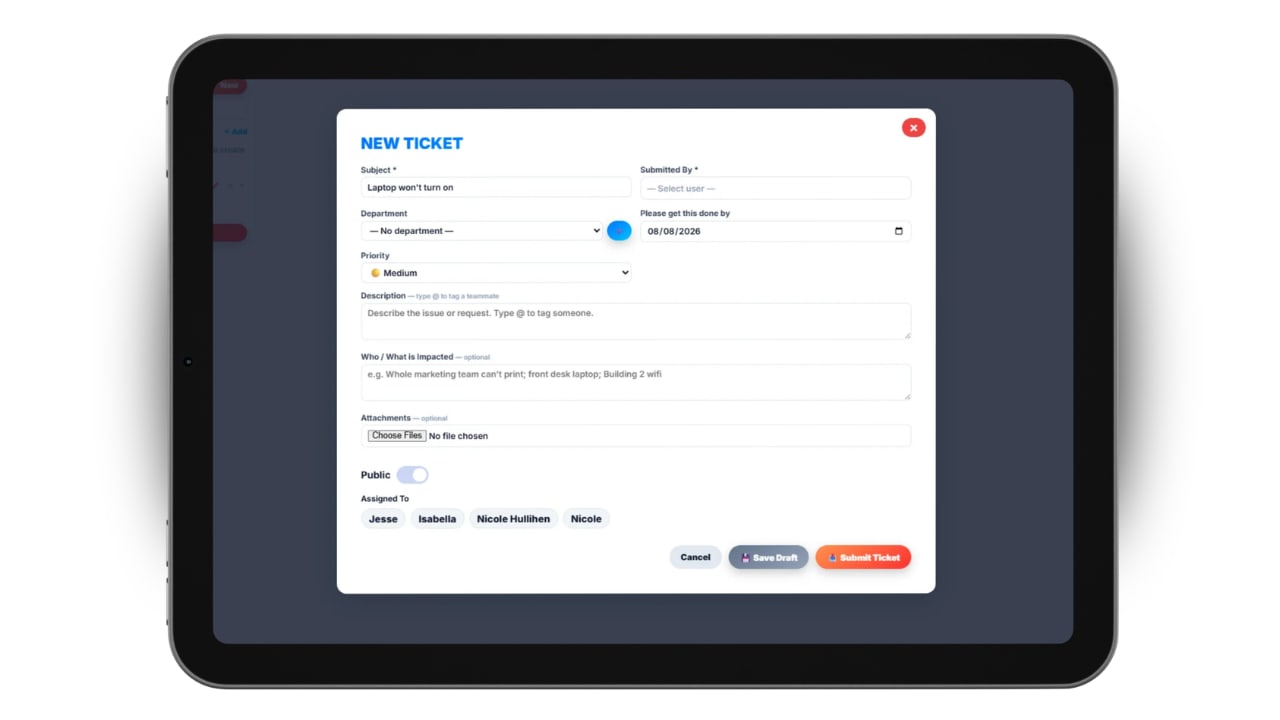
Try our free IT helpdesk ticket system tool for small businesses below. In most small businesses, IT support does not start as a system. It starts as a person. Someone on the team is a little better with computers than everyone else, and requests find their way to them by text, by email, by a tap on the shoulder in the hallway, or by a message sent at 9pm that nobody remembers the next morning. It works, right up until it doesn't. The requests pile up, two of them get answered twice, one gets forgotten entirely, and nobody can say how long the printer has actually been broken or whether anyone ever ordered the replacement.
An IT helpdesk ticketing system fixes that by giving every request a place to live. It is not an enterprise-only tool and it does not require an IT department. It is simply a queue with rules: requests come in through one door, each one gets an owner and a priority, and nothing closes until someone says it is done. This guide covers what a ticketing system actually does, the signs you have outgrown email, the features small businesses genuinely need versus the ones vendors sell hard, how to set priorities without inventing bureaucracy, what it costs, and how to roll one out without disrupting the team. There is also a free ticket priority tool below you can use right on this page.
Quick Answer
An IT helpdesk ticketing system captures every support request as a trackable ticket with a requester, category, priority, owner, and status, so requests are routed instead of remembered. Small businesses typically need it once support requests are being dropped or duplicated, which is usually somewhere between ten and twenty-five employees. Start with one intake channel, four priority levels, and a handful of categories, and skip the advanced ITIL modules until you have a reason for them.
Key Takeaways
- A ticket is just a request with an owner, a priority, and a status — the system exists so nothing depends on someone's memory.
- The trigger for adopting one is dropped and duplicated requests, not headcount.
- Set priority from impact times urgency, and give each level a response target you can actually hit.
- Most tools price per agent, so you pay for the people resolving tickets, not the employees submitting them.
- Track first response time, resolution time, volume by category, and reopen rate before adding any other metric.
Table of Contents
- What Is an IT Helpdesk Ticketing System?
- Signs You've Outgrown Email and Sticky Notes
- How a Ticket Actually Moves Through the System
- The Features Small Businesses Actually Need
- Free Ticket Priority and Intake Tool
- Setting Priority and Response Targets
- What It Costs and How Pricing Works
- Rolling It Out Without Disrupting Everyone
- Metrics That Show It's Working
- Common Mistakes to Avoid
- Updoot Now Has Ticketing Built In
What Is an IT Helpdesk Ticketing System?
An IT helpdesk ticketing system is software that converts every support request into a structured, tracked record. That record — the ticket — carries a few pieces of information that never change in importance no matter how big your business gets: who asked, what they need, what category it falls into, how urgent it is, who owns it, and what state it is currently in.
The value is not in the software being clever. It is in the queue being visible. When a request exists as a ticket, three things become true that were not true before. Anyone can see it, which means work does not disappear when one person is out sick. It has a single owner, which means two people do not solve the same problem in parallel. And it has a history, which means when the same laptop dies for the third time in six months, you can prove it rather than vaguely recall it.
People sometimes ask how this differs from a work order or a project task. The answer is mostly scope and cadence. A work order usually describes physical or field work with a scheduled window, while a ticket is typically shorter-lived and reactive. A project task belongs to a plan with a defined end. A ticket belongs to a queue that never empties, and that difference shapes how you manage it: you optimize for flow and response time, not for a finish line.
Signs You've Outgrown Email and Sticky Notes
There is no employee count that makes ticketing mandatory. What matters is whether your current method still holds the information you need. A few reliable signals that it no longer does:
- Requests get dropped. Someone follows up a week later with "did you ever get a chance to look at that?" and the honest answer is no, because it scrolled off the screen.
- Two people answer the same thing. A shared inbox has no ownership, so responders either collide or both assume the other has it.
- You cannot answer "how many." If you don't know how many support requests came in last month or what they were about, you have no basis for deciding whether to hire, train, or replace a piece of equipment.
- The same issue keeps coming back. Recurring problems stay invisible without a category field to group them under.
- Requests arrive through five different channels. Email, text, Slack, a phone call, and a note on a desk are five queues, and no human maintains five queues well.
- Onboarding is chaotic. New hires need accounts, hardware, and access before day one, and without tickets that work gets remembered rather than tracked. Pairing ticketing with a new hire orientation checklist closes that gap.
If two or more of those describe your week, the cost of not having a system is already being paid — it is just being paid in interruptions and rework rather than in a subscription fee.
How a Ticket Actually Moves Through the System
Every ticketing system, from the simplest to the most elaborate, moves work through roughly the same five stages. Understanding them makes it much easier to evaluate tools, because you can ask what each one does at each stage instead of comparing feature lists.
Intake. The request enters through a defined channel: a web form, a dedicated email address that auto-converts to tickets, a portal, or a chat integration. The form is where you capture what you need up front — a good intake form eliminates most of the back-and-forth that makes tickets slow.
Triage. The ticket gets a category and a priority, and is assigned to an owner. In a small business this often takes fifteen seconds and happens once a day, not continuously. The point of triage is to decide what happens next, not to write an essay.
Work. The owner investigates and acts, adding notes as they go. Everything relevant — screenshots, error messages, the workaround they tried — stays attached to the ticket rather than in someone's sent folder.
Resolution. The fix is applied and communicated to the requester. This is the step most often done badly: work gets finished but the person who asked is never told, so they follow up anyway and the ticket's value evaporates.
Close and review. The ticket is closed, ideally with the requester confirming. Periodically, closed tickets get reviewed in aggregate to find patterns worth fixing permanently. If a category of ticket comes up weekly, it usually deserves a documented procedure. That is where SOP management starts paying for itself: the ticket queue tells you exactly which procedures to write first.
The Features Small Businesses Actually Need
Helpdesk vendors compete on feature count, which is unhelpful when you are a ten-person company. Here is the honest split between what earns its keep immediately and what can wait.
Need on day one
- A single intake channel that produces tickets automatically, usually an email-to-ticket address plus a simple web form.
- Assignment and ownership so every ticket has exactly one name on it.
- Status and priority fields with a small, fixed set of values.
- Threaded conversation so replies stay attached to the ticket instead of forking into email.
- Search and history across closed tickets, which is what turns the system into institutional memory.
- Mobile access, because the person fixing things is rarely at a desk.
- Basic reporting on volume, age, and resolution time.
Useful once you have volume
- Automation rules that route by category, auto-assign, or escalate an aging ticket. These are genuinely valuable, but only once you know your own patterns well enough to encode them. The general principle applies here as much as anywhere else in the business: automate the path you already walk, not the one you imagine.
- A knowledge base of self-serve answers, which deflects repeat questions. This pairs naturally with an internal hub; see these company intranet examples for what a well-used one looks like.
- Asset tracking that links tickets to specific laptops, phones, or licenses.
- Approval steps for requests that cost money or grant access. If you add these, map the approval process before you configure it, or you will build a bottleneck.
- SLA timers that flag tickets approaching their target.
Usually premature
Full ITIL change management, a formal CMDB, multi-tier escalation matrices, and customer satisfaction surveys on every ticket are all real practices that solve real problems — at scale. Adopted by a fifteen-person company, they mostly generate configuration work and fields nobody fills in. You can add them later; you cannot easily undo the cultural damage of a system everyone finds tedious.
Free Ticket Priority and Intake Tool
Use this to log a request and get a suggested priority based on impact and urgency. It calculates the priority level, suggests response and resolution targets, and lets you print or copy the ticket as text for your records. Nothing you type is saved or sent anywhere — it stays in your browser.
Ticket Intake & Priority Calculator
Fill in the request, then set impact and urgency to get a suggested priority and response target.
Setting Priority and Response Targets
Priority is the single field people most often get wrong, usually by letting the requester set it. Everyone's own problem feels urgent, so a self-selected priority field turns into a queue where every ticket is high. The fix is to derive priority from two objective questions instead of one subjective one: how many people are affected (impact), and how badly is work blocked (urgency).
Multiply those and you get a defensible priority. The tool above does exactly this, and here is the underlying matrix:
| Priority | Typical situation | First response target | Resolution target |
|---|---|---|---|
| P1 — Critical | Company-wide outage, security incident, or customer-facing system down | 15–30 minutes | Same day |
| P2 — High | A team is blocked, or one person is fully blocked from core work | 2 hours | 1 business day |
| P3 — Normal | Degraded but workable; a workaround exists | 1 business day | 3 business days |
| P4 — Low | Minor annoyance, request for improvement, or scheduled setup | 2 business days | When capacity allows |
Two rules keep this honest. First, suspected security incidents jump straight to P1 regardless of how few people are affected, because the cost of being wrong is asymmetric — if you want a plain-language refresher on why, this cybersecurity overview for non-IT executives is a good ten minutes. Second, set targets you can actually hit with the staff you have. A published one-hour response target that you miss half the time is worse than a four-hour target you meet, because the first one teaches people that the system lies.
Stop tracking support requests in your inbox
Updoot gives every request an owner, a priority, and a status — alongside scheduling, time tracking, HR, and the rest of your operations in one place.
Start Free TodayWhat It Costs and How Pricing Works
Nearly all helpdesk software prices per agent per month. An agent is someone who works tickets, not someone who submits them, which is the detail that makes this affordable for small businesses: a fifty-person company might have two agents. Typical ranges run from free tiers for one to three agents, up through roughly ten to twenty-five dollars per agent per month for solid small-business tools, and forty to sixty or more for platforms with heavy automation, asset management, and ITIL modules.
Watch for the costs that are not on the pricing page. Data retention limits can quietly cap how much history you keep, which defeats one of the main reasons to have the system. Integrations are frequently gated to higher tiers. Onboarding or migration fees appear at the enterprise end. And per-agent pricing punishes you if you want everyone to occasionally pick up a ticket — check whether the tool offers light or occasional-agent seats.
The alternative model worth considering is a bundled one, where ticketing is a module inside broader business operations software you already pay for. For a small business, this is usually the better economics: one subscription, one login, one place where support requests sit next to schedules, tasks, and time. The tradeoff is depth — a bundled module will not match a dedicated enterprise helpdesk on advanced ITIL features, which is fine if you were never going to use them.
Rolling It Out Without Disrupting Everyone
Most failed helpdesk rollouts fail for the same reason: the team keeps using the old channels because the new one is slower or feels like a formality. A rollout that sticks is mostly about making the ticket the path of least resistance.
Week one: pick one channel and make it obvious. Choose a single intake method — an email address like help@ is usually the easiest sell because nobody has to learn anything. Post it everywhere: the intranet, a printed card at each desk, the pinned message in your team chat.
Week two: keep the configuration small. Six to eight categories, four priorities, three or four statuses. Resist the urge to build the perfect taxonomy now; the tickets themselves will tell you what categories you actually need within a month.
Week three: redirect gently but consistently. When someone sends a text or stops you in the hallway, help them anyway — and then say "send that to help@ so I don't lose it" and log it yourself if needed. Two or three weeks of gentle redirection does more than any policy memo. Cutting people off cold just moves the requests further underground.
Week four: close the loop visibly. Make sure every resolved ticket generates a message back to the requester. The single fastest way to get adoption is for people to experience that submitting a ticket produced a faster, clearer answer than tapping someone on the shoulder did.
After the first month, review what came in. You will almost always find that a small number of categories account for most of the volume, and that some of those are fixable at the root rather than one ticket at a time.
Metrics That Show It's Working
Ticketing systems generate a lot of reportable numbers, most of which will not change a single decision you make. Four will.
First response time measures how long a requester waits before a human acknowledges them. It correlates more strongly with whether people feel supported than resolution time does, because waiting in silence is the part that erodes trust.
Resolution time, ideally reported as a median rather than an average so one nightmare ticket doesn't distort the picture, tells you whether work is actually finishing.
Ticket volume by category is the most actionable number you have. If password resets are twenty percent of your tickets, the answer is not to reset passwords faster; it is self-service resets. If a specific printer generates a ticket a week, the answer is a new printer.
Reopen rate catches the failure mode where tickets get closed to make the queue look good while the underlying problem persists. A rising reopen rate almost always means closure standards have slipped.
These four are close cousins of the customer support metrics that matter on the customer-facing side, and if you run both an internal helpdesk and a customer support queue, using the same definitions across both saves a lot of confusion. Once these are stable, they belong on your business dashboard alongside your other operational numbers rather than in a report nobody opens.
Common Mistakes to Avoid
Letting requesters set priority. Covered above, but worth repeating because it is the most common single mistake. Derive priority from impact and urgency.
Building a taxonomy nobody uses. Thirty categories with mandatory subcategories means agents pick whatever is first in the dropdown. Fewer, clearer categories produce better data than more, finer ones.
Running the helpdesk as a second inbox. If your agents still reply from their personal email and paste updates into the ticket afterward, you have added work without adding visibility. Replies must originate in the system.
Closing tickets without telling anyone. A resolved ticket that the requester never hears about produces a follow-up anyway, which is the exact inefficiency you were trying to remove.
Never reviewing the data. The queue is a diagnostic instrument, not just a to-do list. A monthly fifteen-minute review of what came in is where the real return lives — it is the same principle behind treating poor data management as a profit drain: the information is worthless if nobody looks at it.
Treating it as an IT-only tool. The same queue mechanics work for facilities requests, HR questions, and equipment orders. Many small businesses get more value from the non-IT queues than the IT one.
Updoot Now Has Ticketing Built In
Updoot now includes a full ticketing system, so support requests no longer have to live in a separate tool with a separate bill and a separate login. Requests come into one queue, get an owner, a category, a priority, and a status, and stay visible until they are actually resolved — with the full history searchable afterward.
What makes it different from a standalone helpdesk is context. Because tickets sit in the same platform as your scheduling, time tracking, tasks, HR, and payroll, the person assigned a ticket is the same person whose schedule you can see, and the time spent resolving it can be tracked in the same place. New hire setup requests can sit next to onboarding. Recurring issues can turn directly into documented procedures. You are not stitching together five tools and hoping the integrations hold.
For a small business that has outgrown the shared inbox but has no interest in configuring an enterprise service desk, that is usually the right shape: a real ticket queue, in the tool your team is already in every day. You can try it free and have your first tickets flowing the same afternoon.
Frequently Asked Questions
An IT helpdesk ticketing system is software that turns every support request into a tracked record called a ticket. Each ticket has a requester, a description, a category, a priority, an owner, and a status. The system routes the ticket to the right person, keeps the full conversation and any attachments in one place, and records when it was opened, updated, and resolved. Instead of requests living in scattered emails, texts, and hallway conversations, they sit in one queue where nothing gets lost.
If more than one person handles support requests, or if a single person is handling enough requests that they lose track of them, a ticketing system pays for itself quickly. The practical trigger is not headcount but volume and memory. Once requests are getting dropped, duplicated, or repeatedly re-explained, email has stopped working as a queue. Many businesses hit that point somewhere between ten and twenty-five employees, though a five-person team with heavy client support can hit it much sooner.
Most helpdesk tools price per agent per month, typically ranging from about ten to sixty dollars per agent depending on features, with free tiers available for very small teams. Agent-based pricing means you pay for the people resolving tickets, not the employees submitting them. Some platforms instead bundle ticketing into a broader work management subscription, which is usually cheaper for small businesses that do not want a separate tool and a separate bill for support requests.
A helpdesk is focused on fixing things: someone has a problem, they submit a ticket, and it gets resolved. A service desk is broader and typically follows ITIL practices, covering incident management plus service requests, change management, asset management, and a service catalog. For most small businesses the helpdesk model is the right starting point, and service desk features can be added later if compliance or scale demands them.
You can, and many businesses start there, but a shared inbox has no concept of ownership, priority, or status. Two people answer the same message, an important request sinks below newer mail, and there is no way to see how long anything has been waiting or how often the same issue recurs. A shared inbox is a reasonable stopgap for a handful of requests a week, but it breaks down as soon as volume or the number of responders grows.
Start with four: first response time, resolution time, ticket volume by category, and reopen rate. First response time tells you whether people feel heard, resolution time tells you whether work is finishing, volume by category shows you which recurring problems deserve a permanent fix, and reopen rate reveals whether tickets are being closed prematurely. Adding more metrics before these four are stable usually creates reporting work without changing decisions.