
Easy-to-Use Time Tracking for Small Business
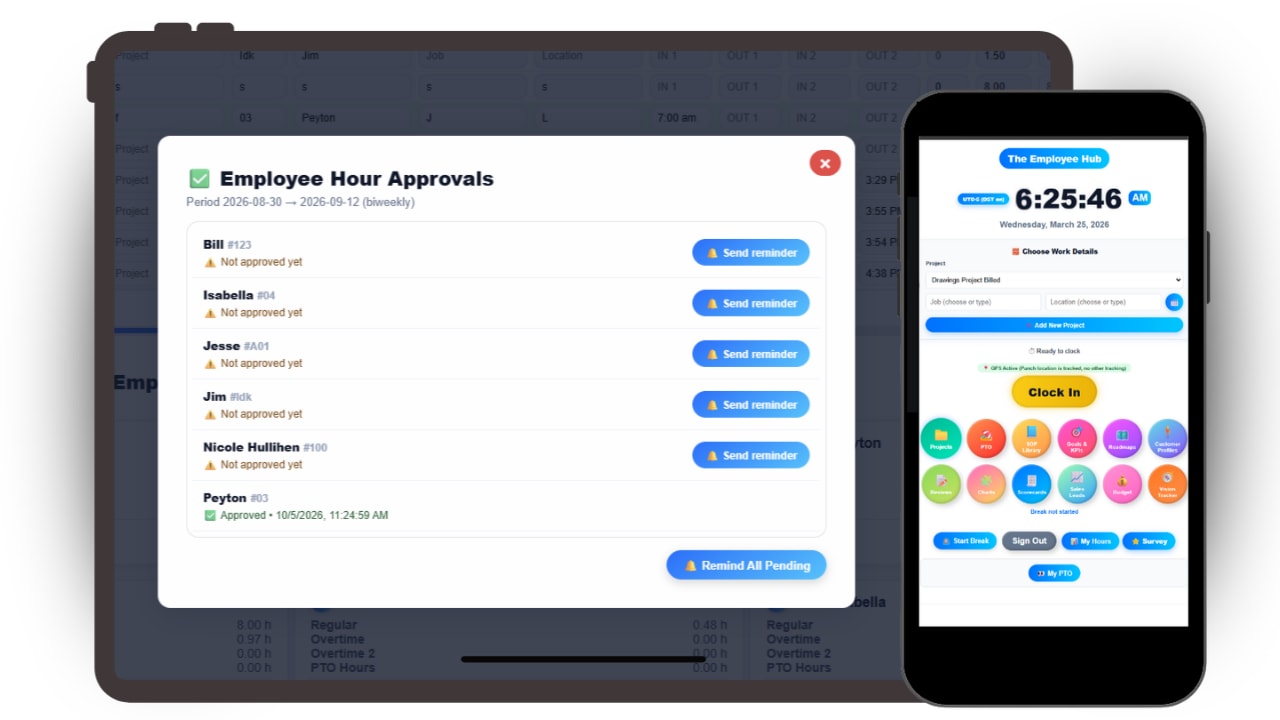
Employees punch in and out in seconds from desktop or mobile via their own dashboard, kiosk mode, or using the admin dashboard. Overtime is calculated automatically, and PTO and work schedules are built right in, so you get a complete time clock from day one.
Here is how the Updoot employee time clock works for admins, employees and shared kiosks.
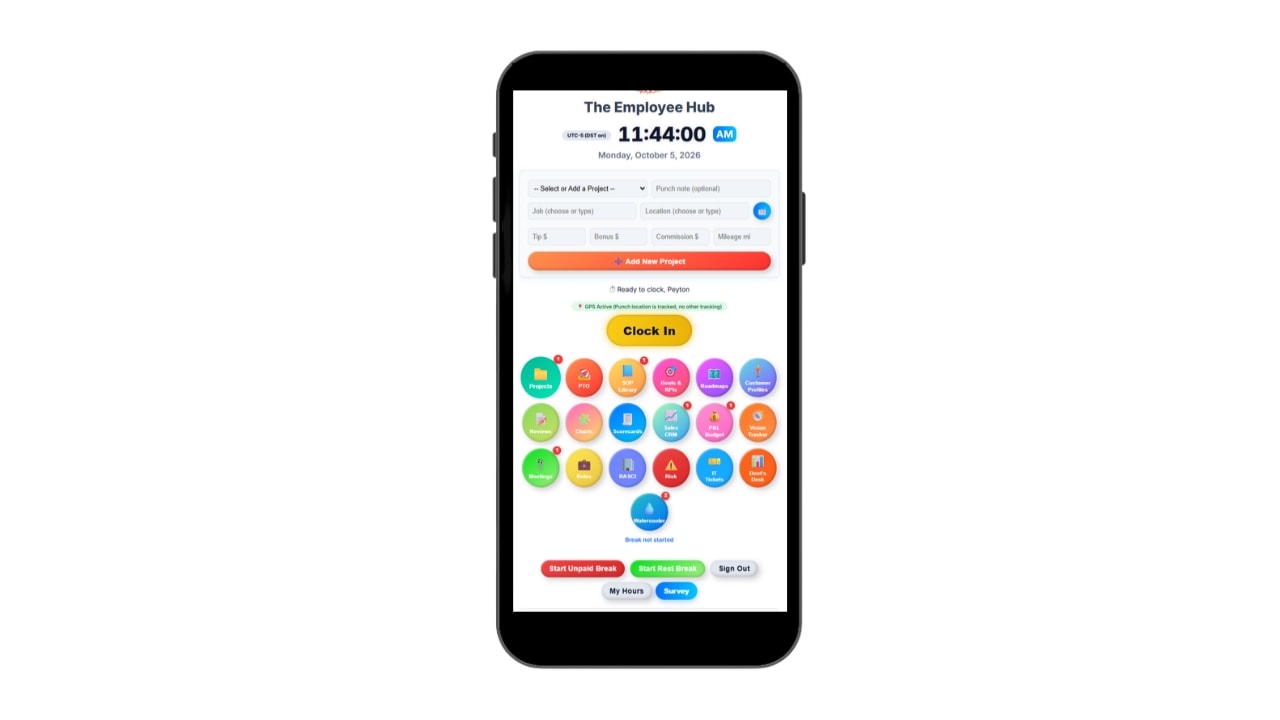
Employees clock in from their own phone with GPS punch locations. It runs in the browser like an app, with no download.
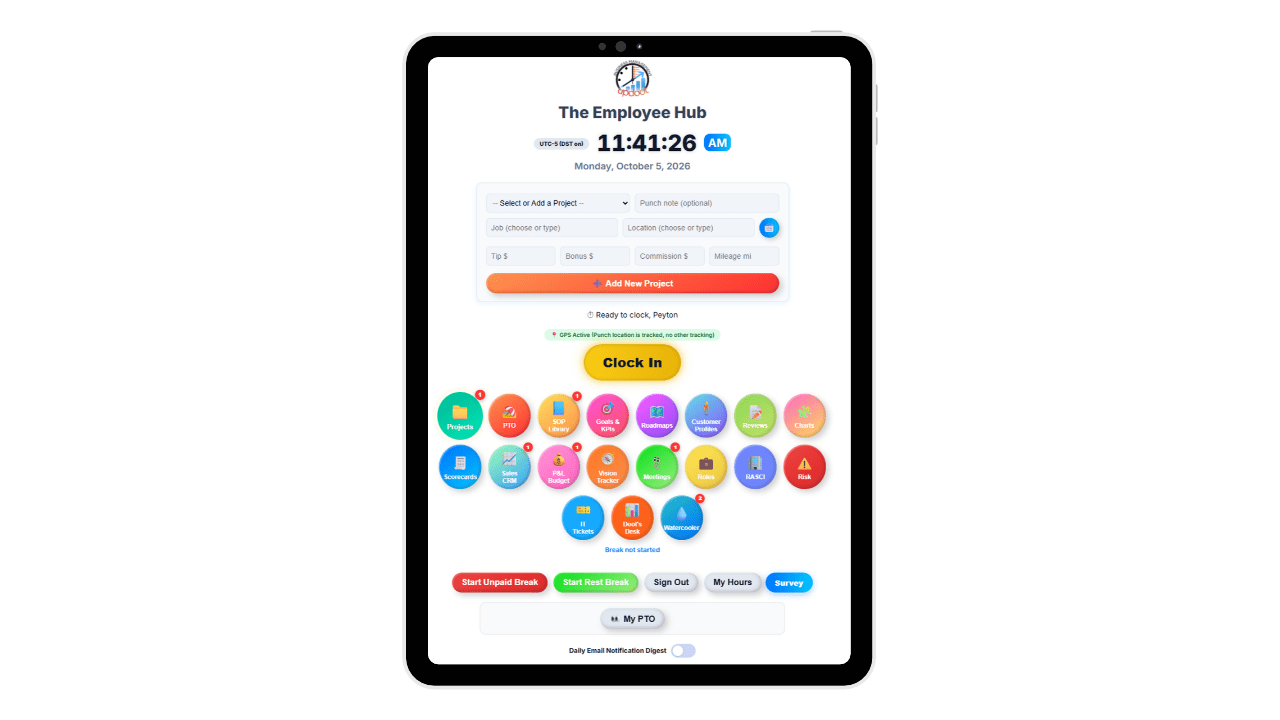
Turn any tablet into a shared time clock kiosk, with a photo captured at every punch.
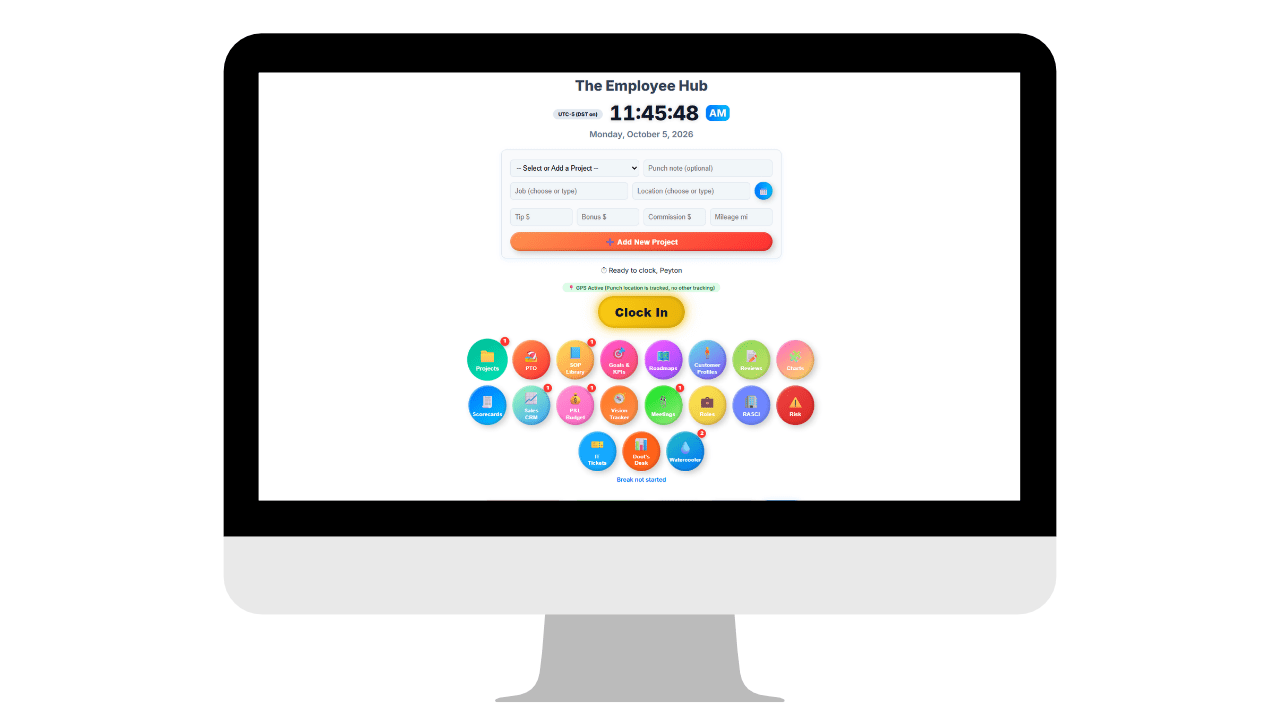
Office staff clock in from their desk, and admins approve hours and export payroll from the Admin Command Center.
Run the time clock from your phone, computer or tablet.
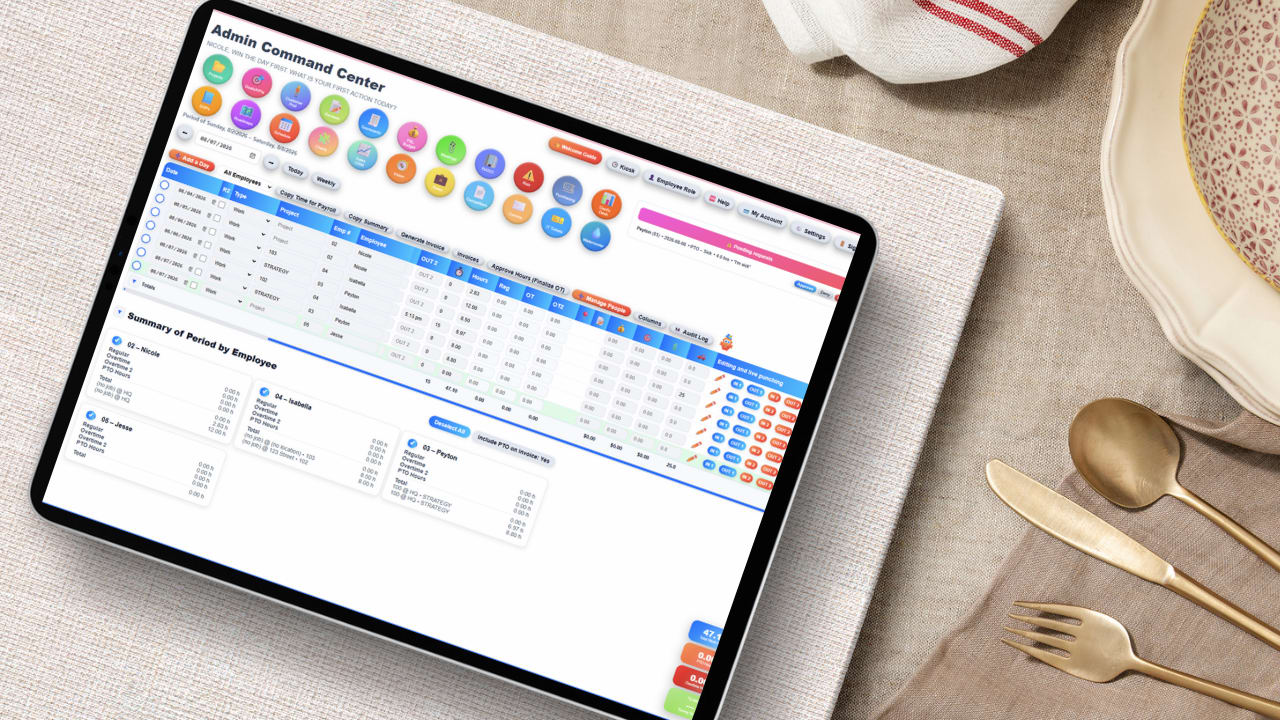
The Time Clock Admin Command Center is where managers run the workday, from their phone, their computer or a tablet. Instantly see who is working and who is out, and clock employees in or out yourself when someone forgets to punch, even when you are away from your desk. On a phone it works right in the browser with nothing to download.
Daily and weekly hours, overtime and time entries are all on one screen, so you can review, edit and approve hours before anything goes to payroll. Approve the week to finalize overtime, then send hours to payroll or invoices without re-entering a thing.
Every edit is captured in the audit log, and every timesheet is export-ready to Excel or Google Sheets for payroll, audits and job costing.
Employees clock in from their phone, computer or tablet.
The Employee Hub is where your team starts and ends their day, on whatever device they have. Employees clock in and out in seconds from their phone, their computer or a tablet, with nothing to download. On a phone it works right in the browser and looks and feels just like an app.
From any device, employees can track time by job, location, or project and instantly see their upcoming shifts.
If GPS tracking is enabled, punch locations are captured automatically for added accuracy and accountability -- no paper timesheets, no manual math, and no chasing down hours.
Everything stays connected. Time entries flow directly into payroll reports, projects, and invoicing so managers can review, approve, and bill with confidence. Employees also get quick access to SOPs, goals, performance reviews, and the tools they need to stay aligned and productive.

A dedicated punch station for teams that share one device.
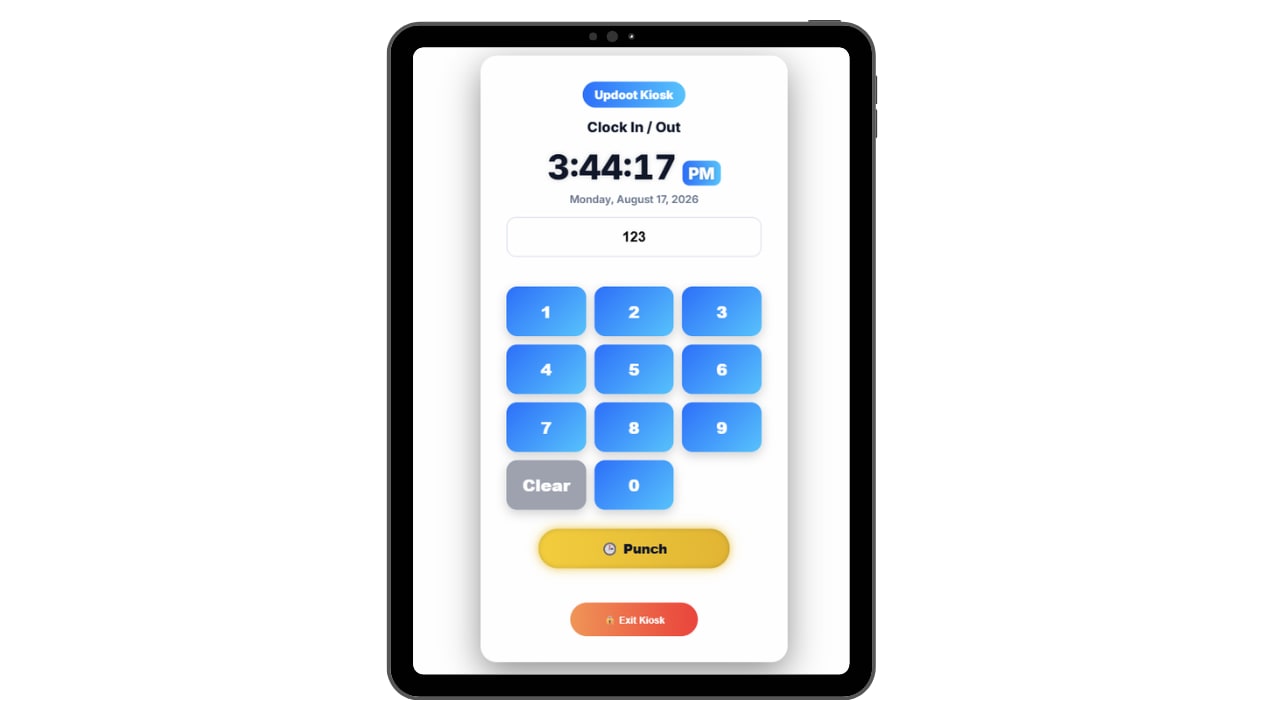
Kiosk mode turns any tablet or shared computer into a punch station, with photo capture at every punch so hours belong to the person who worked them.
See how the time clock kiosk works →
See where your workforce is operating in real time.
The Team Location Map gives managers instant visibility into where work is happening across the organization. Every clock-in can capture a secure GPS location so leaders can quickly confirm job site coverage and team distribution.
Instead of guessing who is where, the map displays employee punch locations in one simple view. Field teams, service crews, and multi-location operations can verify activity across every job site without constant check-ins.
Combined with time tracking and scheduling, the map helps organizations improve accountability, verify attendance, and maintain accurate records while keeping leadership informed throughout the day.

No setup project, no consultant and no IT department. Updoot's employee time clock connects every part of your workforce -- from the admin dashboard to the employee hub to the kiosk -- so hours are tracked accurately, approved fast, and ready for payroll without touching a spreadsheet.
Sign up with your email or Google. You get 14 days free with every feature, and no credit card is needed.
Import your users, add them yourself, or send the list to our support team and we will load your employees for you. Employees you add with an email get an invite automatically.
Employees punch in and out from their own device, the shared kiosk, or admins clock them in directly from the dashboard.
Admins review, adjust, and approve time entries before anything goes to payroll or billing -- no surprises, no disputes.
Click the payroll export to send hours straight to Gusto, ADP, or Paychex -- or hit invoice to bill the client directly from tracked time.
Watch the Demo
A quick walkthrough of clocking in from a phone, tracking breaks and job details, and approving hours for payroll.
Updoot runs right in the phone's browser and is designed to look and work just like an app, without the headache of downloads. No app store, no installs, no updates to chase and no storage space used. Employees open the link, log in and they are ready.
The daily system for punching in and out, tracking hours, and keeping time records accurate.
Employees punch in and out instantly with a clean, guided workflow that prevents missed or invalid time entries.
Every shift is logged into the correct workday automatically, including overtime, overnight, and midnight split protection.
Employees always know what they are working on with job, project, and location fields tied directly to each punch.
Track breaks with a simple live timer that keeps labor records accurate without manual edits or guesswork.
Employees can request vacation or sick time directly inside the platform -- no emails, no paperwork, no chasing approvals.
Employees always see their week hours clearly, while admins maintain approval control and payroll accuracy.
You get the whole system, not just this feature. Here are a few of the 30+ tools included, with no tiers and no add-ons.
Plus invoicing, payroll reports, meetings, goals, budgeting, roles and more.
Short, practical reads on time tracking, labor management, and running a tighter operation.
Stop juggling spreadsheets, apps, and manual follow-ups. Start your free trial of Updoot -- time tracking, scheduling, projects, invoicing, SOPs, payroll-ready reporting, and accountability all in one platform built for small business.
Start Free Today →