Employee Time Tracking
Turn any tablet, front desk computer, or shared workstation into a punch station. Employees clock in with an ID in seconds, a photo is captured at the punch, and nobody needs a smartphone or a login of their own.
Launch kiosk mode on any shared device, let the crew punch in with an ID and a photo, and watch every entry flow into payroll totals without anyone touching a timesheet.
One click turns a tablet, front desk computer, or shared workstation into a locked-down punch station.
Enter an ID and a photo is captured automatically. No login, no phone, no line backing up at shift change.
Punches land in the admin dashboard with totals and overtime already calculated and ready to export.
The shared-device problem, solved at the moment it happens.
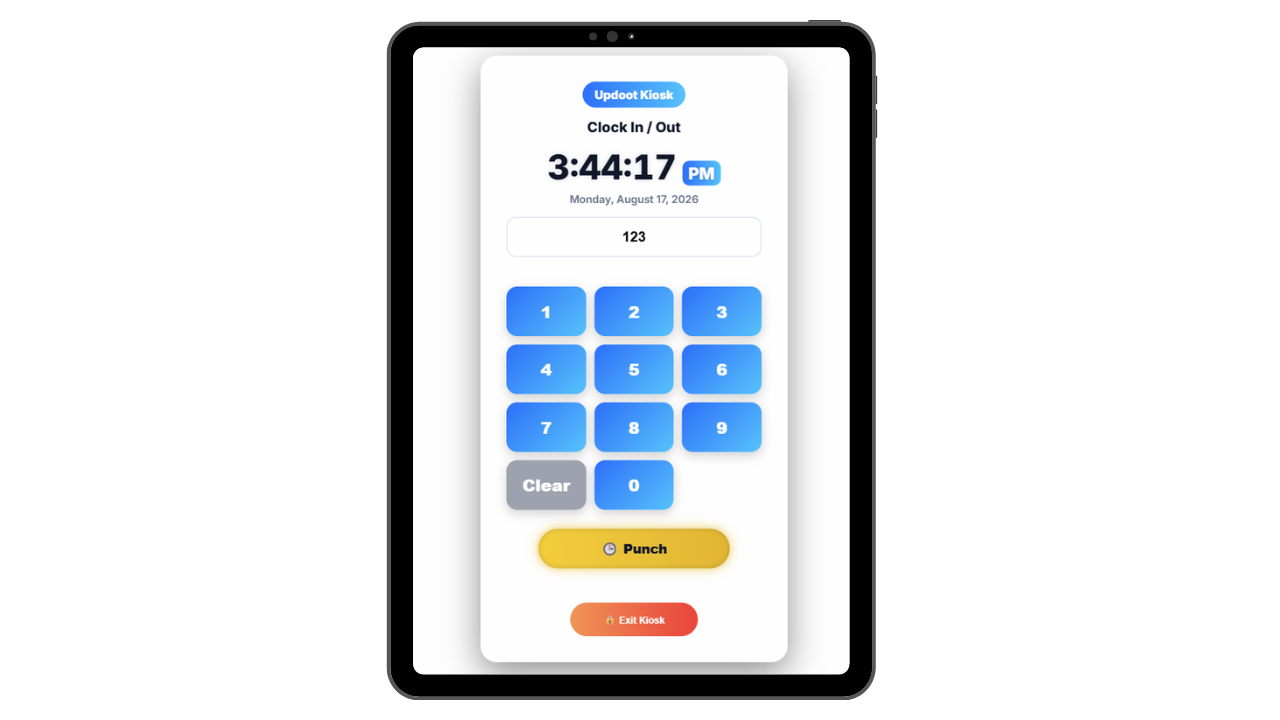
A shared punch station has one obvious weakness: anyone can enter someone else's ID. Photo capture closes it. Every punch takes a picture at the moment it happens, so the record shows who was actually standing there.
That's not about distrust, it's about not needing to have the conversation at all. When everyone knows a photo is attached to every entry, buddy punching stops being worth attempting, and you don't end up policing it manually or paying for hours nobody worked.
The photos stay with the punch record, so if an entry is ever questioned, the answer is already attached instead of coming down to who remembers what about a shift three weeks ago.
Shift change moves quickly, and nobody needs a device of their own.
Employees enter an ID and they're in. No usernames, no passwords to reset, no personal device required, which matters when your crew works on a floor where phones stay in a locker or half the team doesn't want a work app on a personal phone.
That speed is the point at shift change. A line of people waiting to clock in is unpaid friction at the start of every shift, and a punch that takes two seconds keeps it moving.
Punch notes let someone flag what happened right then, and tips, bonus, and commission can be tracked alongside hours, which keeps the shift's whole picture on one record instead of spread across a spreadsheet somebody maintains separately.
A timecard that shows what happened and who changed it.
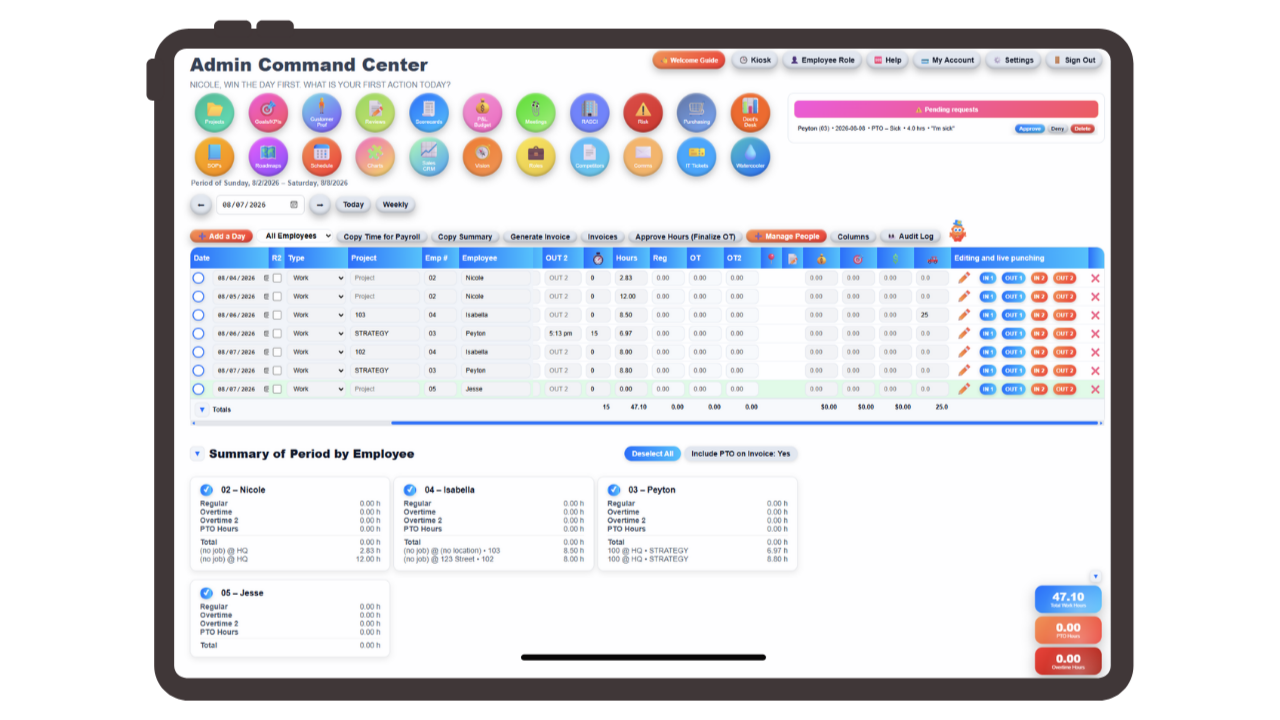
Every punch from the kiosk lands in the admin dashboard immediately, with the photo attached, so hours accumulate as the shift happens instead of being collected at the end of the week.
The audit log captures edits. If a punch is corrected, the change is recorded alongside it, so the timecard tells you both the final numbers and how they got that way, which is something a punch card in a rack can never do.
From there the hours flow into payroll totals, job costing, and invoicing without anyone rekeying them, so the same punch that verified who showed up also pays them and bills the customer.
Not every team punches from a phone. Restaurants, shops, warehouses, and plants often have crews who leave phones in a locker, don't carry them on the floor, or simply shouldn't be pulling one out at the start of a shift. A shared terminal is the right answer for those teams, and it comes with its own risk.
That risk is buddy punching, and photo capture is what removes it. Every entry takes a picture at the punch, so the record shows who was actually there without a manager standing next to the tablet at shift change.
Beyond verification, the kiosk keeps the detail that matters. Employees add punch notes when something needs flagging, and tips, bonus, and commission can ride along with the hours.
Every punch lands in the admin dashboard with its photo attached, and the audit log records any later edits. The result is a fast punch station that produces a defensible record, which paper punch cards and a wall clock never could.
Everything a shared punch station needs to be fast at shift change and accurate on payday.
A picture is taken at every punch, so buddy punching isn't possible.
Tablet, front desk computer, or workstation becomes a punch station.
Employees clock in with an ID instead of a username and password.
Flag what happened on a shift while it's still fresh.
Track earnings beyond hourly pay on the same record.
Every edit recorded, so the timecard shows how it got there.
An ID punch takes seconds, so no line builds at the terminal.
The picture is stored on the record, not just checked at the terminal.
Totals and overtime calculated and ready to export.
Short, practical reads on time tracking, labor management, and running a tighter operation.
Fast at shift change, accurate on payday. Start your free trial of Updoot -- kiosk mode with photo capture, punch notes, tips tracking, and an audit log built for small business.
Start Free Today →