Updoot AI
Doot AI is built into every part of Updoot, from hiring and scheduling to projects, sales and risk. Because your time clock, schedule, projects, customers and finances live in one system, the AI works from the full picture of your business, not one disconnected app. Every AI feature is included at $5 per user per month.
Most AI tools only see what you paste into them. Doot AI works inside the system where your business already runs, so its help is specific to your company.
Time tracking, scheduling, HR, hiring, CRM, projects, SOPs and finance share the same data, so nothing has to be copied between apps.
It drafts, summarizes, scores, fills and flags right where the work happens: in the handbook, the applicant list, the schedule, the project and the pipeline.
Your managers edit, approve and make the final call. The AI saves the hours of setup work, and your team keeps control of every decision.
One assistant that understands your people, sales, projects and finances together.
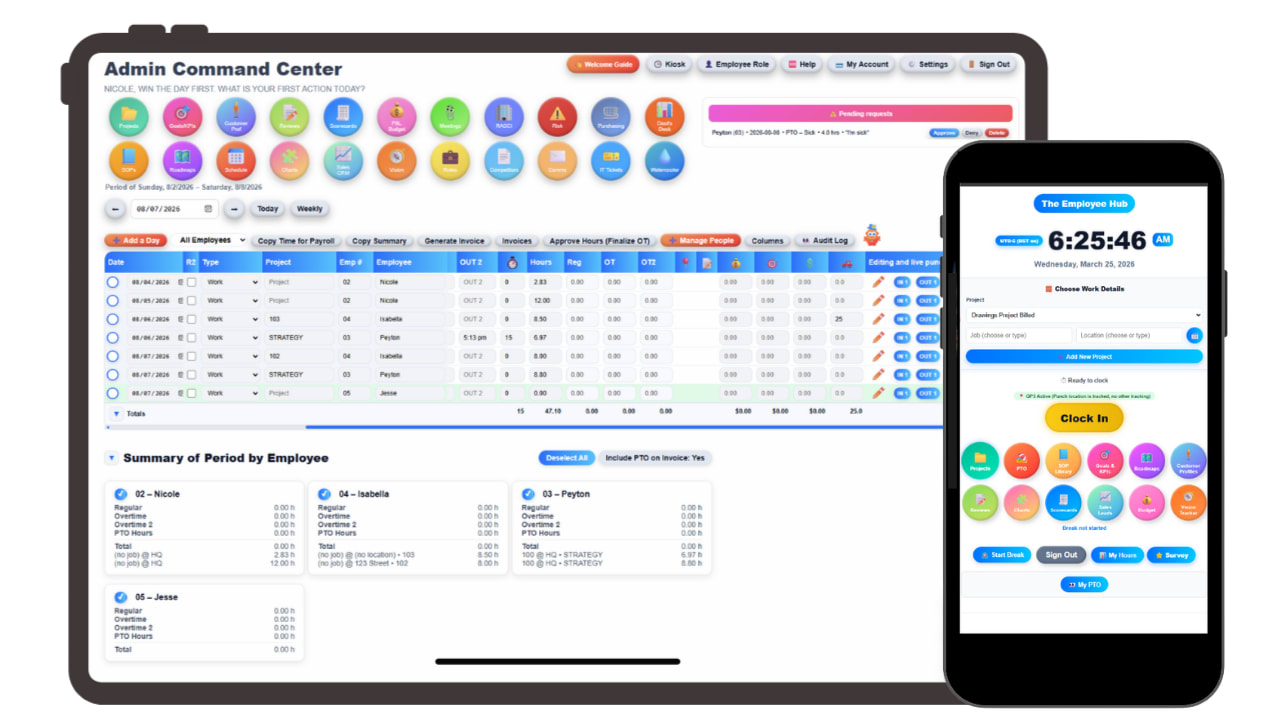
Most small businesses do not have one AI problem. They have a dozen small, repetitive jobs spread across hiring, scheduling, sales, projects and paperwork. Doot AI takes on those jobs inside the module where they live.
It writes the first draft of your employee handbook from your industry, size and state. It summarizes and scores resumes in the applicant tracking system. It helps fill schedules, drafts project briefs, builds customer personas and battlecards, and fills meeting follow-ups that flow straight into your vision tracker.
Because every module shares the same data, the AI is never guessing about a business it cannot see.
The clock, the schedule, the project and the invoice are the same record.
AI is only as good as what it can see. When your time clock, payroll report, projects and invoices live in different apps, every AI assistant works from a single slice of the business, and someone still has to stitch the answers together.
In Updoot, a clock-in becomes a payroll line and then an invoice line without anyone retyping it. Projects pull hours from the same clock your team already uses. Deals, customers and competitors sit beside the work that delivers them. That connected record is what lets Doot AI give answers that fit how your company actually runs.
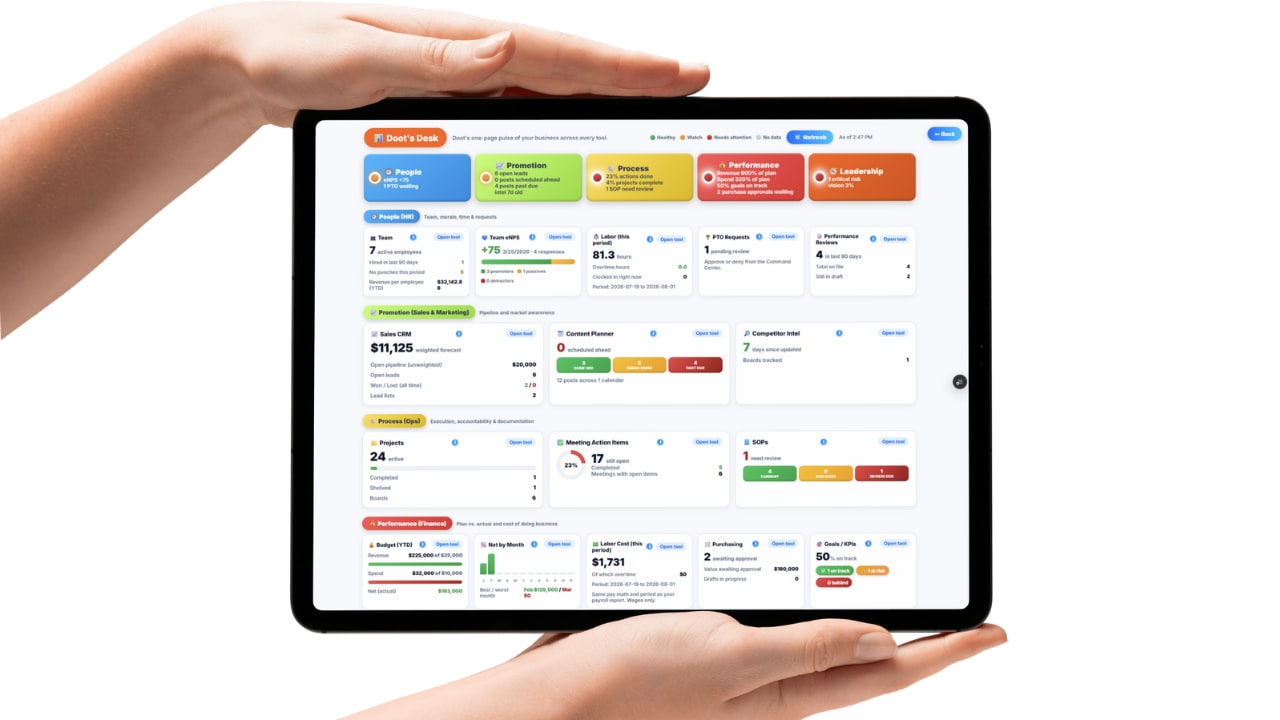
Doot's Desk, the business health dashboard, brings it together so you can see where the business stands without opening five reports.
Almost every software company now calls its product AI powered. For a small business owner, the useful question is simpler: does the AI take real work off my plate, or does it just rewrite my emails? A writing assistant is nice to have. An assistant that drafts your policies, screens applicants, builds schedules and flags project risks is closer to having another operations manager on the team.
That is the standard Doot AI is built to. It works on the specific, repetitive jobs that pull owners and managers away from running the business, and it does that work where the job already happens, so there is nothing to copy, paste or reconcile afterward.
AI is included, not sold as an add-on. Many platforms now charge for AI separately through add-ons, credit meters or higher plans, so the price on the banner is not the price you pay. In Updoot, every AI feature is part of the same $5 per user per month price, with no credit limits to track and no premium tier to unlock.
Your team stays in control. Doot AI produces first drafts, summaries, scores and suggestions. Your managers review, edit and approve them, and the decisions that matter, such as who to hire or which policy to publish, stay with people. Every tool also exports to Excel and Google Sheets in one click, so your data is always yours.
Before your team uses any AI tool with customer or employee information, set clear ground rules. Our free AI policy template for small businesses is a good place to start.
AI features across the five parts of the business: people, promotion, process, performance and product.
Doot AI drafts handbook chapters from your industry, size and state, and the handbook keeps a disclaimer banner until it has an approved date. See the SOP library
The applicant tracking system summarizes and scores resumes so you can see who fits before reading every page. See hiring
AI-assisted fill helps build shifts in a scheduler that shares data with the time clock, so planned and actual hours sit side by side. See scheduling
Start projects with AI-assisted briefs and approvals, with hours flowing in from the same clock your team uses. See projects
Generate AI quizzes from your procedures so you know an SOP was understood, not just acknowledged. See SOPs
The CRM uses AI to explain why deals were won or lost, alongside lead scoring and round-robin assignment. See the CRM
Build customer personas with AI assistance and generate sales battlecards from the competitor data your team records.
The Doot AI agent surfaces risks you may have missed and keeps your risk log connected to your projects. See the risk register
AI-assisted fill for meeting agendas and action items that update the vision tracker, plus AI suggestions in the content planner.
Practical reads on choosing and using AI to run a small business.
Start your free trial of Updoot and let Doot AI draft, score, fill and flag across time tracking, scheduling, HR, CRM, projects, SOPs and finance. 14 days free, no credit card required.
Start Free Today →