
AI-Powered Software for Running a Small Business
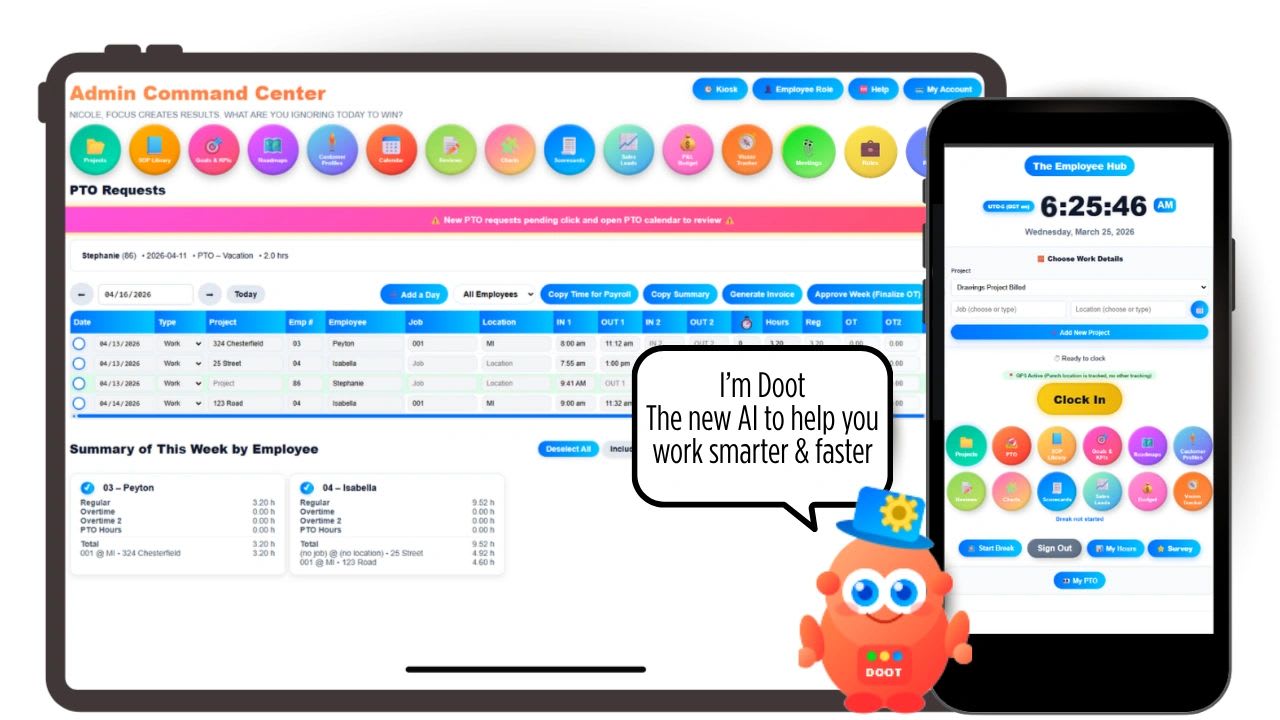
AI-powered software for running a small business is not about robots taking over your company. It is about getting back the hours that disappear into scheduling, status updates, paperwork, and follow-ups.
Most owners are stretched thin. You are managing people, customers, deadlines, and money at the same time. The work gets done, but the systems behind it are inconsistent, information lives in five different places, and growth gets harder than it should be.
AI helps by doing the routine noticing, sorting, and drafting so you can spend your time on decisions. Below you will see where it saves the most time, how to start without wasting money, and a free calculator to estimate what it could be worth to your team.
What AI-Powered Software Actually Does for a Small Business
Strip away the marketing and AI in business software does three useful things:
- It drafts. Schedules, task lists, emails, job descriptions, summaries. You edit instead of starting from nothing.
- It notices. Late tasks, scheduling conflicts, unusual numbers, and overloaded employees get flagged without anyone building a report.
- It answers. You can ask a plain question, like "what is overdue this week?", instead of digging through screens.
Small businesses rarely fail from lack of effort. They struggle from lack of visibility. AI helps most when it can see the whole business in one place.
How Many Small Businesses Use AI Today
Adoption is growing, but most small businesses are still early. The U.S. Census Bureau's Business Trends and Outlook Survey found that roughly one in five businesses currently use AI, with about 37 percent of firms with 250 or more employees using it compared with just under 20 percent of firms with four or fewer employees. The survey also found more businesses expect to be using AI within the next six months.
If you are just getting started, you are not behind. You are in the majority, and the tools are easier to adopt now than they were even recently.
Where AI Saves the Most Time
| Business Area | What AI Can Do | What You Still Decide |
|---|---|---|
| Project management | Draft task lists, summarize progress, flag late or stalled work | Priorities and trade-offs |
| Scheduling | Fill open shifts based on availability, catch conflicts and double bookings | Final approval and exceptions |
| Hiring | Parse resumes and summarize candidates against your criteria | Who to interview and hire |
| Sales | Summarize win and loss reasons, draft competitor battlecards | Pricing and strategy |
| Operations | Surface risks, trends, and bottlenecks from your data | What to fix first |
| Writing | Draft emails, policies, job descriptions, and SOPs | The final wording |
AI for Project Management
Projects are usually the first place a growing business feels strain. Tasks pile up, deadlines shift, and nobody is sure who owns what. AI project tools help by turning a project description into a draft plan, keeping a running summary of where things stand, and flagging tasks that are falling behind before the deadline arrives.
To get value quickly, start with one to three active projects, give every task an owner and a due date, and let AI draft the plan while you edit it. For a closer look, read our guide to AI powered project management software.
AI for Scheduling
Scheduling is one of the most underestimated time sinks in a small business. Every swap, call-out, and busy day means another round of texts and spreadsheet edits. AI scheduling uses the availability, roles, and hours you already have to build a first draft of the schedule and fill gaps, so you only handle the exceptions.
Enter everyone's availability and any rules first, such as role requirements or maximum hours. Then let the tool build the base schedule, and adjust only what needs a human decision. Keep an eye on overtime as you go. The U.S. Department of Labor's overtime page covers the federal rules.
AI for Hiring
For a small team, a single job post can bring in more resumes than anyone has time to read closely. AI can parse resumes and summarize each candidate against your requirements so you can compare them side by side. The decision still belongs to you. Use AI to organize information, not to reject people automatically, and apply the same criteria to every candidate. The EEOC's employer resources explain federal anti-discrimination rules that apply to every hiring decision, including ones made with software.
AI for Problem Solving and Visibility
Most small businesses are not short on data. It is just spread across spreadsheets, apps, and inboxes. When your projects, hours, schedules, and sales live in one system, AI can connect the dots: a project running late because one person is overbooked, or a drop in sales tied to slower follow-up. You can ask direct questions and act on patterns instead of hunches.
Free AI Time Savings Calculator
Free AI Time Savings Calculator
Enter how many hours your team spends each week on these tasks, and how much of that time you think AI could realistically take off your plate. The 25% default is a cautious starting point, not a promise. Change any number to match your business. Nothing you enter is saved or sent anywhere.
| Task | Hours / Week | % AI Could Save | Hours Saved / Week |
|---|---|---|---|
| Building and fixing schedules | 0 | ||
| Chasing project status updates | 0 | ||
| Screening resumes | 0 | ||
| Writing meeting notes and follow-ups | 0 | ||
| Pulling reports together | 0 | ||
| Drafting routine emails and documents | 0 |
Even small savings add up. Two hours a week across a team is about a hundred hours a year that can go back into customers, training, or growth.
How to Get Started With AI Without Wasting Money
- Pick one painful task. Use the calculator above to find where the most time goes.
- Check what you already pay for. Many business tools now include AI features you have not turned on.
- Get your data in one place. AI cannot connect projects to schedules if they live in different apps.
- Review everything AI produces. Treat it as a capable first draft, not a final answer.
- Set simple AI rules. Decide what data can go into AI tools and who checks the output. Our AI policy template makes that easy.
- Measure the result. After a month, compare the hours spent on that task to where you started.
Risks to Watch
| Risk | How to Manage It |
|---|---|
| Wrong or made-up answers | Have a person review anything that goes to a customer or employee |
| Privacy and data use | Check whether a vendor uses your data to train its AI models |
| Bias in hiring or reviews | Use AI to organize information, keep people responsible for decisions |
| Too many tools | Prefer AI built into the system you already use over another subscription |
| Over-reliance | Keep the underlying process documented so work continues if a tool changes |
For practical guidance on managing AI risk, the National Institute of Standards and Technology publishes a free AI Risk Management Framework.
Questions to Ask Before You Buy AI Software
Almost every business app now says it is AI-powered. These questions help you tell the difference between AI that saves real time and a feature that looks good in a demo.
| Question | What a Good Answer Looks Like |
|---|---|
| What does the AI actually do? | Specific tasks, like filling open shifts or summarizing candidates, not vague promises |
| Is AI included or extra? | Included in the plan, or a clear add-on price per user |
| What data can it see? | Enough of your business to be useful, such as projects, hours, and schedules together |
| Is my data used to train models? | A clear no, stated in writing |
| Can I turn it off or override it? | Yes, with a person able to change anything AI suggests |
| How long until my team uses it? | Days, not months of setup and training |
All-in-One Platform or Separate AI Tools?
You can add AI one app at a time: a scheduling tool here, a resume screener there, a writing assistant on top. That works at first, but each tool only sees its own slice of the business, and the subscriptions stack up. An all-in-one platform with AI built in can connect the dots between hours, projects, schedules, and sales, which is where the most useful insights come from. For most small teams, fewer tools with AI inside them beats many tools with AI bolted on.
How Updoot Uses AI to Help You Run the Business
Updoot is business management software that brings time tracking, scheduling, payroll exports, HR, hiring, projects, CRM, and invoicing into one system, with Doot, a built-in AI assistant, working across it. That includes AI-assisted schedule fill, AI resume parsing and candidate scorecards in the applicant tracking system, AI win and loss summaries in the CRM, AI-built sales battlecards, and a risk register where Doot analyzes project data to surface risks you may have missed.
Updoot does not use your business or employee data to train AI models. Plans start at $5 per user per month with AI included.
Final Thoughts
AI-powered software earns its place in a small business when it gives you back time and shows you problems sooner. Start with the task that eats the most hours, keep a person in charge of every decision, and choose tools that see your whole business instead of adding another app to manage.
Opens in Google Drive. View and download for free.
Related Reading
AI Powered Project Management Software for Small Business →
AI in the Workplace: Opportunities, Challenges, and Ethics →
Frequently Asked Questions About AI Software for Small Business
What does AI-powered software do for a small business?
It drafts routine work like schedules, task lists, and emails, notices problems like late tasks or scheduling conflicts, and answers plain questions about your business data. People still make the decisions.
How many small businesses use AI?
The U.S. Census Bureau's Business Trends and Outlook Survey found that roughly one in five businesses currently use AI, with larger firms adopting it faster than very small firms.
Where should a small business start with AI?
Start with the single task that takes the most time each week, such as scheduling or project status updates. Check whether tools you already pay for include AI, and measure the hours saved after a month.
Can AI make hiring decisions?
AI can parse resumes and summarize candidates, but people should make hiring decisions. Federal anti-discrimination rules apply to every hiring decision, including ones made with software, so apply the same criteria to every candidate.
Is it safe to put business data into AI tools?
It depends on the vendor. Check whether a tool uses your data to train its AI models, limit sensitive information, and set simple rules for your team about what can be shared and who reviews AI output.
Does Updoot include AI?
Yes. Doot, Updoot's built-in AI assistant, works across the platform, including AI-assisted scheduling, resume parsing and scorecards, win and loss summaries, sales battlecards, and risk identification. Plans start at $5 per user per month.