Try Updoot Free

Go beyond spreadsheets, try Updoot

Easy-to-Use Hiring for Small Business
Applicant Tracking Software
AI-Powered Hiring, From First Resume to Signed Offer

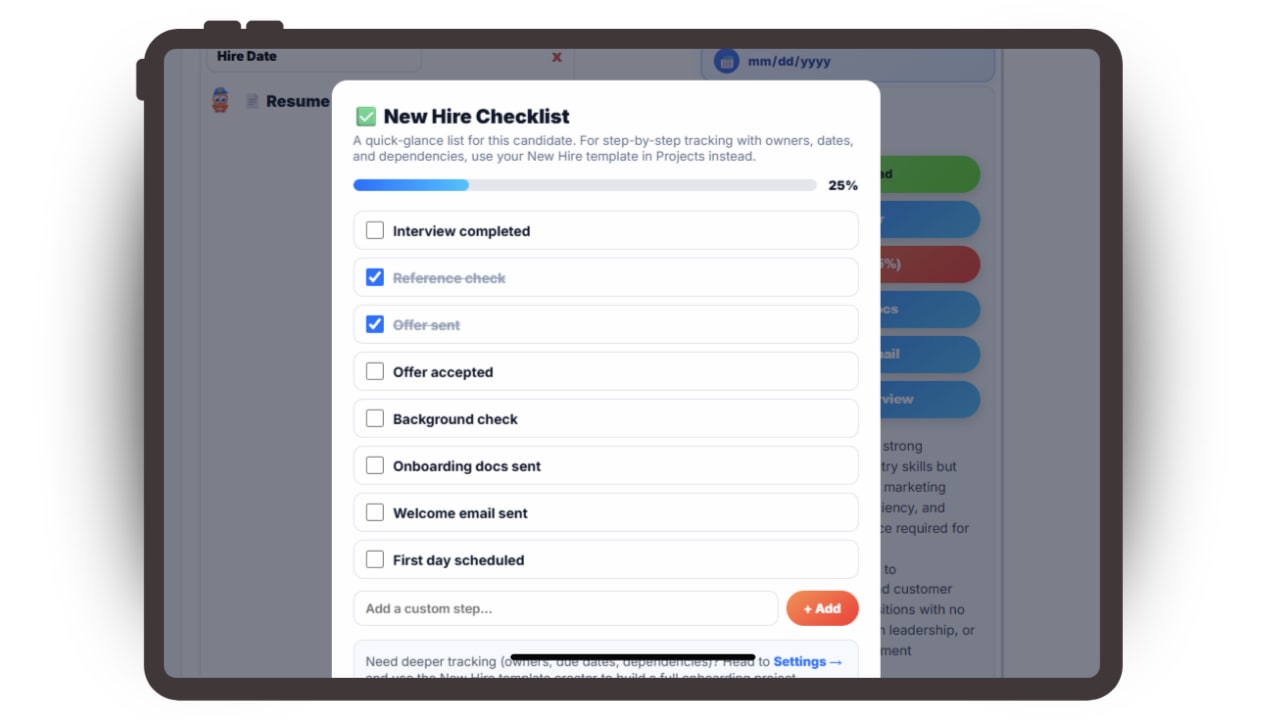
Updoot applicant tracking software showing AI resume screening and candidate scores

Stop juggling resumes across email, spreadsheets, and sticky notes. Screen, score, and hire candidates without leaving your business management platform.

AI-powered bulk resume upload parses candidate data for quick review
AI-powered scorecards summarize resumes to help you make smart hiring decisions
Send and track offer letters, welcome emails, and interview requests right from the system
New hires flow straight into org charts and employee records once they're hired
Start Hiring Smarter →

Stop Losing Great Candidates in Email and Spreadsheets With Applicant Tracking

Here is how Updoot screens, scores and tracks every candidate from first resume to signed offer.

AI Resume Screening

Bulk upload resumes and let AI do the first pass.
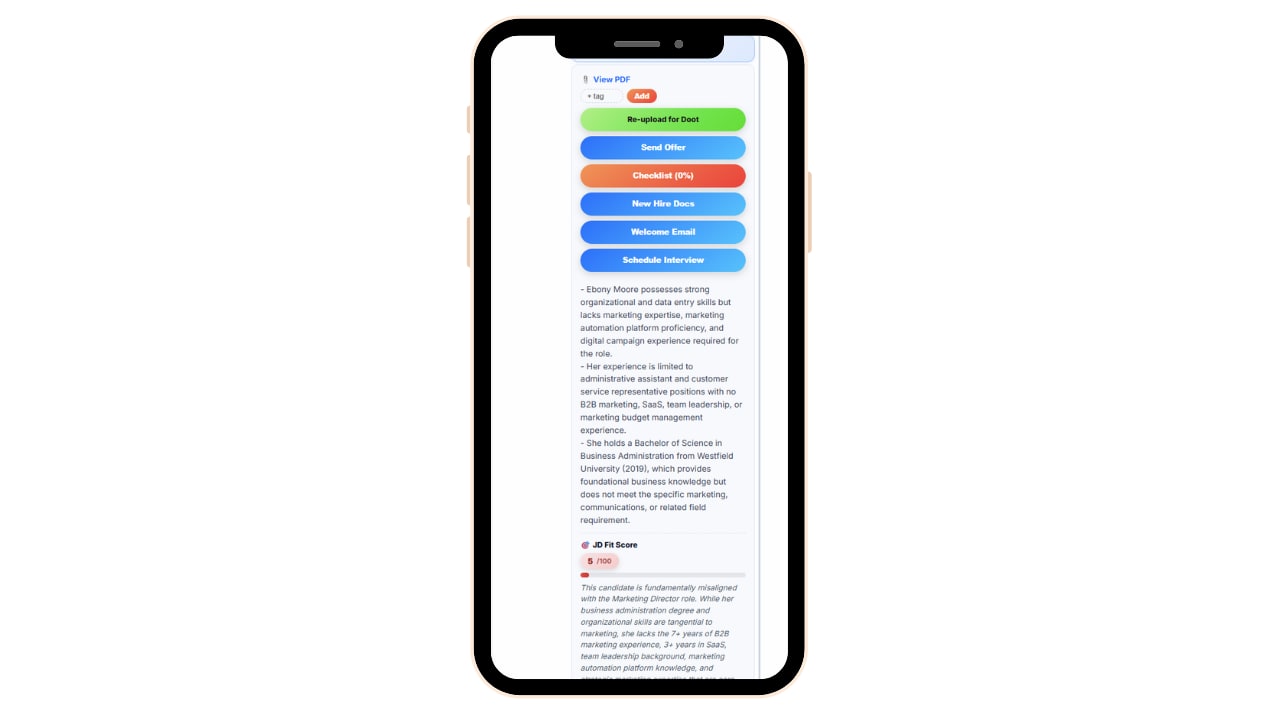
AI resume screening interface showing bulk-parsed candidate data

Instead of opening resumes one at a time, upload them in bulk and let AI parse the data, so you can scan candidate information quickly instead of clicking through file after file.

Key details pull out automatically, giving you a fast first look at who's actually qualified before you invest time in a deeper review.

This is especially useful for roles that draw a high volume of applicants, where manually reviewing every resume just isn't realistic.

AI Candidate Scorecards

Summaries that help you make a confident hiring decision.

AI-powered scorecards summarize each resume against the role, giving you a structured way to compare candidates instead of relying on gut feeling or whoever's resume you read most recently.

Customize interview questions and track candidate status as they move through your pipeline, so you always know where each applicant stands.

Scorecards keep hiring decisions consistent across roles and across whoever's doing the interviewing, which matters most when more than one person is involved in a hire.
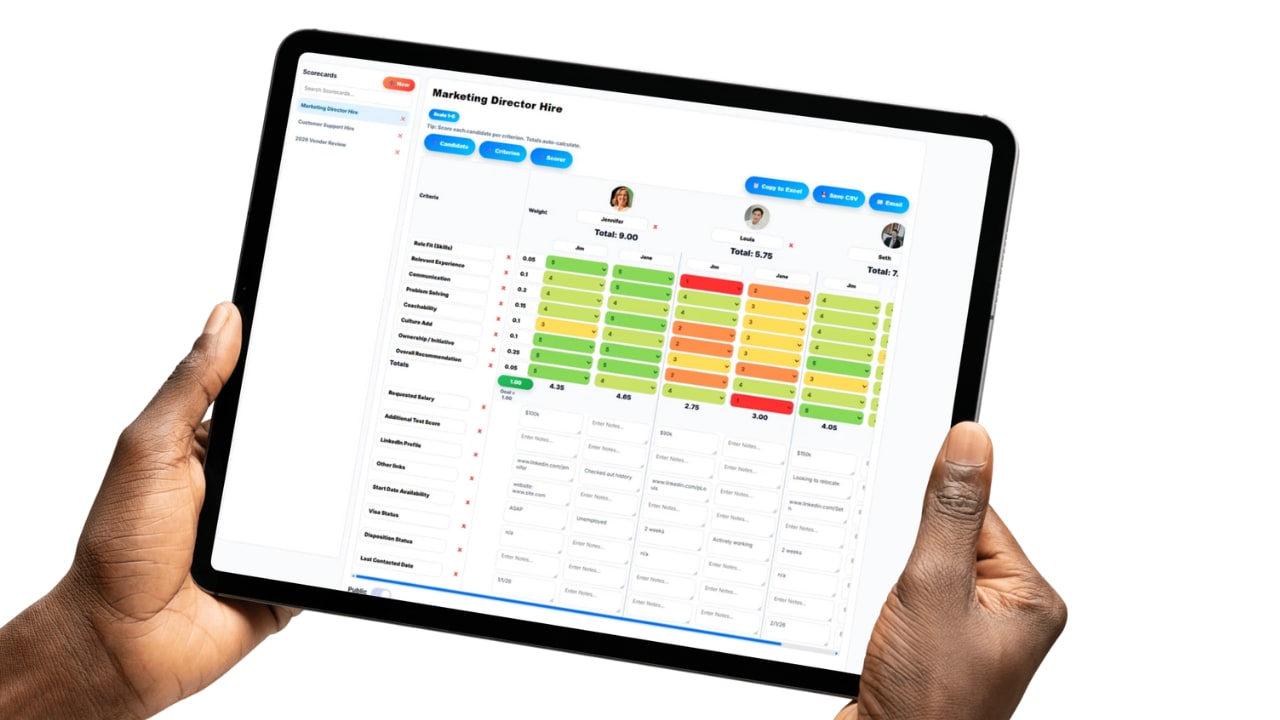
AI candidate scorecard comparing applicants for an open role

Offers, Interviews, and Onboarding

Send offers and move new hires into HR without re-entering data.
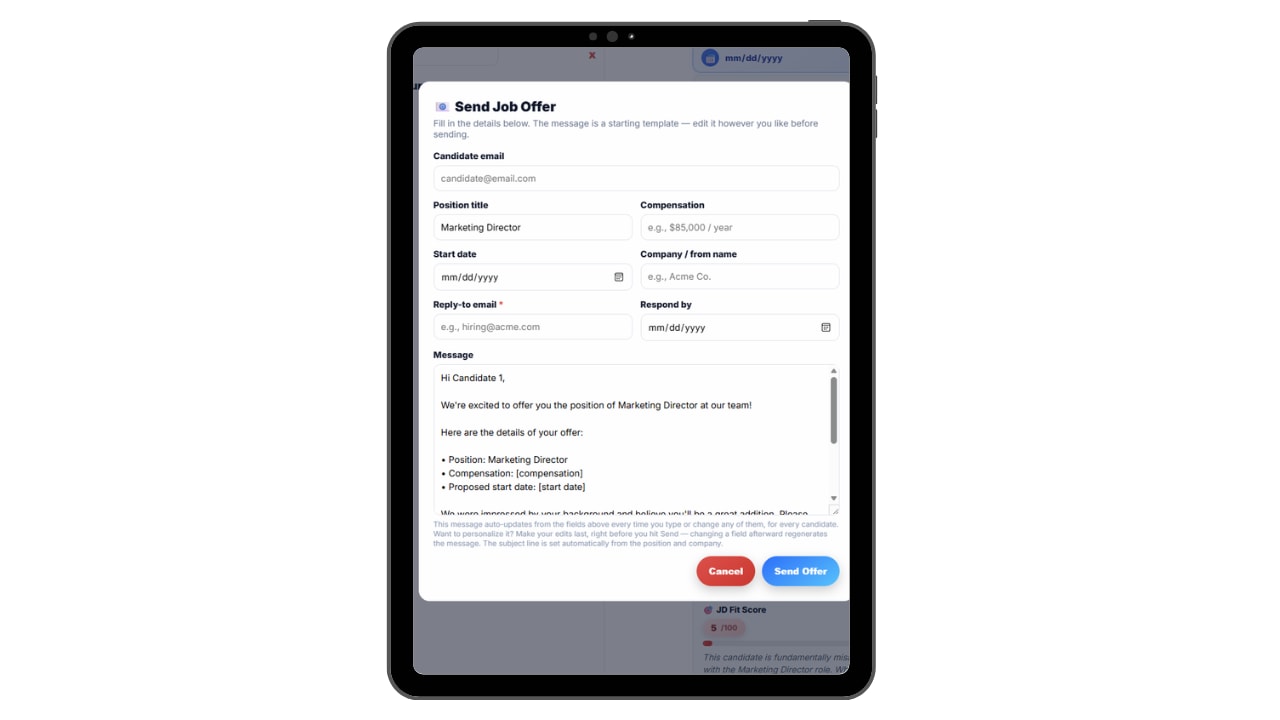
Offer letter and interview tracking interface for a candidate

Send and track offer letters, welcome emails, and interview requests directly from the system, so hiring communication doesn't live in a separate inbox disconnected from candidate records.

Once a candidate is hired, their information carries straight into your org chart and employee records, no re-entering the same details a second time.

Status tracking keeps everyone, hiring managers included, on the same page about where each candidate stands in the process.

Set Up Applicant Tracking Software in Minutes

No setup project, no consultant and no IT department. Updoot's applicant tracking system connects every step of hiring, from the first resume to the signed offer, so candidate data isn't scattered across email and spreadsheets.

1

Start Your Free Applicant Tracking Trial

Sign up with your email or Google. You get 14 days free with every feature, and no credit card is needed.

2

Add Your Hiring Team

Import your users, add them yourself, or send the list to our support team and we will load your employees for you. Employees you add with an email get an invite automatically.

3

Upload and Screen Resumes

Bulk upload resumes and let AI parse candidate data for a quick first pass.

4

Score and Compare Candidates

AI-powered scorecards summarize resumes side by side to help you decide who to interview.

5

Send Offers and Onboard

Send and track offer letters, welcome emails, and interview requests, then move new hires straight into HR records.

An Applicant Tracking App With No Download Required

Updoot runs right in the phone's browser and is designed to look and work just like an app, without the headache of downloads. No app store, no installs, no updates to chase and no storage space used. Employees open the link, log in and they are ready.

  • Nothing to install
  • Always up to date
  • Works on iPhone and Android
Start Hiring Smarter →

Applicant Tracking Features Built Into Your Business Management Platform

The system for screening, scoring, and hiring candidates without the busywork.

🤖

AI Bulk Resume Parsing

Upload resumes in bulk and let AI parse candidate data for a fast first pass.

📊

AI-Powered Scorecards

Summarized, side-by-side candidate comparisons to support smart hiring decisions.

📧

Offer and Interview Tracking

Send and track offer letters, welcome emails, and interview requests from the system.

📋

Customizable Interview Questions

Tailor interview questions by role and keep them consistent across candidates.

🔄

Candidate Status Tracking

See exactly where every applicant stands in your hiring pipeline.

👥

Direct Line to HR Records

New hires move straight into org charts and employee records once hired.

Applicant Tracking Software That Grows With You

This feature is part of a bigger system you can grow into. Here are a few of the 30+ tools in one app that grows with you.

AI AssistantMeet Doot, your AI assistant built in Employee Time ClockGPS, mobile and kiosk clock-in Scheduling and PTOShifts, swaps and time off together HR and PerformanceReviews, org charts and employee records Sales and CRMLeads, pipeline and win-loss insights ProjectsPlans, hours and job costing in one place SOPsProcedures with approvals and AI quizzes Business DashboardSee the whole business at a glance

Plus invoicing, payroll reports, meetings, goals, budgeting, roles and more.

See All Features →

Articles on Hiring and Onboarding

Short, practical reads on screening candidates, hiring assessments, and getting new hires up to speed.

🤖

AI-Assisted Hiring Tools

Read More →
📋

Hiring Assessment Tools

Read More →
📝

Job Description Software

Read More →

Applicant Tracking Software FAQs

Is applicant tracking included with Updoot? ▶
Yes. Applicant tracking is included with Updoot along with HR records, org charts, time tracking, and other business management tools in the same app.
Does the applicant tracking system use AI? ▶
Yes. AI helps parse bulk resume uploads and generates candidate scorecards that summarize resumes to support hiring decisions.
Can I send offer letters directly from the system? ▶
Yes. Offer letters, welcome emails, and interview requests can be sent and tracked right from the platform without switching to a separate email tool.
What happens to a candidate's information after they're hired? ▶
It carries straight into org charts and employee records, so there's no need to re-enter the same information a second time when onboarding starts.
Can I customize interview questions for different roles? ▶
Yes. Interview questions can be customized by role and kept consistent across every candidate interviewed for that position.
How does candidate status tracking work? ▶
Each candidate's status updates as they move through the hiring pipeline, so hiring managers always know who's been screened, interviewed, or offered a role.
Is this good for high-volume hiring? ▶
Yes. Bulk resume upload and AI parsing are especially useful for roles that draw a large number of applicants, where reviewing every resume manually isn't realistic.
Who is Updoot's applicant tracking software for? ▶
It's built for small businesses that want to hire efficiently without paying for a separate, disconnected ATS on top of their existing HR and business management tools.
How long does it take to set up Updoot applicant tracking? ▶
Minutes. Sign up, load your team and start using applicant tracking right away. You can import your users, add them yourself, or have our support team load your employees for you.
Do employees need to download an app to use Updoot applicant tracking? ▶
No. Updoot runs in the phone's browser and is designed to look and work just like an app, so your team uses applicant tracking without the download, the app store or the updates. Employees open the link, log in and they are ready on iPhone or Android.
How do employees get their login to Updoot applicant tracking? ▶
When an admin adds an employee with an email address, Updoot emails them an invite to applicant tracking. If you add an employee without an email, you give them their login yourself.

Hire Faster With AI-Powered Applicant Tracking

Stop losing candidates to a slow, disconnected hiring process. Start your free trial of Updoot -- applicant tracking, HR records, org charts, and time tracking all in one platform built for small business.

Start Free Today →