
How to Manage SOPs: Organize, Version and Review (Free Register)
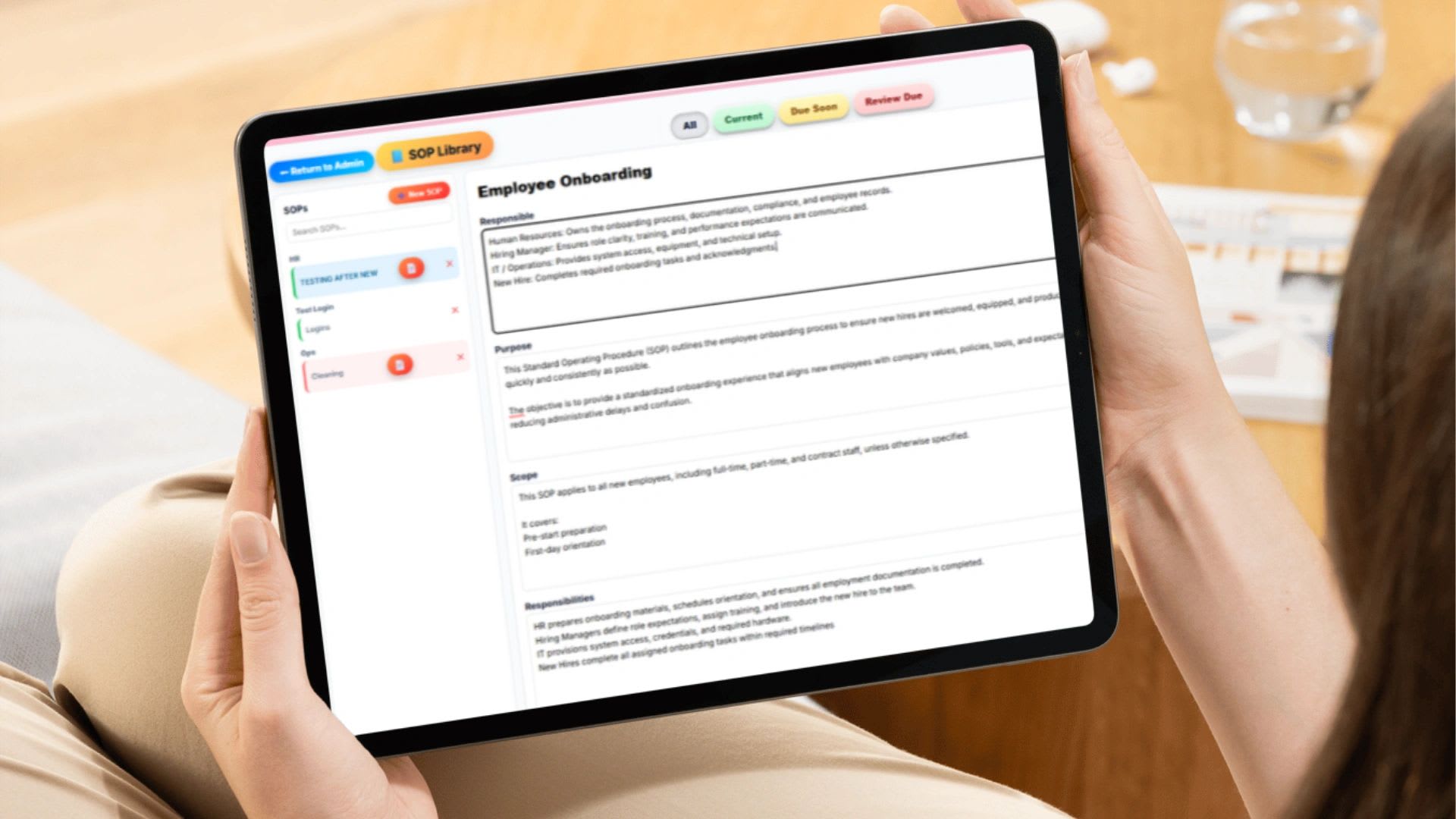
SOP management is the system for creating, organizing, storing, versioning, approving, and reviewing your standard operating procedures so every employee follows the current, correct process. Writing an SOP once is documentation. Managing it is control. This guide covers how to organize and name SOPs, where to store them, how to track versions and sign-offs, how often to review them, and includes a free SOP register that flags overdue reviews.
If you are researching SOP management, you are probably dealing with at least one of these problems: processes scattered across documents, employees doing the same task different ways, slow training, bottlenecks that block growth, no proof of compliance, or no confidence about which version of a process is current.
What Is an SOP?
SOP stands for standard operating procedure: a documented, step-by-step process for completing a specific task. It removes ambiguity. Instead of "handle customer complaints professionally," an SOP says:
- Open a support ticket.
- Respond within 4 business hours.
- Log the issue category.
- Escalate if unresolved within 24 hours.
SOPs create quality control, repeatability, faster training, accountability, and compliance documentation. Without them, the business runs on memory and individual interpretation, and that does not scale. If you are just getting started, see SOPs for small business.
What Is SOP Management?
SOP management is the system you use to:
- Create procedures in a consistent format
- Store and organize them in one place
- Control versions and approvals
- Assign an owner to each procedure
- Require employee acknowledgment
- Review and update on a schedule
- Keep an audit trail
Why SOP Management Matters for Growing Businesses
As a company grows, headcount multiplies, tasks diversify, communication layers expand, and small errors compound. Without controlled SOPs, processes drift, quality declines, training becomes inconsistent, and leaders answer the same questions over and over. SOP management turns tribal knowledge into operating infrastructure. It also increases business value, because a buyer or investor can see that the company runs on documented systems rather than on the founder.
How to Organize SOPs
Organize SOPs by department, then by function. Grouping by department makes ownership obvious and helps employees find what they need.
| Department | Example SOPs |
|---|---|
| Operations | Order fulfillment, inventory intake, quality control |
| Sales | Lead qualification, demo process, proposal submission |
| Marketing | Campaign launch, content publishing, brand review |
| HR | Employee onboarding, PTO approval, performance reviews |
| Finance | Invoice processing, payroll approval, expense reimbursement |
| IT | Account setup, access removal at offboarding, backups |
How to Name SOPs
Naming matters more than most people realize. Vague titles like "Onboarding" or "Customer Process" are impossible to search and easy to duplicate. A strong title includes the function, the scope, and the audience when relevant.
| Weak Title | Strong Title |
|---|---|
| Onboarding | Employee Onboarding: Full-Time Staff 30-Day Process |
| Inventory | Warehouse Inventory Intake: Barcode Scan Procedure |
| Invoices | Invoice Processing: Net 30 Clients |
| Payroll | Payroll Approval: Biweekly Hourly Staff |
Add a short ID code, such as FIN-004 or HR-012, if you have more than a few dozen SOPs. IDs make cross-references and audit requests easier.
Where Should SOPs Be Stored?
Common options include shared drive folders, Google Docs, wikis, project management tools, and dedicated SOP software. Wherever they live, the storage must provide:
- One central location everyone can reach
- Controlled editing, so only owners and approvers can change a procedure
- Version history
- Permissions by role
- Fast search
SOPs scattered across random folders lead to duplicate versions, outdated steps, and employees following the wrong procedure. Keep one controlled source of truth.
How to Track SOP Versions
Version control is the core of SOP management. Every SOP should display its version number, last updated date, author, approver, and a change summary. Use whole numbers for major rewrites and decimals for small edits. Paste this revision log at the bottom of each SOP:
Version	Date	Author	Approved By	Change Summary
1.0	[date]	Dana	Operations Manager	Initial procedure created
1.1	[date]	Dana	Operations Manager	Updated billing step 4 for new invoice system
2.0	[date]	Luis	COO	Full workflow revision after process audit
Without version control, employees may follow outdated steps, and in regulated industries that becomes a compliance risk.
How to Require SOP Sign-Off
Employees should acknowledge SOPs that affect compliance, safety, payroll, or critical operations. Common methods include digital acknowledgment, a checkbox confirmation, a timestamped acceptance, or requiring training completion before sign-off. A sign-off record protects the business in audits and disputes, and it protects employees by confirming they received clear instructions. Sign-off is not bureaucracy. It is accountability. When an SOP changes, require a new acknowledgment for the new version.
What Every SOP Should Contain
A consistent format makes SOPs faster to write, easier to follow, and simpler to audit. Use the same sections every time:
| Section | What to Include |
|---|---|
| Header | Title, ID code, department, owner, version, and last review date |
| Purpose | One or two sentences on why the procedure exists |
| Scope | Who it applies to and when it is used |
| Definitions | Terms or abbreviations a new employee may not know |
| Steps | Numbered actions, one action per step, with screenshots where helpful |
| Responsibilities | Who performs, approves, and is informed at each step |
| Related documents | Forms, templates, and linked SOPs |
| Revision log | Version history with dates, authors, and change summaries |
Write steps in plain language starting with a verb, such as "Open," "Enter," or "Send." If a step needs more than two sentences, split it into two steps.
Using SOPs for Training
SOPs are training infrastructure, not just reference documents. A strong onboarding flow uses them to guide new hires step by step, reduce shadow training, and shorten ramp-up time. Training on an SOP should include a walkthrough, a demonstration, supervised practice, a check for understanding, and formal acknowledgment. Record each one in an employee training log.
How Often Should SOPs Be Reviewed?
Review frequency should match risk. A common approach:
| Risk Level | Examples | Suggested Review |
|---|---|---|
| High | Payroll, safety, regulated or financial processes | Every 3 to 6 months |
| Medium | Onboarding, fulfillment, customer support | Every 6 to 12 months |
| Low | Internal admin, content publishing | At least once a year |
Also review immediately after a major process change, a new tool rollout, a regulation update, or a process failure. Track due dates in the register below.
Free SOP Register and Review Tracker
Free SOP Register and Review Tracker
List each SOP with its owner, version, last review date, and review cycle. The register calculates the next review date and flags anything overdue or due within 30 days.
| SOP | Dept | Owner | Version | Risk | Last Reviewed | Next Review | Status |
|---|
An SOP with no owner or an overdue review is the first thing to fix. Copy the register into a spreadsheet to keep it, since this page does not save data between visits.
Should SOPs Be Short or Detailed?
It depends on risk. Low-risk processes can be a short checklist. High-risk processes such as payroll, safety, and compliance should be detailed and step by step, with screenshots where helpful. The goal is clarity, not length. See SOP examples across industries for formats.
Common SOP Management Pitfalls
- Writing SOPs once and never updating them. Businesses change, and SOPs must change with them.
- Overcomplicating documentation. SOPs should be clear and actionable, not academic.
- No assigned owner. Every SOP needs one person responsible for keeping it current.
- Letting everyone edit. Open editing destroys control.
- No review schedule. Without due dates, reviews never happen.
- Poor search. If employees cannot find an SOP in seconds, they will not use it.
- No training link. Documentation without training has little effect.
What to Look For in SOP Management Software
- Department-based organization and drag-and-drop ordering
- Role-based visibility and permission controls
- Version tracking and approval workflows
- Digital sign-offs with timestamps
- An audit log and assigned owners
- Fast search and clean export
- Connection to projects, teams, and training
Many platforms store documents. Few control them. Compare options in the best SOP software for small business.
When Is It Time to Formalize SOP Management?
You likely need a formal system if you answer the same operational questions repeatedly, training takes too long, mistakes keep recurring, you are hiring managers, you are preparing to scale or sell, or you operate in a regulated industry.
A 30-Day Plan to Get SOPs Under Control
- Week 1: Inventory. Collect every existing procedure from drives, inboxes, and wikis into the register above, even if it is outdated.
- Week 2: Assign owners. Give every SOP one owner and a risk level, and delete or merge duplicates.
- Week 3: Fix the high-risk ones. Rewrite payroll, safety, and compliance SOPs in the standard format and get them approved.
- Week 4: Roll out and sign off. Train the affected employees, collect acknowledgments, and set review dates for everything.
After the first month, the owner of each SOP handles reviews on schedule, and the register shows at a glance what needs attention.
Managing SOPs With Updoot
Updoot includes SOP management software built for operational control. You can organize SOPs by department, control visibility by role, track versions, assign owners, require acknowledgment, keep an audit history, search instantly, export clean documents, and tie SOPs to projects. It sits alongside time tracking, payroll, and HR in one system, starting at $5 per user per month.
Final Thoughts
SOP management is not about storing files. It is about building a controlled, scalable operating system for your business. Organize by department, name clearly, keep one source of truth, version every change, require sign-off where it matters, and review on a schedule. Do that and your processes stay current, searchable, and accountable as you grow.
Opens in Google Drive. View and download for free.
Related Reading
SOP for Small Business: Getting Started →
Frequently Asked Questions About SOP Management
What is SOP management?
SOP management is the system for creating, organizing, storing, versioning, approving, and reviewing standard operating procedures so employees always follow the current, correct process.
How should SOPs be organized?
Organize SOPs by department and then by function, such as Finance, then invoice processing, payroll approval, and expense reimbursement. This makes ownership clear and SOPs easy to find.
How do you name an SOP?
Use a descriptive title that includes the function, scope, and audience, such as Employee Onboarding: Full-Time Staff 30-Day Process. Add an ID code if you manage many SOPs.
How do you track SOP versions?
Give every SOP a version number, last updated date, author, approver, and change summary. Use whole numbers for major rewrites and decimals for minor edits, and keep a revision log.
How often should SOPs be reviewed?
Review high-risk SOPs every 3 to 6 months and all others at least once a year, plus immediately after major process changes, regulation updates, or process failures.
Should employees sign off on SOPs?
Yes, for procedures that affect compliance, safety, payroll, or critical operations. A timestamped acknowledgment shows the employee received and understood the current version.