
Employee Training Log Template (Free Tracker)
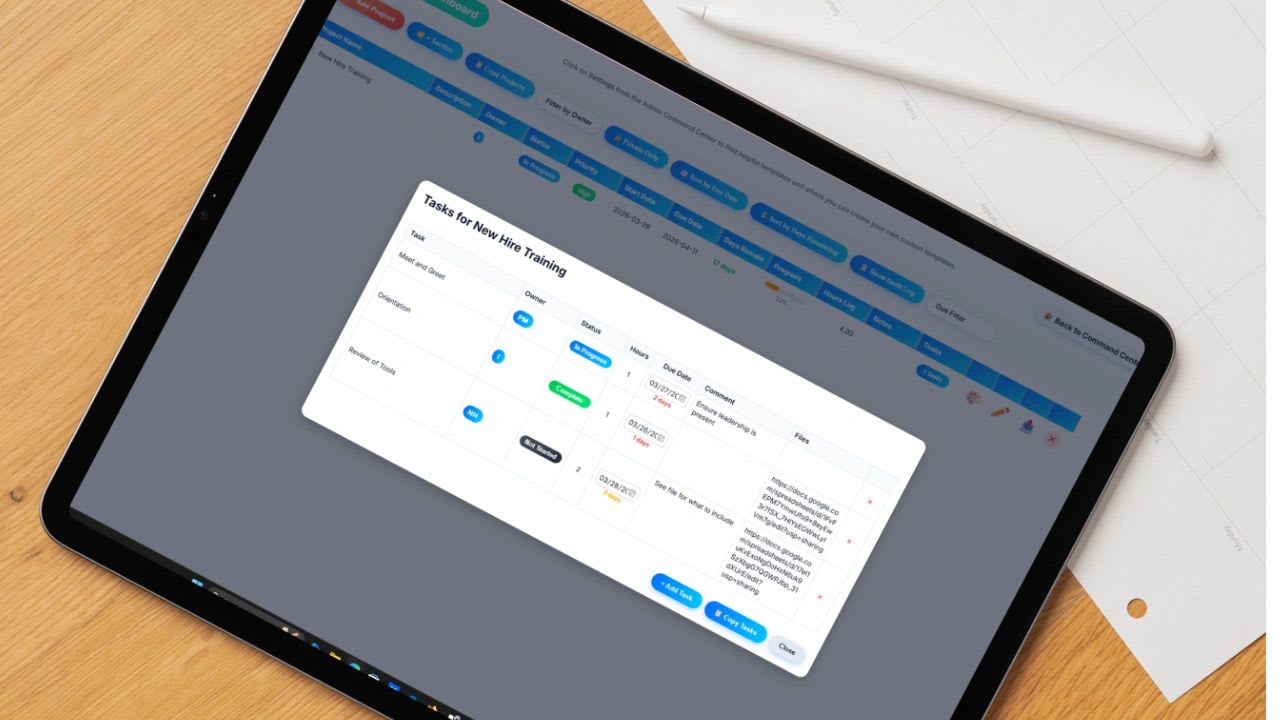
An employee training log template is a simple table that records every training session for every employee: who was trained, on what, when, by whom, how, and whether it is complete. Copy the free template below into Excel or Google Sheets, or use the online tracker to log sessions and flag training that has expired or is coming due. This guide also explains what to track, how to use the log, and how to connect training to performance.
Training is one of the most important parts of growing a business, yet most companies do not track it. Training happens once, maybe twice, and then disappears. Nobody can say who was trained, what was covered, or whether it worked. The result is inconsistent performance, repeated mistakes, uneven onboarding, and no way to prove training happened when it matters.
What Is an Employee Training Log?
An employee training log is a structured record of all training activity for each employee. It tracks what training was completed, when it happened, who delivered it, how it was delivered, and the outcome. Instead of relying on memory, you have a system that anyone on the management team can check in seconds.
Why Training Logs Matter
| Without a Training Log | With a Training Log |
|---|---|
| The same training is repeated because nobody knows who had it | Training is consistent and targeted |
| You cannot prove training happened | You have a dated record for audits, clients, and insurers |
| Employees forget what they learned | Refreshers are scheduled before skills fade |
| Managers have no visibility | Gaps by person or department are visible instantly |
| Onboarding depends on who is available | Every new hire gets the same experience |
Documentation matters most for safety and compliance training. Many industries have training and recordkeeping requirements, such as those overseen by OSHA for workplace safety. Check which rules apply to your business and keep your log at least as detailed as they require.
What a Good Training Log Should Include
- Employee name, role, and department so you can filter by person or team
- Training topic, such as safety procedures, software, or customer service
- Training date
- Trainer, whether an internal lead or outside provider
- Method: in-person, video, online course, shadowing, or workshop
- Status: Completed, In Progress, or Not Started
- Renewal period and due date for training that must be repeated
- Notes on test results, feedback, or next steps
Free Employee Training Log Tracker
Use the tracker to build your log right on this page. It calculates the completion rate and shows which certifications or refreshers are expired or due within 30 days.
Free Employee Training Log Tracker
Log each training session. Add a renewal period for training that must be repeated, and the tracker flags anything expired or due within 30 days.
| Employee | Dept | Topic | Date | Trainer | Method | Status | Renewal Due |
|---|
When you are done, click Copy to Excel and paste the log into a spreadsheet to keep it. The tracker does not save data between visits.
Employee Training Log Template for Excel or Google Sheets
Copy the template and paste it into cell A1 of a blank sheet. Enter each training date in column E. The Renewal Due column uses EDATE to add the renewal months, and Days Left counts down to the due date. Format column J as a date and column K as a number.
Employee	Role	Department	Training Topic	Training Date	Trainer	Method	Status	Renew (months)	Renewal Due	Days Left	Notes
Sarah Kim	Manager	Operations	Leadership training		John	Workshop	Completed	0	=IF(I2=0,"",EDATE(E2,I2))	=IF(J2="","",J2-TODAY())	Strong engagement
Marcus Diaz	Associate	Warehouse	Forklift safety		Dana	In-person	Completed	12	=IF(I3=0,"",EDATE(E3,I3))	=IF(J3="","",J3-TODAY())	Passed practical test
Ava Patel	Specialist	Support	Ticketing software		Lee	Online course	In Progress	0	=IF(I4=0,"",EDATE(E4,I4))	=IF(J4="","",J4-TODAY())	Module 3 of 5
						Completion rate	=COUNTIF(H2:H4,"Completed")/COUNTA(H2:H4)
Make the template more useful with a few additions:
- Conditional formatting: turn Days Left red when it is below 0 and yellow when it is below 30.
- Filters: sort by employee, department, or status to find gaps.
- A training matrix tab: list required courses across the top and employees down the side to see who still needs what.
- A performance link: add a column for the metric the training was meant to improve.
Types of Training to Track
| Training Type | Examples | Typical Renewal |
|---|---|---|
| Onboarding | Company policies, systems access, role basics | Once, at hire |
| Safety | Equipment operation, hazard communication, first aid | Often recurring, based on the rules that apply to you |
| Compliance | Harassment prevention, data privacy, industry rules | Often yearly or as required |
| Software and tools | CRM, time tracking, ticketing system | When the tool changes |
| Process and SOP | New or updated standard operating procedures | Whenever the SOP version changes |
| Skills and leadership | Customer service, management, communication | Ongoing, tied to development goals |
Tracking every type in one log lets you answer the questions that matter most: is this person ready to work alone, is anyone overdue on required training, and which teams need more support?
Example: First 30 Days of Training for a New Hire
- Day 1: Company policies, systems access, and safety orientation
- Week 1: Core software training and shadowing a senior team member
- Week 2: Role SOPs with a walkthrough, practice, and sign-off
- Week 3: Supervised independent work with daily feedback
- Week 4: Skills check and a 30-day review using the training log
Log each item as it happens so the 30-day review is based on facts rather than memory.
How to Use an Employee Training Log
- Add every employee. Start with your current roster so the log is complete from day one.
- Log each session when it happens. Record it the same day, not at the end of the month.
- Track completion. Update status as courses move from Not Started to Completed.
- Add notes. Capture quiz scores, observations, and follow-up needed.
- Review regularly. Check the log in weekly one-on-ones and bring it to performance reviews.
Training Log vs. Training Plan vs. Training Matrix
| Document | What It Answers | When to Use It |
|---|---|---|
| Training plan | What should each person learn, and by when? | Before training, during onboarding and development planning |
| Training log | What training actually happened? | Every time training occurs |
| Training matrix | Who is qualified for which task right now? | Scheduling, staffing, and audits |
Use them together. The plan sets the target, the log records reality, and the matrix shows the gap.
How Training Logs Improve Performance
When training is tracked, employees improve faster because they know what they have learned and what comes next. Managers see gaps instantly instead of discovering them after a mistake. Onboarding becomes consistent because every new hire follows the same path. And accountability rises because training is no longer optional or forgotten. Pair the log with a new hire orientation checklist to make the first weeks predictable.
Connect Training to Results
The real value of a training log appears when you compare it to performance data. If support agents finish a product course and ticket resolution time drops, the course works. If error rates stay flat after a safety refresher, the content or delivery needs to change. When an employee is struggling, the log shows whether they were ever trained on the task, which tells you whether you need an employee coaching plan or simply better training.
When to Use a Training Log
- Onboarding new employees
- Rolling out new processes, tools, or SOPs
- Running ongoing skills and leadership development
- Managing certifications that expire
- Preparing for compliance reviews, client audits, or insurance renewals
Common Mistakes to Avoid
- Not updating the log. A log that is three months behind is worse than none because people trust it.
- Making it too complex. Simple logs get used. Twenty-column logs get ignored.
- Never reviewing it. Bring it to meetings and reviews.
- Ignoring expirations. Track renewal dates for anything that must be repeated.
- Not linking to performance. Training should drive results you can measure.
Training Metrics Worth Reporting
Once the log has a few months of data, a handful of numbers tell you whether training is working:
- Completion rate: completed sessions divided by assigned sessions, by team.
- Overdue count: required training past its renewal date.
- Time to competency: days from hire until a new employee works without supervision.
- Training hours per employee: total hours logged in the period divided by headcount.
- Performance change: the metric the training targeted, before and after.
Review these monthly with department leads. A team with low completion and rising errors is telling you where to focus next.
When Spreadsheets Are Not Enough
Spreadsheets are a great start, but they depend on manual updates, offer limited visibility across teams, and do not remind anyone when training is due. As the business grows, training records belong next to the rest of your employee data.
Updoot keeps employee records, SOPs with digital sign-offs, performance reviews, and time tracking in one system, so you can see who acknowledged a procedure, who is trained, and how that shows up in their work. Plans start at $5 per user per month.
Final Thoughts
An employee training log is one of the simplest tools you can put in place, and one of the most useful. Start with the template, log every session, track renewals, and review it weekly. You will quickly see who is trained, who needs support, and where your team is improving.
Sources: OSHA Training Resources.
Opens in Google Drive. View and download for free.
Frequently Asked Questions About Employee Training Logs
What is an employee training log?
An employee training log is a record of every training session for each employee, including the topic, date, trainer, method, completion status, and notes.
What should be included in a training log template?
Include employee name, role, department, training topic, date, trainer, method, status, renewal period, renewal due date, and notes.
How do you track training that expires?
Add a renewal period in months for each course and calculate the due date from the training date. In Excel, the EDATE function adds months to a date, and conditional formatting can highlight anything overdue.
What is the difference between a training log and a training plan?
A training plan defines what each employee should learn and by when. A training log records what training actually happened. Use both together to find gaps.
How long should training records be kept?
It depends on the type of training and the rules that apply to your industry. Check the requirements from the agencies that regulate your business and keep records at least that long.
Can I use Google Sheets for a training log?
Yes. The template on this page works in both Excel and Google Sheets, including the EDATE renewal formula.