
How to Create a Project Management SOP
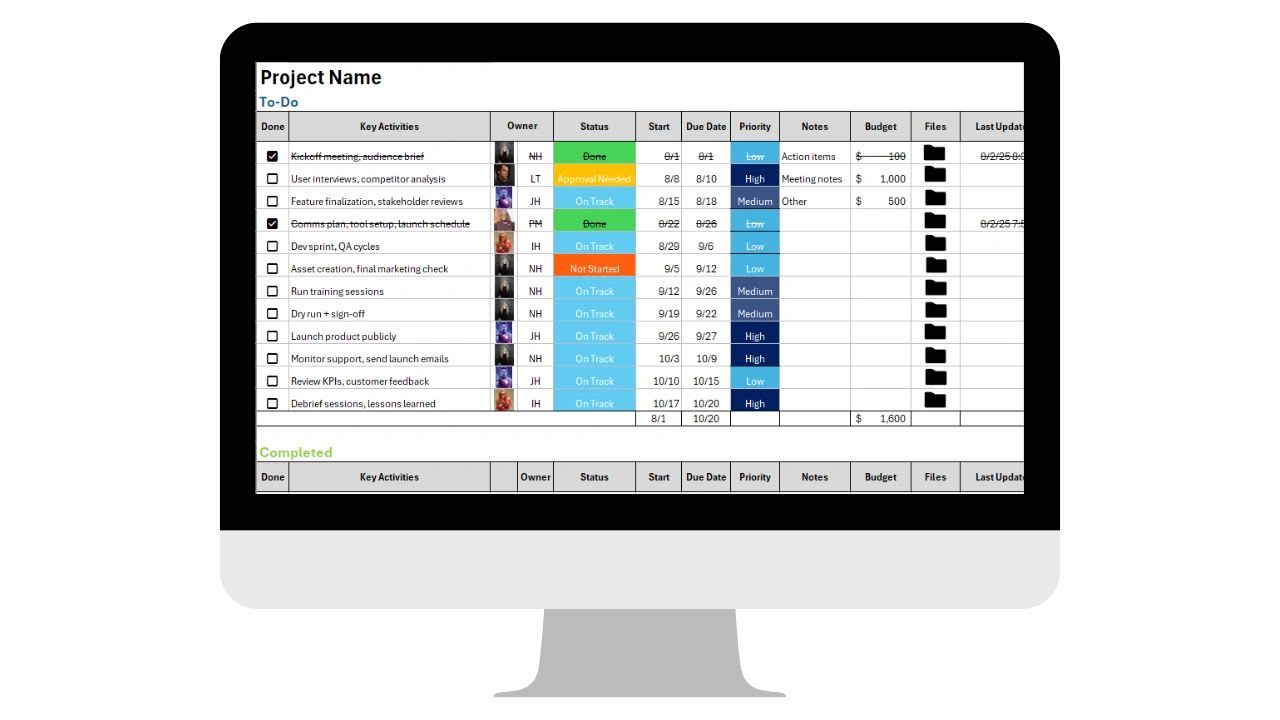
If your projects feel disorganized, if deadlines are consistently missed, if team members interpret the process differently every time, or if leadership lacks real visibility into what is happening -- the root cause is almost always the same. There is no consistent, documented framework for how projects are run. Every manager fills the gap with their own approach, and the results are unpredictable.
A project management SOP (Standard Operating Procedure) solves this. It creates consistency in how projects are initiated, planned, executed, monitored, and closed -- regardless of who is running them. This guide covers what goes in one, why it matters for businesses of every size, a sample structure you can adapt, and the common pitfalls that make SOPs ineffective.
What Is a Project Management SOP?
A project management SOP is a documented, step-by-step framework that standardizes how projects are handled within your organization. It defines how projects are proposed, how they are approved, how they are planned, how tasks are assigned, how progress is tracked, how risks are managed, and how projects are formally closed. It is not a plan for a specific project -- it is the system within which all projects are planned and executed.
Without a project management SOP, every manager runs projects differently. One uses a spreadsheet for tracking. Another uses a whiteboard. A third sends status updates via Slack. The work gets done -- sometimes -- but the process is unreliable, the documentation is inconsistent, and accountability depends on individual managers rather than organizational structure. The SOP replaces that variability with a repeatable system that produces predictable outcomes.
Why Every Growing Business Needs One
Consistency Across Teams
When multiple teams or managers handle projects differently, confusion grows proportionally with company size. A project management SOP ensures everyone follows the same structure for intake, approvals, reporting, and close-out. Consistency reduces friction, makes onboarding faster, and makes it possible for leadership to understand project status across the organization without learning each manager's individual system.
Faster Onboarding
New managers should not need to figure out how projects work by observation. An SOP provides clear expectations, defined workflows, and structured templates from day one. That reduces ramp-up time and prevents the common pattern where a new manager brings their old company's processes with them rather than adopting yours.
Better Accountability
A strong SOP defines who owns what, when reviews happen, what documentation is required at each stage, and what constitutes project completion. That level of definition makes accountability enforceable rather than aspirational. When everyone knows the process and the process is documented, there is no ambiguity about what was expected.
Reduced Project Risk
Standard checkpoints built into the SOP -- at intake, at planning approval, at defined milestones, and at close-out -- create structured opportunities to identify budget risks, scope creep, resource overload, and timeline delays before they compound. Risk is dramatically easier to manage when the process forces you to look for it at defined intervals rather than only when something goes visibly wrong.
The 9 Sections Every Project Management SOP Needs
1. Project Intake Process
Define who can request a project, what information is required to submit one, and what criteria are used to decide whether to pursue it. Without structured intake, businesses spend time and resources on low-value projects while higher-priority work waits. Required intake fields should include the project objective, expected outcome, budget estimate, timeline, department owner, and ROI justification. The intake form should be standardized -- not a free-form email.
2. Project Approval Workflow
Clarify who reviews proposals, at what budget thresholds different levels of approval are required, what documentation must accompany the request, and how long the review process takes. Without a defined approval workflow, projects sit in limbo while waiting for someone to make a decision, or they move forward without proper authorization and run into budget or resource problems mid-execution.
3. Project Planning Framework
Specify how timelines are created, whether Gantt charts or milestone documents are required, how scope is formally documented, and how resource allocation is handled. This is where clarity matters most. A project that starts without a documented scope and timeline is a project that will experience scope creep, missed deadlines, and budget surprises. The planning framework defines the minimum acceptable documentation before any project moves to execution.
4. Task Assignment and Ownership
Define how tasks are created, how responsibilities are assigned, how deadlines are set, and how accountability is tracked. Every task should have exactly one owner, one due date, and clear deliverables. Shared ownership is the organizational equivalent of no ownership -- when two people are responsible, both assume the other is handling it. The SOP should enforce single ownership at the task level as a non-negotiable requirement.
5. Communication Standards
Define the weekly meeting cadence for project reviews, the required format for status updates, the escalation process when a project goes at risk, and where project documentation is stored. Unclear communication is one of the most common causes of project failure. The SOP should remove ambiguity about how and when project information flows by making the communication structure part of the documented process rather than leaving it to individual managers.
6. Risk Management Process
Include the steps for identifying risks at project initiation and at each milestone review, how risks are scored (low, medium, high), what mitigation planning is required for each risk level, and what triggers formal escalation. Risk management should be proactive, not reactive. Building risk review into the project management cadence means problems surface when they are still manageable rather than after they have already caused damage.
7. Progress Tracking and KPI Monitoring
Define the required reporting format, how often KPIs are reviewed, how budget spend is tracked against the approved budget, and how milestone completion is documented. Projects must be measurable to be manageable. Without defined tracking requirements, "how is the project going" becomes a subjective question with no reliable answer.
8. Change Control Procedure
This is the most searched topic in project management SOPs, and for good reason -- scope creep is one of the primary causes of project cost overruns. The SOP must define how change requests are submitted, who has authority to approve scope changes at different budget levels, how timeline and budget are re-evaluated when scope changes, and that no additional work begins until a change order is formally approved. Without this process, clients and internal stakeholders will continue adding work verbally and expecting it to be included without budget or timeline adjustment.
9. Project Close-Out Process
Every project must end with a formal close-out process that includes final deliverable verification, budget reconciliation comparing approved budget to actual spend, a post-project review identifying what worked and what to change, a lessons learned document, and formal sign-off from the project owner. Close-out is the most consistently skipped stage of project management, and skipping it means the same problems repeat on the next project because no one captured what went wrong or what went right.
Sample Project Management SOP Structure
Project Management SOP -- Version 1.0
1. Purpose
Standardize the project lifecycle from intake through close-out to ensure consistent execution, accountability, and documentation across all projects.
2. Scope
Applies to all projects over $5,000 in budget or longer than 30 days in duration. Smaller projects follow a lightweight version of this process.
3. Project Intake
All project requests submitted via the centralized intake form. Required fields: objective, expected outcome, ROI justification, budget estimate, timeline, and department owner. Requests reviewed within 5 business days.
4. Approval Process
Projects under $10,000: department head approval. Projects $10,000 to $50,000: department head plus finance approval. Projects over $50,000: leadership team review required. All approvals documented in writing.
5. Planning Phase
Project manager creates a milestone timeline, assigns task owners with due dates, identifies risks with mitigation plans, and documents the scope in writing before execution begins. No project enters execution without an approved plan on file.
6. Execution Phase
Weekly status updates required using the standard progress report format. KPIs reviewed weekly. Budget tracked against approved amount monthly. Any task marked at risk triggers an escalation to the department head within 24 hours.
7. Change Control
All scope changes submitted via change request form before additional work begins. Changes approved by the same authority level as the original project approval. Timeline and budget updated in writing before execution of changed scope.
8. Close-Out
Final deliverable verification, budget reconciliation, lessons learned document, and formal sign-off from project owner required within 5 business days of project completion. All documentation archived in the designated project folder.
9. Review Cycle
This SOP is reviewed annually and after any major project failure. SOP owner: [Name]. Last reviewed: [Date].
Common Pitfalls That Make SOPs Ineffective
Overcomplication. A 100-page SOP document that no one reads is not a system -- it is shelf decoration. Keep the SOP actionable and clear. The test is whether a new manager can read it in under an hour and understand exactly what they are supposed to do from project intake to close-out. If it takes longer than that, it is too complex.
No named owner. Assign one person responsible for maintaining the SOP, distributing it to new managers, and ensuring it gets updated when processes change. Without a named owner, the SOP goes stale the moment something changes and stops being used within six months.
No change control process. Scope creep destroys margins and timelines. The change control section of the SOP is not optional. If it is missing or unclear, add it first. Every project that allows informal scope additions without a formal change order is burning money.
Not connected to daily work systems. An SOP that lives in a PDF in someone's Google Drive folder will be ignored. The SOP needs to connect directly to the tools your team uses to manage projects every day. If you use Updoot for project tracking, the SOP should reference how projects are set up in Updoot, where tasks are assigned, and how progress is reported -- so the SOP describes the actual system, not a theoretical process.
No visibility once in execution. The SOP defines the process, but the process requires a system to execute it consistently. Updoot's project management allows you to create structured project intake workflows, assign task ownership clearly, track KPIs tied to projects, control scope changes, store documentation by project, and monitor progress in real time. Instead of a static document, your project management SOP becomes an operational system that produces visible, measurable outcomes.