
Updoot by XecuteTheVision
Stop running the week off a status meeting and six browser tabs. Requests, projects, procedures, meetings, and approvals move through one system, so a manager can see what's in flight, what's stuck, and who has room to take more without asking anyone.
A client change request, an IT issue, and a quarterly initiative all travel the same path. That is what makes a workload predictable enough to plan against instead of reacting to.
Requests come in as a ticket, a meeting action item, or a roadmap item, not a text message only one person saw.
A brief captures what's being asked for and what it costs. One name, one date, assigned against real capacity.
Progress rolls up to the roadmap, hours become billable, and the next agenda already knows what moved.
The same work, shown the way each person needs to see it.

A crew lead wants a list of what's theirs today. A project manager wants a board. A client wants dates on a timeline. Those are the same tasks, and forcing everyone into one layout is why half the team stops opening the tool.
Table, kanban, timeline, and calendar views all read from the same records, with owners, start and end dates, dependencies, progress bars, and drag and drop. Change something in one view and it's changed everywhere.
Projects can be public to the company or private to the people on them. Build a template for the jobs you run over and over, and launching the next one takes a minute instead of an afternoon of copying last time's checklist.
Hours log directly against the task, tied to the job, project, and location, which is what makes them usable later for payroll or an invoice without anyone typing them a second time.
A front door for requests, and a gate on the ones that cost money.
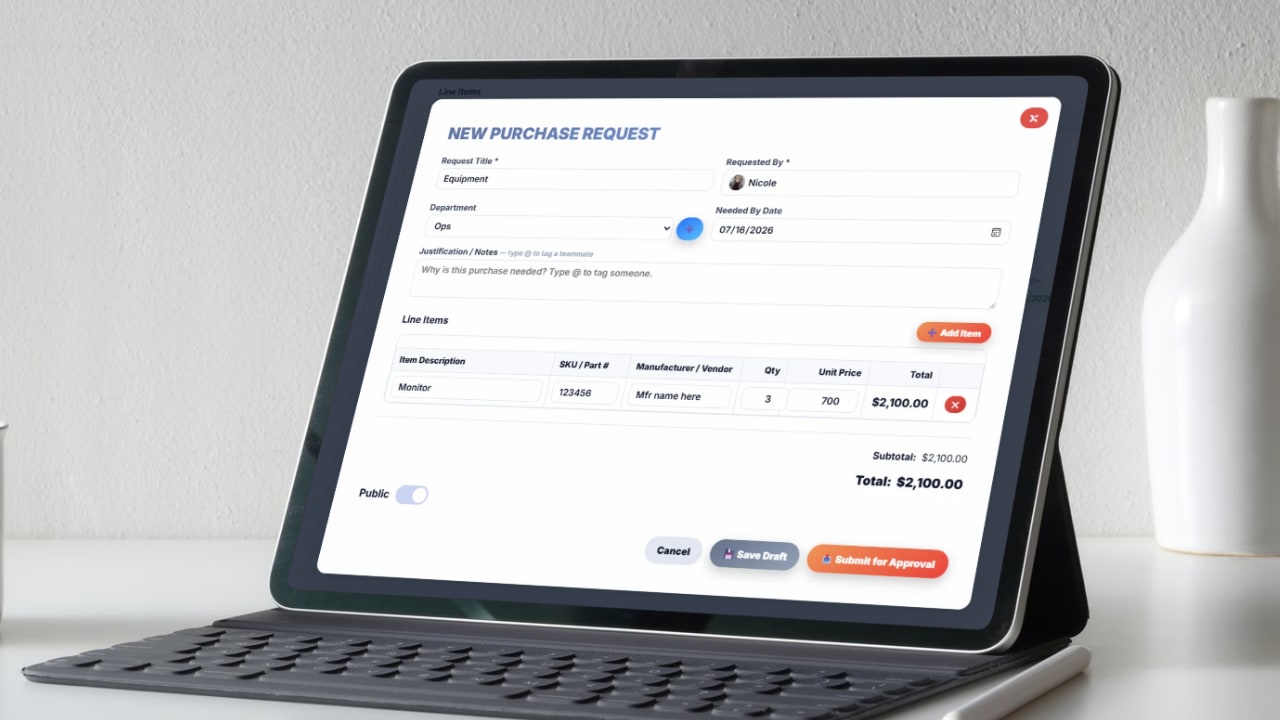
Most work doesn't arrive as a project. It arrives as somebody asking for something, and where it arrives decides whether it gets done. A ticket form gives requests one front door, routes them by priority, and notifies the requester when the issue resolves.
Anything that costs money runs through approvals instead. Set multiple tiers with dollar thresholds that trigger on their own, so routine work moves without a gate and only spending above your line waits for a decision.
Sign-off happens in order with no skipping, and out-of-office routing means an approver on vacation doesn't stall the queue behind them. Every request, signature, and email is kept, so the audit trail exists whether or not anyone thought to save it.
Approved purchases become a sequential PO in one click, which is where work management hands off to the purchasing side of the platform.
The instructions attached to the job, and action items that leave the room with an owner.

A procedure filed in a shared drive is a procedure nobody reads. SOPs live on the work they describe, with customizable sections, revision history, assigned owners, role-based access, and flags for the ones that have gone out of date.
Meetings are where work either gets decided or gets repeated next week. Agendas, a meeting timer, attendance, and recurring templates keep the conversation on the list, and action items leave with an owner and a due date attached.
Progress on those items updates the vision tracker without anyone maintaining a second document about it. The next agenda opens already knowing what moved and what didn't, which is usually the entire content of a status meeting.
Print, email, or export any of it for the people who aren't in the system.
Strategy the team can see, tied to the projects actually carrying it.

Plans usually live somewhere the team never looks, which is why nobody can say how the quarter is going without building a report first. A Gantt-style roadmap plans by day, month, or quarter with dependencies and sub-items, weekends grayed out, and planned shown against actual.
One click turns a roadmap item into a live project, so the strategy and the work carrying it aren't two separate records that drift apart by March.
A risk register tracks what's due, due soon, and overdue, with status and a full dashboard. Vendor scorecards, org charts, and flow charts sit alongside it for the things that need to be drawn rather than listed.
Every view copies to Excel or Google Sheets in one click, for the accountant, the bank, or the partner who will never log in.
Where a problem gets worked out before it becomes a project.
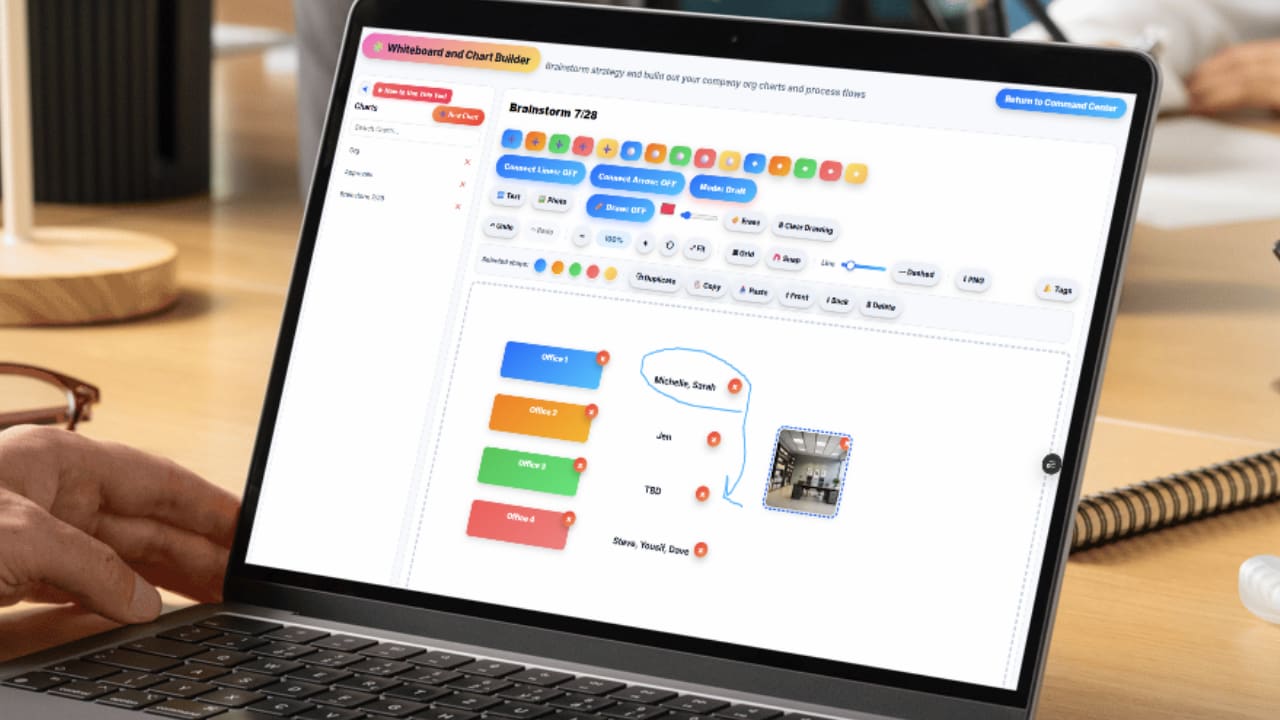
Not every piece of work starts as a task list. Some of it starts as a mess on a call that somebody has to draw before it makes sense, and that drawing ends up as a phone photo nobody finds again.
A shared canvas keeps it in the same system as the work it turns into. Map a process, sketch a flow chart, lay out a handoff between two departments, then build the project off what you drew instead of rebuilding it from memory.
Org charts and vendor scorecards sit here too, for the things that need to be drawn rather than listed.
Company news that isn't competing with the work for attention.
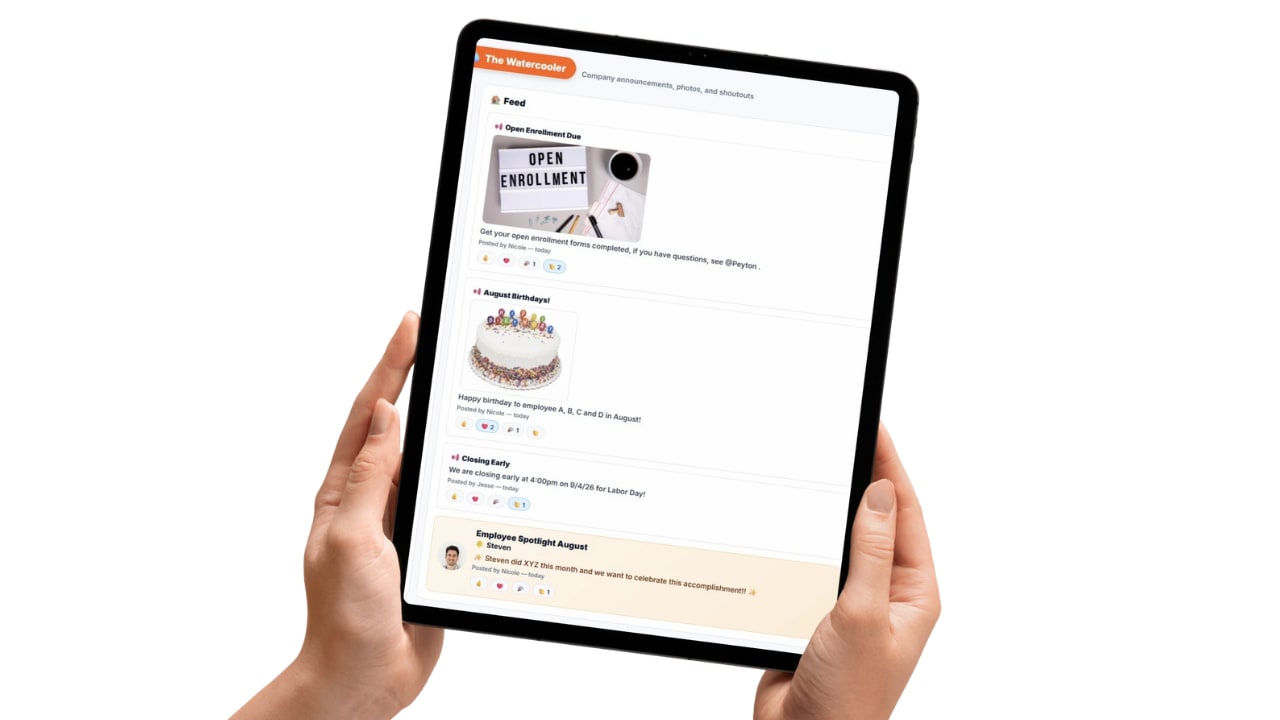
Once work moves, somebody has to be told. Announcements, wins, and recognition go in a feed, so company news isn't buried in a project comment thread or a group text half the crew muted.
It keeps the noise out of the task records and still gets the message in front of everyone who needs it, which is the difference between a team that knows what changed and one that finds out at the next status meeting.
Work management is the layer your team touches every day: how a request arrives, who owns it, what the procedure is, when it's due, and who signs off. Get that layer right and the week stops being a series of interruptions. That's what this page covers, and it's deliberately not everything Updoot does.
The pieces on either side of it have their own pages. Hours logged against a task here flow into payroll reporting and invoicing. Approved requests become purchase orders with receiving and inventory behind them. Completed initiatives show up against budget and P&L. Hiring, reviews, eNPS, CRM, and content planning all sit in the wider platform too.
If you're evaluating how your team will run day to day, this is the page. If you're evaluating whether Updoot can replace several systems at once, start with the full business operations software overview instead, which indexes every tool in one place.
Either way it's one system and one price. Everything listed here is included, with free support, public and private settings, audit logs, AI assistance, and tagging so the right person finds out at the right time.
The tools that carry work from request to finished, each connected so owners, dates, and tags never have to be entered twice.
Table, kanban, timeline, and calendar views with owners, dependencies, and templates.
One front door for requests, routed by priority, with resolution notifications.
Multi-tier approvers with dollar thresholds, sequential sign-off, full audit trail.
Procedures attached to the work, with owners, revisions, and out-of-date flags.
Agendas, timers, attendance, and action items that leave with an owner and a date.
Gantt-style planning with dependencies, sub-items, and planned against actual.
One, three, and ten year targets that update from real progress, not a rewrite.
Current, due soon, and overdue flags with status and a full dashboard.
Work a problem out on a shared canvas before it becomes a project.
Announcements and recognition in a feed, so company news isn't competing with work.
Short, practical reads on job costing, field operations, and running a tighter operation.
Put requests, projects, procedures, meetings, and approvals on one board and see what's actually in flight. Start your free trial of Updoot -- every tool included, free support, nothing to add on.
Start Free Today →