Work Management Software
Stop letting purchases happen with no oversight or waiting days for one person to approve everything. Every purchase starts with a PO and routes through a 3-tier approval workflow, built for any department.
Every purchase in Updoot starts with a purchase order and routes through a 3-tier approval workflow that works the same way whether it's coming from operations, marketing, facilities, or any other department.
A purchase starts with a PO documenting what's being ordered, from whom, at what price, and for which department.
The PO routes through up to 3 approval tiers based on department, amount, or role, so nothing gets ordered without the right sign-off.
Once approved, log what arrives, issue inventory as needed, and match the invoice before it's paid.
Every purchase starts with a PO and routes through real approval, not a rubber stamp.
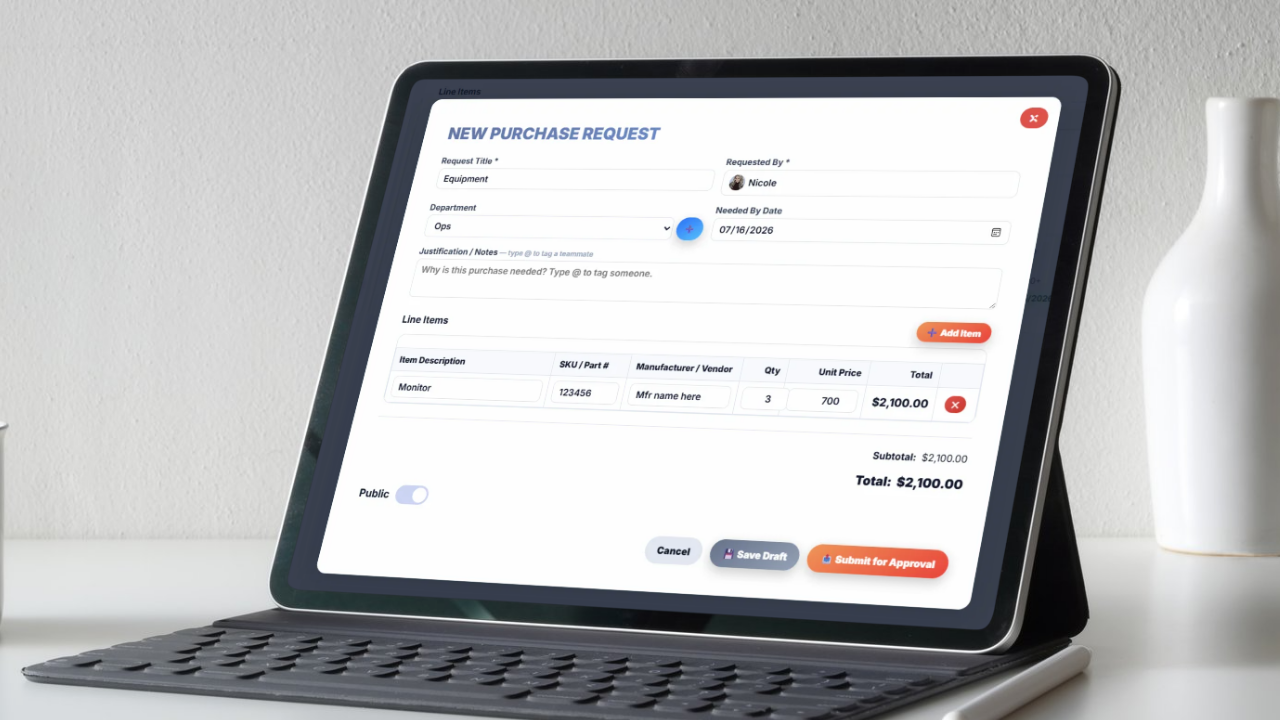
Every purchase begins as a purchase order, documenting what's being requested, the vendor, the cost, and which department it belongs to, before anything gets ordered.
From there, the PO routes through up to 3 approval tiers. A department manager might approve small purchases outright, while larger amounts climb to a second or third tier of sign-off, all configurable to how your business actually wants purchasing decisions made.
Because the workflow isn't tied to one specific department, it works the same way whether the request is coming from operations, marketing, facilities, or anywhere else in the business.
Confirm what actually arrived, and know what's on hand at all times.
When a shipment comes in, it gets logged against the original purchase order, so you know whether the full order arrived, a partial shipment showed up, or something's missing entirely.
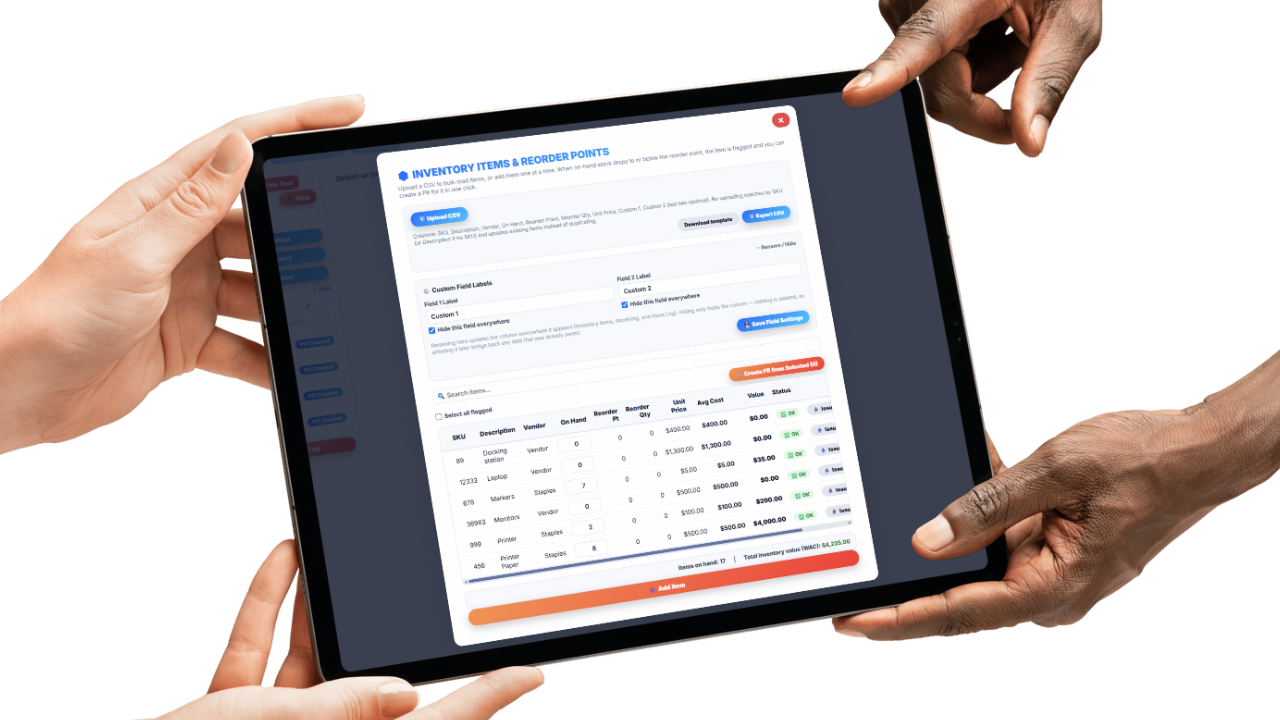
That receiving record feeds directly into inventory tracking, so stock levels reflect what's actually on hand, not what a spreadsheet was updated to say last month.
Partial shipments stay visible until the rest of the order arrives, and inventory counts stay current as new stock comes in and existing stock gets used.
Know exactly what left inventory and who it went to.
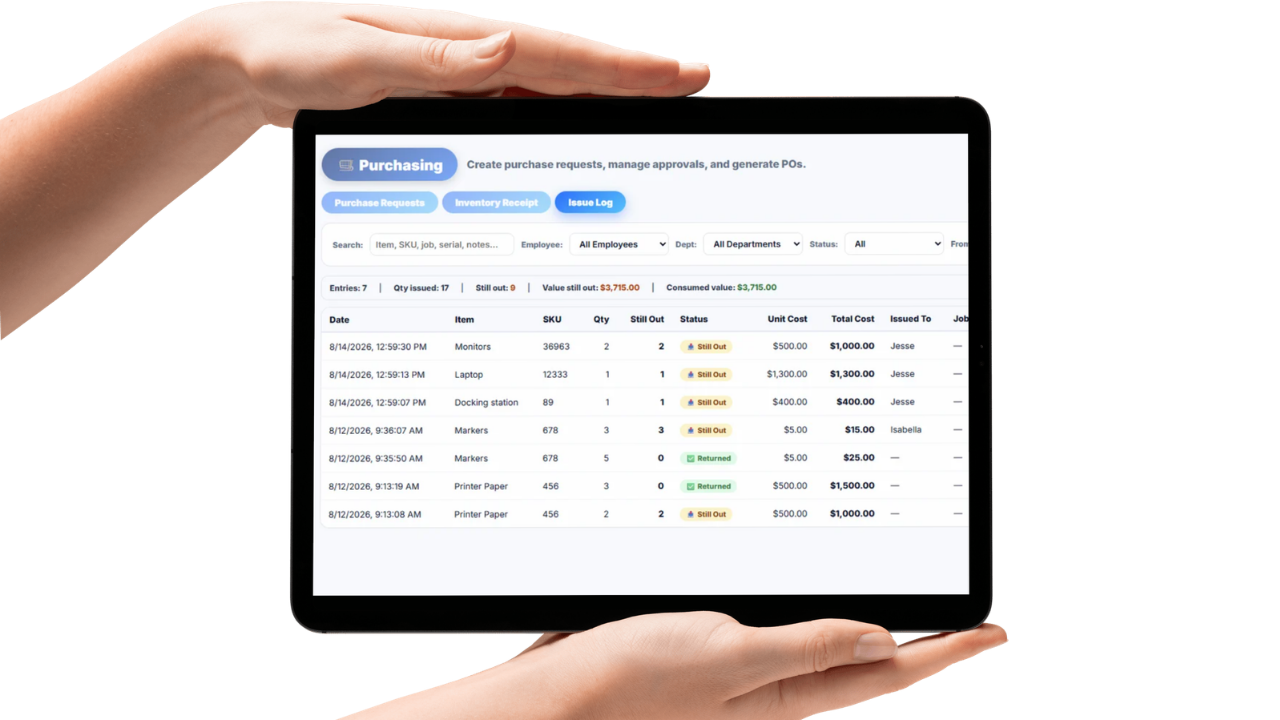
When inventory gets issued to a job, project, or employee, it's logged with the quantity, the item, and who or what it's assigned to, so stock doesn't just quietly disappear off the shelf.
Issued inventory ties to the job or project it was pulled for, which means material cost stays connected to the work it actually supported instead of getting lost as a generic expense.
Over time, issuance records make it possible to see which jobs are actually consuming the most material, instead of guessing based on how fast the shelf empties.
Most small businesses handle purchasing across a patchwork of email confirmations, packing slips shoved in a drawer, and invoices that get approved because nobody has time to double-check them against what was actually ordered. Worse, purchases often happen with no real approval at all, just a verbal okay that nobody can trace back later.
Updoot starts every purchase as a formal purchase order and routes it through a 3-tier approval workflow, so spending decisions have real sign-off behind them, not just a nod in the hallway. The same workflow applies across any department, not just a purchasing or operations team.
Once a PO is approved, receiving and inventory tracking keep stock levels accurate, and issuance ties material cost back to the job that actually used it. Before a vendor invoice gets paid, it's checked against both the purchase order and the receiving record in a three-way match, catching a price that crept up or a quantity that doesn't line up before payment goes out.
The result is a purchasing process with a paper trail at every step, from the original request through approval, receiving, issuance, and final payment, instead of a system that runs on trust and packing slips.
The system for approving, receiving, and paying for purchases with confidence.
Every purchase starts with a documented PO before anything is ordered.
Route approvals across up to 3 tiers by department, amount, or role.
The same approval workflow applies whether the request comes from operations, marketing, or anywhere else.
Confirm what actually arrived against the original order, including partial shipments.
Log what leaves inventory, tied to the job or person it's issued to.
Compare the purchase order, receipt, and invoice before approving payment.
Short, practical reads on job costing, field operations, and running a tighter operation.
Stop letting purchases happen with no oversight. Start your free trial of Updoot -- purchase orders, 3-tier approval, receiving, invoice matching, and project cost tracking all in one platform built for small business.
Start Free Today →