Work Management Software
Stop running meetings off a mental list and hoping somebody writes down what was decided. Every meeting starts with an agenda, keeps presenters to their time when you need it, and ends with action items assigned to real people.
Every meeting in Updoot starts with an agenda, runs with whiteboards and charts attached and an optional timer when someone needs to be kept to their slot, and closes out with action items assigned to specific people and attendance on record.
Start from a template or give Doot the meeting topic and let it draft the agenda items for you.
Work down the agenda, pulling in whiteboards and charts when the discussion turns into brainstorming, and start the timer if speakers are on the clock.
Assign action items to people, record who attended, and keep the whole meeting on file for next time.
Never walk into a meeting with a blank page or an agenda that misses the point.
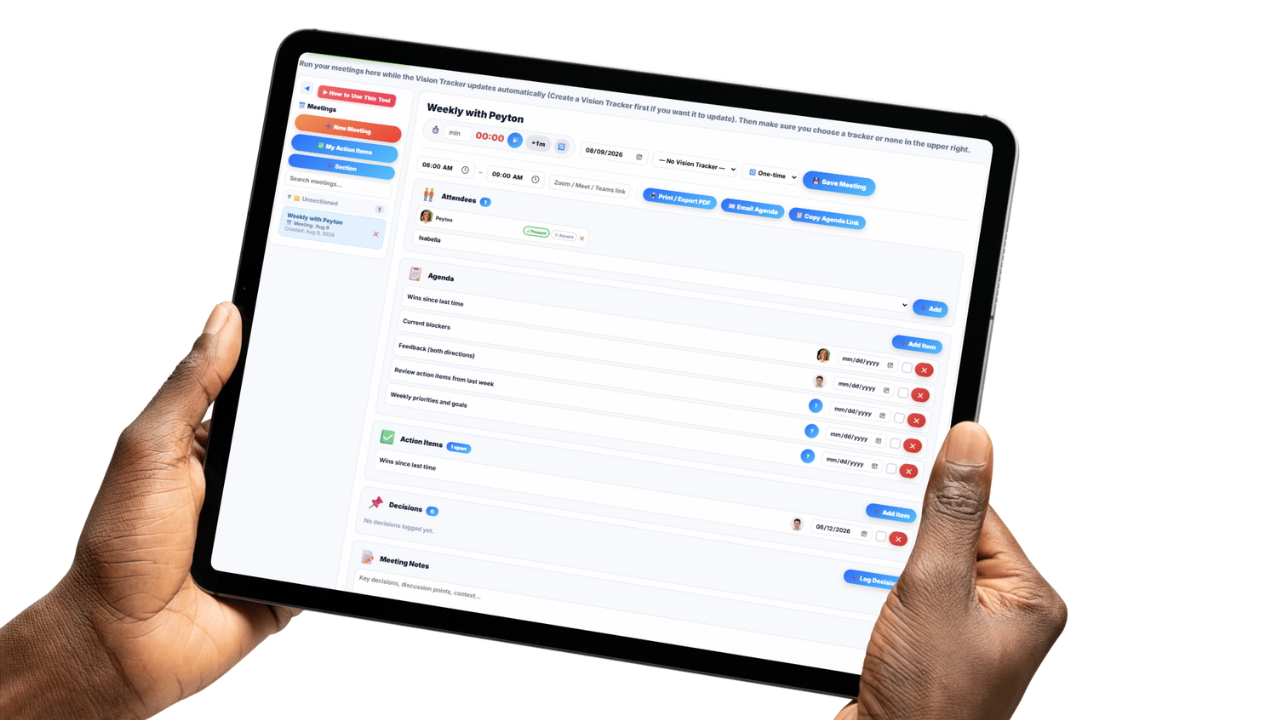
Every meeting starts with an agenda that lays out what's being discussed, in what order, and roughly how long each item should take, before anyone joins the call.
Tell Doot the meeting topic and it drafts the agenda for you, suggesting the items that actually belong in that conversation so the meeting stays relevant instead of wandering into whatever's on someone's mind that morning.
Recurring meetings run off saved templates, so your weekly leadership meeting, daily huddle, or monthly department review starts from the same structure every time instead of getting rebuilt from scratch.
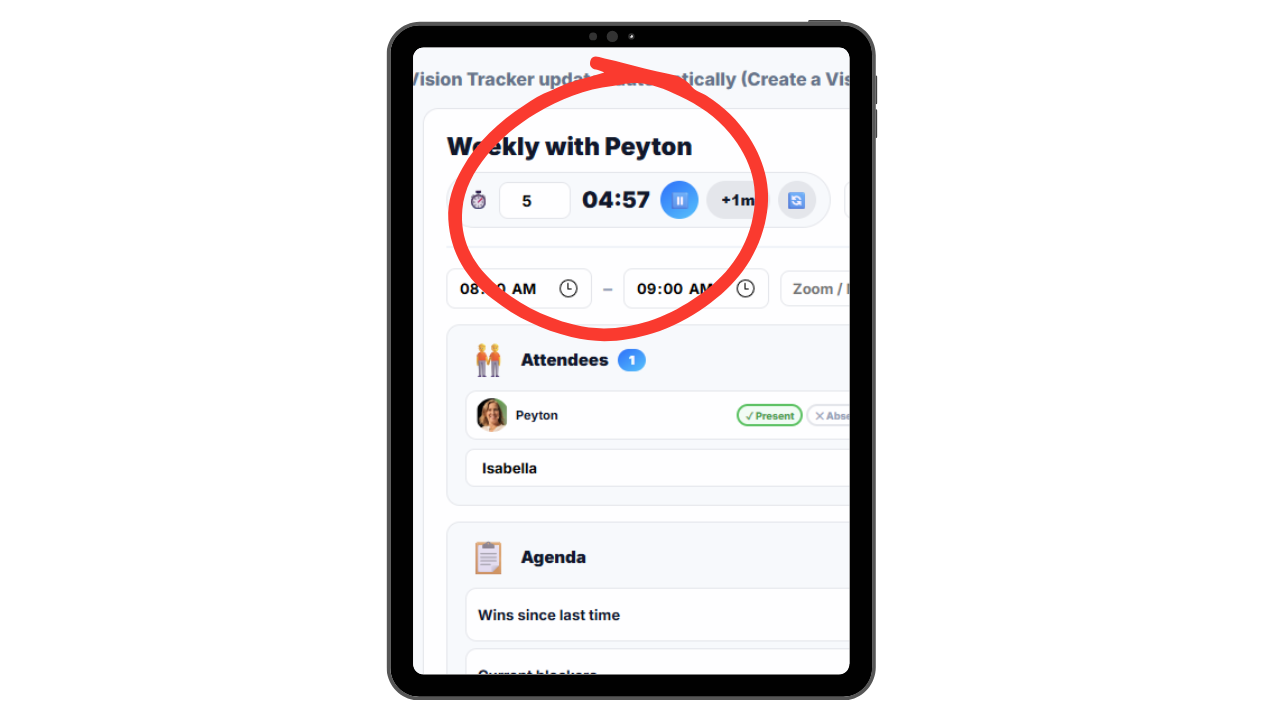
Cap speaker time when the format calls for it, and capture brainstorming while it's happening.
The timer is optional and exists for the meetings where time genuinely has to be managed. Presentations, board updates, quarterly reviews, or any format where each speaker gets a set number of minutes and someone has to be the one to say so.
When a discussion turns into real brainstorming, agenda items link straight to whiteboards and charts, so ideas get captured where the conversation happened instead of on a napkin or in somebody's private notes.
That brainstorming work stays attached to the meeting it came out of, which means the next time the topic comes up you're building on what was already sketched out rather than starting the same conversation over.
Know who owns what, who showed up, and what was decided last time.

Action items get assigned to a specific person right from the agenda item they came out of, so every commitment made in the room has a name attached to it instead of floating away as a group decision nobody owns.
Attendance is tracked for every meeting, so you can see who was there, who wasn't, and who keeps missing the meetings where the decisions get made.
Previous meetings stay on file with their agendas, notes, attendance, and assigned items, which means you can open last month's meeting and see exactly what was decided instead of arguing about what everyone remembers.
Most small business meetings run on a loose idea of what needs to be covered, drift toward whatever the loudest topic is, and end with a vague sense that somebody will handle it. A week later nobody can say what was actually decided, who agreed to do what, or whether the person who needed to hear it was even in the room.
Updoot starts every meeting with a real agenda, built from a template or drafted by Doot based on the meeting topic, so the conversation covers what it's supposed to cover. For presentations and any format where speakers are on the clock, an optional timer handles the part nobody enjoys enforcing. And when a discussion turns into brainstorming, whiteboards and charts capture it in the moment instead of after the fact.
When the meeting ends, action items are assigned to specific people, attendance is recorded, and the whole thing gets filed alongside every meeting before it. The next meeting picks up where the last one left off rather than restarting the same debate.
The result is a meeting process with a paper trail from agenda through discussion, brainstorming, assignment, and attendance, instead of a recurring calendar block that produces conversation and nothing else.
The system for running meetings that stay relevant, stay on time, and end with someone accountable.
Every meeting starts with a documented agenda instead of a mental list.
Give Doot the meeting topic and it drafts relevant agenda items for you.
Turn it on for presentations or anytime each speaker gets set minutes.
Reuse agendas for weekly leadership, daily huddles, or monthly reviews.
Link agenda items to whiteboards and charts so brainstorming gets captured.
Assign items to specific people so every commitment has an owner.
Record who attended each meeting and who keeps missing them.
Past agendas, notes, and decisions stay on file for the next meeting.
The same agenda structure applies to leadership, operations, sales, or anywhere else.
Short, practical reads on job costing, field operations, and running a tighter operation.
Stop letting meetings end with good conversation and no owner. Start your free trial of Updoot -- agendas, an optional speaker timer, templates, whiteboards, assigned action items, and attendance tracking all in one platform built for small business.
Start Free Today →