
How to Create a Social Media Content Plan for Small Business
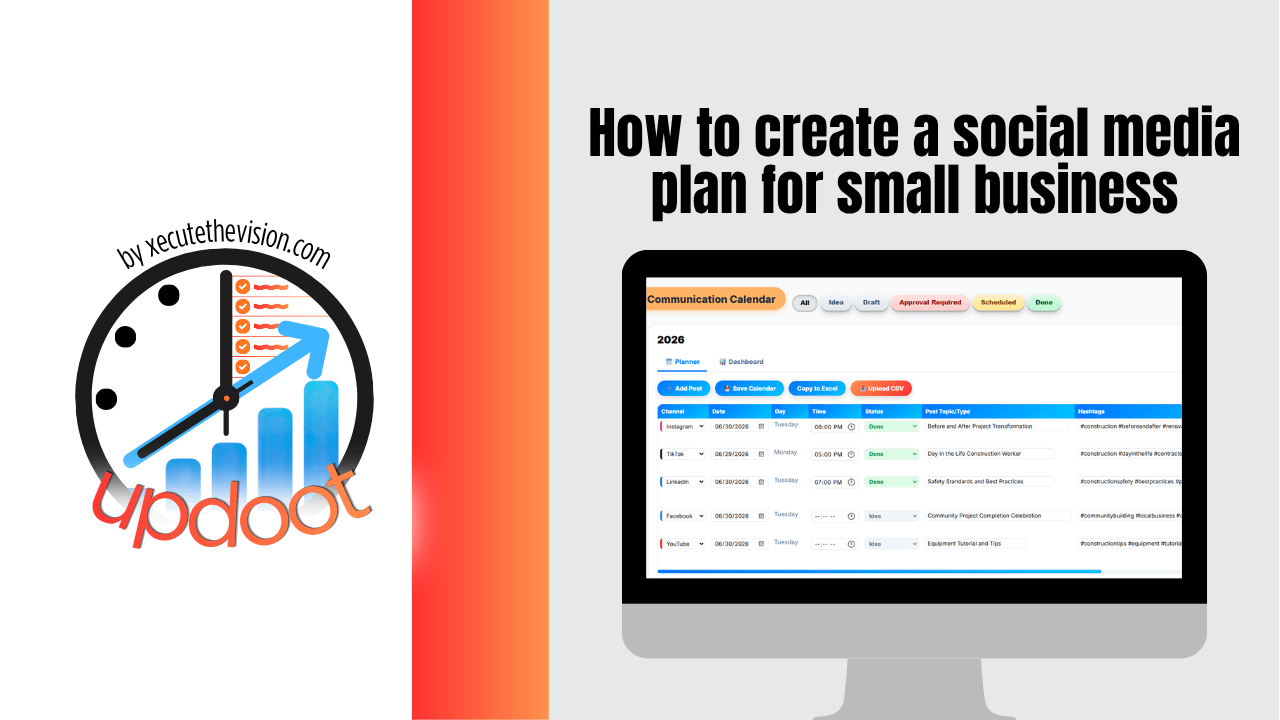
Use the free calculator below to see what your posting cadence actually costs to produce before you commit to it. Most small business content plans fail for one reason: the schedule was set by ambition rather than capacity. Five platforms and daily posts sounds like a strategy until week three, when nobody has time to write anything and the calendar quietly dies. Below is a free generator that estimates the real production load of a plan, plus the steps to build one you can sustain.
Free Content Production Cost Calculator
What Will Your Posting Schedule Actually Cost?
Enter the cadence you're considering. Leave a field at 0 if it doesn't apply.
What a Content Plan Actually Is
A content plan is not a list of post ideas. It is a decision about who you are talking to, what you will consistently say, where you will say it, and how often, written down far enough ahead that you are never creating content the morning it goes out.
The distinction matters because most small businesses have ideas and still post erratically. Ideas are not the constraint. The constraint is that without a plan, every post requires a fresh decision about what to make, and that decision is the expensive part. A plan front-loads those decisions so that execution becomes production rather than invention.
The practical test of a plan is whether someone else could execute next week from it without asking you what to post.
Step 1: Define Who You're Talking To
Content aimed at everyone reads as generic to each individual person who sees it. Before deciding what to post, get specific about who you want to reach: what they do, what problem brings them to a business like yours, what they already tried, and what would make them trust you enough to get in touch.
You do not need a formal research project. One page per customer type, covering their situation, their pain points, and the questions they actually ask, is enough to change what you write. Most small businesses have two or three types worth defining, and the exercise usually reveals that the content they have been making addresses a customer they rarely serve.
Keep these profiles somewhere your whole team can reference rather than in one person's head, because the value comes from consistency across everyone who writes.
Step 2: Choose Platforms Deliberately
Every additional platform multiplies the production load in the calculator above, and few small businesses have customers meaningfully present on all of them. Pick based on where your buyers actually are and what format you can sustain, not on which platform is being discussed most.
Two platforms done consistently beat five done sporadically, both for the algorithm and for the person deciding whether you seem like a real business. If you are unsure, start with one where your customers are and one where you can produce comfortably, and add only when the first two are running without strain.
Step 3: Set Content Pillars
Content pillars are three to five recurring themes you post about. They exist to eliminate the blank page, and they are the single highest-leverage part of the plan.
For most small businesses the pillars land somewhere around: educational content answering common customer questions, proof content showing work you have done and results you have delivered, behind-the-scenes content showing the people and process, and occasional direct offers. Once those exist, planning a month means filling slots against known themes rather than inventing from nothing.
The ratio matters more than people expect. If most of your posts are offers, engagement drops and the account stops reaching anyone. Most businesses land near four or five value posts for every direct promotion.
Step 4: Pick a Cadence You Can Defend
This is where the calculator above earns its place. Decide the cadence, calculate the hours, then ask whether those hours exist in your month alongside everything else you do.
Consistency outperforms volume. Two posts a week, every week, for a year builds more than daily posting for six weeks followed by silence. The audience learns whether you are reliable, and so does the algorithm. Set the cadence at a level you could maintain during your busiest month, not your calmest one, because the busy month is the real test.
Step 5: Build the Calendar in Batches
Plan a month at a time and produce in batches. Sitting down once to write eight posts is substantially faster than writing eight posts on eight separate days, because you pay the setup cost once and stay in the same headspace.
Start the calendar from what is already known: seasonal peaks in your business, promotions you have committed to, events, launches, holidays that matter to your customers. Those anchor points fill a surprising share of the month. Then assign the remaining slots to pillars, so every empty date already has a theme attached before anyone thinks about specific copy.
Work at least two weeks ahead at all times. A plan that runs out on Friday is not a plan, it is a queue.
Step 6: Repurpose One Idea Into Several Posts
The highest-return habit in content is refusing to use a good idea only once. One customer question can become a short post, a longer explainer, a video, a graphic with the key point, and a follow-up answering the objection it raised.
This is what the repurposing percentage in the calculator models. Moving from creating everything fresh to repurposing a meaningful share of your content cuts production hours substantially without reducing how often you post. For a small business, it is usually the difference between a plan that survives and one that does not.
Step 7: Review What Worked and Adjust
Set a monthly review, thirty minutes, looking at which posts got engagement, which drove enquiries, and which pillar performed best. The goal is not a dashboard exercise; it is answering one question: what do we do more of next month.
Track enquiries alongside engagement. Posts that get likes and posts that get customers are frequently not the same posts, and if you only optimize for the first you can grow an audience that never buys anything.
Using AI Without Sounding Like Everyone Else
AI is genuinely useful in content planning, but where it helps is narrower than the marketing suggests.
It is strong at the blank-page problem: generating a month of ideas against your pillars, drafting variations of a post for different platforms, suggesting what to put in an empty calendar slot, and turning one piece of long content into several shorter ones. That is the mechanical work, and handing it over frees your attention for the parts that need you.
Where it fails is voice and specifics. AI does not know your customer's actual objection, the job you did last week, or the number you can quote. Published unedited, it produces content that is technically fine and completely forgettable, which is worse than posting less often. The workflow that holds up is AI for the structure and first draft, you for the specifics and the voice.
Common Content Planning Mistakes
The most common mistake is planning by platform instead of by idea. Teams sit down to fill an Instagram calendar, then a LinkedIn calendar, and end up making three times the content for the same message. Plan the idea once, then adapt it per platform.
The second is no owner. Content is everybody's job in most small businesses, which means it is nobody's, and it is the first thing dropped when the week gets busy. One person needs to own the calendar even if several people contribute.
The third is treating the plan as a commitment device rather than a capacity decision. Writing down five posts a week does not create the time to make them. The calculator above exists to make that trade explicit before you publish the schedule.
Questions to Ask Before Choosing a Tool
- Does it plan, publish, or both? These are different jobs. Schedulers push posts out; planners decide what goes in the calendar. Many teams need both and only buy one.
- How does pricing scale? This category charges per channel, per brand, or per seat, and the models produce very different bills at the same size. Check which one you are on.
- Can the whole team see the calendar? If only the person publishing has visibility, you will get duplicate messages and overlapping campaigns.
- Does it cover more than social? Most small businesses also send emails and run ads, and planning those separately is how the same customer gets three messages in one day.
- Is AI included or an add-on? Several platforms sell AI features separately or restrict them to higher tiers.
- Can you see what worked? A calendar without a feedback loop is a publishing schedule, not a plan.
How We Evaluated These Tools
A note on where we stand: Updoot publishes this site and appears in the comparison below. Pricing and features for every tool here, Updoot included, were verified against each vendor's live pricing page or independent third-party sources in August 2026, and Updoot's own limitations are listed in the same column as everyone else's.
For building and running a content plan specifically, we weighted five things: a collaborative calendar the whole team can see, AI assistance for ideas and filling empty slots, coverage of email and ads alongside social, visibility into what is performing, and pricing that does not scale per channel or per brand.
How the Top Content Tools Compare
| Tool | Starting Price | Best For | Where It's Limited |
|---|---|---|---|
| Updoot ⭐ Best Overall for Planning | $5/user/month, all features included | Small businesses that want one collaborative calendar covering social, email, and ads, with AI-assisted content suggestions and customer personas on the same platform | Plans and tracks content but does not auto-publish to social networks; pair it with a scheduler for the posting step |
| Buffer | Free tier (3 channels, 10 posts each); Essentials from ~$5-6 per channel/month | Solo operators wanting simple, reliable scheduling | Pricing scales per channel, so multi-platform plans add up; planning depth is light compared with dedicated planners |
| Metricool | Free tier (1 brand, limited posts); Starter from ~$18-22/month | Teams wanting scheduling plus deep analytics and competitor tracking | Free tier excludes some networks; team features sit on the higher Advanced tier |
| Later | Starter from ~$18.75/month billed annually | Instagram and TikTok-led brands wanting a visual calendar and grid preview | Entry plan is limited to one social set and one user; collaboration and approvals require the Growth tier |
| Hootsuite | From ~$99/month | Larger teams and agencies managing many accounts with compliance needs | No free plan, and the entry price is difficult to justify for a small business posting on two or three channels |
Editor's Pick
Why Updoot Tops This List for Planning
Every other tool here is a scheduler that happens to include a calendar, and they are all priced by the thing you have most of: Buffer per channel, Metricool per brand, Later per social set, Hootsuite at $99 a month before you have posted anything. None of them plans your email or your ads, which is why the same customer ends up getting three messages in one day from three different calendars. Updoot is built as the planning layer: one collaborative calendar covering social, emails, and ads, AI-assisted content suggestions to fill empty slots against your pillars, status tracking so you can see what is drafted versus scheduled versus published, content import so an existing calendar comes across, a full dashboard showing what is working, and AI-assisted customer personas feeding the whole thing so content is aimed at someone specific. It is a flat $5 per user per month with no per-channel or per-brand multiplier, and the AI is included rather than sold as an add-on.
The honest framing: if your only need is pushing posts out automatically, a scheduler is the right buy. If your problem is deciding what to post and keeping a team coordinated across social, email, and ads, that is a planning problem, and it is the one most small businesses actually have.
How Updoot Helps You Build the Plan
In Updoot, the content planner holds every customer communication on one collaborative calendar, social posts, emails, and ads together, so nobody duplicates a message and the whole team can see what is going out before it does. Each item carries a status, so drafted, scheduled, and published are distinguishable at a glance rather than requiring a conversation.
The AI assistance is aimed at the blank slots. Rather than staring at an empty Tuesday, you get content suggestions generated against what you are already planning, which turns filling a month into reviewing and editing rather than inventing. If you already keep a calendar elsewhere, content import brings it in so you are not rebuilding from scratch.
Feeding into it, the customer profiles tool builds AI-assisted personas with pain points, empathy maps, and touchpoint maps, and includes an AI-powered interview tool to develop each one, so the content has a specific person behind it rather than a vague audience. On the other side, the dashboard shows what is performing so the monthly review is a report rather than a research project. All included at $5 per user per month.
Your First Month: A Practical Starting Point
Block two hours this week. Write one page on your main customer type. Pick two platforms and three pillars. Run the calculator with the cadence you are considering and adjust until the hours are realistic.
Then fill four weeks of slots with themes only, no copy yet, anchoring around anything already known: a promotion, a seasonal peak, an event. Batch-produce the first two weeks in one sitting. That is a functioning content plan, and it takes an afternoon rather than a strategy offsite.
Signs You've Outgrown a Spreadsheet
The tipping point usually announces itself the same way: two people post about the same thing in the same week, a promotion goes out with no supporting content because nobody knew it was happening, the calendar is a spreadsheet only one person updates, and when someone asks what performed best last month the honest answer requires an hour of scrolling. When your content plan lives in a document that goes stale between reviews, you have already outgrown it.
Related Reading
Free Communications Calendar Tool and Template →
Free Customer Profile Software and Persona Template →
Marketing Workflow Management Template →
Digital Marketing Funnel for Revenue Growth →
Frequently Asked Questions
Define who you are talking to, choose two or three platforms where those people actually are, set three to five recurring content pillars, pick a cadence you could sustain during your busiest month, then fill a calendar a month at a time and produce in batches rather than daily.
Consistency matters more than volume. Two posts a week every week outperforms daily posting that stops after six weeks, both for the audience and for reach. Set the cadence against the hours you can genuinely protect, not the hours you have in a quiet month.
Content pillars are three to five recurring themes you post about, such as answering common customer questions, showing completed work, going behind the scenes, and occasional direct offers. They exist to remove the blank page, so planning becomes filling slots against known themes.
Usually two, sometimes three. Each additional platform multiplies production work, and few small businesses have customers meaningfully active everywhere. Two platforms done consistently beat five done sporadically.
AI is effective at the mechanical parts: generating ideas against your pillars, drafting variations for different platforms, suggesting what to put in an empty calendar slot, and turning one long piece into several short ones. It does not know your customer's real objection or the specifics of the job you did last week, so the workflow that works is AI for structure and first draft, you for voice and detail.
A scheduler publishes posts automatically at set times. A planner decides what goes into the calendar in the first place and keeps a team coordinated across social, email, and ads. They solve different problems, and many businesses buy the second when their actual difficulty is the first.
At least two weeks at all times, and ideally a month. A calendar that runs out on Friday is a queue rather than a plan, and it puts you back to inventing content the morning it goes out.
Final Takeaway
A social media content plan works when it is built around a specific customer, a few repeatable themes, and a cadence you can hold during your busiest month. Everything else is production. Use the calculator above to check that the schedule you have in mind is one you can actually sustain, and if the hours surprise you, cut platforms before you cut consistency.