
Marketing Workflow Management Template
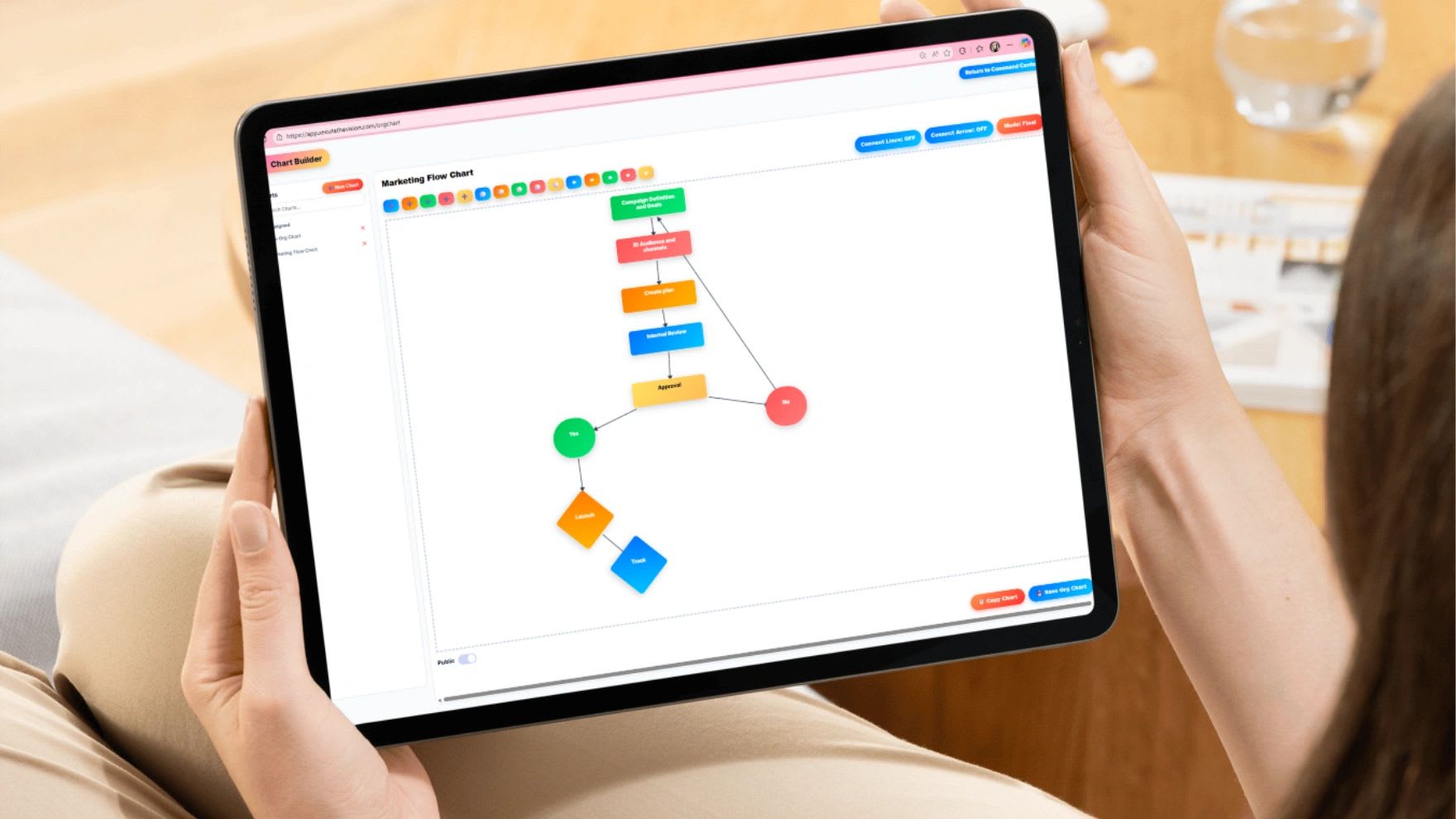
Marketing workflow management templates give every campaign the same path from idea to results, so work moves on schedule and nothing waits on a missing approval. Build your campaign workflow with the free builder below, which schedules every task backward from your launch date, or copy the free Google Sheets template.
Marketing success rarely comes from random campaigns or last-minute ideas. The teams that generate leads and sales consistently follow a structured process that guides work from request to launch to review. Instead of scrambling to organize every campaign from scratch, they follow a repeatable workflow that keeps projects on schedule and tied to business goals.
Free Marketing Campaign Workflow Builder
Free Marketing Campaign Workflow Builder
Enter your campaign name and launch date. The builder schedules every workflow step backward from launch, so you can see exactly when each task has to start. Assign owners, change dates, update status, then copy it into Excel or Google Sheets.
| Stage | Task | Owner | Due | Status |
|---|
Prefer a spreadsheet? Open the free marketing workflow template in Google Sheets and choose File > Make a copy. It works in Excel too.
What Is Marketing Workflow Management?
Marketing workflow management is the practice of organizing marketing work into a defined sequence of steps, with an owner and a deadline for each, so campaigns move from idea to launch efficiently. Instead of juggling emails, chat threads, and scattered notes, a workflow makes four things clear: which steps must happen, who owns each one, when it is due, and how work moves to the next stage.
A workflow is different from a marketing calendar. The calendar shows when campaigns go live. The workflow shows how each campaign gets built, reviewed, and launched. Most teams need both.
Why Marketing Workflows Matter
Without a workflow, the same problems repeat on every campaign: launches slip, content sits in approval for days, designers wait for instructions, and managers cannot tell what stage anything is in. A workflow fixes that in four ways.
Faster Campaign Execution
When everyone knows the next step, work stops waiting on questions like "Who needs to review this?" or "Has the email been scheduled yet?" Campaigns launch faster because the handoffs are already decided.
Better Team Coordination
Campaigns touch many roles: marketing managers, copywriters, designers, paid media specialists, social media managers, and sales. A workflow shows how work passes between them so tasks do not stall between people.
Consistent Quality
Without a workflow, some campaigns skip quality checks, branding varies across channels, and approvals get missed. A standard workflow gives every campaign the same review steps.
Easier Scaling
Running a few campaigns by memory is possible. Running dozens across channels is not. A defined workflow lets the team grow its output without losing control.
The Seven Stages of a Marketing Workflow
| Stage | What happens | Typical owner | Output |
|---|---|---|---|
| 1. Request | Capture the goal, audience, message, and deadline | Requester and marketing lead | Approved campaign brief |
| 2. Strategy | Choose channels, messaging, budget, and KPIs | Marketing manager | Campaign plan |
| 3. Content | Write emails, pages, posts, ads, and scripts | Copywriter or content lead | Final copy |
| 4. Design | Produce graphics, templates, pages, and video | Designer | Final assets |
| 5. Review | Check brand, accuracy, links, and legal needs; get approval | Approvers | Approved campaign |
| 6. Launch | Schedule and publish across channels | Marketing operations | Live campaign |
| 7. Measure | Track results, optimize, and report lessons | Campaign owner | Results report |
1. Campaign Request or Idea
Every campaign starts with an idea or request from leadership, product, sales, or customer success. Before any work starts, clarify the objective, target audience, key message, and timeline. A short campaign brief, like the one below, keeps requests complete.
2. Strategy Planning
Once the request is approved, define the goal, pick channels such as email, social, paid ads, content, or search, decide the messaging, and set the KPIs the campaign will be judged on.
3. Content Creation
Writers produce the copy the campaign needs: emails, blog articles, ad copy, landing page content, and video scripts, all aligned to the campaign objective.
4. Design and Asset Production
Designers turn copy into social graphics, ad creative, email templates, landing pages, and video. This is where the campaign takes visual shape.
5. Review and Approval
Assets go through brand checks, accuracy and link checks, legal review when needed, leadership approval, and sales alignment. Keep this step as short as quality allows.
6. Campaign Launch
Emails are scheduled, content is published, ads are activated, social posts go live, and landing pages are updated, all on the planned schedule.
7. Performance Tracking and Optimization
After launch, track click-through rate, conversion rate, leads, cost per acquisition, and return on marketing spend. Adjust while the campaign runs, and record what to repeat or change next time.
How to Build a Marketing Workflow Step by Step
- List your recurring campaign types. Most teams have four or five: launches, email campaigns, content, paid ads, and events.
- Map the steps for each type. Walk through the last campaign you ran and write down every step that actually happened, including the ones that caused delays.
- Assign one owner per step. Several people can contribute, but one person owns each step and its deadline.
- Set standard lead times. Decide how many days each step usually takes, then schedule backward from the launch date, as the builder above does.
- Define approvals. Name who approves what, and limit approvals to the people who truly need to sign off.
- Choose one place to track it. Use a shared template or project tool so status is visible without asking.
- Review after every campaign. Update the workflow with what you learned.
Free Marketing Campaign Brief Template
A clear brief at the request stage prevents most rework later. Copy this template and require it for every new campaign.
MARKETING CAMPAIGN BRIEF

Campaign name:
Requested by:                Date:
Campaign owner:

1. GOAL
What business result should this campaign drive? (e.g., 50 demo requests)

2. AUDIENCE
Who is this for? What problem do they have?

3. KEY MESSAGE
The one thing the audience should remember:

4. OFFER AND CALL TO ACTION
What are we asking them to do?

5. CHANNELS
[ ] Email  [ ] Social  [ ] Paid ads  [ ] Blog/SEO  [ ] Website  [ ] Events  [ ] Sales outreach

6. DELIVERABLES
List every asset needed (emails, landing page, ads, graphics, video):

7. BUDGET

8. TIMELINE
Launch date:
Final approval date:

9. SUCCESS METRICS (KPIs)
Primary metric:        Target:
Secondary metrics:

10. APPROVERS
Who must approve before launch?
Roles and Responsibilities in a Marketing Workflow
Even a small team benefits from naming roles. The campaign owner is accountable for the result and keeps the workflow moving. Contributors, such as writers and designers, produce assets by their due dates. Approvers review and sign off within an agreed turnaround, often 24 to 48 hours. Stakeholders, such as sales, are informed of timing and messaging. One person can hold several roles, but the owner should always be clear. A RASCI chart is an easy way to document this for larger campaigns.
Example: Product Launch Workflow
For a product launch, the planning stage defines product messaging, the launch audience, and the timeline. Content creation covers the announcement email, a launch article, and social posts. Design produces product graphics, landing page visuals, and a short video. The launch stage sends the email, publishes the landing page, and starts social promotion. Optimization tracks sign-ups or sales, adjusts ad spend, and gathers customer feedback. Choose Product or service launch in the builder above to see this schedule laid out with due dates.
Marketing Workflow Metrics to Track
| Metric | What it shows |
|---|---|
| On-time launch rate | How often campaigns go live on the planned date |
| Cycle time | Days from approved request to launch |
| Approval time | How long assets wait in review |
| Revision rounds | How many times assets are sent back, a sign of unclear briefs |
| Campaigns per month | Team output and capacity |
| Cost per lead and return on marketing spend | Whether campaigns pay off |
See top B2B marketing KPIs for small business for campaign result metrics.
Common Marketing Workflow Mistakes
Too Many Approval Layers
If every campaign needs sign-off from several departments, execution slows to a crawl. Limit approvals to the people who truly need to review.
No Clear Ownership
Tasks without a single owner fall behind. Every step needs a name next to it.
Undocumented Workflows
If the workflow only lives in someone's head, steps get skipped. Write it down, or map it visually with a process map.
Skipping the Review of Results
A workflow that ends at launch never improves. Always close with a results review.
Starting Without a Brief
Vague requests create rounds of revisions. Require a complete brief before work begins.
Spreadsheet vs. Workflow Software
A spreadsheet template works well for a small team running a few campaigns at a time. As volume grows, it becomes hard to see every campaign's status, send reminders, and keep approvals moving. Updoot content planning software keeps campaigns, approvals, and the content calendar in one place, and Updoot project management assigns tasks with owners and deadlines so every stage of your workflow is visible in real time.
Final Thoughts
Marketing success depends on consistent execution. A clear workflow helps your team launch campaigns faster, collaborate better, keep quality consistent, and scale without chaos. Start with the builder or template above for your next campaign, review it when the campaign ends, and refine the workflow as your team learns what works.
Opens in Google Drive. View and download for free.
Related Reading
Free Communications Calendar Tool and Template →
The Ultimate Guide to Social Media Calendars →
How to Create a Social Media Content Plan for Small Business →
Frequently Asked Questions About Marketing Workflows
What is a marketing workflow template?
A marketing workflow template lists the stages, tasks, owners, and due dates needed to take a campaign from request to launch to results, so every campaign follows the same repeatable process.
What are the stages of a marketing workflow?
Most marketing workflows have seven stages: request, strategy, content creation, design, review and approval, launch, and performance tracking.
How do you create a marketing workflow?
List your recurring campaign types, map the steps for each, assign one owner per step, set standard lead times, define approvals, track everything in one place, and review the workflow after each campaign.
How far ahead should I plan a marketing campaign?
It depends on the campaign. A single email may need about two weeks, while a product launch often needs four weeks or more. Schedule backward from the launch date so every step has enough time.
What is the difference between a marketing workflow and a marketing calendar?
A marketing calendar shows when campaigns and content go live. A marketing workflow shows how each campaign gets planned, built, approved, and launched.
How many people should approve a marketing campaign?
As few as possible. Limit approvals to the people who truly need to review, such as the campaign owner and one leader, plus legal only when required.
Who uses marketing workflow templates?
In-house marketing teams, agencies, and small businesses that run campaigns across email, social media, content, ads, and events.