
Free Communications Calendar Tool and Template
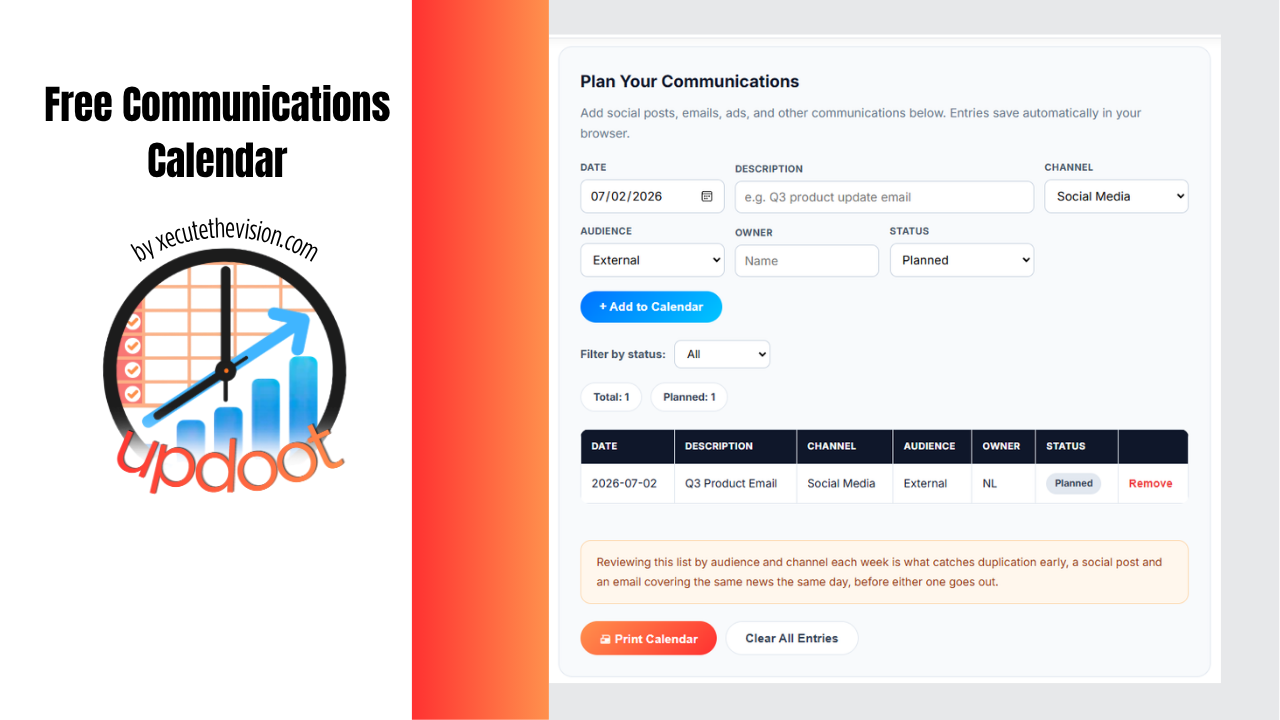
Use the free interactive template below to start planning your own communications calendar. This tool is a shared place to see it all at once to avoid duplication, too many customer contacts on the same day and to ensure strategy is aligned. It's for you if a social post goes out the same week as an email that says something slightly different. Two people both think they own the customer announcement. Nobody notices the calendar's gone quiet for three weeks until someone asks why. A communications calendar fixes this by giving every planned message, whatever the channel, one home you can filter, review, and check for gaps before anything goes out.
Free Communications Calendar Template
Plan Your Communications
Add social posts, emails, ads, and other communications below. Entries save automatically in your browser.
| Date | Description | Channel | Audience | Owner | Status |
|---|
What Is a Communications Calendar
A communications calendar is a central schedule that lays out what a business is communicating, to whom, through which channel, and when. Instead of a social post living in one app, an email in another, and an ad campaign in a spreadsheet somewhere else, everything sits on one timeline that anyone on the team can check before adding something new.
The point isn't just organization for its own sake. A calendar built around outcomes, not just posting frequency, is what lets a team catch a scheduling conflict, confirm a message actually supports a current business goal, and know who's accountable for getting it out the door, before any of that becomes a problem after the fact.
Communication Calendar: What Goes Into One
Most working communication calendars include the same core fields, even when the format varies: the date something goes out, a short description of the item, the channel it's using, the audience it's aimed at, who owns it, and its current status. Many teams add a performance layer too, tracking opens, clicks, or engagement once something goes live, so the calendar shows not just what was planned but what actually worked.
Status tracking matters more than it looks like it should. A calendar with a status field, planned, in progress, scheduled, live, completed, is what lets a team scan the whole month and immediately see what's stuck, what's about to go out, and what's already been reviewed, instead of having to ask around.
How to Build a Communications Calendar in 7 Steps
A calendar is a container, not a strategy on its own, so the steps that matter most happen before anything gets scheduled. Here's the order that keeps a calendar from turning into a box-ticking exercise:
- Set the goal before the dates. Decide what each communication stream is actually trying to accomplish, drive signups, keep employees informed, support a launch, before mapping any content to a day on the calendar.
- Audit your channels and audience. List every channel currently in use, social, email, ads, intranet, all-hands meetings, and who each one actually reaches. This is what stops a message from going out on a channel nobody in the target audience uses.
- Map recurring dates and events first. Holidays, product launches, earnings calls, open enrollment, industry conferences, anything with a fixed date goes on the calendar before flexible content, so nothing gets scheduled on top of it later.
- Assign clear ownership. Every item needs one person responsible for getting it out the door, not a team. Shared ownership is how items quietly stall.
- Set a realistic cadence. Decide how often each channel actually needs new content, weekly, biweekly, monthly, rather than defaulting to as much as possible. A calendar built around outcomes tends to hold up better than one built around a posting quota.
- Build in a review and approval step. Decide who signs off before something goes out, and make that step visible on the calendar itself, not a side conversation that happens (or doesn't) over email.
- Track performance and revisit monthly. Once items go live, record what happened, opens, clicks, engagement, and use that to adjust the next month's plan rather than repeating what didn't work.
Skipping straight to step three, mapping dates, is the most common shortcut, and it's usually why a calendar looks organized but doesn't actually drive results.
External Communication Calendar vs. Internal Communication Calendar
An external communications calendar plans messaging aimed at people outside the organization: customers, prospects, or the public. This is usually the social posts, marketing emails, and ad campaigns that most people picture when they hear "content calendar."
An internal communications calendar plans messaging aimed at employees: policy updates, all-hands announcements, HR and IT notices, and recurring updates from leadership. The audience, tone, and urgency are different enough from external comms that most organizations track the two separately, even when the same team owns both, since a company-wide policy email and a customer-facing social post rarely belong in the same review process.
Some teams do combine both into a single calendar early on, filtering by audience when they need a focused view. That works fine at a small scale. As the number of channels and contributors grows, most teams find it worth splitting the two, since internal items often need a different approver than external ones, and mixing them makes it harder to spot when internal and external messages are about to say conflicting things at the same time.
Common Pitfalls of a Communications Calendar
A calendar full of dates isn't the same as a calendar that works. These are the ways a communications calendar most often breaks down in practice:
- Posting frequency instead of purpose. Filling every open day with something to say, rather than only scheduling items tied to a real goal, is how a calendar turns into noise employees or customers start tuning out.
- No single owner per item. When a communication is "the team's" responsibility instead of one person's, it's the first thing that slips when the week gets busy.
- Internal and external messages colliding. A company-wide layoff notice and a cheerful product launch email going out the same day is a coordination failure, not a coincidence, and it's exactly what a shared calendar is supposed to catch.
- Set once, never revisited. A calendar built for one quarter and never updated drifts out of sync with what the business actually needs within a few weeks.
- No review or approval step. Skipping sign-off to move faster is usually how a message goes out with the wrong tone, a factual error, or timing nobody outside the writer noticed was bad.
- Tracking plans but not results. A calendar that only shows what's scheduled, with no record of what happened once something went live, gives a team no way to tell what's actually working.
Most of these are cheap to fix early and expensive to fix once a calendar has been running unattended for months, which is the real argument for a quick weekly review rather than a "set it and forget it" approach.
How Updoot's Content Planning Calendar and Dashboard Works
Updoot includes a content planning calendar built around the same idea: every social media post, email, and ad lives on one calendar instead of being scattered across separate tools. Each item gets added with its own status, so the team can see at a glance what's still planned, what's in progress, and what's already live.
The connected dashboard is where performance comes in. Once something goes live, its results get entered on the dashboard, so the calendar isn't just a plan, it's a record of what was communicated and how it actually performed. Filtering by status makes it easy to review everything that's upcoming in one pass, and to catch duplication, two items covering the same message to the same audience, before either one goes out. That same review is what makes it possible to confirm there's a coherent strategy behind what's being sent, rather than a string of one-off posts and emails, and to know exactly who is communicating what to which customers at any point in the plan.
Related Reading
How to Track Expenses for Small Business →
Frequently Asked Questions
A communications calendar is a central schedule that outlines what a business or team is communicating, to whom, through which channel, and when. It typically covers items like social media posts, emails, ads, and announcements, along with who owns each one and what stage it's at.
An editorial calendar generally focuses on the process of creating content, drafts, edits, approvals, while a communications calendar focuses on the distribution side: when something goes out, on what channel, and to which audience. Many teams blend the two into a single working calendar.
An internal communications calendar plans messaging aimed at employees, like announcements, policy updates, and all-hands meetings. An external communications calendar plans messaging aimed at customers, prospects, or the public, like social posts, emails, and ads. The content, tone, and cadence for each usually differ enough that most teams track them separately, even if they review both together.
At minimum: the date, a short description of the item, the channel it's going out on, the audience it's aimed at, who owns it, and its current status. Many calendars also track performance once something goes live, so the team can see what's actually working, not just what's planned.
Most teams review it weekly to catch anything that needs to move, and do a deeper planning pass monthly or quarterly to map out campaigns, launches, and recurring content. A calendar that's only updated once a quarter tends to drift out of sync with what's actually happening.
It can, and for a small team it often makes sense to start that way. The tradeoff is that internal and external items usually need different reviewers, different tones, and different urgency, so as a team grows, most split into two calendars or at minimum use a filter to view each audience separately.
A shared spreadsheet or a basic calendar app can work for a very small team. As the number of channels and contributors grows, most teams move to a dedicated calendar tool that tracks status, ownership, and performance in one place, since a spreadsheet alone makes it hard to see what's been reviewed and what hasn't.
Final Takeaway
A communications calendar earns its keep the moment it stops a duplicate message, catches a three-week gap in posting, or answers "who owns this" without a Slack thread. Start with the free template above, keep internal and external items clearly tagged from day one, and review it by status every week so the calendar reflects what's actually happening, not just what was planned a month ago.