
How to Track Expenses for Small Business
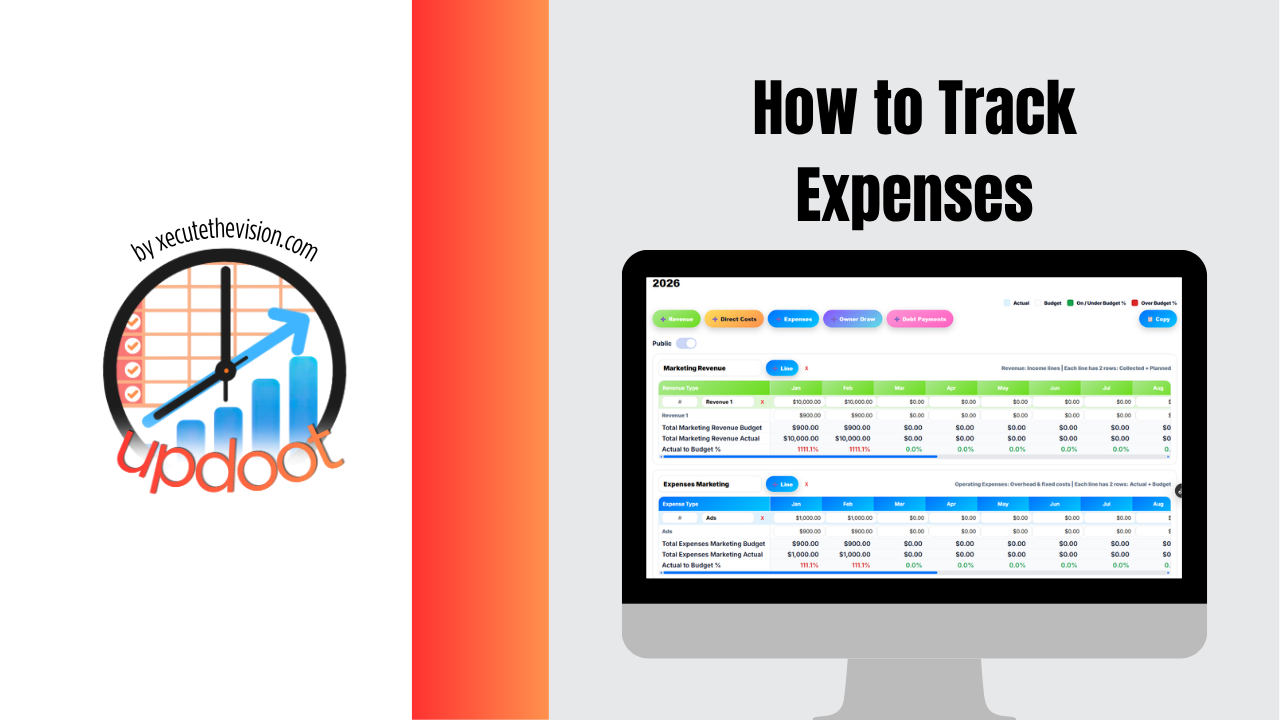
Use the free calculator below to see your spending broken out by category in seconds. Tracking expenses for a small business sounds simple until you're three months in and realize half of last quarter's receipts are scattered across email, a shoebox, and someone's car. Whether you're currently tracking nothing at all, a spreadsheet you update when you remember to, or you're ready for something that updates itself, the goal is the same: know what you're spending, where, and whether it matches what you planned. Below is a free generator that totals your spending by category, along with what to actually track and when it's time to move past doing this by hand.
Free Expense Tracker Calculator
Where Is Your Spending Actually Going?
Enter your typical monthly spend per category. Leave any field at 0 if it doesn't apply.
What Counts as a Business Expense?
A business expense is anything spent to keep the business running or to generate revenue: payroll, rent, software, supplies, marketing, travel, insurance, and equipment all count. The distinction that trips people up most is mixing personal and business spending, a lunch that was actually a client meeting, a phone bill that's half personal use, a car payment for a vehicle used for both. Every expense should be clearly one or the other, not blended, or both your books and your taxes get harder than they need to be.
Small businesses that skip categorizing expenses, lumping everything into one generic "expenses" bucket, lose the ability to answer the questions that actually matter: is marketing spend paying off, is software cost creeping up, is payroll growing faster than revenue. Categories are what turn a list of transactions into something you can actually act on.
Methods for Tracking Expenses
There are three common approaches, and which one fits depends mostly on volume and how many people are spending money on the business's behalf.
| Method | Works Well When | Breaks Down When |
|---|---|---|
| Shoebox / Folder of Receipts | Extremely low transaction volume, one person | More than a handful of expenses a month |
| Spreadsheet | Single person tracking, consistent categories | Multiple spenders, need for real-time totals |
| Automated System | Any real transaction volume, multiple people | Rarely breaks down, but costs more than a free spreadsheet |
The honest answer for most small businesses is that a spreadsheet is the right starting point, and it stops being the right tool the moment it costs more time to maintain than it saves. That tipping point usually arrives quietly: a missed subscription cancellation, a budget category that ran over without anyone noticing until the month was already gone, or a tax season spent reconstructing months of transactions from bank statements.
What to Track for Every Expense
At minimum, every expense entry needs five things: the date, the amount, the vendor, the category, and the receipt or invoice itself. Missing any of these creates a gap. Without a category, you can't see spending trends. Without the receipt attached, you're exposed at tax time and during any audit. Without a consistent vendor name (not "AWS" one month and "Amazon Web Services" the next), your own reports stop being reliable.
Updoot's budgeting and P&L tools pull from the same time tracking and invoicing data already in the system, so expenses tied to a project or a client show up automatically instead of needing to be re-entered, all standard at $5 per user per month alongside payroll reporting, time tracking, and the rest of the platform.
Budget vs. Actual: Why Tracking Alone Isn't Enough
Tracking expenses tells you what happened. A budget tells you what was supposed to happen. The two only become useful together: tracking without a budget tells you where the money went but never whether that was too much, and a budget without tracking is just a guess nobody ever checks against reality. The businesses that catch a problem early, a subscription that should've been cancelled, a category quietly running 30% over, are the ones comparing the two regularly, not just at the end of the year.
When It's Time to Move Past a Spreadsheet
A spreadsheet works fine for a single person tracking a modest volume of expenses by hand. The signs it's time to move on are usually obvious once you notice them: more than one person needs to log expenses, categorizing every transaction manually each month eats a real chunk of time, or nobody can say with confidence what's actually left in a given budget category right now, only what it looked like at the start of the month. That gap, between what you think you've spent and what's actually true in real time, is where a dedicated system starts paying for itself.
Related Reading
Business Operations Software: What It Is and How to Choose →
Frequently Asked Questions
The best method is whichever one you'll actually keep up with every week, not the most sophisticated one. For a very small business, a dedicated spreadsheet with consistent categories works fine. Once you have more than a few transactions a week, multiple people spending money, or you need real-time visibility into what's left in a budget, a system that pulls expenses in automatically and categorizes them becomes worth the switch.
At minimum: the date, the amount, the vendor, the category (rent, payroll, supplies, software, travel, marketing, etc.), and which project or department it belongs to if that matters for your business. Tracking the receipt or invoice alongside the entry matters too, since that's what you need at tax time and during any audit.
Weekly is ideal for catching problems early, like a subscription that should have been cancelled or a category that's running over budget. Monthly is the minimum for staying in control of cash flow and preparing for taxes. Waiting until tax season to look at a year of expenses all at once is the most common way small businesses lose track of deductible spending.
Yes, for a small volume of transactions tracked by one person. Spreadsheets start to break down once more than one person needs to log expenses, once you need real-time budget-vs-actual visibility, or once manually re-categorizing every transaction each month becomes more work than the business can spare time for.
Tracking expenses is recording what you actually spent. Budgeting is deciding in advance what you intend to spend in each category. The two work together: a budget without expense tracking is just a guess with no way to check it, and expense tracking without a budget tells you where money went but not whether that was too much.
By keeping every receipt or invoice, categorizing each expense consistently throughout the year, and separating business spending from personal spending entirely, ideally through a dedicated business bank account or card. Trying to reconstruct a year of expenses from memory or mixed personal and business statements in April is the most common and most stressful way small businesses approach this, and it's where deductions get missed.
It depends heavily on industry, but a common reference point is keeping total operating expenses under 70 to 80 percent of revenue, leaving a meaningful margin. Categories that creep upward without anyone noticing, like software subscriptions or contractor spending, are usually the first place that ratio quietly slips.
Final Takeaway
Tracking expenses for a small business isn't about the tool, it's about whether you actually know, right now, what you've spent and what's left. Use the calculator above to see your real expense ratio, and if it's higher than you expected, that's usually the clearest sign one or two categories have been quietly growing without anyone catching it in time.