
Cross-Team Collaboration Tools for Small Business
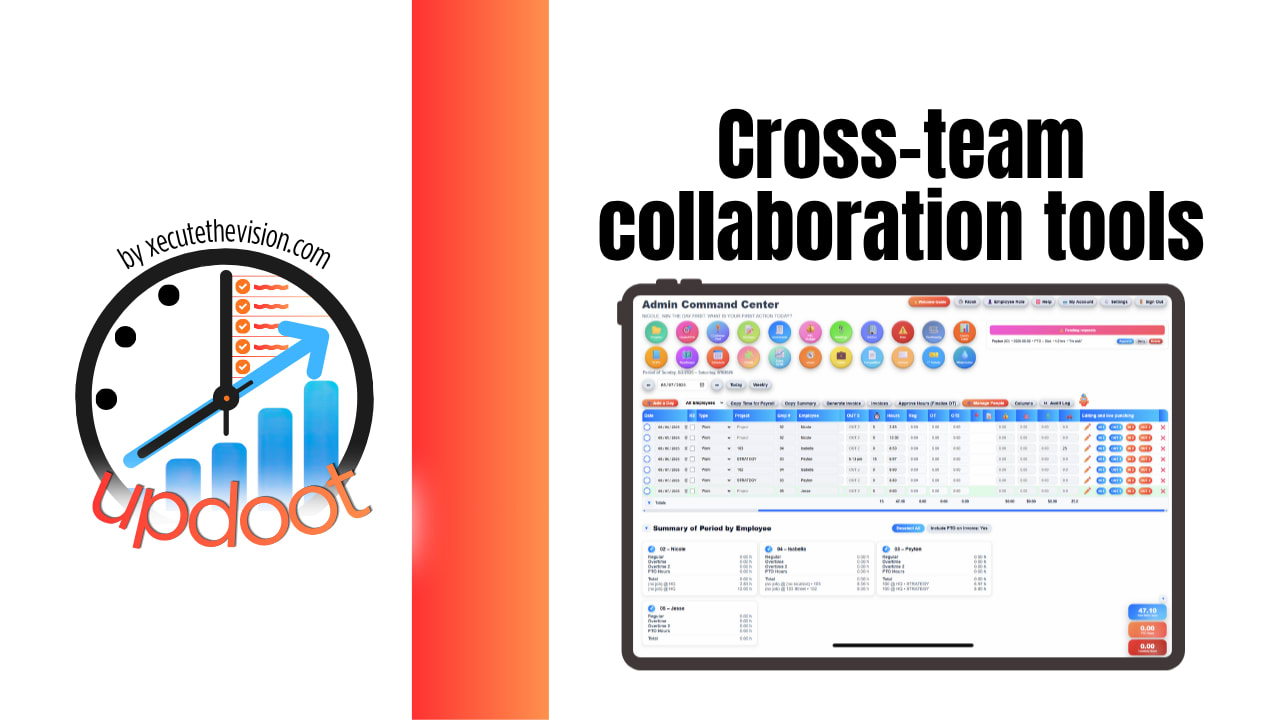
What a small business loses to poor cross-team collaboration is almost never visible as a line item. It is the quote that sat two days because sales assumed ops had seen the message. The job that got scheduled before the deposit cleared because nobody told finance. The new hire whose laptop was not ordered because the handoff between hiring and operations lives in one person's memory. Work rarely fails inside a team. It fails in the gaps between them, and those gaps are where small companies quietly lose their margin. Use the calculator below to price yours.
Free Handoff Friction Calculator
What Do Cross-Team Handoffs Cost You?
Estimate how often work passes between teams and what happens when it does. Rough numbers are fine.
Why Cross-Team Collaboration Breaks Differently in Small Companies
In a small business the teams are not really departments. They are two people who do sales, one who does the books, and three who deliver the work, and most of them wear more than one hat. That produces a specific failure mode: everyone assumes the person who needs to know already knows, because everyone knows everyone.
The second issue is that the handoff is never anybody's job. Sales owns the sale, operations owns delivery, and the space between them belongs to no one. Work does not stall because a team is slow; it stalls at the boundary, waiting for someone to notice it arrived.
The third is that small companies rarely have a written process for the crossings. It lives in habit, which works until someone is on holiday, leaves, or the volume doubles. Then the same handoff that ran on familiarity for three years starts dropping things, and it looks like a people problem when it is a structural one.
Chat Is Not Collaboration
Most small businesses answer the collaboration question by buying a chat tool and assuming the problem is now solved. Chat is genuinely useful and it does not solve handoffs, for three concrete reasons.
A message is not an assignment. Posting "can someone look at the Henderson job" into a channel creates no owner and no date. Everyone reads it, everyone assumes someone else has it, and nothing happens. A handoff needs a name and a deadline attached, which is a different data structure from a message.
Chat has no memory people can use. Decisions get made in threads and become unfindable within a week. Slack's free plan makes this literal by cutting off message history at 90 days, so a small business running on the free tier is permanently deleting its own institutional record. Even on paid tiers, search only helps if you remember something was discussed at all.
Chat is where work gets discussed, not where it lives. If the actual job sits in a project tool, the client in a CRM, and the approval in someone's inbox, the conversation in chat is a fourth place that has to be reconciled with the other three. That reconciliation is the chasing time in the calculator above.
The practical conclusion is not to stop using chat. It is to stop expecting it to hold work.
The Real Problem Is Tool Sprawl Between Teams
Within a team, collaboration in a small business usually works fine. Sales knows what sales is doing. The problem appears when work crosses a boundary, because that boundary is almost always also a software boundary.
The typical small business stack has each function in its own system: leads in a CRM, projects in a project tool, hours in a time app, purchases in email, people in a spreadsheet, and everyone in chat. Each tool is fine for the team that chose it. None of them can see the others.
So a handoff between teams becomes a handoff between systems, performed manually by a person copying information from one place to another and then messaging to say they did it. Every one of those manual crossings is a place work can wait, get lost, or arrive wrong.
The cost compounds twice: the subscriptions, and the reconciliation. In most small businesses the second is far larger than the first, and only the first appears on a card statement.
What Good Cross-Team Collaboration Actually Requires
One owner per handoff
Every crossing needs a named person on the receiving side and a date. Not a channel, not a team, a person. This single change removes most dropped handoffs, because "everybody" and "nobody" are functionally identical in a small company.
Shared visibility of status
The most common cross-team question is some version of "where is this." If the answer requires asking someone, you will pay for it many times a week. When status is visible, the question stops being asked and the interruption stops happening on the other side too.
The work and the context in the same place
A handoff carries information, not just a task. The client, the quote, the notes from the sales call, the deadline promised. When those live in a different system from where the work happens, the receiving team either re-asks or proceeds on assumptions.
Written process for the recurring crossings
Most small businesses have five or six handoffs that happen constantly: won deal to delivery, new hire to onboarding, purchase request to approval, job complete to invoice. Documenting those, once, converts them from tribal knowledge into something that survives a holiday.
A decision record
Cross-team disagreements get resolved in meetings and then forgotten, which means they get re-litigated. Action items with owners, captured where the work lives rather than in someone's notebook, are what stop the same conversation happening three times.
Common Collaboration Mistakes
Buying a tool to fix a process problem. If nobody owns the handoff, no software will make it happen. Define the owner first; the tool then makes it visible and durable.
Adding another tool to bridge the tools. The instinct when two systems do not talk is to buy a third that connects them. That adds a subscription and another place for the truth to diverge.
Letting each team pick its own platform. Locally optimal, globally expensive. Every team gets its preferred tool and the company gets a boundary at every seam.
Confusing responsiveness with collaboration. Fast replies in chat feel collaborative and can coexist with work sitting untouched for days, because nobody was assigned it.
Meeting instead of fixing. Recurring cross-team meetings often exist to manually synchronize information that could simply be visible. The meeting is a symptom.
Assuming small size means it is fine. Handoff failure scales with volume, not headcount. The same informal process that worked at forty jobs a month starts dropping things at eighty with the same people.
Questions to Ask Before You Sign Up
- Does it hold work or conversation? Chat platforms and work platforms solve different problems, and buying one expecting the other is the most common mistake in this category.
- How many of your current subscriptions would it replace? Compare against the whole stack, not the one tool you are unhappy with.
- Are you already paying for something similar? If you have Microsoft 365, you already have Teams. Adding a second chat tool means paying twice for the same job, and finance usually wins that argument at renewal.
- What happens to history? Free tiers commonly cap message retention, which quietly deletes your own record of decisions.
- Are there seat minimums or block pricing? Some platforms sell seats in blocks with a minimum, so you pay for seats you do not use.
- What does renewal look like? Escalation clauses and tier repricing are common in this category, so ask what is contractually capped.
How We Evaluated These Tools
A note on where we stand: Updoot publishes this site and appears in the comparison below. Pricing and features for every tool here, Updoot included, were verified against each vendor's live pricing page or independent third-party sources in August 2026, and Updoot's own limitations are listed in the same column as everyone else's.
For cross-team collaboration specifically, we weighted five things: whether handoffs get an owner and a date, shared visibility of status across teams, how many separate subscriptions the platform replaces, whether context travels with the work, and total cost at small-business headcounts including minimums and renewal behaviour.
How the Top Collaboration Tools Compare
| Tool | Starting Price | Best For | Where It's Limited |
|---|---|---|---|
| Updoot ⭐ Best Overall | $5/user/month, all features included | Small businesses wanting every team's work on one platform, so a handoff is a task with an owner and a date rather than a message someone has to notice | Not a real-time chat or video conferencing tool; pair it with Slack or Teams for conversation |
| Slack | Free tier with 90-day history; Pro ~$7.25/user/month annual; Business+ reported ~$12.50-15 | Fast conversation, huddles, and a deep third-party app ecosystem | Holds conversation rather than work; the free tier deletes message history after 90 days, and a reported 9% renewal escalation plus add-ons pushes real cost well above list |
| Microsoft Teams | Teams Essentials ~$4/user/month; M365 Business Basic ~$6 rising to ~$7 in July 2026; Business Standard ~$12.50 rising to ~$14 | Companies already on Microsoft 365, where Teams is effectively bundled | Same limitation as any chat tool for handoffs; pricing is fragmented across M365 plans and Copilot is a separate ~$18-21 add-on |
| Asana | Free tier; Starter ~$10.99/user/month annual; Advanced ~$24.99 | Structured project and task management with minimal setup | Portfolio and advanced reporting sit on the higher tier, and it covers projects rather than HR, time, or purchasing |
| monday.com | Basic ~$9/seat/month; Standard ~$12; Pro ~$19; 3-seat minimum with seats sold in blocks | Visual boards and dashboards shared across departments | Block pricing means paying for unused seats, and time tracking sits on the Pro tier |
| ClickUp | Free tier; paid from ~$7/user/month annual; Business ~$12 | Teams wanting deep customization and a generous free tier | Configuration overhead is significant, and AI is a separate per-user add-on |
Editor's Pick
Why Updoot Tops This List
Cross-team work fails at the seams, and every other tool here owns only one side of a seam. Slack and Teams carry the conversation about the handoff. Asana, monday, and ClickUp carry the project once someone has created it. None of them holds the client record, the hours, the purchase approval, or the employee, so the crossing still requires a person to copy information between systems and then message to say they did. Updoot puts all of it on one platform at a flat $5 per user per month: projects with owners, dependencies, and live status, CRM and quotes, time tracking, purchasing approvals, HR records and PTO, budgets, SOPs, the org chart, a RASCI chart for who owns what, and meeting agendas whose action items land back on the work. A won deal becomes a project without re-entry; an approved request becomes a PO; a hire becomes an onboarding plan. The handoffs stop being manual because there is no boundary to cross.
To be direct about the tradeoff: Updoot does not replace your chat tool. Conversation and work are genuinely different problems, and the sensible setup for most small businesses is one chat platform, whichever you already pay for, plus one place where the work itself lives.
How Updoot Handles Cross-Team Work
In Updoot, every team's work sits on the same platform, so a handoff is an assignment rather than an announcement. Projects carry owners, deadlines, dependencies, progress, and Table, Kanban, Timeline, or Calendar views, with reusable templates for the crossings you repeat, so a won deal, a new hire, or a recurring install launches with its tasks and owners already in place.
The context travels with it. The CRM holds the client, the quote, and the call history, so delivery is not re-asking sales what was promised. Purchasing approvals route by department and dollar threshold instead of sitting in an inbox. Hours log against the job, and HR records, PTO, and the schedule show who is actually available before work is assigned.
For the recurring crossings, the SOP library documents the process and assigns it to roles, the org chart makes ownership visible, and a RASCI chart settles who is responsible versus merely consulted. Meeting agendas turn discussion into action items attached to the projects they belong to, so decisions stop being re-litigated. All included at $5 per user per month.
Fixing the Handoffs This Month
List your recurring crossings. Most small businesses have five or six, and they are obvious once written down: deal won to delivery, quote to schedule, job done to invoice, hire accepted to onboarding, request to purchase approval.
For each one, answer three questions. Who owns it on the receiving side, by name. What information has to travel with it. How the receiving person finds out, without anyone sending a message.
Fix the worst one completely before touching the others. One handoff that runs cleanly teaches the pattern, and the rest are easier because the team has seen it work.
Signs Your Teams Aren't Actually Collaborating
The tipping point usually announces itself the same way: the same question gets asked in chat every day, work waits at a boundary because nobody knew it had arrived, two teams give a customer different answers, a recurring meeting exists mainly to tell each other things, and when something falls through everyone can honestly say they thought someone else had it. When your teams each work well and the work between them keeps stalling, the problem is the seam rather than the people.
Related Reading
How to Keep Teams Aligned on Deliverables →
How to Manage Multiple Projects at One Time →
Collaborative Work Management →
Frequently Asked Questions
It depends which problem you have. Chat tools such as Slack and Teams carry conversation well. Project tools such as Asana, monday, and ClickUp carry the work once someone creates it. Neither holds the client record, the hours, or the approval, so if your failures happen at handoffs between functions, a platform covering all of them removes the boundary rather than bridging it.
Because a message is not an assignment. Posting a request into a channel creates no owner and no date, so everyone reads it and assumes someone else has it. Chat also holds conversation rather than work, and free tiers commonly cap message history, which deletes your own record of decisions.
Slack Pro is about $7.25 per user per month on annual billing with Business+ reported between $12.50 and $15. Microsoft Teams Essentials is about $4, with Microsoft 365 Business Basic around $6 rising to $7 in July 2026. Asana starts near $10.99, monday.com near $9 per seat with a three-seat minimum, and ClickUp near $7.
Most small businesses do, and that is a reasonable setup. Conversation and work are different problems. What is not reasonable is paying for two chat tools, which happens often when a company already has Microsoft 365 and adds Slack alongside it.
Give every recurring handoff a named owner on the receiving side and a date, make status visible so nobody has to ask where something is, keep the context with the work rather than in a separate system, and write down the five or six crossings you repeat constantly so they survive a holiday.
Because everyone knows everyone, so people assume the person who needs to know already knows. The handoff itself is nobody's job: sales owns the sale, operations owns delivery, and the space between belongs to no one. It runs on familiarity until volume rises or someone is away.
It is locally sensible and globally expensive. Every team gets its preferred tool and the company gets a system boundary at every seam, so each cross-team handoff becomes a manual copy between platforms plus a message confirming it happened.
Final Takeaway
Cross-team collaboration is not a communication problem, it is a handoff problem. Give every crossing a named owner and a date, make status visible so nobody has to ask, keep the context with the work, and write down the five or six handoffs you repeat constantly. Chat tools help people talk; they do not hold work. Use the calculator above to price what your seams cost today, then fix the worst one before buying anything.