Work Management Software
Stop guessing who reports to whom or who actually owns a decision. Build an org chart that stays current as your team grows and changes.
Updoot's org chart connects roles and reporting lines to the same team data already in the platform, so the chart stays accurate instead of turning into a stale slide someone made a year ago.
Add every employee with their role and who they report to, building the structure as your team actually exists.
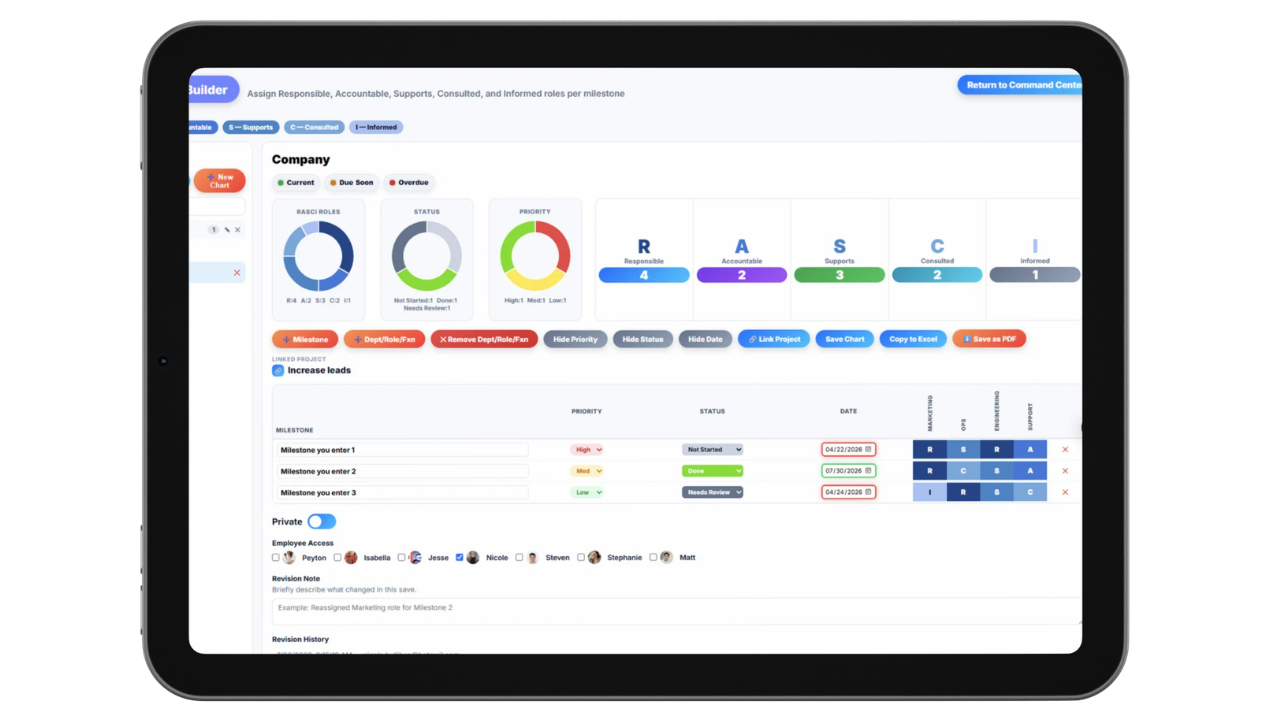
Assign RASCI-style responsibility, who's responsible, accountable, consulted, and informed for key areas of the business.
Update the chart in minutes when someone changes roles or a new hire joins, instead of redoing a slide from scratch.
Reporting lines and team structure, visible at a glance.
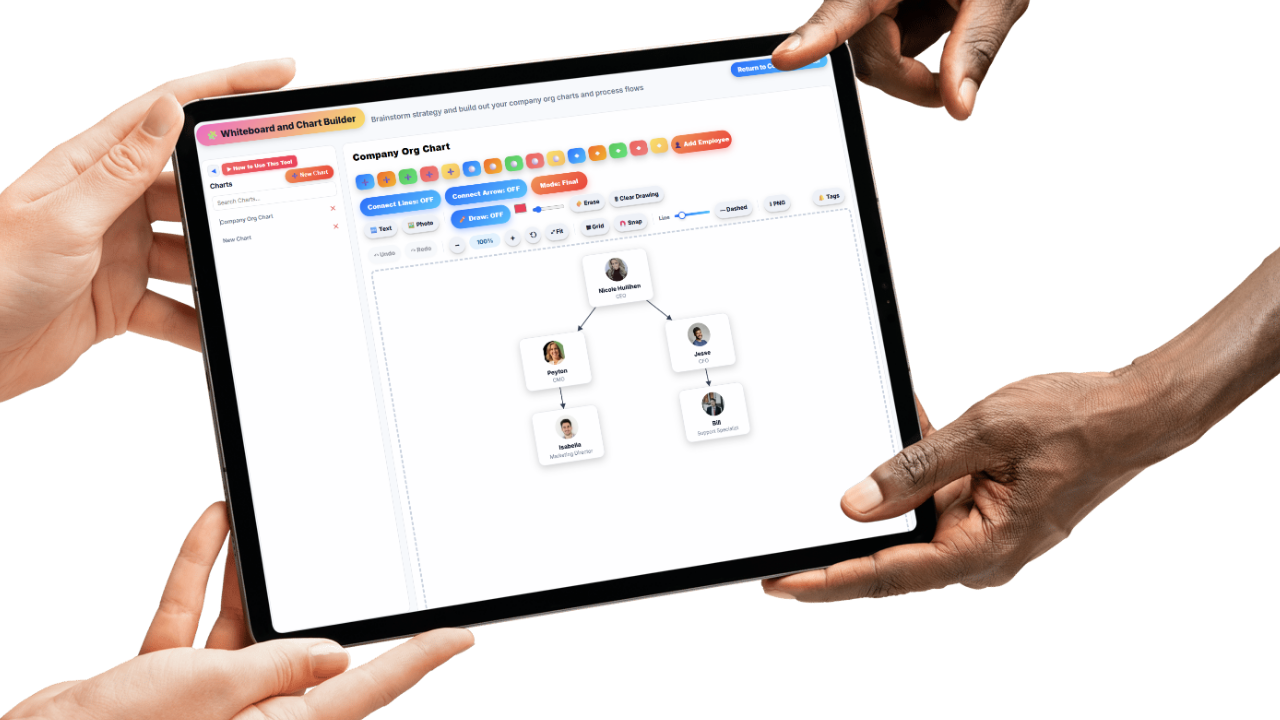
The org chart shows exactly who reports to whom across the business, so a new hire or a growing team can see the structure without asking around or digging through an old email.
As the team grows or roles shift, the chart updates in minutes instead of needing someone to redo a slide deck every time there's a change.
Whether the business has five people or fifty, the structure stays visible and accurate in one place everyone can check.
Know exactly who owns what, not just who reports to whom.
Beyond reporting lines, Updoot maps responsibility using a RASCI model, who's Responsible, Accountable, Consulted, and Informed for key decisions and areas of the business.
That clarity cuts down on the classic small business problem of a decision stalling because nobody's sure whose call it actually is.
When responsibilities shift as the business grows, updating the mapping takes minutes and keeps everyone working from the same shared understanding of ownership.
Every role tied to the same data as the rest of your business.
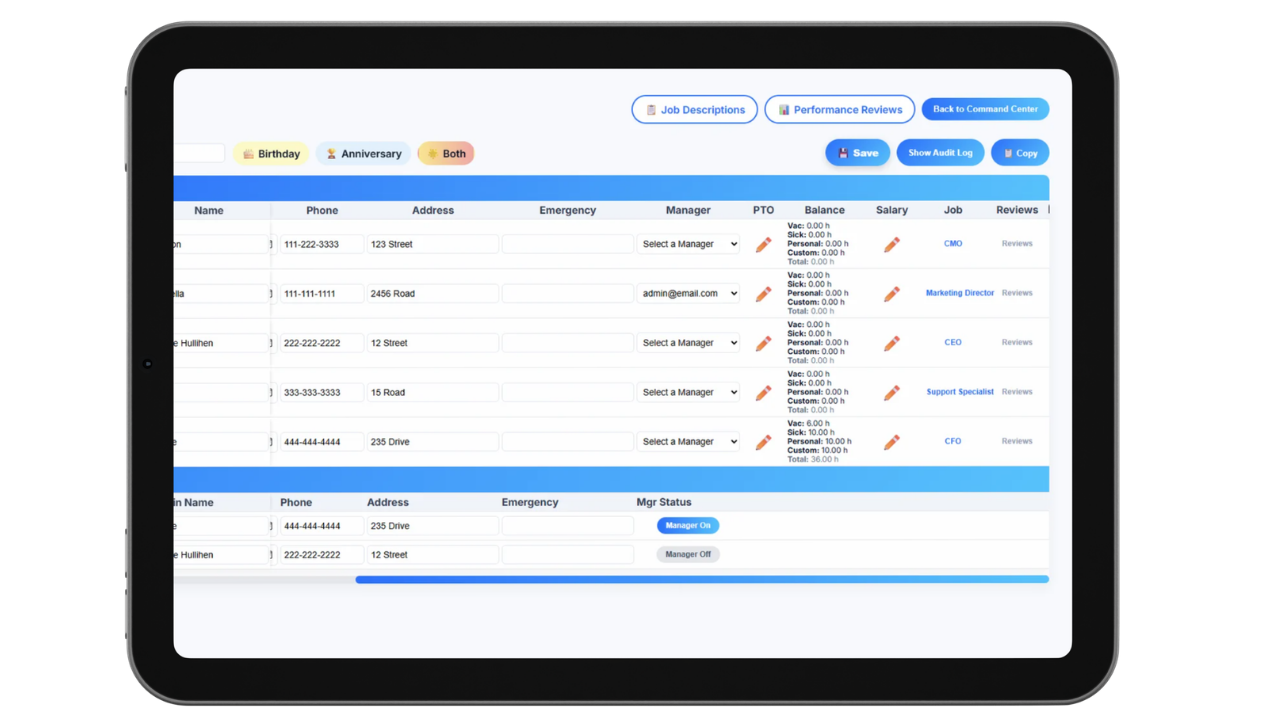
Each role in the org chart connects to the same employee and project data already in Updoot, so the chart isn't a disconnected document living outside the rest of your systems.
New hires can see where they fit into the structure from day one, and managers can see their team's roles and responsibilities without digging through separate files.
As the business restructures or adds new positions, the org chart reflects it in real time instead of falling out of date the way a static chart usually does.
Most org charts get built once, usually in PowerPoint, right before a board meeting or an investor update. Then someone gets promoted, a new hire joins, or a team gets restructured, and the chart quietly goes out of date until the next time someone needs it and has to rebuild it from scratch.
Updoot's org chart software keeps the structure connected to real team data, so it updates as your business actually changes instead of requiring a redo every few months.
Beyond just reporting lines, RASCI-style responsibility mapping gives you a clear answer to who actually owns a decision, not just who's above someone on paper.
Whether you're onboarding a new hire, restructuring a growing team, or just trying to answer "who handles this," the org chart gives everyone the same accurate picture instead of five different assumptions.
The system for mapping team structure and responsibility as your business grows.
See reporting lines and team structure across the whole business at a glance.
Add, edit, and reassign roles as your team grows and changes.
Map who's responsible, accountable, consulted, and informed for key decisions.
Update reporting lines and roles in minutes when the team changes.
Roles tie to the same employee and project records used across Updoot.
Give new employees a clear picture of the team structure from day one.
Short, practical reads on team accountability, performance, and running a tighter operation.
Stop guessing who owns what or rebuilding an org chart slide every quarter. Start your free trial of Updoot -- org charts, RASCI mapping, projects, invoicing, and time tracking all in one platform built for small business.
Start Free Today →