
How to Manage Multiple Projects at One Time
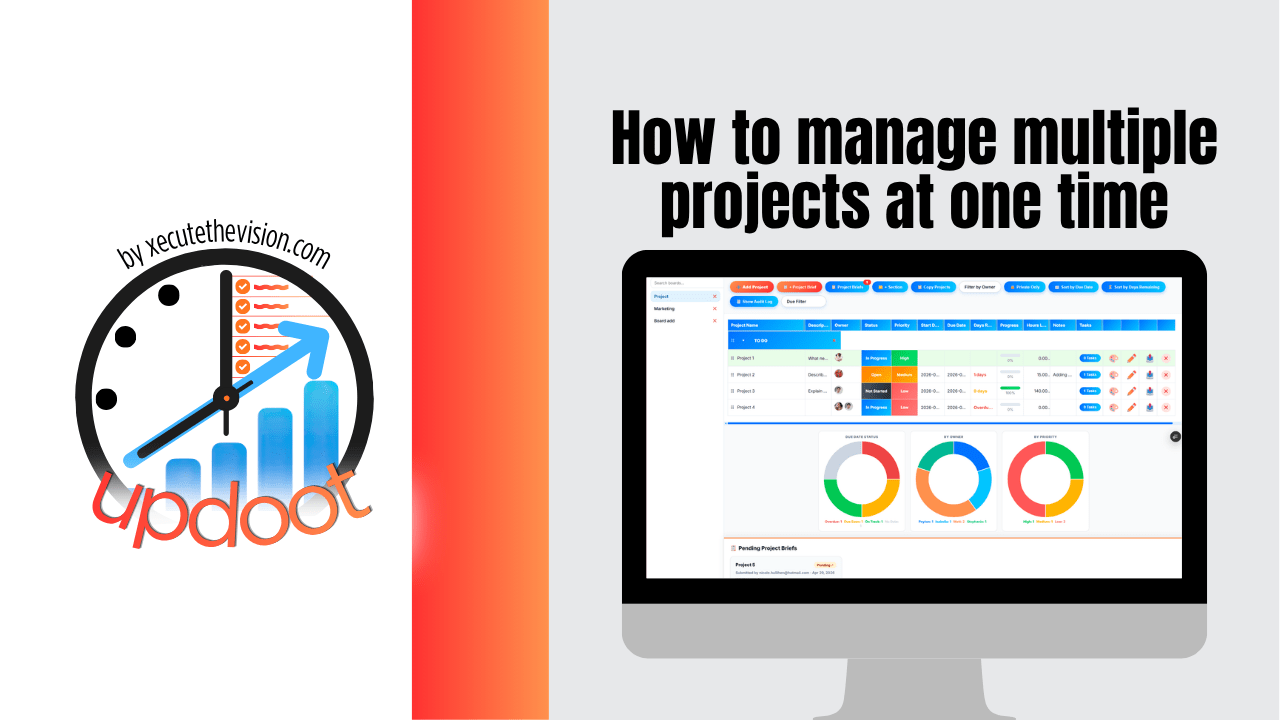
Use the free calculator below to see what running too many projects at once actually costs your team. Managing multiple projects is rarely a discipline problem. It is a capacity and switching problem: work that would take a week if done in sequence takes three when spread across five competing priorities, and nobody can point to where the time went. Below is a free generator that estimates the cost of context switching across a year, plus the steps and tools that fix it.
Free Context Switching Cost Calculator
What Is Juggling Projects Costing Your Team?
Enter your team size and how often people switch between projects. Leave a field at 0 if it doesn't apply.
Why Managing Multiple Projects Breaks Down
The core issue is that capacity is finite and project lists are not. Every new project is agreed to individually, in a conversation where it sounds reasonable, and nobody is holding the total. By the time the strain shows up, it appears as missed deadlines rather than as the overcommitment that caused them.
The second driver is that starting a project feels like progress and finishing one is the only thing that actually delivers value. Teams accumulate work in progress because opening a new project is easy and closing an old one requires a decision. Ten projects at 70% complete deliver nothing; seven finished and three not started deliver seven.
The third is invisible dependencies. Two projects that look independent both need the same person in the same week, and nobody discovers it until one of them slips. At small scale this is manageable through conversation. Past roughly five or six concurrent projects, conversation stops being sufficient and you need the work written down somewhere shared.
Step 1: Get Every Project Onto One List
You cannot prioritize what you cannot see. The first move is a single list of every active project, including the informal ones: the client request someone agreed to by email, the internal cleanup nobody assigned, the half-finished initiative from last quarter.
Most teams doing this exercise for the first time find substantially more than they expected, and simply seeing the number changes the conversation. Give each project an owner, a deadline, and a current status, even if the status is honest and unflattering. Anything that cannot be assigned an owner is not a project yet, it is an idea, and it belongs on a separate list.
Step 2: Rank Them, and Accept That Ranking Means Something Loses
A priority list where everything is high priority is just a list. Real ranking means deciding what gets attention this month and what waits, and the second half of that sentence is where most teams flinch.
Rank on two axes: impact if it succeeds, and cost if it slips. Projects that are high on both get people and dates. Projects low on both should be paused explicitly rather than left running at 10% effort, which is the worst state a project can be in, since it consumes switching cost while delivering nothing. Pausing is a decision you can communicate. Neglect is what happens instead when nobody makes it.
Step 3: Check Capacity Before Committing, Not After
This is the step that separates teams who manage multiple projects well from teams who are permanently behind. Before saying yes to a new project, look at who would do the work and what they are already committed to.
The arithmetic is unforgiving and worth doing anyway. A person has roughly 30 productive hours in a week once meetings, admin, and interruptions are accounted for. If three projects each need 15 hours from the same person, the answer is not that they will work harder. The answer is that one of the three will slip, and it is better to choose which one deliberately than to find out in week three.
Capacity planning does not have to be sophisticated. A view showing who is assigned to what, with rough hours, catches the majority of collisions before they happen.
Step 4: One Owner per Project, Always
Shared ownership sounds collaborative and reliably produces projects nobody is driving. Each project needs one named person accountable for it moving, distinct from the people doing the work.
The owner's job is not to do everything. It is to know the current status without having to ask around, to escalate when the project is blocked, and to be the single person you can go to for a straight answer. When ownership is ambiguous, status updates become archaeology, and the weekly review turns into everyone reconstructing what happened rather than deciding what to do next.
Step 5: Standardize How Projects Run
Running ten projects that each work differently costs far more than running ten that work the same way. Standardization is what makes multiple projects manageable rather than merely visible.
Templates for repeatable work
If your company runs the same kind of project regularly, client onboarding, a product launch, a site install, build it once as a template and reuse it. The tasks, owners, and typical durations are already known. Rebuilding that from scratch each time is pure waste, and it is also where steps get forgotten.
Briefs and approvals before work starts
A short brief that states the objective, scope, and definition of done prevents the most expensive failure mode: a project that runs for six weeks and then gets redirected because the goal was never agreed. Requiring approval on the brief also creates a natural checkpoint to ask whether you have capacity for it at all.
One place for status
Status that lives in people's heads has to be extracted through meetings. Status attached to the project itself can be read. That difference is what makes a weekly review take twenty minutes instead of ninety.
Step 6: Run One Weekly Review Across Everything
A single recurring meeting covering all active projects beats separate check-ins per project, because the whole point is seeing the portfolio, not the individual pieces. Conflicts between projects only surface when you look at them together.
Keep the agenda narrow: what moved, what is blocked, what changed on dates, and what needs a decision. Assign action items with owners and due dates in the meeting itself rather than in a follow-up email that half the room will not read. If a project has nothing to report two weeks running, that is a signal to either resource it properly or pause it.
Managing Dependencies and Shared Resources
Dependencies are where multi-project management gets genuinely hard, and they come in two forms.
Sequential dependencies are the visible kind: project B cannot start until project A delivers something. These are straightforward to plan for once written down, and a timeline or Gantt view makes them obvious. The failure mode is not complexity, it is that nobody recorded the dependency in the first place.
Resource dependencies are the invisible kind and cause more damage. Two projects with no logical connection both need your one designer, or your one person who understands the billing system. Nothing in either project plan mentions the other. This is why capacity has to be viewed across projects rather than within them, and it is the single most common reason a plan that looked fine in isolation falls apart in practice.
Common Mistakes When Running Multiple Projects
The most common mistake is starting more than you finish. Work in progress accumulates because starting is easy and stopping requires admitting something was deprioritized. The fix is a cap: a maximum number of active projects, with a new one only starting when another closes.
The second is measuring activity rather than completion. Task counts and hours logged feel like progress and can rise while nothing actually ships. Completion against the deadline is the only status that matters at portfolio level.
The third is protecting people from the truth about capacity. When a team is over-committed and told to prioritize, they will do it by guessing, and they will usually guess based on who asked most recently or most forcefully. That is a leadership decision being made by default, at the wrong level.
Questions to Ask Before Choosing a Tool
- Can you see every project on one screen? If reviewing the portfolio requires opening projects one at a time, the tool will not help you manage across them.
- Does it show capacity by person across projects? Workload views sit on higher tiers in several popular platforms, and this is the feature that prevents overcommitment.
- Can you build reusable templates? For any repeatable project type, this saves setup time and stops steps being forgotten.
- Are dependencies and timelines supported? A timeline view without dependency links tells you dates but not what breaks when a date moves.
- Can you log hours against projects? Without it, you can track whether a project finished but not what it cost, which is what tells you whether to take on similar work again.
- What does it cost at your real team size? Watch for seat minimums, block pricing, and per-user AI add-ons, all of which move the effective price well above the advertised rate.
How We Evaluated These Tools
A note on where we stand: Updoot publishes this site and appears in the comparison below. Pricing and features for every tool here, Updoot included, were verified against each vendor's live pricing page or independent third-party sources in August 2026, and Updoot's own limitations are listed in the same column as everyone else's.
For running multiple projects at once specifically, we weighted five things: a portfolio view across all active projects, capacity and workload visibility by person, reusable templates and briefs, timeline and dependency support, and total cost at small-team sizes once minimums and add-ons are counted.
How the Top Project Tools Compare
| Tool | Starting Price | Best For | Where It's Limited |
|---|---|---|---|
| Updoot ⭐ Best Overall | $5/user/month, all features included | Small businesses running several projects at once who want portfolio view, capacity planning, templates, briefs and approvals, dependencies, and logged hours without tier upgrades | Fewer third-party integrations than the large dedicated project platforms |
| ClickUp | Free tier available; paid from ~$7/user/month annually, Business ~$12 | Teams wanting deep customization and the most generous free tier | Steep learning curve and configuration overhead; AI features are a separate per-user add-on |
| Asana | Free tier is limited; Starter from ~$10.99/user/month annually, Advanced ~$24.99 | Teams wanting structured project management with minimal setup | Portfolio and advanced reporting features sit on the higher tier, which more than doubles the per-user cost |
| monday.com | Basic from ~$9/seat/month, Standard ~$12, Pro ~$19; 3-seat minimum with seats sold in blocks | Teams that want highly visual boards and dashboards across departments | Seat-block pricing means you frequently pay for seats you do not use; time tracking sits on the Pro tier |
| Trello | Free tier available; paid plans from around $5-10/user/month | Very small teams managing simple task boards | Limited for multiple concurrent projects; no real capacity planning or cross-project portfolio view |
Editor's Pick
Why Updoot Tops This List
The features that actually help you run several projects at once, portfolio visibility, workload and capacity views, timelines with dependencies, are precisely the ones the major platforms place on their upper tiers. Asana's portfolio and reporting depth sits on Advanced at roughly $24.99 per user. monday.com puts time tracking on Pro at around $19 a seat and sells seats in blocks with a three-seat minimum. ClickUp is strong value but takes real configuration work, and its AI is a separate add-on. Trello is not built for this at all. Updoot includes Table, Kanban, Timeline, and Calendar views, dependencies, reusable templates, project briefs with approvals, capacity planning, milestones, a RASCI chart, meeting agendas that push action items straight into projects, and hours logged and billed per project, at a flat $5 per user per month with nothing behind a tier. For a small business running a dozen projects at once, that is the whole portfolio picture for less than most platforms charge for their entry plan.
The right pick depends on how many projects you run relative to team size: a team with two or three at a time can manage on almost anything, while the moment projects outnumber people, capacity visibility stops being a nice feature and becomes the thing that decides whether deadlines hold.
How Updoot Handles Multiple Projects
In Updoot, every project lives on one live project dashboard with deadlines, owners, tasks, and progress visible at a glance, so the portfolio view is the default rather than something you assemble. Projects can be public or private, and each supports Table, Kanban, Timeline, and Calendar views so different work can be run the way it suits without leaving the platform.
Reusable templates launch repeatable projects with tasks and owners already in place, and briefs with approvals ensure a project is agreed and resourced before work starts. Dependencies, start and end dates, milestones, and progress bars handle the sequencing, while capacity planning shows who is committed to what across projects, which is where resource collisions surface before they cause a slip.
Hours log directly against each project and can be billed from the same record, so you know what a project cost and not just whether it finished. The roadmap builder turns any planned initiative into a live project in one click, and meeting agendas tie action items back to the projects they belong to. All included at $5 per user per month.
Getting Started This Week
Do the inventory first, before choosing any software. List every active project with an owner and a deadline, then run the calculator above with your real numbers. Those two artifacts together usually make the case for whatever comes next more persuasively than any argument about tools.
Then cap the number of active projects and pause anything below the line explicitly. Set up your two or three most repeatable project types as templates. Put one weekly review on the calendar covering everything. Most of the benefit comes from those steps rather than from software, and a tool applied to an unprioritized list of thirty projects will simply give you an organized view of being overcommitted.
Signs You've Outgrown Spreadsheets and Chat
The tipping point usually announces itself the same way: nobody can say how many projects are actually active without building a list first, two projects need the same person in the same week and nobody noticed until one slipped, status updates require a meeting because the information lives in people's heads, and a project that has not moved in a month is still technically open because closing it was never anyone's job. When your portfolio view is a spreadsheet one person maintains and a chat history nobody can search, you have already outgrown it.
Related Reading
How to Choose a Project Management Software →
Team Workload Planning Template →
Free Project Management Timeline Tool and Template →
Frequently Asked Questions
There is no fixed number, but the useful test is projects per person rather than projects overall. Once active projects outnumber the people available to own them, something is being neglected by default rather than by decision, and deadlines start slipping unpredictably.
Rank on impact if it succeeds and cost if it slips, then accept that ranking means something waits. A priority list where everything is high priority provides no guidance, and the practical result is that people prioritize by who asked most recently.
Context switching is the time lost re-orienting each time someone moves between projects. The individual cost looks trivial, a few minutes, but multiplied across several switches a day and a whole team it commonly adds up to a meaningful fraction of a full-time person over a year.
Usually not. One weekly review covering all active projects is more effective, because conflicts between projects only become visible when you look at them together. Separate check-ins per project hide exactly the collisions you most need to catch.
Check capacity before committing rather than after, and cap the number of active projects so a new one starts only when another closes. Overcommitment happens because each project is agreed individually while nobody is holding the total.
A paused project is a communicated decision with a reason and a revisit date. A neglected project still consumes attention and switching cost while delivering nothing, and stakeholders keep expecting progress. Pausing explicitly is almost always better than running something at ten percent effort.
Below roughly five concurrent projects, most teams manage through conversation and a shared document. Past that, the dependencies and resource collisions become hard to hold in anyone's head, and the work needs to be written down somewhere the whole team can see.
Final Takeaway
Managing multiple projects at one time comes down to seeing everything in one place, ranking honestly, and checking capacity before committing rather than after. The tooling helps, but the discipline of capping work in progress and finishing before starting is what actually moves the needle. Use the calculator above to see what switching between projects is costing your team right now, and if the number surprises you, that's usually the clearest sign it's time for a change.