
How to Choose a Project Management Software
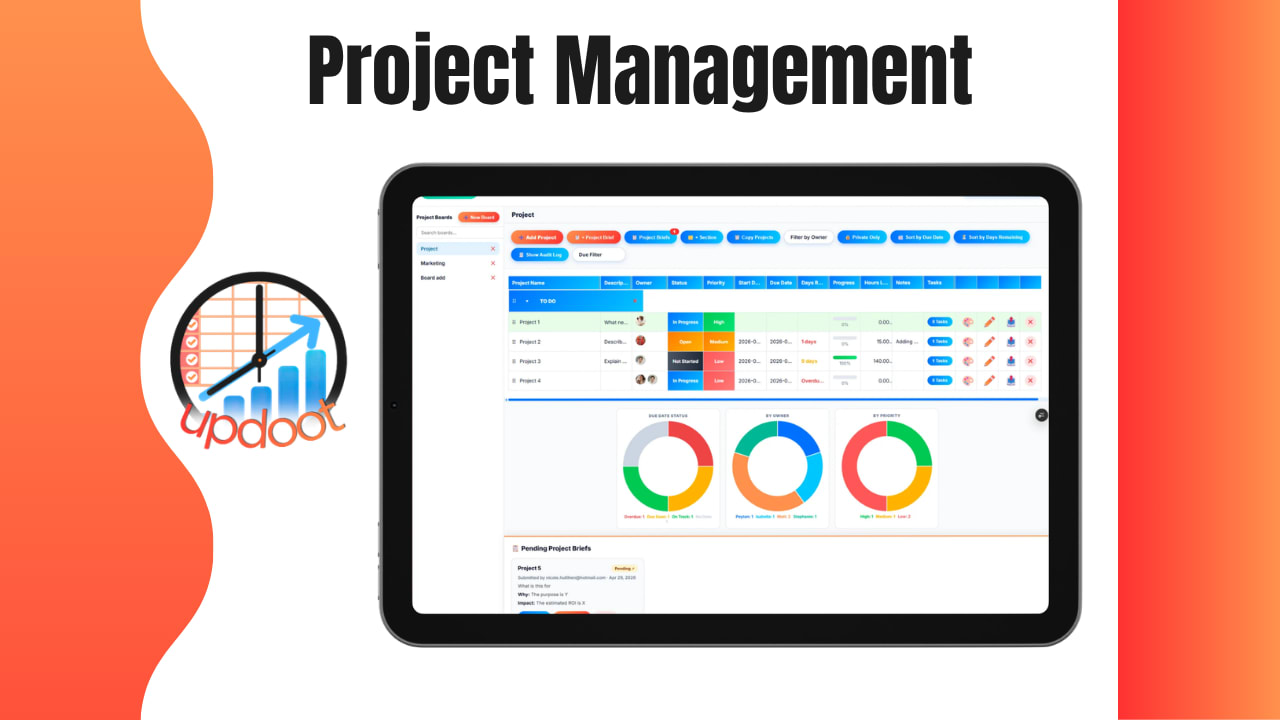
Use the free interactive tool below to score and compare the project management tools you're considering. Most teams start this search by browsing feature lists, which is exactly backwards. The tool with the most features isn't the one that gets used six months from now, it's the one that actually matches how your team already works, is easy enough that nobody avoids opening it, and can grow a little as projects get more complex. Here's how to actually choose one, and a free scorecard to compare your finalists side by side instead of guessing.
Free Project Management Software Scorecard
Score Your Options
Add each tool you're considering and score it 1-10 on the criteria that matter most to your team. Entries save automatically in your browser.
| Tool | Ease | Features | Integrations | Price | Support | Total Score |
|---|
What Makes Project Management Software Worth Choosing Carefully
Project management software is the tool a team uses to plan work, assign tasks, track deadlines, and see status across a project without relying on a string of emails or a whiteboard nobody updates. The right choice keeps a team aligned on what's due, who owns it, and what's blocked. The wrong choice becomes a tool people quietly stop opening within a few months, and the team drifts back to whatever it was doing before, usually a mix of email, spreadsheets, and memory.
That's really the core risk in this decision: it's rarely that a tool is bad, it's that it doesn't get adopted. A feature-rich platform nobody uses delivers less value than a simple one everybody actually checks every day.
7 Criteria That Actually Matter
Feature lists are the easiest thing to compare and the least useful one. These are the criteria that actually predict whether a tool sticks:
- Ease of use. If it takes a new hire more than a day to feel comfortable navigating it, adoption will lag no matter how powerful the tool is underneath.
- Fit with how your team already works. A tool built around kanban boards is a poor fit for a team that thinks in Gantt charts, and vice versa. Match the tool to existing habits rather than forcing a new mental model on everyone at once.
- Integrations with tools you already use. A project management tool that doesn't talk to your calendar, email, or file storage adds an extra manual step to every single update.
- Pricing that scales with your team. Per-user pricing can get expensive fast as a team grows. Know whether a flat team rate or tiered plan will actually make sense a year from now, not just today.
- Mobile access. If any part of the team works from the field, a site, or on the road, a tool that only works well on desktop will get skipped exactly when it's needed most.
- Support and onboarding resources. A tool with no documentation or responsive support becomes a headache the first time something breaks or a new hire needs training.
- Room to grow. A tool built only for simple task lists will need to be replaced the moment projects get more complex. Confirm it can handle dependencies, multiple projects, or reporting before you're forced to migrate again in a year.
Weighing these seven against each other, rather than counting features, is what the scorecard above is built to do.
See Why Updoot Is the Right Choice
A quick walkthrough of Updoot's project management tools, built to check every box on the criteria above.
How to Narrow Down Your Options in 5 Steps
A long list of possible tools is overwhelming and doesn't actually help you decide. Here's the order that keeps the process from dragging on for months:
- List your must-haves first. Write down the two or three things the tool absolutely has to do, integrate with your calendar, support recurring tasks, whatever matters most, before browsing a single product page.
- Cut anything that fails a must-have. A tool missing a non-negotiable requirement gets removed immediately, no matter how good it looks otherwise.
- Score your remaining finalists. Use a consistent scorecard, like the one above, across three to five tools so you're comparing apples to apples instead of gut feelings.
- Run a real trial with real work. Test the top one or two options on an actual current project, not a demo account with sample data, since that's the only way to see how it holds up under real use.
- Get buy-in before rolling out. A tool chosen by one person and dropped on the team without input tends to get resisted regardless of how good the choice actually was.
Skipping straight to step three, running feature comparisons, before ever writing down the must-haves, is the most common shortcut, and it's usually why teams end up bouncing between three different tools in two years.
Common Mistakes When Choosing Project Management Software
These are the ways this decision most often goes wrong in practice:
- Choosing based on feature count. More features usually means more complexity, not more value, especially for a team that only needs a handful of core functions.
- Skipping the trial with real work. A demo with sample data looks clean no matter what. Only a real project reveals whether a tool actually fits daily use.
- No one asking the team that'll use it. A tool picked entirely by leadership, with no input from the people doing the daily work, is far more likely to get quietly ignored after rollout.
- Ignoring scale. Picking the cheapest tool for a five-person team without checking what it costs, or whether it still works well, at twenty people is a decision that gets revisited sooner than expected.
Most of these mistakes are easy to avoid with a short, honest must-have list before comparing anything, and expensive to undo once a team has been forced through a tool migration nobody wanted.
Frequently Asked Questions
At minimum: whether it matches how your team actually works, ease of use for people who aren't project managers, integrations with tools you already use, pricing that scales with your team size, and whether it can grow with you as projects get more complex. The best fit is rarely the tool with the most features, it's the one your team will actually open every day.
Three to five is usually enough to see real differences without dragging the decision out for months. Narrow a longer list down using must-have criteria first, then do a deeper side-by-side comparison, ideally with a free trial, on the finalists.
Not necessarily. Enterprise-grade platforms are often built for complex approval chains, dozens of integrations, and large IT departments to manage them. A small business usually gets more value from a simpler tool that the whole team can learn in a day, even if it has fewer advanced features.
Pricing ranges from free basic plans to $25 or more per user per month for advanced platforms with extensive integrations and reporting. Most small teams can find a capable tool in the free-to-$15-per-user range, and it's worth checking whether a provider charges per user or offers a flat team rate.
Picking based on the longest feature list rather than how the team actually works day to day. A tool packed with features nobody uses is harder to onboard a team onto than a simpler tool that matches existing habits, and adoption, not feature count, is what determines whether a tool actually gets used six months later.
Not always. Switching tools has a real cost in migration time and team retraining, so it's worth weighing whether the current tool's gaps are truly blocking work versus just mildly annoying. A switch usually pays off when a team has clearly outgrown a tool's core structure, not just when a shinier option comes along.
Final Takeaway
Choosing project management software comes down to one real question: will the team actually open this every day, or will it quietly get abandoned in a month? Start with your must-haves, score your top three to five finalists with the free scorecard above, and run a real trial with real work before rolling anything out to the whole team.