
Employee Goal Tracking Software
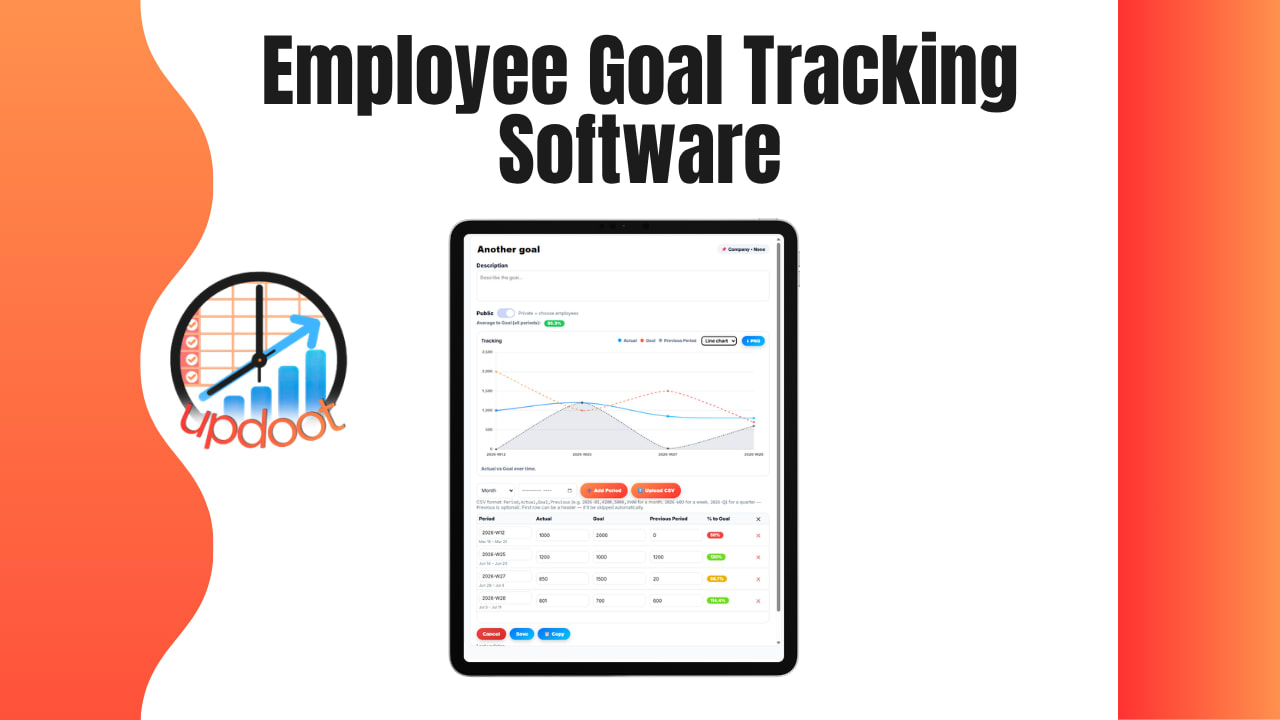
Use the free interactive tool below to start tracking your team's goals. Most companies run goal setting and performance reviews as two disconnected exercises: goals get written down in January, half-forgotten by March, and then everyone scrambles to reconstruct "what did I actually accomplish this year" the week before the review is due. Employee goal tracking software fixes that by giving every goal one home you can update as work happens, so the review is a summary of real, dated progress instead of a guess assembled from memory the night before.
See Goal Tracking in Action
A quick walkthrough of setting individual and team goals, updating progress over time, and connecting goals directly to a performance review cycle.
Free Employee Goal Tracking Template
Track Your Team's Goals
Add a goal for each employee below. Entries save automatically in your browser.
| Employee | Goal | Type | Progress | Status | Review Cycle |
|---|
What Is Employee Goal Tracking Software
Employee goal tracking software is a tool that gives every employee goal, individual, team, or development, one place to live, get updated, and be reviewed. Instead of goals sitting in a document from the last review cycle that nobody opens again until the next one, a goal tracking system keeps progress current, so a manager can check status at any point in the quarter, not just the week the review is due.
The real value shows up at review time. A manager who's been updating progress along the way walks into a performance review with actual dates, actual percentages, and actual notes on what changed, instead of trying to recall six months of work from memory in a single sitting.
What Goes Into a Good Employee Goal
Most well-built employee goals share the same core fields, even when the specific language varies: who owns it, what the goal actually is, what type of goal it is, how much progress has been made, its current status, and which review cycle it's tied to. Tracking review cycle alongside progress is what connects day-to-day goal tracking directly to performance reviews, instead of leaving them as two separate systems that only get reconciled once a year.
Status tracking matters here just as much as it does anywhere else. A goal marked "at risk" in month two is a very different conversation than the same goal discovered to be behind during the review itself, when there's no time left in the cycle to fix it.
How to Set Up Employee Goal Tracking in 6 Steps
A tracking tool is a container, not a strategy by itself, so getting the setup right matters more than the software you use. Here's the order that keeps goal tracking from turning into a form nobody updates:
- Set goals with the employee, not just for them. Goals an employee helped write tend to get tracked. Goals handed down without input tend to get ignored until the review forces the conversation.
- Mix goal types. Individual performance goals, team goals that connect to a bigger objective, and development goals aimed at growth rather than output all belong on the same tracker, not just the ones tied to output.
- Make progress a number, not a feeling. A percentage or concrete milestone is far easier to compare over time than "going well," which means something different to every person who says it.
- Assign one clear owner per goal. Shared goals with no single owner are the first ones to stall when a quarter gets busy.
- Update on a set cadence. Monthly check-ins are usually enough to catch a goal drifting off track before it becomes a surprise at review time.
- Tie every goal to a review cycle. Goals that aren't explicitly linked to Q1, Q2, or an annual review tend to get quietly dropped from the conversation entirely.
Skipping straight to writing goals without connecting them to a review cycle is the most common shortcut, and it's usually why goal tracking and performance reviews end up feeling like two unrelated exercises instead of one continuous process.
Connecting Goal Tracking to Performance Reviews
This is the piece most goal tracking tools miss, and it's the reason Updoot's tracker includes a review cycle field on every goal. When a goal is tagged Q1, Q2, Q3, Q4, or Annual from the moment it's created, filtering by that field right before a review pulls up exactly what that employee was working on, how far they got, and when status changed, without anyone having to dig through old notes or reconstruct the year from memory.
This also protects against the most common performance review complaint from employees: being surprised by feedback on something that was never flagged as a problem earlier in the cycle. A goal marked "at risk" in month two, visible to both manager and employee the whole time, means the review conversation is a recap of something both people already knew, not a new piece of information dropped for the first time in the room.
Related Reading
Free Customer Profile Software and Persona Template →
Common Pitfalls of Employee Goal Tracking
A tracker full of goals isn't the same as a tracker that actually improves performance conversations. These are the ways goal tracking most often breaks down in practice:
- Goals set once and never revisited. A goal written in January and not opened again until the December review has usually drifted out of relevance months before anyone notices.
- No connection to review cycles. Goal tracking and performance reviews run as two separate systems, which means the review becomes a memory exercise instead of a summary of tracked progress.
- Vague progress updates. "On track" with no percentage or milestone attached tells a manager almost nothing about whether a goal is actually going to land by the deadline.
- Only tracking output goals. Skipping development and growth goals in favor of pure performance metrics misses half of what a good review conversation should cover.
Most of these are easy to fix with a simple weekly or monthly habit of updating status, and expensive to fix when a goal has been quietly ignored for two full quarters before a review forces the conversation.
Frequently Asked Questions
Employee goal tracking software is a tool that lets a manager and employee set goals together, track progress over time, and see status at a glance instead of relying on memory or scattered notes. Most systems also let goals roll up into performance reviews so progress isn't re-explained from scratch every cycle.
Goal tracking happens continuously throughout the year, updating progress as work happens. A performance review is a periodic checkpoint, usually quarterly or annually, that looks back at that same body of work and scores it. When goals are tracked in the same place reviews happen, the review becomes a summary of real, dated progress instead of a guess reconstructed from memory right before the meeting.
Most teams track a mix: individual performance goals tied to the person's role, team or department goals that show how their work supports a bigger objective, and development goals aimed at skills or growth rather than a specific output. Tracking all three gives a fuller picture than performance goals alone.
Enterprise-grade performance management platforms, and the consulting engagements often brought in to configure them, can run into six figures a year once licensing, implementation, and change management are included, which puts them out of reach for most small and mid-sized teams. A simpler, browser-based tool can capture the same core mechanics, goals, progress, and review linkage, for free.
Most teams do a quick progress check monthly and a deeper conversation quarterly, with a full review tying everything together at the end of the review cycle, whether that's quarterly or annual. Goals that are only looked at once a year tend to drift out of relevance well before the review happens.
Yes. The core mechanics, set a goal, track progress, tie it to a review, matter just as much for a five-person team as a five-thousand-person company. What usually changes with size is the tooling, not whether the practice itself is worth doing.
Final Takeaway
Goal tracking earns its keep the moment a performance review stops being a scramble to remember what happened and starts being a summary of progress that was already visible the whole time. Start with the free tool above, tag every goal with its review cycle from day one, and update progress on a regular cadence so the next review conversation is backed by real, dated evidence instead of a guess put together the night before.