
Cloud Based CRM Software for Small Business
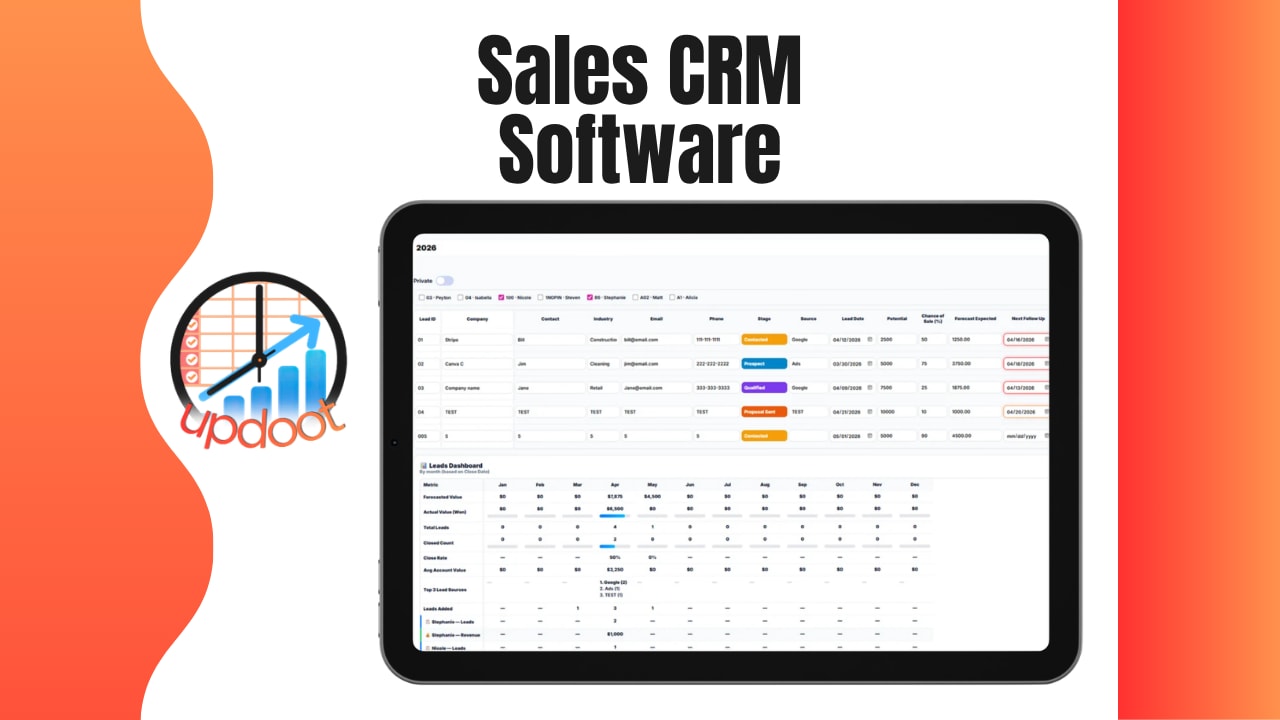
Use the free interactive tool below to start tracking your own contacts and deals. If you've been managing customers out of a spreadsheet, a shared inbox, or a stack of sticky notes, cloud based CRM software is the upgrade that usually pays for itself within the first month, once someone stops asking "wait, did we already follow up with this person?" A cloud based CRM keeps every contact, conversation, and deal in one place that anyone on the team can check from a browser, without installing anything or waiting on IT.
See Cloud Based CRM in Action
A quick walkthrough of adding contacts, tracking deal status, and seeing your whole pipeline in one place from any browser.
Free CRM Template
Track Your Contacts and Deals
Add a contact or deal below. Entries save automatically in your browser.
| Contact | Company | Deal Value | Source | Owner | Status |
|---|
What Does CRM Stand For
CRM stands for Customer Relationship Management. It refers to two closely related things: the general practice of managing how a business interacts with its current and potential customers, and the software built specifically to support that practice. When people say "our CRM," they usually mean the software, but the term itself is really describing the discipline of keeping track of who a customer is, what's been discussed, and where things stand.
In practice, that means a CRM stores contact details, a history of calls, emails, and meetings, and the current status of any deal in progress, all attached to one contact record instead of scattered across someone's inbox and memory.
What "Cloud Based" Means
Cloud based means the software itself lives on servers run by the provider, not on a computer sitting in your office. Instead of installing a program and storing data locally, you log in through a web browser, from a laptop, phone, or tablet, and the provider handles hosting, backups, and security on their end.
For a small business, this matters more than it might sound like it should. There's no server to maintain, no IT staff required to keep it running, and no risk of losing years of customer history because one office computer crashed. Updates roll out automatically, and the same data is accessible whether someone's in the office, working from home, or checking a deal from their phone between meetings.
Who Buys Cloud Based CRM Software
Small business owners are the most common buyers, usually the moment a spreadsheet or shared inbox stops being enough to track who's been contacted and what was promised. Sales teams and account managers are close behind, since a CRM is often the tool a rep lives in every day to manage their pipeline. Customer service teams use it too, pulling up a customer's full history before a support call instead of asking the customer to repeat themselves.
It's especially common among businesses with no dedicated IT department, since cloud based tools remove the need for anyone in-house to manage servers or software updates. Remote and hybrid teams are another common buyer, since a cloud CRM gives everyone the same view of a customer regardless of which city, or which coffee shop, they're working from that day.
Cloud Based CRM vs. a Spreadsheet
A spreadsheet feels free and familiar, which is exactly why so many small businesses start there. It works fine right up until more than one person needs to update it at the same time, or someone opens an old version and overwrites someone else's changes. A cloud based CRM solves the problems a spreadsheet was never built to handle in the first place.
- Real-time access for everyone. A spreadsheet shared over email or a shared drive almost always ends up with someone working from an outdated copy. A cloud CRM shows the same live data to everyone, at the same time, whether they're in the office or working remotely.
- No formulas to break. A single deleted column or copy-pasted cell can silently break a spreadsheet's formulas without anyone noticing for weeks. A CRM's status fields, deal values, and history are structured so nothing quietly stops calculating in the background.
- Built-in history, not just a snapshot. A spreadsheet shows where a deal stands today, not how it got there. A CRM keeps a running history of status changes and notes, so anyone can see when a deal moved from "Contacted" to "Qualified" and who made that update.
- Nothing to lose. A spreadsheet that lives on one person's laptop is one hard drive failure away from disappearing. Cloud based data is backed up by the provider, not dependent on any single device.
- Scales without becoming unmanageable. A spreadsheet with a few dozen rows is manageable. The same spreadsheet with a few thousand rows, multiple tabs, and inconsistent formatting from years of edits becomes nearly impossible to trust or search quickly. A CRM stays searchable and filterable no matter how large the contact list gets.
None of this means a spreadsheet is a bad place to start, plenty of businesses track their first handful of customers that way. The shift usually makes sense the moment more than one person needs the same live view of a customer, or the list has grown past what a quick scroll and search can reliably handle.
How to Choose a Cloud Based CRM in 6 Steps
A CRM is only as useful as the habits built around it, so the setup matters as much as the platform. Here's the order that keeps a CRM from becoming another tool nobody opens:
- Map your actual sales process first. Write down the real stages a deal moves through, new, contacted, qualified, won, lost, before picking a tool built around someone else's assumptions about your process.
- Decide who needs access. Sales, support, and management often need different views of the same data. Know this before choosing a plan or setting permissions.
- Check what "cloud based" actually includes. Confirm the provider handles hosting, backups, and updates, not just that the software happens to run in a browser.
- Import existing contacts early. A CRM with half the customer list still sitting in an old spreadsheet defeats the purpose of having one central place to check.
- Set a status field everyone actually uses. A CRM full of contacts all marked "New" six months later means the tool isn't being updated, not that nothing happened.
- Review the pipeline on a regular cadence. Weekly is usually enough to catch a deal that's gone quiet before it's too late to revive it.
Skipping straight to picking software based on price or features, before mapping the actual sales process, is the most common shortcut, and it's usually why a CRM ends up half-used within a few months of setup.
Common Pitfalls of Cloud Based CRM Software
A CRM full of contacts isn't the same as a CRM that's actually working. These are the ways it most often breaks down in practice:
- Inconsistent data entry. If updating a deal's status is optional, half the team will skip it, and the pipeline stops reflecting reality.
- No single owner per contact. A lead with no clear owner is the first thing that slips through the cracks when the week gets busy.
- Importing but never cleaning up old data. Duplicate contacts and outdated deal stages from an old spreadadsheet import make the whole system harder to trust.
- Treating it as a contact list instead of a pipeline. A CRM used only to store names and numbers, without tracking deal status or history, misses most of what makes cloud based CRM software worth paying for.
Most of these are simple to fix with a quick weekly review, and much harder to fix once a year's worth of stale, half-updated records has piled up.
Related Reading
Employee Goal Tracking Software →
Frequently Asked Questions
CRM stands for Customer Relationship Management. It refers to both the practice of managing a business's interactions with current and potential customers, and the software built to support that practice by tracking contacts, communications, and deals in one place.
Cloud based means the software runs on servers managed by the provider and accessed through a web browser, rather than being installed on a single office computer or company server. There's nothing to physically install or maintain, data is accessible from any device with an internet connection, and updates happen automatically instead of requiring an IT team to push them out.
Small business owners, sales teams, account managers, and customer service teams are the most common buyers. It's especially common among businesses with no dedicated IT staff, remote or hybrid teams that need access from multiple locations, and any team that's currently tracking customers in spreadsheets or a shared inbox and has started losing track of who said what.
Reputable cloud CRM providers invest heavily in security since protecting customer data is core to their business, often more heavily than a small business could invest on its own with an on-premise system. That said, it's still worth checking a provider's stated security practices and data handling policies before committing customer information to any platform.
Pricing varies widely, from free basic tiers to enterprise plans running well over $100 per user per month for advanced platforms. Most small businesses can find a capable cloud CRM for a modest monthly fee per user, and some tools offer core contact and deal tracking for free.
A very small customer list can sometimes be managed in a simple spreadsheet, but the moment more than one person needs to see the same customer history, or the list starts growing past a few dozen contacts, a CRM starts saving real time by keeping everything in one searchable place instead of scattered across inboxes and sticky notes.
Final Takeaway
Cloud based CRM software earns its keep the moment it answers "did we already follow up with this person" without anyone having to dig through an inbox. Start with the free tool above, get your existing contacts into it, and review your pipeline by status every week so it reflects who you're actually talking to, not just who you meant to follow up with a month ago.