
Best Time Clock Software for Churches
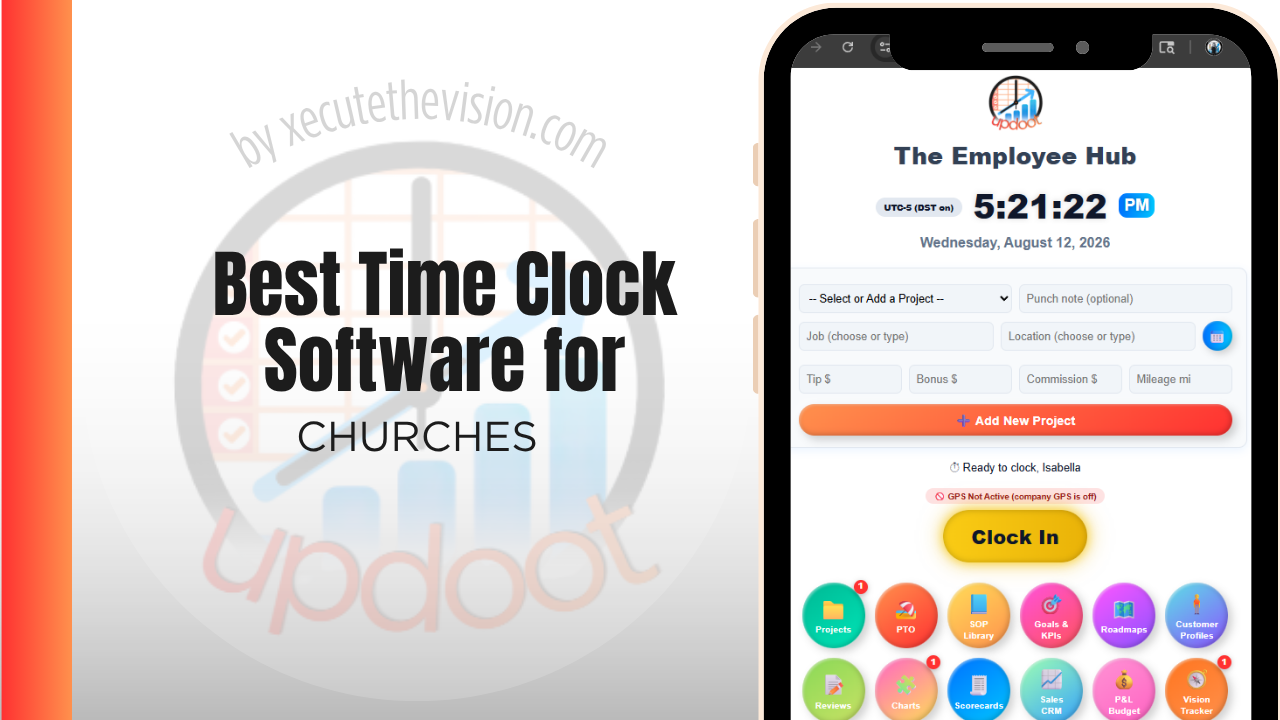
Use the free calculator below to see what timesheet rounding actually costs your church. Church staffing mixes paid employees, part-time ministry leaders, and volunteers, often across multiple ministries and service times, and only the paid hours actually need to run through payroll and wage-and-hour rules. Below is a free generator that estimates what rounding and missed punches cost across a year of paid staffing, plus how the leading tools compare.
Free Staff Hour Accuracy Calculator for Ministries
What Are Estimated Timesheets Costing Your Church?
Enter your paid staff count and average wage. Leave a field at 0 if it doesn't apply to your church.
What Churches Actually Need from Time Clock Software
A church needs a time clock that clearly separates paid staff from volunteers, since only paid hours are subject to minimum wage and overtime rules, and mixing the two in one system creates confusion about who actually needs to be tracked for payroll purposes.
Multi-ministry scheduling also matters, since paid staff often split time across worship, youth ministry, facilities, and administration, and a church needs to see hours and labor cost by ministry to budget accurately, not just one combined total.
The third requirement is handling staff who work irregular, non-office hours. A worship leader rehearsing midweek, a youth pastor at a weekend retreat, and a facilities volunteer opening the building on Sunday morning are all outside a nine-to-five pattern, and a clock built around a fixed office shift will not fit any of them.
The fourth is simplicity for people who did not come to ministry to fill in forms. A system requiring training will not be adopted by a part-time staff member working eight hours a week.
Paid Staff vs. Volunteers and Part-Time Ministry Leaders
Paid staff, whether full-time or part-time, need accurate, compliant time tracking tied to payroll. Volunteers generally don't need to clock in at all for wage purposes, though some churches track volunteer hours separately for reporting or recognition. Keeping these two groups distinct in the system avoids confusion about who is actually owed wages.
Common Time Tracking Mistakes at Churches
The most common mistake is not tracking part-time paid staff and ministry leaders as carefully as full-time staff, on the assumption that smaller paychecks mean smaller risk, when the same wage-and-hour rules still apply.
The second is not separating hours by ministry, which makes it hard for church leadership to see whether a specific ministry's staffing cost is in line with its budget.
The third is treating volunteer hours and paid hours the same in the system, which risks accidentally treating a volunteer as an employee for payroll purposes or, in the other direction, under-tracking a paid staff member's actual hours.
Part-Time Ministry Staff and the Hours Nobody Records
The most common staffing arrangement in a church is also the hardest to track fairly: a part-time employee paid for a set number of hours who routinely works more. A worship leader contracted for ten hours puts in fifteen during Holy Week. A youth pastor at twenty hours spends a full weekend at camp.
This creates two separate problems. The first is legal: for non-exempt employees, hours worked are compensable regardless of what the agreed weekly number was, and a church that pays a flat part-time amount while the person works well beyond it is exposed. Employment classification and overtime rules vary by jurisdiction and by role, and religious organizations do not sit outside them by default, so confirm your specific obligations with an employment attorney or payroll advisor rather than assuming.
The second is pastoral. Staff who consistently work unpaid hours burn out, and because nobody recorded the hours, the leadership discovers the problem when a resignation arrives rather than when the pattern started. A time clock does not solve overwork, but it makes it visible early enough to address, and it lets a finance team have an honest conversation about whether a ten-hour role is actually a fifteen-hour role that needs rescoping or repricing.
Separating Ministry Areas for Budget Reporting
Most churches budget by ministry area, and most timekeeping systems produce a single staff total, which means the two never meet without a manual exercise.
Coding hours to a ministry closes that gap and tends to surface things a budget conversation cannot. A facilities role that was scoped as general building support turns out to spend most of its time servicing one ministry's events. An administrative position budgeted centrally is functionally supporting children's ministry three days a week. Neither is a problem in itself, but both change how a budget should be written and how a ministry leader understands the true cost of their programming.
Keep the code list aligned to your existing budget categories rather than inventing a parallel structure, since the value comes from being able to lay actual hours next to a budget line without translation. Three to six codes covers most churches. If you also run a preschool, a counselling centre, or another distinct entity, keep those separate from the outset, because disentangling them later is considerably harder than setting them up correctly now.
How We Evaluated These Tools
Disclosed up front: Updoot publishes this site and is one of the tools compared below. Every price and feature claim here, ours included, was checked against each vendor's live pricing page or independent third-party sources in August 2026, and where a free tier serves a small church better than a paid plan we say so.
For churches and ministries specifically, we weighted five things: clear separation of paid staff and volunteer hours, ministry-level labor cost reporting, ease of scheduling around service times and events, straightforward setup for a small administrative team, and pricing that fits a church budget.
How the Top Time Clock Tools Compare for Churches
| Tool | Starting Price | Best For | Where It's Limited |
|---|---|---|---|
| Updoot ⭐ Best Overall | $5/user/month | Churches wanting paid staff hours tracked by ministry with payroll-ready reporting on one platform | No dedicated volunteer scheduling or donor management module |
| Homebase | Free (1 location, up to 20 employees); paid plans from ~$24-30/mo per location | A single church wanting simple scheduling and a time clock for paid staff at no cost | Ministry-level cost splitting is limited; built more for a single flat team |
| ClockShark | From ~$20/mo base + ~$6-8/user/mo | Churches with facilities staff wanting GPS-verified clock-in for maintenance and grounds crews | Built more for field trades than a mixed office and ministry staff |
| Buddy Punch | From ~$4.49-5.49/user/mo plus a ~$19/mo base fee | Churches wanting a simple kiosk clock-in for a small paid staff | No native ministry-level cost rollup |
Editor's Pick
Why Updoot Tops This List for Churches
Homebase is simple but doesn't split cost by ministry. ClockShark suits a facilities crew but not a mixed office and ministry staff. Buddy Punch is easy to set up but has no ministry-level reporting. Updoot ties every paid staff hour to the ministry it belongs to, with payroll-ready reporting on one platform, at a flat $5 per user per month regardless of how many ministries or part-time staff a church runs.
The right pick depends on how many paid staff you carry: a church with a handful of employees fits a leaner free tier well, while one running multiple ministries with part-time leaders needs department-level reporting that a board can read.
How Updoot Handles Ministry-Level Cost Tracking
In Updoot, each ministry, worship, youth, facilities, administration, can be tracked as its own project, with paid staff hours rolling up under that ministry and under the church as a whole. Leadership can see labor cost by ministry without pulling separate reports for each one.
Paid staff and part-time ministry leaders are tracked with accurate, payroll-ready hours, kept clearly distinct from any volunteer hours a church chooses to log separately. All of this is included in Updoot at $5 per user per month, regardless of how many ministries or part-time staff a church runs.
Rolling Out a New Time Clock for Church Staff
Start with the paid administrative and facilities staff as a pilot before expanding to part-time ministry leaders, so any setup issues surface on a smaller group first. Make it clear from the outset which roles are required to clock in and which are volunteer, so there's no confusion during the transition. Keep the system simple enough for a small administrative team to manage without dedicated HR staff.
Volunteers: What to Track and What to Leave Alone
Volunteer time is worth recording, and it is worth recording differently from paid staff time.
The case for tracking it is practical. Volunteer hours demonstrate engagement to a board, support grant applications where a church runs community programming, and reveal when a ministry is quietly resting on two people who are heading for exhaustion. A simple kiosk or sign-in at the volunteer desk captures most of this without ceremony.
The case for keeping it separate is both accounting and cultural. Volunteers are not employees and their hours should never flow into a payroll calculation or a system that treats them like a shift. Note too that the accounting treatment of contributed services is narrower than most people assume, so tracking hours for engagement reporting is a different exercise from recognizing them in your financial statements, and that distinction is worth confirming with your accountant. Culturally, a volunteer who feels supervised is a volunteer you may lose. Frame it as gratitude and reporting, keep it light, and never make it a condition of serving.
Pricing and ROI for Churches
Pricing follows two shapes: a flat monthly fee for a set number of users, or a per-user rate tied to headcount. Many churches fit comfortably in a free or entry tier, and that is a legitimate answer for a small staff. What matters is whether ministry or department codes and approval workflows are included at that price, because a clock that cannot separate youth ministry hours from facilities hours solves payroll and leaves budgeting untouched.
The return for a church is stewardship rather than savings. Accurate hours by ministry let a finance team answer a budget question without guesswork, protect part-time staff from being under-recorded, and give the board a defensible picture of where paid time actually goes. Several vendors offer nonprofit or ministry pricing that is not advertised, so ask directly.
Questions to Settle Before You Choose
- Can a part-time staff member use it with no training? Test with someone who works eight hours a week, not with your operations director.
- Does it code hours to ministry areas that match your budget lines? If the categories need translating, the reporting will not get used.
- Can volunteers be recorded without consuming paid seats? If every volunteer needs a licence, the cost model fails immediately.
- Is there a nonprofit or ministry rate? Several vendors offer one without advertising it. Ask, and ask whether it applies at renewal.
- Who approves hours, and is there a record of edits? Approval by someone other than the person writing the check is a basic and worthwhile control.
Signs You've Outgrown Manual Timesheets
For a church the signals rarely look like a payroll crisis. A part-time worship leader's hours vary week to week and nobody is certain what was actually worked, volunteer time is remembered rather than recorded, and the finance team reconstructs a month of ministry hours the week before a board meeting. Once staff hours are being estimated by the person writing the check rather than recorded by the person working them, the current approach has stopped being fair to either.
Related Reading
Agenda for a nonprofit board of directors meeting →
Free Payroll Checklist for Small Business →
How to Track Expenses for Small Business →
Best Time Clock Software for Nonprofits →
Frequently Asked Questions
The best option is whichever one clearly separates paid staff from volunteers and tracks paid hours by ministry, since only paid hours are subject to wage-and-hour rules and church leadership usually needs to see cost by ministry to budget accurately.
Yes. Part-time paid staff are still subject to minimum wage and overtime rules under the FLSA, just like full-time staff, so their hours need to be tracked accurately regardless of how few hours they work.
No. Volunteers generally aren't owed wages and shouldn't be run through the same payroll-focused time clock as paid staff, though some churches track volunteer hours separately for internal reporting or recognition purposes.
By tying paid staff hours to the specific ministry they work in, so leadership can see labor cost for worship, youth, facilities, or administration separately, instead of one combined staffing total for the whole church.
For a small paid staff, a free tier can often cover basic clock-in and scheduling. Once a church wants ministry-level cost reporting, most free tiers stop being enough.
Yes, for any non-exempt paid employee. A part-time worship leader or administrative assistant who works over 40 hours in a week is generally owed overtime under the FLSA, the same as any other hourly employee.
Less in raw dollars than a large business, but proportionally significant for a church budget. Even a few minutes of rounding per shift across a paid staff over a year can add up to a meaningful amount relative to a ministry's budget.
Final Takeaway
The best time clock software for churches is the one that keeps paid staff and volunteers clearly separated and shows labor cost by ministry. Use the calculator above to see what timesheet rounding is costing your church right now, and if the number surprises you, that's usually the clearest sign it's time for a change.