
Best Time Clock Software for Nonprofits
Use the free calculator below to see what timesheet rounding actually costs your organization. Nonprofit staffing often splits paid staff time across multiple grants and programs, with funders frequently requiring documentation of how staff time was actually allocated, alongside volunteer hours that need to be tracked differently from paid labor. Below is a free generator that estimates what rounding and missed punches cost across a year of paid staffing, plus how the leading tools compare.
Free Staff Hour Accuracy Calculator
What Are Estimated Timesheets Costing Your Organization?
Enter your paid staff count and average wage. Leave a field at 0 if it doesn't apply to your organization.
What Nonprofits Actually Need from Time Clock Software
A nonprofit needs paid staff time tracked by program or grant, since many funders require documentation showing how much staff time was allocated to a specific funded program, not just a total payroll figure for the organization.
Volunteers also need to be tracked separately from paid staff, both because they aren't subject to wage rules the way employees are, and because many nonprofits track volunteer hours for grant reporting or in-kind contribution documentation, which is a different kind of record than a payroll timesheet.
The third requirement is that staff can split a single day across more than one funding source without it becoming an ordeal. A program manager whose salary is covered by two grants and general operating funds needs to record that split as they work, not estimate it retroactively at month end.
The fourth is exportable reporting in a shape a funder will accept, since the point of the exercise is producing allocation documentation rather than simply running payroll.
Paid Staff Across Grants vs. Volunteer Hours
Paid staff who split time across multiple grants or programs need every hour tied to the correct funding source for compliant reporting. Volunteers generally don't need payroll-focused time tracking at all, though many organizations still want to log volunteer hours for grant match requirements or annual reporting.
Common Time Tracking Mistakes at Nonprofits
The most common mistake is not tracking paid staff time by program or grant at all, which leaves an organization scrambling to reconstruct allocation percentages from memory when a funder requests documentation.
The second is treating volunteer hours and paid staff hours the same in the system, which risks confusing wage-and-hour obligations for staff with hours that don't carry the same legal requirements.
The third is not keeping time records detailed enough to survive a grant audit, since many funders require documentation showing time was allocated based on actual work performed, not an estimated percentage assigned once at budget time.
Allocating Staff Time Across Multiple Grants
The defining time tracking problem in the nonprofit sector is not attendance, it is allocation. A single staff member may work across three programs in a week, each funded differently, each with its own reporting requirements, and the organization has to be able to show how their salary was distributed.
Federal award recipients face specific expectations here. Charges to federal awards for salaries and wages must be based on records that accurately reflect the work performed, supported by an internal control system, and cover the total activity for which an employee is compensated rather than only the federally funded portion. Budget estimates alone do not qualify as support for charges. Requirements differ by award, funder, and organization type, so confirm what applies to your specific awards with your auditor or grants administrator rather than relying on a general summary.
What that means practically is straightforward. Staff need to record time against a program or grant code as they work, the total needs to account for their whole compensated day rather than only the grant-funded slice, and the resulting records need to be produced on demand rather than assembled the week an audit request arrives. A time clock that supports multiple codes per day, with a report showing allocation by person and by program over any period, covers this. One that only records shift start and end does not, regardless of how good it is at payroll.
Volunteer Hours, In-Kind Value, and Board Reporting
Volunteer time serves a different purpose from paid staff time and should be recorded separately, but it should still be recorded. Three reasons it matters:
- Grant applications and reports. Many funders ask for volunteer engagement figures, and organizations that track contemporaneously can answer accurately rather than estimating upward and hoping.
- Match requirements. Some awards permit volunteer contributions toward a cost-share obligation, subject to specific rules about valuation and documentation. If yours does, the records have to exist before you claim it, and the rules are worth confirming with your grants administrator.
- Board and stakeholder reporting. Volunteer hours are one of the clearest demonstrations of community engagement a board can see, and a trend line is far more persuasive than an annual estimate.
Note that the accounting treatment of contributed services is narrower than most people assume, and not all volunteer time is recognizable in financial statements. Tracking hours for management and funder reporting is separate from recognizing them as revenue, and the latter should be discussed with your accountant.
Checks to Run Before Your Board Approves It
- Can one person split a single day across several program codes? This is the core requirement. Test it with your most complexly funded role.
- Does the allocation report cover total activity? A report showing only grant-funded hours will not satisfy a reviewer who needs the full picture.
- How far back does the record go, and can you export it? Audit requests arrive years later. Confirm retention and whether you can extract your data if you leave the platform.
- Is there an audit trail on edits and approvals? Supervisor approval with a record of who changed what is a meaningful internal control, and reviewers look for it.
- Is there a nonprofit discount? Several vendors offer one and few advertise it. Ask directly, and ask whether it applies at renewal.
- Can volunteers be recorded without occupying a paid seat? If every volunteer needs a license, the cost model stops working immediately.
How We Evaluated These Tools
Disclosed up front: Updoot publishes this site and is included in the comparison below. Every price and feature claim here, ours included, was checked against each vendor's live pricing page or independent third-party sources in August 2026, and where a free tier genuinely serves a small organization better than a paid plan we say so.
For nonprofit organizations specifically, we weighted five things: labor time tracked by program or grant for compliant funder reporting, clear separation of paid staff and volunteer hours, ease of generating time allocation reports for a grant audit, straightforward setup for a small administrative team, and pricing that fits a nonprofit budget.
How the Top Time Clock Tools Compare for Nonprofits
| Tool | Starting Price | Best For | Where It's Limited |
|---|---|---|---|
| Updoot ⭐ Best Overall | $5/user/month | Nonprofits wanting paid staff hours tracked by program or grant with payroll-ready, audit-ready reporting on one platform | No dedicated donor management or grant application module |
| Homebase | Free (1 location, up to 20 employees); paid plans from ~$24-30/mo per location | A small nonprofit wanting simple scheduling and a time clock for paid staff at no cost | Program or grant-level cost splitting is limited; built more for a single flat team |
| Connecteam | Free (up to 10 users); paid plans from ~$29-99/mo flat rate for larger teams | Organizations wanting GPS tracking, scheduling, and communication in one app for staff across multiple sites or programs | Grant-level cost rollup and audit-ready reporting are limited |
| Buddy Punch | From ~$4.49-5.49/user/mo plus a ~$19/mo base fee | Organizations wanting a simple kiosk clock-in for a small paid staff | No native program or grant-level cost rollup |
Editor's Pick
Why Updoot Tops This List for Nonprofits
Homebase is simple but doesn't split cost by program or grant. Connecteam is strong on communication but light on grant-level reporting. Buddy Punch is easy to set up but has no program-level rollup. Updoot ties every paid staff hour to the program or grant it belongs to, with payroll-ready and audit-ready reporting on one platform, at a flat $5 per user per month regardless of how many programs or funding sources an organization manages.
The right pick depends on funding complexity: a single-program organization fits a leaner free tier well, while one reporting across several grants needs allocation tracking that stands up in an audit.
How Updoot Handles Grant and Program-Level Cost Tracking
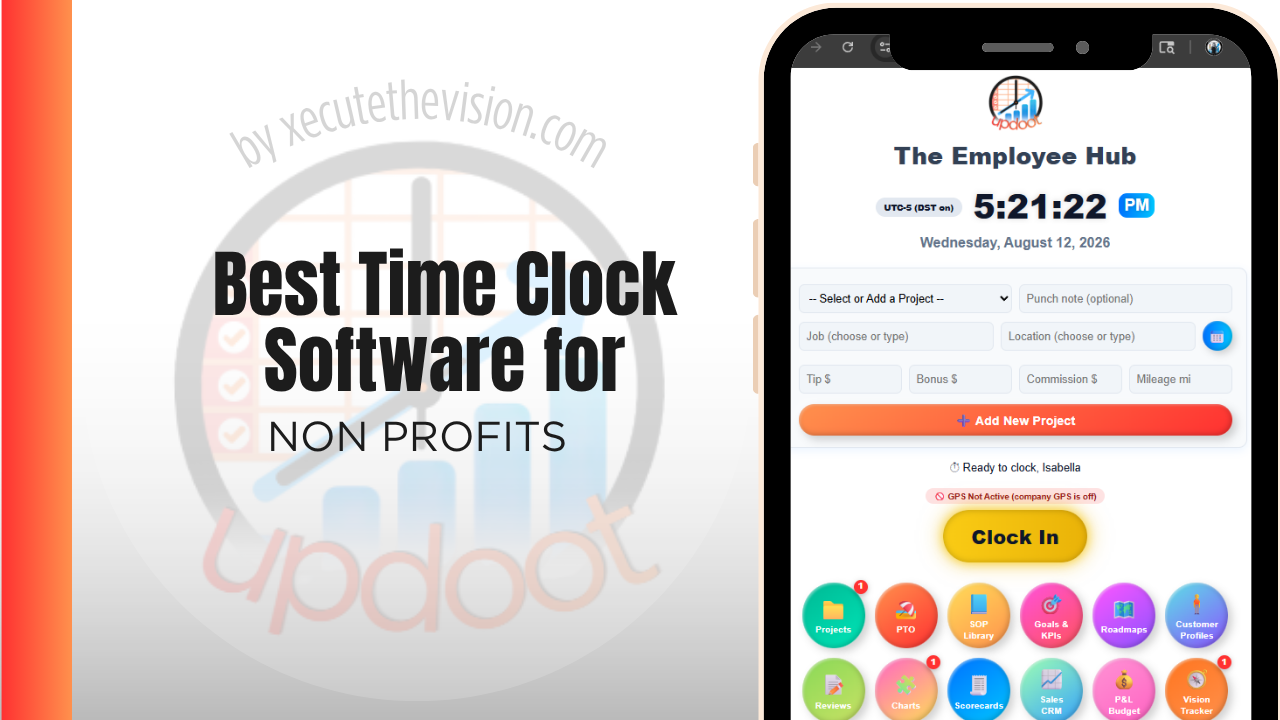
In Updoot, each program or grant can be tracked as its own project, with paid staff hours rolling up under that program and under the organization as a whole. Leadership and grant managers can see labor cost by funding source without pulling separate reports for each one, and staff who split time across multiple programs can log hours accordingly.
That same time data becomes the documentation an organization needs if a funder requests proof of time allocation, since hours are logged in real time against the correct program rather than estimated after the fact. All of this is included in Updoot at $5 per user per month, regardless of how many grants or programs an organization manages.
Rolling Out a New Time Clock for Nonprofit Staff
Start with the staff funded by a single grant as a pilot before expanding organization-wide, so any program-code setup issues surface on a smaller group first. Make it clear from the outset which programs each staff member should log time against, especially for staff who split time across multiple funding sources. Keep the system simple enough for a small administrative team to manage without dedicated HR or grants staff.
How Time Data Feeds Your Cost Allocation Plan
Most organizations of any size operate with a written cost allocation plan describing how shared costs are distributed across programs and funding sources. Time records are what turn that plan from a stated methodology into something you can evidence.
The connection is direct. If your plan allocates a program director's salary across three grants based on effort, the time records are the support for the percentages actually charged, and a reviewer comparing the two should find them consistent. Where organizations run into difficulty is when the plan describes one basis and the underlying records reflect another, or when the percentages have not been revisited since the plan was written even though program activity has shifted substantially.
Reviewing allocation reports quarterly against the plan catches that drift while it is still a small correction. It also surfaces something useful for management rather than compliance: when actual effort diverges from budgeted effort, either the budget was wrong or the program has changed, and both are worth knowing before the funder's report is due. Discuss the specifics of your plan and any indirect cost rate with your auditor, since requirements vary by funder and organization.
Pricing and ROI for Nonprofits
Pricing follows two shapes: a flat monthly fee for a set number of users, or a per-user rate tied to headcount. Small organizations often fit a free or low tier comfortably, and that is a legitimate answer. What matters is whether program or grant codes and allocation reporting are included at that price, because a time clock that cannot split hours across funding sources solves the payroll problem and leaves the compliance problem untouched. Ask about nonprofit discounts, which several vendors offer but do not advertise.
The return for a nonprofit is defensibility more than dollars. Contemporaneous records that show how staff time was allocated across programs stand up in an audit in a way month-end estimates do not, and accurate allocation frequently reveals that a program is drawing more administrative support than its budget assumed.
Signs You've Outgrown Manual Timesheets
For a nonprofit the warning signs attach to funders rather than payroll. Staff estimate their split across programs at month end instead of recording it, an audit request for time allocation turns into a week of reconstruction, and nobody can show what a grant-funded program actually cost in labor without a spreadsheet exercise. Once allocation is being estimated after the fact, the organization is carrying real risk on every grant report it files.
Related Reading
Agenda for a nonprofit board of directors meeting →
Free Payroll Checklist for Small Business →
Risk Register: What It Is, How to Build One, and a Free Template →
Best Time Clock Software for Law Firms →
Frequently Asked Questions
The best option is whichever one tracks paid staff hours by program or grant and keeps volunteer hours clearly separate, since funders frequently require documentation of how staff time was allocated to a specific funded program.
Many funders require it, especially for grants that reimburse a percentage of staff salary. Time needs to be documented based on actual work performed on that program, not just an estimated allocation set once at budget time.
No. Volunteers generally aren't owed wages and shouldn't be run through the same payroll-focused time clock as paid staff, though many nonprofits still log volunteer hours separately for grant match requirements or annual reporting.
By providing a real-time record of hours logged against each program or grant, an organization has actual documentation to show an auditor, rather than trying to reconstruct time allocation estimates after the fact.
For a small paid staff working on one or two programs, a free tier can often cover basic clock-in and scheduling. Once program or grant-level cost reporting becomes a requirement, most free tiers stop being enough.
Yes, for any non-exempt paid employee. A program coordinator or administrative assistant who works over 40 hours in a week is generally owed overtime under the FLSA, regardless of the organization's nonprofit status.
Less in raw dollars than a large business, but proportionally significant against a nonprofit budget. Even a few minutes of rounding per shift across a paid staff over a year adds up to a meaningful amount relative to program funding.
Final Takeaway
The best time clock software for nonprofits is the one that ties paid staff hours to the program or grant they belong to and keeps volunteer hours clearly separate. Use the calculator above to see what timesheet rounding is costing your organization right now, and if the number surprises you, that's usually the clearest sign it's time for a change.