
Best Time Clock Software for Event Planners
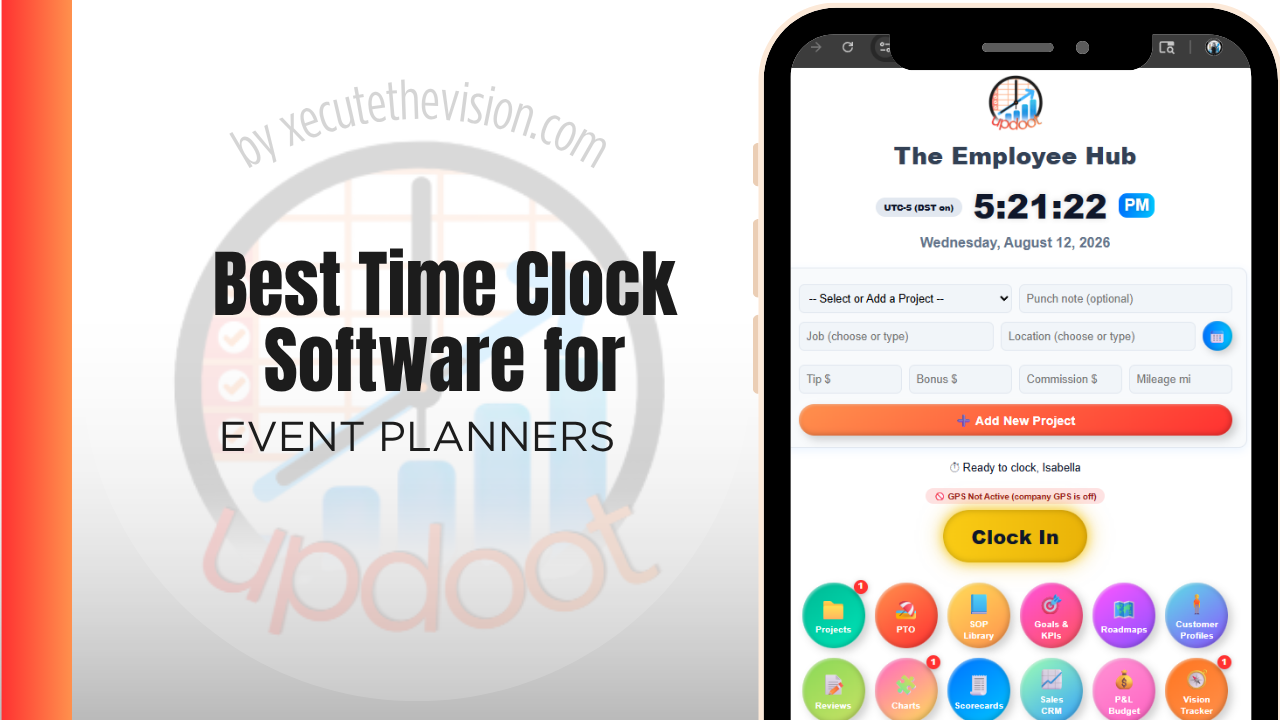
Use the free calculator below to see what timesheet rounding actually costs your event company. Event staffing is short-burst and venue-based: a crew clocks in for setup, works the event itself, then clocks out after breakdown, often at a different venue every time. Below is a free generator that estimates what rounding and missed punches cost across a year of per-event staffing, plus how the leading tools compare.
Free Event Staffing Hour Calculator
What Is Unlogged Event Crew Time Costing You?
Enter your typical crew size and average wage. Leave a field at 0 if it doesn't apply to your events.
What Event Planners Actually Need from Time Clock Software
An event company needs GPS-verified clock-in tied to the specific venue and event, since staff move locations constantly and a generic fixed-location time clock has no way to confirm someone was actually at the right venue for the right event.
Per-event labor cost also matters. Every hour worked needs to roll up under the specific event it belongs to, so a planner can see true labor cost per event and compare it against the client's budget, instead of one lump total across the whole month.
The third requirement is speed of onboarding. Day-of crews are frequently people you have never worked with before and will not work with again, and a clock that needs an account setup process will simply not be used at 6 a.m. on load-in day.
The fourth is separating the phases of an event, since load-in, run, and load-out have very different staffing costs and blending them hides where the labor actually goes.
Core Staff vs. Day-of Event Crew
A small core team plans and coordinates, while a larger, often part-time or gig-based crew is brought on for setup, service, and breakdown on the day of the event. A system that only handles a fixed weekly schedule well struggles with the day-of crew, whose hours are short, venue-specific, and need to be verified without a lot of onboarding friction.
Common Time Tracking Mistakes for Event Companies
The most common mistake is tracking labor cost for the month instead of for the event, which makes it impossible to know whether a specific event was actually profitable against the client's budget.
The second is not verifying that day-of crew actually clocked in at the venue, relying instead on a lead's memory of who showed up, which is unreliable once a crew grows past a handful of people.
The third is failing to account for setup and breakdown time separately from event-hours, which can lead to underestimating true labor cost when quoting future events of a similar size.
Costing Load-In, Show, and Load-Out Separately
An event is three jobs stacked on top of each other, and only one of them is visible to the client. Load-in is unpredictable and consumes labor at a rate nobody quotes accurately. The show itself is usually the most predictable. Load-out happens when everyone is tired, the venue wants the room back, and cost discipline is at its lowest.
Tracked as one event total, those three blur into a number that tells you the event cost what it cost. Tracked separately, the pattern that emerges is nearly always the same: load-out overruns more than load-in, and both overrun more than the quote assumed. That is directly actionable. It changes crew sizing, it changes the schedule you agree with the venue, and it changes the labor line on the next proposal.
Practically this means a small phase code list the crew lead can apply, not individual crew members hunting through a menu at midnight. Three codes is usually enough. The goal is to know which third of the event is eating the margin, not to produce a minute-accurate anthropology of the day.
Day-of Crew, Contractors, and Getting Everyone Clocked In
The staffing model in events makes conventional timekeeping awkward. A core team of five might run an event with thirty day-of crew, some employed, some agency, some independent contractors, most of them working for you for one day.
Two practical implications. First, onboarding has to be near-instant: a crew member should be able to clock in with a code or a QR scan at the check-in desk without an account creation process. Anything slower and the lead will keep a paper list, which is exactly the record you are trying to eliminate.
Second, the classification of each worker matters and is not a software question. Whether someone is an employee or an independent contractor is determined by the substance of the working relationship rather than by what the agreement calls them, and misclassification carries real consequences. Tests and thresholds differ by jurisdiction and change over time, so confirm your arrangements with an employment attorney or payroll advisor. What the software should do is make it easy to record hours for whoever is working, and keep the categories separate so payroll and accounts payable are not reconciling the same list.
How We Evaluated These Tools
Stated openly: Updoot publishes this site and is one of the platforms compared below. Every price and feature claim here, ours included, was checked against each vendor's live pricing page or independent third-party sources in August 2026, and where another tool handles event staffing better we say so.
For event planning companies specifically, we weighted five things: GPS-verified clock-in tied to a specific venue and event, ease of onboarding short-term or gig-based day-of crew, per-event labor cost reporting against a client budget, quick setup for one-off shifts, and pricing that's realistic for a business with fluctuating crew size.
How the Top Time Clock Tools Compare for Event Planners
| Tool | Starting Price | Best For | Where It's Limited |
|---|---|---|---|
| Updoot ⭐ Best Overall | $5/user/month | Event companies wanting per-event labor cost tracked against a client budget on the same platform as scheduling | No dedicated vendor or rental inventory management module |
| Homebase | Free (1 location, up to 20 employees); paid plans from ~$24-30/mo per location | Companies wanting simple scheduling and GPS clock-in for a small, stable crew | Per-event or per-venue cost reporting is limited; built more for fixed locations |
| When I Work | From ~$2.50-6/user/mo | Companies wanting quick shift scheduling and easy onboarding for part-time or gig-based day-of crew | No native per-event budget tracking |
| Connecteam | Free (up to 10 users); paid plans from ~$29-99/mo flat rate for larger teams | Companies wanting GPS tracking, scheduling, and team messaging in one app for a rotating event crew | Per-event budget and client billing tools are limited |
Editor's Pick
Why Updoot Tops This List for Event Planners
Homebase is fine for a stable crew but isn't built around per-event cost tracking. When I Work makes onboarding gig crew easy but has no budget tracking. Connecteam is strong on communication but light on per-event billing. Updoot ties every punch to the specific event and client budget it belongs to, with invoicing built on the same time data, at a flat $5 per user per month regardless of how many events or crew members a company runs in a season.
The right pick depends on how much temporary labor you run: a small planning team fits a leaner free tier, while a company staffing large day-of crews needs fast onboarding and per-event reporting.
How Updoot Handles Per-Event Cost Tracking
In Updoot, every event is set up as its own project tied to a customer record for the client. Setup, event-day, and breakdown hours all roll up under that event automatically, so a planner can see true labor cost against the client's budget while the event is still in progress, not after final invoicing.
Each event carries its own budget, so cost overruns are visible in real time rather than discovered when the final invoice is drafted. When it's time to bill the client, invoicing pulls directly from logged hours, all included in Updoot at $5 per user per month.
Rolling Out a New Time Clock for Event Crews
Pilot the new system on a single event with a small crew before using it for a bigger production, so any setup issues surface on a lower-stakes job. Make sure the event code and venue are set up in the system before crew arrives, since a missing event code is the most common reason hours get logged to the wrong place. Keep clock-in simple enough that a day-of crew member with no prior training can use it correctly on arrival.
Rebilling Labor to Clients Without an Argument
Many event contracts bill labor at cost plus a margin, or include an allowance with overages passed through. Both arrangements depend on a record the client will accept.
The weak version of that record is a summary prepared afterwards by the person requesting payment. The strong version is timestamped punches by crew member and phase, captured as the event ran, exportable as a schedule attached to the invoice. Clients rarely dispute the second, and the ones who do can be answered in minutes rather than by reconstructing a fourteen-hour day from memory.
It also changes what you can charge for. Overruns caused by a client decision, a late delivery, or a venue access delay are only rebillable if you can show when the delay started and what it cost in crew hours. Without the record, those hours are absorbed by default. With it, the conversation is about a documented variance, which is a very different conversation and usually a shorter one.
Pricing and ROI for Event Planners
Pricing comes in two shapes: a flat monthly fee for a set number of users, or a per-user rate tied to headcount. Events businesses have a small core team and large temporary crews, which makes per-user pricing awkward, so ask specifically how short-term staff are billed and whether you can activate and deactivate them by event. Also confirm whether per-event or per-client codes are included at that rate.
The return comes from accurate event-level labor. Once hours are attributed to a specific event, you can compare quoted staffing against actual and price the next one from evidence, which is the difference between a repeatable margin and a hopeful one. Verified hours also make client labor rebills defensible rather than negotiable.
What to Test on One Real Event
- Run a full event, not a rehearsal. Load-in through load-out, with the crew you would normally use.
- Onboard a day-of crew member at the check-in desk. If it takes more than a minute, your lead will revert to a paper list.
- Apply phase codes in real conditions. Midnight load-out is the honest test of whether the interface is usable when everyone is tired.
- Produce the client labor schedule. Export it as you would attach it to an invoice and check it reads cleanly to someone outside your business.
- Compare quoted crew hours against actual. That variance is what should reprice your next proposal.
Signs You've Outgrown Manual Timesheets
For an events business the signals appear after the event rather than during it. Load-in ran long and nobody recorded when it actually started, day-of crew hours arrive as a text from a lead three days later, and the client invoice is built from a schedule rather than from what happened. Once the labor line on a post-event reconciliation is an estimate, the margin on every event you price from it is an estimate too.
Related Reading
Free Staffing and Scheduling Tool →
How to Track Expenses for Small Business →
Best Time Clock Software for Hospitality →
Frequently Asked Questions
The best option is whichever one GPS-verifies clock-in at the specific venue and ties hours to the individual event, since per-event labor cost is what determines whether an event was actually profitable against the client's budget.
By logging every hour, including setup and breakdown, against the specific event it belongs to, rather than tracking labor as one combined total for the month. That lets a planner compare actual cost to the client's budget for each event individually.
Through a simple GPS-verified mobile clock-in tied to the venue and event, which should require little to no prior training so a gig or part-time crew member can use it correctly on arrival.
It's worth tracking them clearly, even if under the same event code, since setup and breakdown time contributes meaningfully to total labor cost and should be reflected accurately when quoting similar events in the future.
For a small, stable core team, a free tier can cover basic scheduling and clock-in. Once a company brings on larger gig-based day-of crews and needs per-event cost tracking, most free tiers stop being enough.
By rolling verified hours up under the specific event and client, invoicing can be generated directly from actual labor logged, instead of being rebuilt manually from a lead's notes after the event wraps.
More than most owners expect, especially with a large day-of crew working short, intense shifts. A few minutes of rounding per event, multiplied across a full season of events, regularly adds up to thousands of dollars.
Final Takeaway
The best time clock software for event planners is the one that verifies where a crew clocked in and ties every hour to the specific event and budget it belongs to. Use the calculator above to see what timesheet rounding is costing your company right now, and if the number surprises you, that's usually the clearest sign it's time for a change.