
Best Time Clock Software for Restaurants
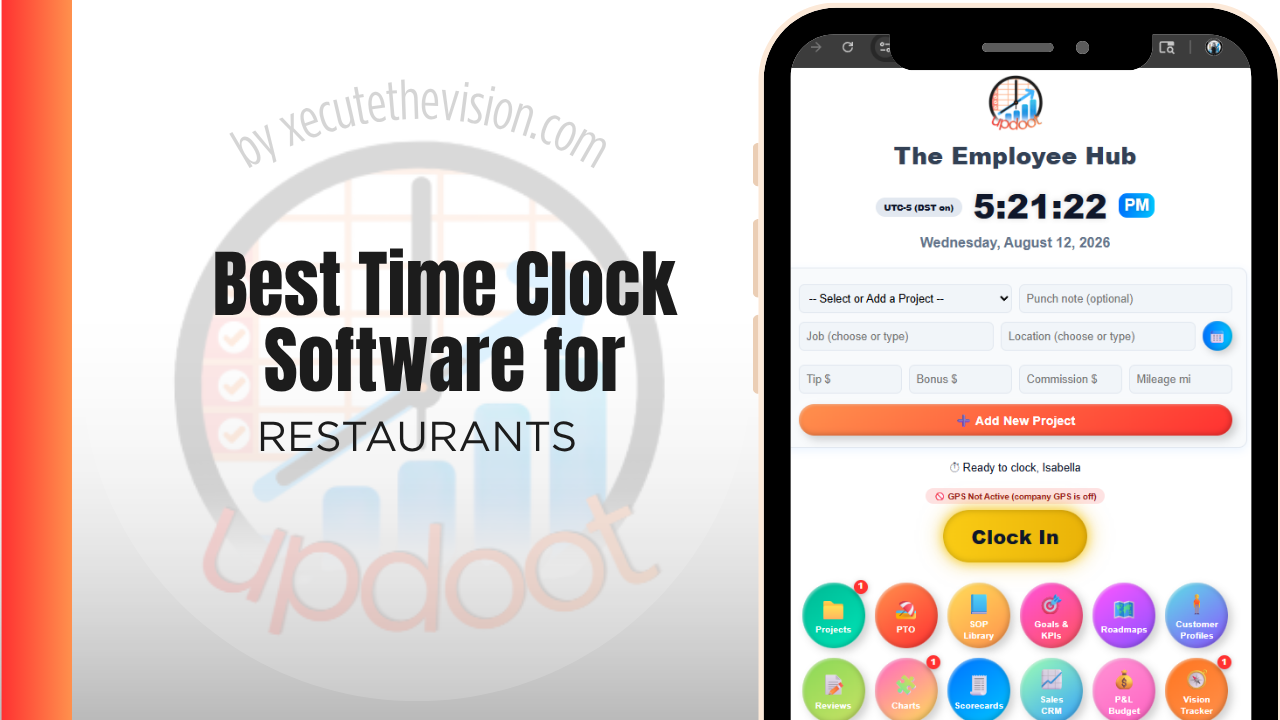
Use the free calculator below to see what timesheet rounding actually costs your restaurant. Restaurant staffing is high-turnover, multi-role, and tip-heavy: the same line cook might clock in as a prep cook at a lower rate on Tuesday, a server juggles a tipped minimum wage that has to be topped up if tips fall short, and a manager needs to catch overtime before it happens, not after the pay period closes. A time clock built for a standard office misses almost all of that. Below is a free generator that estimates what rounding and missed punches cost across a year of shift-based restaurant staffing, plus how the leading tools compare.
Free Restaurant Labor Leakage Calculator
What Is Clock-In Drift Costing Your Restaurant?
Enter your hourly headcount and average wage. Leave a field at 0 if it doesn't apply to your restaurant.
What Restaurants Actually Need from Time Clock Software
A restaurant time clock has to handle multiple pay rates per employee, since the same person might clock in under different roles at different rates across a single week. It needs to track tips against the tipped minimum wage so a manager can catch a shortfall before payroll runs, not after a labor complaint arrives. And it needs to make overtime visible in real time, since a single unplanned double shift on a Friday night can push a server or cook over 40 hours before anyone notices.
Buddy punching is also a bigger risk in a fast-paced kitchen or front-of-house environment than almost anywhere else, since a shared POS terminal or tablet by the door is easy for one employee to punch in for another. PIN-based or photo-verified punches close that gap without slowing down a rush.
The third requirement is multiple pay rates per person. A server who runs a shift as a shift lead, or a line cook covering prep at a different rate, needs the rate to follow the role rather than being corrected in payroll afterwards.
The fourth is a clock that stands up in a shared, fast, wet environment: a fixed terminal with real identity verification rather than a phone app nobody can reach mid-service.
Front of House vs. Back of House Scheduling
Servers and bartenders are usually tipped employees with variable hours tied to reservations and walk-in volume, while cooks and dishwashers work more predictable shifts but carry heavier overtime risk during a busy week. A good time clock treats both groups accurately: tipped roles need tip credit tracking built in, and back-of-house roles need overtime alerts that fire before a shift ends, not after the pay period is already closed.
Common Time Tracking Mistakes in Restaurants
The most common and costly mistake is letting tip credit shortfalls slide. If a tipped employee's hourly wage plus reported tips doesn't reach the full minimum wage for a shift, the employer owes the difference, and that math has to happen every pay period, not occasionally. The second is not catching overtime until it's already happened, which is common when schedules are built in a spreadsheet disconnected from the actual time clock. The third is allowing buddy punching at a shared terminal, which quietly inflates labor cost without anyone noticing until the P&L looks off.
Early Clock-Ins and the Slow Leak in Labor Percentage
The most reliable source of unplanned labor cost in a restaurant is not overtime. It is the ten minutes before a shift when staff clock in, get a coffee, and talk, all of it paid, none of it scheduled, every day.
The arithmetic is unremarkable until you run it. Ten minutes per person per shift, across a team of twenty working five shifts a week, is over eighty paid hours a month that produced nothing. On any reasonable wage that exceeds the annual cost of the software several times over, which is the calculation the tool above is built around.
The fix is a clock-in window rather than a lecture. Most systems can prevent a punch more than a few minutes before a scheduled shift, or flag it for a manager to approve. That converts a daily accumulation nobody notices into an exception someone decides about. The same control at the other end catches the slow clock-out, where staff finish, sit down, and punch out fifteen minutes later, which is harder to see and equally expensive.
Tips, Tip Credit, and Multi-Rate Payroll
Restaurant payroll carries complications that general time clocks handle badly, and getting them wrong creates back-pay exposure rather than just an accounting nuisance.
Tipped pay is the main one. Where a tip credit is used, there are rules about the minimum cash wage, the requirement that tips plus wages meet the applicable minimum, and, in some jurisdictions, limits on the proportion of time a tipped employee can spend on non-tipped duties. Tip pooling arrangements have their own constraints on who may participate. These rules differ by federal, state, and local law, they have changed repeatedly in recent years, and the details matter, so confirm your obligations with an employment attorney or payroll provider rather than relying on a software feature description.
What follows for timekeeping is concrete: the system needs to support multiple rates per employee, record which role each block of time was worked in, and export in a form your payroll provider can consume without manual adjustment. If a server spends two hours on prep at a different rate, that split has to exist in the record, because reconstructing it later is both unreliable and precisely the kind of thing that gets examined if a claim is made.
How We Evaluated These Tools
Openly stated: Updoot publishes this site and is one of the tools compared below. Every price and feature claim here, ours included, was verified against each vendor's live pricing page or independent third-party sources in August 2026, and where a POS-integrated system is the better fit we say so.
For restaurants specifically, we weighted five things: multiple pay rates per employee, tip credit and tip pooling support, real-time overtime alerts, PIN or photo verification to prevent buddy punching at a shared terminal, and pricing that's realistic for a single location as well as a small multi-unit group.
How the Top Time Clock Tools Compare for Restaurants
| Tool | Starting Price | Best For | Where It's Limited |
|---|---|---|---|
| Updoot ⭐ Best Overall | $5/user/month | Restaurants that want multi-rate roles, overtime visibility, and labor cost reporting tied to the same platform as scheduling | No native POS integration for tip pooling reconciliation |
| 7shifts | Free (1 location, limited features); paid plans from ~$29.99-$134.99/mo per location | Restaurants wanting deep scheduling, tip pooling, and labor forecasting built specifically for food service | Full feature set requires a mid or top-tier plan; pricing is per location, which adds up for multi-unit groups |
| Homebase | Free (1 location, up to 20 employees); paid plans from ~$24-30/mo per location | A single-location restaurant wanting scheduling and a time clock with GPS at no cost | Each additional location requires its own subscription at full price |
| When I Work | From ~$2.50-6/user/mo | Restaurants wanting shift swapping and team messaging alongside a time clock | Tip credit and tip pooling tools are less developed than restaurant-specific competitors |
Editor's Pick
Why Updoot Tops This List for Restaurants
7shifts is the deepest restaurant-specific tool but its full tip pooling and forecasting features sit behind a per-location price that climbs fast for a growing group. Homebase is solid for one location but charges per site. When I Work is easy to use but its tip tracking is thinner than purpose-built alternatives. Updoot handles multi-rate roles, overtime alerts, and labor cost reporting on the same platform as scheduling and payroll exports, at a flat $5 per user per month no matter how many locations you run.
The right pick depends on complexity: a single counter-service spot can often get by on a free scheduling tool, while a full-service restaurant or small group juggling tipped roles, multi-rate staff, and overtime risk needs something built to catch those issues before payroll, not after.
How Updoot Handles Multi-Rate Staff and Labor Cost
In Updoot, each employee can be set up with multiple roles and pay rates, so a shift worked as a server pays the tipped rate while a shift worked as a trainer or shift lead pays a different rate, all tracked automatically against the right punch. Every hour logged rolls up under a project, which can represent a shift type, a location, or a specific event, so a manager can see labor cost by role or by shift without exporting to a spreadsheet first.
Overtime thresholds are visible in real time as hours accumulate, not discovered after the pay period closes, which gives a manager the chance to adjust a schedule before an unplanned double shift turns into an unplanned overtime bill. All of this, including payroll-ready reporting, is included in Updoot at $5 per user per month, regardless of how many roles, rates, or locations a restaurant runs.
Rolling Out a New Time Clock Without Disrupting Service
Restaurants run on tight, high-pressure shifts, so a new system has to work on day one with minimal training. Start with a single station, like the host stand or a back-office tablet, and run it alongside the old method for one full pay cycle before fully switching over, so any setup issues surface on a small scale. Train shift leads first, since they're the ones who'll field questions from the floor during a rush, and set PIN or photo verification up before go-live rather than adding it later, since retrofitting buddy-punch protection after staff are used to a looser system is a harder conversation.
Reading Labor Against Sales During Service
A weekly labor percentage tells you what happened. Labor against sales during the shift tells you what to do about the second half of it.
This is the main argument for POS integration, and it is worth weighting heavily when comparing platforms. When hours and sales live in the same view, a manager can see mid-afternoon that labor is tracking above target and cut a shift early or hold a call-in. When they live in separate systems reconciled weekly, that decision is never available.
Ask vendors what actually flows between the systems and how often. Some integrations push sales into the labor tool hourly, some sync overnight, and some simply export a file. Only the first supports an in-service decision. Also ask whether the integration covers your specific POS version, since restaurant POS integrations are notoriously specific and a general claim of compatibility often means a partial one.
Pricing and ROI for Restaurants
Two models dominate: a flat monthly fee for a set number of users, or a per-user rate tied to headcount. Restaurants run high headcount with heavy turnover, so per-user pricing needs calculating on the full roster, not the average shift. The bigger question is POS integration: if hours have to be exported and re-imported, the labor-against-sales reporting that justifies the purchase never materializes.
The return in a restaurant is measured in labor percentage points. Preventing early clock-ins, logging breaks properly, and seeing labor against sales during the day rather than after the week all move the same number, and a single point of labor percentage on a busy site typically exceeds the annual software cost.
Signs You've Outgrown Manual Timesheets
In a restaurant the signals show up on the labor line before anywhere else. Staff clock in ten minutes before their shift because the terminal is by the door and nobody enforces it, labor percentage is known weekly rather than daily, and break compliance is assumed rather than logged. When a manager cannot see labor against sales during service, the number is being managed after the week is already lost.
Related Reading
Best Time Clock Software for Healthcare →
Buddy Punch App Price and Feature Comparison Chart to Updoot →
Best Time Clock Software for Hospitality →
Frequently Asked Questions
The best option is whichever one handles multiple pay rates per employee, tracks tip credit shortfalls automatically, and flags overtime in real time before it happens, since restaurant schedules shift constantly and payroll errors compound fast when roles and rates change shift to shift.
It should compare an employee's hourly wage plus reported tips against the full minimum wage for each shift, and flag any shortfall so the employer can make up the difference, which is a legal requirement under the FLSA tip credit provisions wherever tip credits are used.
Yes, in good restaurant time clock software. An employee working as both a server and a trainer, for example, should be paid the correct rate for each role worked, tracked automatically by the system rather than calculated by hand at the end of the week.
PIN codes tied to each employee and photo capture at the moment of the punch are the two most common methods. Both make it much harder for one employee to clock in for another at a shared POS terminal or tablet near the entrance.
For a single counter-service location with a small staff, yes. Once a restaurant adds multiple locations, tip pooling across roles, or needs deeper labor forecasting, most free tiers stop covering what's actually needed.
By showing accumulated hours in real time against the weekly overtime threshold, so a manager can see a server or cook approaching 40 hours mid-week and adjust the schedule, instead of finding out only after payroll runs.
More than most owners expect, especially with a large hourly staff and frequent shift swaps. Even a few minutes of rounding per shift, multiplied across a full restaurant roster over a year, regularly adds up to thousands of dollars in labor cost.
Final Takeaway
The best time clock software for restaurants is the one that keeps up with multi-rate roles, tip credit math, and overtime risk in real time, not the one that just clocks people in and out. Use the calculator above to see what timesheet rounding is costing your restaurant right now, and if the number surprises you, that's usually the clearest sign it's time to stop running payroll off memory and a POS report.