
Best Time Clock Software for Hospitality
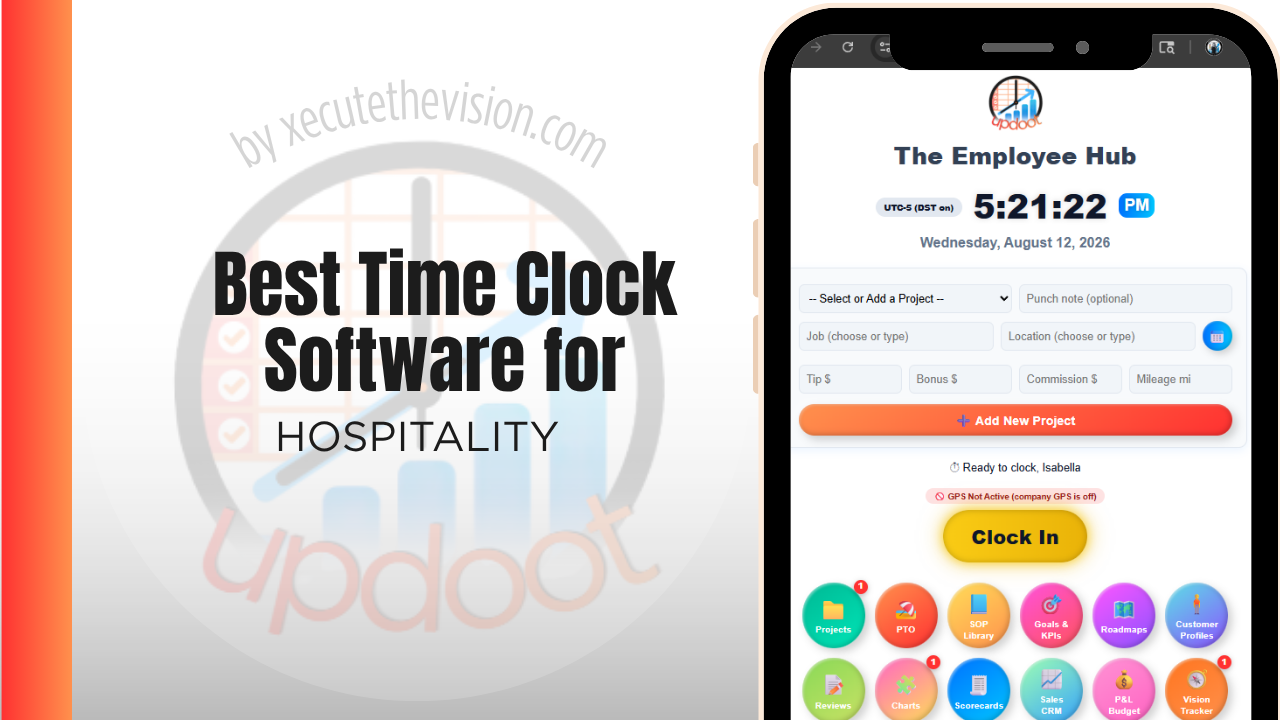
Use the free calculator below to see what timesheet rounding actually costs your property. Hospitality staffing spans multiple departments under one roof, front desk, housekeeping, food and beverage, and maintenance, often around the clock, with tipped and non-tipped roles mixed together and a shared time clock terminal that makes buddy punching an easy habit. Below is a free generator that estimates what rounding and missed punches cost across a year of hospitality staffing, plus how the leading tools compare.
Free Property Labor Cost Calculator
What Is Timekeeping Drift Costing Your Property?
Enter your hourly headcount and average wage. Leave a field at 0 if it doesn't apply to your property.
What Hospitality Businesses Actually Need from Time Clock Software
A hospitality time clock needs to handle multiple departments and shift patterns under one property, since front desk works around the clock in shifts, housekeeping works a more standard daytime schedule, and food and beverage staff may be tipped employees requiring tip credit tracking.
Buddy-punch prevention matters more here than in most industries, since a large staff and a shared terminal near a back office or break room make it easy for one employee to punch in for another during a busy shift change.
The third requirement is handling staff who work across departments. A team member covering banquets on Saturday and front desk on Monday needs both sets of hours recorded against the right department, at the right rate, without a manager rebuilding it afterwards.
The fourth is visibility during the week rather than after it. Labor is the one major cost a property can still influence on a Wednesday, and only if someone can see it on Wednesday.
Departmental Scheduling Across a Property
Front desk, housekeeping, food and beverage, and maintenance each have different staffing patterns and pay structures under the same roof. A system that treats the whole property as one flat schedule makes it hard to see labor cost by department, which is usually where a general manager needs the most visibility to control costs.
Common Time Tracking Mistakes in Hospitality
The most common mistake is running one shared clock-in with no PIN or photo verification, which makes buddy punching easy across a large staff, especially during a shift change when the front desk or break room gets busy.
The second is not tracking labor cost by department, which makes it impossible to see whether housekeeping, food and beverage, or front desk is running over budget relative to occupancy or covers.
The third is not handling tip credit correctly for tipped food and beverage staff, which creates the same wage-and-hour exposure as it does in a standalone restaurant.
Labor Cost Per Occupied Room and Why Timing Matters
Every property tracks labor as a percentage of revenue, and most track it monthly, which is roughly as useful as checking the fuel gauge after the trip. The number that changes decisions is labor against forecast during the week it is being spent.
Getting there requires two things the average time clock does not provide by default. Hours have to be coded to a department, so housekeeping can be measured against rooms occupied while food and beverage is measured against covers. And the data has to be current, meaning punches flow through as they happen rather than being approved in a batch on Monday for the week that just ended.
Once those are in place, the daily conversation changes shape. A housekeeping manager seeing minutes-per-room running above target on Tuesday can adjust Wednesday's staffing. The same manager reviewing a month-end report can only explain. Properties that make this shift usually find the biggest gains are not in headcount at all but in scheduling shape: shifts that start before the volume arrives, and overlapping coverage at handover that nobody planned deliberately.
Breaks, Split Shifts, and Compliance Records
Hospitality carries more scheduling complexity than almost any other hourly industry, and each element creates a record-keeping obligation.
Meal and rest breaks are the most common exposure. In jurisdictions with mandated breaks, the risk is rarely that breaks are refused; it is that they are assumed to have been taken and never logged, leaving no evidence when a claim arrives. Software that prompts and records the break, and flags a missed one to a manager the same day, converts an assumption into a record.
Split shifts, on-call arrangements, and predictive scheduling requirements add further obligations in some jurisdictions, including premiums for schedule changes made inside a notice window. These rules vary considerably by state, city, and property type and they change, so confirm what applies to your specific location with an employment attorney or your payroll provider rather than relying on a vendor's feature list. What to require from software is the ability to record what actually happened, retain it, and produce it on request, because every one of these obligations is ultimately a documentation question.
How We Evaluated These Tools
For the record: Updoot publishes this site and appears in the comparison below. Every price and feature claim here, ours included, was verified against each vendor's live pricing page or independent third-party sources in August 2026, and where a hospitality-specific system wins on a criterion we say so.
For hospitality businesses specifically, we weighted five things: buddy-punch prevention through PIN or photo verification, department-level labor cost reporting, support for round-the-clock shift scheduling, tip credit tracking for food and beverage staff, and pricing that's realistic for a single property as well as a small group.
How the Top Time Clock Tools Compare for Hospitality
| Tool | Starting Price | Best For | Where It's Limited |
|---|---|---|---|
| Updoot ⭐ Best Overall | $5/user/month | Properties wanting photo-verified punches and department-by-department labor cost reporting on one platform | No native property management system (PMS) integration |
| 7shifts | Free (1 location, limited features); paid plans from ~$29.99-$134.99/mo per location | Properties with a significant food and beverage operation wanting deep tip pooling and scheduling | Built primarily around restaurant operations, less suited to housekeeping and front desk |
| Homebase | Free (1 location, up to 20 employees); paid plans from ~$24-30/mo per location | A single property wanting scheduling and a time clock with GPS at no cost | Each additional property requires its own subscription, and department-level cost splitting is limited |
| Buddy Punch | From ~$4.49-5.49/user/mo plus a ~$19/mo base fee | Properties wanting photo ID verification and a kiosk mode for a shared back-office terminal | No native department-level cost rollup |
Editor's Pick
Why Updoot Tops This List for Hospitality
7shifts is strong for food and beverage but less suited to housekeeping and front desk operations. Homebase is fine for one property but department-level cost splitting is limited. Buddy Punch verifies identity well but doesn't roll costs up by department. Updoot combines photo-verified punches with department-by-department labor cost reporting on one platform, at a flat $5 per user per month regardless of how many departments or properties are involved.
The right pick depends on property size and department count: a small operation fits a leaner free tier, while a full-service property needs department-level reporting and break tracking that hold up under review.
How Updoot Handles Department-Level Labor Cost
In Updoot, each department, front desk, housekeeping, food and beverage, or maintenance, can be tracked as its own project, with staff hours and labor cost rolling up under that department and under the property as a whole. A general manager can see which departments are running efficiently without pulling separate reports for each one.
Photo capture at clock-in closes the buddy-punching gap at a shared terminal, and tip credit shortfalls for food and beverage staff are flagged automatically so they're caught before payroll runs, not after a complaint. All of this is included in Updoot at $5 per user per month, regardless of how many departments a property runs.
Rolling Out a New Time Clock Across a Property
Pilot the new system in one department, often front desk, for a full pay cycle before rolling it out property-wide, so setup issues surface on a smaller scale. Train department leads first, since they'll field questions from staff during shift changes. Set up photo or PIN verification from day one rather than adding it later, since retrofitting identity checks after staff are used to a looser system meets more resistance.
Seasonal Staffing and the Cost of Empty Seats
Most properties run a headcount that swings substantially through the year, and per-user software pricing punishes exactly that pattern if you do not ask about it up front.
Three questions worth pressing a vendor on. Can you deactivate a seasonal employee and stop paying for the seat, or does the plan bill on a peak-headcount tier for twelve months. When that person returns next season, is their record and history intact or are you creating a new employee. And is there a minimum term that locks you into peak pricing through the off-season.
The onboarding side matters just as much. A property hiring thirty seasonal staff in a fortnight cannot afford a system that requires individual setup and training for each one. Test the actual sequence during a trial: how long it takes to add a person, get them punching correctly, and have their hours flow to payroll without intervention. If that takes more than a few minutes per hire, multiply it by your seasonal intake before you commit.
Pricing and ROI for Hospitality
Two models are common: a flat monthly fee covering a set number of users, or a per-user rate tied to headcount. Hospitality carries high headcount with significant turnover, so per-user pricing should be calculated on your full roster including seasonal and on-call staff. Check whether department codes, break tracking, and multi-department reporting are included at that rate or gated behind a tier.
The return at a property comes from departmental control. Accurate hours by department let managers act on labor against forecast during the week rather than explain it afterwards, and break tracking creates the record that protects the property if a compliance question is ever raised.
What to Test Before Rolling It Across Departments
- Pilot one department for a full pay cycle. Housekeeping is usually the best test, since it has the most staff and the least desk access.
- Run a staff member across two departments in one week. Confirm the hours split correctly and the rates follow the role without manual correction.
- Trigger a missed break. See whether it flags to a manager the same day or appears in a report the following week.
- Check the labor-versus-forecast view mid-week. If a department head cannot see it on a Wednesday, the reporting is retrospective.
- Add and deactivate a seasonal hire. Time it, and confirm billing stops on deactivation.
Signs You've Outgrown Manual Timesheets
At a property the signals are departmental. Housekeeping and food and beverage each keep hours differently, a manager approves timesheets they did not observe, and labor cost per occupied room is a month-end calculation rather than a daily one. When department heads cannot see their own labor against forecast during the week, the property is managing labor after the fact rather than as it happens.
Related Reading
Best Time Clock Software for Restaurants →
The Best Time Clock Kiosk App and Software for Small Business →
Frequently Asked Questions
The best option is whichever one prevents buddy punching at a shared terminal and rolls labor cost up cleanly by department, since a single property usually runs front desk, housekeeping, food and beverage, and maintenance under very different staffing patterns.
PIN codes tied to each employee and photo capture at the moment of the punch are the two most common methods, both of which make it harder for one employee to clock in for another at a shared back-office terminal.
Yes, with software built for flexible shift scheduling. Front desk in particular often runs three shifts a day, so the system needs to handle overnight punches and shift differentials without manual workarounds.
By tying each employee's punches to their department as a project or cost center, so a general manager can see labor cost for housekeeping, front desk, or food and beverage separately instead of one combined property total.
Yes. Tip credit needs to be tracked against the full minimum wage for each shift, the same as it would be in a standalone restaurant, so any shortfall can be caught and made up before payroll runs.
For a single small property with a modest staff, a free tier can cover basic clock-in and scheduling. Once department-level cost reporting and tip tracking become priorities, most free tiers stop being enough.
More than most owners expect, given the size and round-the-clock nature of hospitality staffing. A few minutes of rounding per shift, multiplied across a full property staff over a year, regularly adds up to thousands of dollars.
Final Takeaway
The best time clock software for hospitality is the one that closes the buddy-punching gap and shows labor cost department by department across a property. Use the calculator above to see what timesheet rounding is costing your property right now, and if the number surprises you, that's usually the clearest sign it's time for a change.