
Best Time Clock Software for Nursing
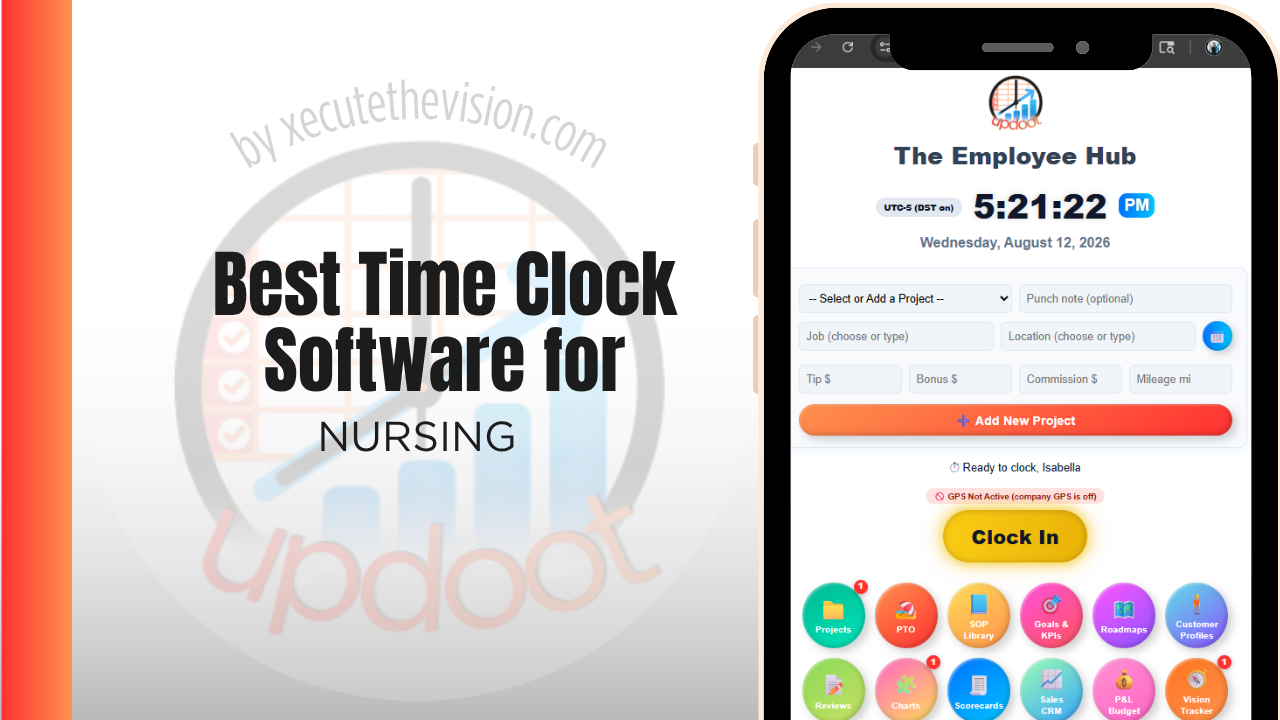
Use the free calculator below to see what timesheet rounding actually costs your nursing team. Nursing staffing is its own animal: three shifts a day, seven days a week, differentials for nights and weekends, per diem and travel staff mixed in with core full-timers, and for home health and hospice teams, visits that happen at a patient's address instead of a facility. A generic office time clock misses almost all of that. Below is a free generator that estimates what rounding and missed punches cost across a year of shift-based nursing staffing, plus how the leading time clock tools compare and what actually matters when you're choosing one.
Free Nursing Hour Variance Calculator
What Is Unrecorded Shift Time Costing Your Unit?
Enter your nursing headcount and average wage. Leave a field at 0 if it doesn't apply to your unit.
What Nursing Teams Actually Need from Time Clock Software
Nursing schedules run in shifts, not hours: 8s, 10s, and 12s stacked across days, nights, and weekends, with shift differentials that need to apply automatically instead of being calculated by hand every pay period. A charge nurse covering a call-out at 11 p.m. needs a way to clock in from wherever they are, not wait until Monday to submit a paper correction. For home health, hospice, and private duty agencies, the added requirement is proof of visit: where a caregiver actually was when they clocked in and out, tied to a specific patient or case, which is the core idea behind Electronic Visit Verification (EVV) that many state Medicaid programs now require.
The software that works well here treats shift differentials, overtime thresholds, and location verification as built-in, not bolt-on. The ones that don't leave someone in the office reconstructing hours from memory and paper notes every other Friday.
The third requirement is handling differentials automatically. Nights, weekends, holidays, and charge responsibilities all change the rate, and a system that requires payroll to apply them by hand will produce errors at exactly the volume that makes them hard to catch.
The fourth is a clean separation between permanent, per diem, float, and agency staff, since they are paid, budgeted, and reported on differently.
Facility Staff vs. Home Health and Field Staff
A hospital, clinic, or long-term care facility has staff punching in at one location across rotating shifts, where the challenge is differentials, overtime, and coverage gaps. A home health or hospice agency has staff punching in at a different address every visit, where the challenge shifts to proving the visit happened, at the right place, for the right patient. Some agencies run both models under one roof. Look for software that handles fixed-location shift work and mobile, GPS-verified field visits without needing two separate systems, since running payroll off two disconnected tools is where nursing offices lose the most time every pay period.
Common Time Tracking Mistakes in Nursing
The most expensive mistake is manually calculating shift differentials and overtime across a rotating schedule. It is easy to under- or over-pay a night shift differential when it is being tracked in a spreadsheet next to a dozen other calculations, and errors compound across every pay period until someone audits the whole system. The second is treating per diem and travel staff the same as core full-time staff in the time clock, when their pay rates, differentials, and even overtime rules can differ. The third, specific to home health, is treating a visit log as proof of a visit. Without a GPS-stamped punch at the patient's address, a disputed visit comes down to one person's word against another's, and that is a bad position for an agency to be in during an audit or a payroll dispute.
Handover, Late Punches, and the Overrun Nobody Budgets
Nursing shifts do not end when the schedule says they do. Handover runs long because a patient's status changed, documentation is finished after the replacement arrives, and the nurse leaving stays because leaving would be unsafe. Across a unit this is a substantial and entirely predictable cost that most organizations treat as an anomaly.
The consequences of not recording it are twofold. Financially, the overrun still gets paid but is never planned for, so the unit runs over budget for reasons that look mysterious in a monthly report and are obvious on the floor. Operationally, when the overrun is not visible, nobody redesigns the handover that causes it, and the same fifteen minutes is spent every shift indefinitely.
Capturing actual clock-out rather than scheduled end changes both. It gives a manager the size of the problem, which is usually larger than expected, and it makes staff whole for time they are already giving. Where an organization decides to address it through staggered shift ends or a formal handover period, the time data is what tells you whether the change worked.
Overtime, Fatigue, and Scheduling Limits
Nursing carries scheduling constraints that other industries do not, and some of them are legal rather than managerial. Depending on jurisdiction and facility type, there may be restrictions on mandatory overtime, requirements around consecutive hours worked, minimum rest between shifts, or specific recording obligations tied to licensure or funding.
These rules vary meaningfully by state, by country, by employer type, and by collective bargaining agreement, and they change, so confirm what applies to your organization with your HR or legal advisor rather than assuming a general rule applies. What matters for software selection is that the system can enforce the limits you are subject to at the point of scheduling rather than reporting the breach afterwards.
The practical requirement is alerting before the fact. A schedule that would put a nurse into a twelfth consecutive day, or an assignment that leaves insufficient rest after a night rotation, should raise a flag when a manager builds it, not when payroll processes it. Fatigue is also a patient safety issue rather than only a compliance one, which is worth stating internally when introducing the system, because framing it as safety rather than surveillance materially changes how it is received on a unit.
How We Evaluated These Tools
Disclosed clearly: Updoot publishes this site and is included in the comparison below. Pricing and features for every tool here, ours included, were verified against each vendor's live pricing page or independent third-party sources in August 2026, and where a healthcare-specific platform is the better answer we say so.
For nursing specifically, we weighted five things: automatic shift differential and overtime calculation, GPS or geofenced clock-in for field and home visit staff, support for mixed full-time, per diem, and travel staffing on one platform, ease of building and publishing rotating shift schedules, and pricing that scales sensibly as an agency adds staff.
How the Top Time Clock Tools Compare for Nursing
| Tool | Starting Price | Best For | Where It's Limited |
|---|---|---|---|
| Updoot ⭐ Best Overall | $5/user/month | Agencies and facilities that want shift differentials, GPS-verified visits, and payroll-ready hours in one place without per-location fees | No built-in EVV state-aggregator submission; exports for manual or third-party EVV filing |
| ClockShark | From ~$20/mo base + ~$6-8/user/mo | Agencies wanting strong GPS tracking and job/patient codes for field visits | Shift differential rules require more manual setup; pricier as staff count grows |
| Homebase | Free (1 location, up to 20 employees); paid plans from ~$24-30/mo per location | A single facility wanting scheduling and a time clock with GPS snapshots at no cost | Each additional location or per diem pool needs its own subscription, which adds up for multi-site facilities |
| Buddy Punch | From ~$4.49-5.49/user/mo plus a ~$19/mo base fee | Facilities wanting GPS punches, overtime alerts, and a kiosk mode for a shared nurses' station device | No native patient or visit-level reporting for home health billing |
Editor's Pick
Why Updoot Tops This List for Nursing
ClockShark handles GPS field punches well but shift differentials take extra setup and the per-user cost climbs fast on a large roster. Homebase is fine for one facility but charges per location, which breaks down for multi-site or home health agencies. Buddy Punch covers the basics but has no real patient or visit-level reporting. Updoot ties every punch to the right shift, differential, and patient or case record from day one, keeps facility and home-visit staff on the same platform, and holds a flat $5 per user per month no matter how many locations or per diem staff you run.
The right pick depends on your staffing model: a single facility with a stable roster can often get by on a simpler scheduling tool, while an agency mixing facility shifts, per diem pools, and home visits needs one system that handles all three without manual reconciliation.
How Updoot Handles Shifts, Visits, and Payroll Together
In Updoot, every punch is tied to a project, which can represent a unit, a shift type, or an individual patient or case for home health, and a customer record for the patient, facility department, or referring agency. That structure means hours worked on nights, weekends, or a specific home visit route roll up automatically under the right record, instead of getting reconstructed from a shared spreadsheet at the end of the pay period.
Shift differentials and overtime thresholds are applied automatically as hours are logged, so a scheduler or office manager isn't recalculating pay rates by hand every time someone picks up an extra shift. GPS capture at clock-in gives home health and hospice teams a location-stamped record tied to the patient or case, which is the same data an agency needs to answer a payroll dispute or an audit request without digging through paper logs. All of this, along with payroll-ready reporting, budgeting, and invoicing where applicable, is included in Updoot at $5 per user per month, regardless of how many shift types or locations a team runs.
Getting Your Team Onto a New Time Clock Without Disruption
Nursing staff are already stretched thin, so the switch itself has to be simple. Start with one unit or one shift type as a pilot before rolling out facility-wide, so any schedule quirks get worked out on a small group instead of the whole roster. Keep a paper backup punch sheet available for the first two weeks in case of connectivity issues at a bedside or a patient's home, and reconcile it against the digital log rather than replacing one with the other. Communicate differential and overtime rules clearly before go-live, since most resistance to a new system comes from staff worrying they'll be shorted pay during the transition, not from the technology itself.
Agency, Float, and Per Diem: Keeping the Costs Separate
Most nursing organizations run a blended workforce, and the blend is usually where the budget conversation goes wrong.
Agency staff cost substantially more per hour than permanent staff, float pool coverage sits somewhere in between, and per diem carries different rate and benefit treatment again. When all of it lands in a single unit total, a manager can see that coverage cost more this month without being able to say whether the cause was volume, mix, or rate.
Coding hours by staff category resolves that immediately. It also surfaces the pattern that drives most improvement here: agency usage is rarely evenly distributed, and tends to concentrate in particular units, shifts, or times of year. Once you can see it that precisely, targeted recruitment or a float pool adjustment becomes a costed decision rather than a hopeful one.
One practical caution when shortlisting: ask specifically how non-employee staff are handled. Some platforms charge a full seat for an agency nurse working four shifts, which changes the economics considerably in an organization that leans on agency coverage.
Pricing and ROI for Nursing
Expect a flat monthly fee for a set number of users or a per-user rate tied to headcount. In nursing the complicating factor is staff mix: permanent, part-time, float, and agency personnel may all need recording, and some platforms charge for each. Confirm how non-employee staff are handled and whether shift differentials and unit codes are supported at the plan you are pricing.
The return in nursing runs through overtime and coverage accuracy. Hours captured at the moment they occur, including the handover overrun, let a manager see overtime forming rather than discovering it, and unit-level cost data makes staffing decisions defensible when they are questioned.
Signs You've Outgrown Manual Timesheets
In nursing the signals attach to handover and coverage. Shifts routinely run past their scheduled end during handoff and that time is absorbed rather than recorded, agency and float staff hours arrive through a different channel than permanent staff, and no one can state coverage cost per unit without combining several sources. Once overtime is discovered at payroll rather than managed during the week, the schedule has stopped being a control.
Related Reading
Best Time Clock Software for Healthcare →
Best Time Clock Software for Home Care →
The 7 Minute Time Clock Rule: What It Is and How It Works →
Best Time Clock Software for Therapists →
Frequently Asked Questions
The best option is whichever one applies shift differentials and overtime automatically, handles per diem and travel staff alongside core full-timers, and, for home health, GPS-verifies visits at the patient's address without extra manual work for the office.
If the agency bills Medicaid for home health, personal care, or hospice visits, most states now require EVV under the federal 21st Century Cures Act. The specific system and submission process vary by state, so agencies should confirm their state's requirements and choose software that can export the visit data their EVV aggregator needs.
Good software lets you set differential rates for night, weekend, or holiday shifts once, and then applies them automatically to every punch that falls in that window, instead of someone manually applying a percentage or flat rate to each timesheet line by hand.
Yes, as long as the software supports different pay rates, employment types, and overtime rules on the same platform. Trying to run per diem staff through a system built only for a fixed full-time schedule usually means tracking their hours separately, which increases the chance of payroll errors.
Through GPS location capture at the moment of clock-in and clock-out, ideally tied to the specific patient's address. Some tools add geofencing that only allows a punch within a set radius of that address, which is what most state EVV requirements are built around.
For a single facility with a small, stable staff, a free tier can cover basic clock-in and GPS. Once an agency adds per diem pools, multiple locations, or needs visit-level reporting for home health billing, most free tiers stop being enough.
More than most administrators expect, especially with three shifts a day and differential pay in play. A few minutes of rounding per shift, multiplied across a full nursing roster over a year, regularly adds up to thousands of dollars, on top of the administrative time spent correcting disputed punches.
Final Takeaway
The best time clock software for nursing is the one that treats shift differentials, overtime, and location verification as core features, not extras bolted onto a generic office time clock. Use the calculator above to see what timesheet rounding is costing your team right now, and if the number surprises you, that's usually the clearest sign it's time to stop reconciling schedules by hand.