
Best Time Clock Software for Cleaning Businesses
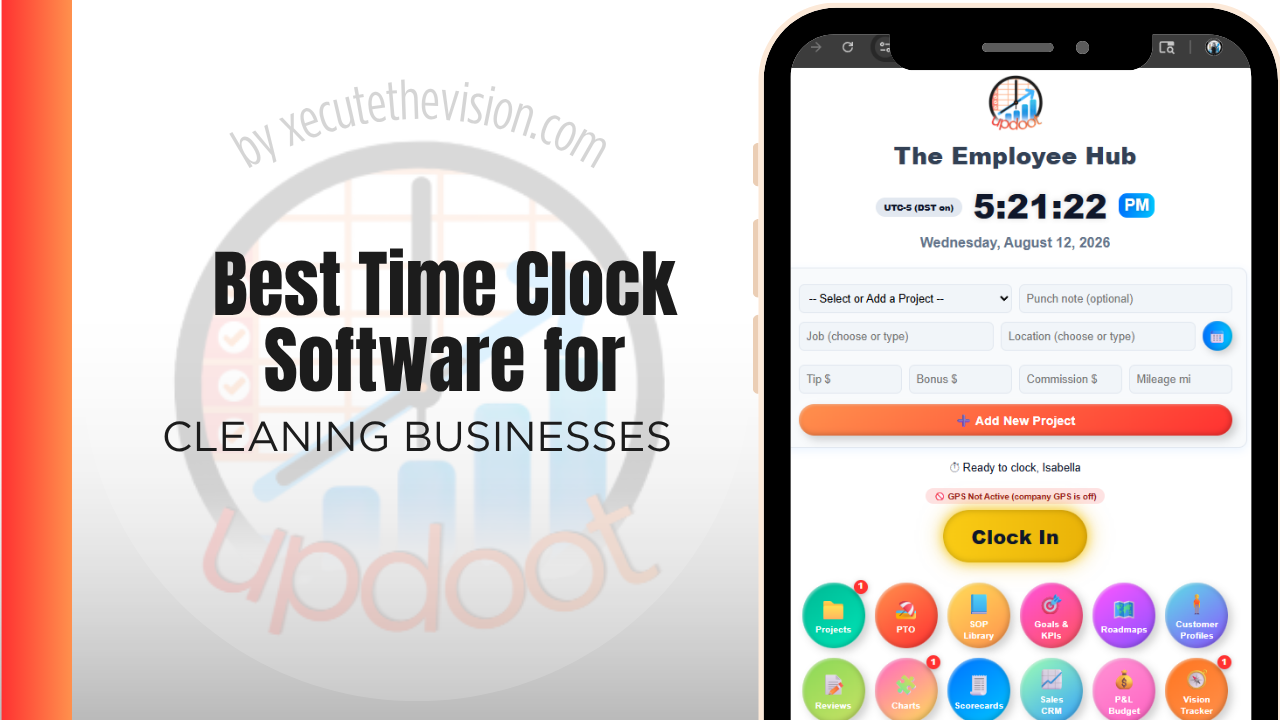
Use the free calculator below to see what timesheet rounding actually costs your cleaning company. Cleaning crews move between multiple client sites in a single shift, often working unsupervised, and an owner needs proof that a crew actually showed up and how long the job took at each stop. Below is a free generator that estimates what rounding and missed punches cost across a year of multi-site cleaning staffing, plus how the leading tools compare.
Free Cleaning Crew Hour Loss Calculator
What Are Rounded Crew Hours Costing You Per Contract?
Enter your cleaner count and average wage. Leave a field at 0 if it doesn't apply to your operation.
What Cleaning Businesses Actually Need from Time Clock Software
A cleaning business needs GPS-verified clock-in tied to each client's location, since crews work unsupervised and a client disputing service, or an owner trying to figure out why a job took longer than quoted, both depend on having real location and time data instead of a crew member's memory.
Per-client labor cost also matters. Every hour worked needs to roll up under the specific client account it belongs to, so an owner can see which contracts are actually profitable and which are quietly running over the time originally quoted.
The third requirement is working for a workforce that is often part-time, high-turnover, and working alone at night. Whatever the system is, a new cleaner has to be able to use it correctly on their first shift with no supervisor present.
The fourth is proof of service. In commercial cleaning the client is buying an outcome they never observe, so a timestamped record of arrival and departure is part of what you are selling, not just an internal control.
Recurring Contract Clients vs. One-Off Jobs
Recurring commercial contracts have a predictable schedule and site list, while one-off residential or move-out cleans are booked individually with less predictable timing. A system that only handles a fixed recurring schedule well makes it harder to slot in one-off jobs without disrupting the regular route.
Common Time Tracking Mistakes in Cleaning Businesses
The most common mistake is tracking total hours for the day instead of time spent at each client site, which makes it impossible to know which contracts are actually profitable against what was quoted.
The second is not verifying that a crew actually arrived at a client's site, relying on a crew's self-reported hours, which is hard to defend if a client disputes whether service happened or how long it took.
The third is not tracking drive time between client sites separately, which either gets absorbed as unpaid time creating wage claims, or gets billed to the wrong client.
Scope Creep on Recurring Contracts
Cleaning contracts erode in a specific way. The site was scoped at three hours a visit when it was signed. The client added a break room, then a second floor, then asked for the glass doors weekly. Each request was small and reasonable and nobody repriced anything, and three years later the crew is spending four and a half hours at a site still billed for three.
Nothing in a weekly payroll total reveals this. It only becomes visible when hours are attributed to the site, at which point you can lay actual time against scoped time across every contract and see exactly where the drift is.
The pattern is almost always concentrated rather than spread: two or three contracts absorbing an outsized share of the erosion, usually the longest-standing ones with the friendliest clients. That is a manageable conversation to have with a client when you can show the record, and an impossible one when your position is that it feels like it takes longer now. Businesses that review actual-versus-scoped hours quarterly catch drift while it is a fifteen-minute conversation rather than a contract renegotiation.
Night Shifts, Lone Working, and Site Access
Most commercial cleaning happens when buildings are empty, which changes what a time clock has to do.
Verification carries more weight because there is no supervisor and often no client on site. Geofenced clock-in that confirms the cleaner was at the building, rather than punching from a car park two suburbs away, is the baseline. It protects honest staff as much as it catches the rare dishonest one, since a cleaner accused of a short visit has evidence rather than a denial.
Lone working also makes the clock a safety record. Knowing who is in which building and whether they have clocked out at the expected time is the beginning of a lone-worker check, and several operators use a missed clock-out alert as exactly that. Consider whether your obligations require more, since lone-working duties vary by jurisdiction and by site type.
Finally, access logistics belong somewhere. Keys, alarm codes, and access-card assignments are usually tracked on paper by someone in the office, and attaching them to the site record in the same system the crew already opens removes a second source of truth that goes stale the moment a cleaner leaves.
How We Evaluated These Tools
Up front: Updoot publishes this site and is included in the comparison below. Every price and feature claim here, ours included, was verified against the vendor's live pricing page or independent third-party sources in August 2026, and where another tool suits a cleaning operation better we say so.
For cleaning businesses specifically, we weighted five things: GPS-verified clock-in tied to each client site, ease of switching between multiple stops in a single shift, per-client labor cost reporting against quoted time, support for both recurring and one-off jobs, and pricing that scales sensibly as the business adds crews.
How the Top Time Clock Tools Compare for Cleaning Businesses
| Tool | Starting Price | Best For | Where It's Limited |
|---|---|---|---|
| Updoot ⭐ Best Overall | $5/user/month | Cleaning businesses wanting every hour tied to a client account with budgeting and invoicing on the same platform | No dedicated route optimization or quoting module |
| ClockShark | From ~$20/mo base + ~$6-8/user/mo | Crews wanting strong GPS tracking and job costing built specifically for field service | Cost climbs quickly as crew size grows; invoicing is a separate add-on |
| Buddy Punch | From ~$4.49-5.49/user/mo plus a ~$19/mo base fee | Businesses wanting job codes, GPS tracking, and overtime alerts with a straightforward setup | No native job-level budget tracking or client billback |
| Connecteam | Free (up to 10 users); paid plans from ~$29-99/mo flat rate for larger teams | Businesses wanting GPS tracking, scheduling, and team communication in one app for crews across many sites | Per-client budget and quoting tools are limited |
Editor's Pick
Why Updoot Tops This List for Cleaning Businesses
ClockShark handles GPS and job costing well but the per-user cost adds up fast and invoicing is a separate step. Buddy Punch covers job codes but has no real budget tracking. Connecteam is strong on communication but light on per-client billing. Updoot ties every punch to a client account with budgeting and invoicing built on the same time data, at a flat $5 per user per month regardless of how many crews or clients a business runs.
The right pick depends on site count and shift patterns: a small crew servicing a handful of buildings fits a leaner free tier, while an operation running night shifts across many sites needs per-site reporting and verified arrivals.
How Updoot Handles Per-Client Job Costing
In Updoot, every punch is logged against a project, which represents a specific client site or job, and a customer record for the client. Labor cost rolls up automatically under the right client as hours are logged, so an owner can see which contracts are profitable without waiting for the month to close.
Each client account carries its own budget, based on the time originally quoted, so overruns are visible in real time instead of discovered after the invoice goes out. When it's time to bill, invoicing pulls directly from logged hours, all included at $5 per user per month.
Rolling Out a New Time Clock to a Cleaning Crew
Start with one crew as a pilot for a week before rolling out company-wide, so any client-code setup issues surface early. Make sure every active client account has a code in the system before go-live, since a missing client code is the most common reason a crew member reverts to guessing at the end of the day. Keep the app simple enough that a crew member can switch clients in a few taps between stops.
Onboarding a High-Turnover Crew
Cleaning businesses hire continuously, and that makes ease of onboarding a harder requirement than most feature comparisons suggest. A platform that takes twenty minutes to teach is fine for a stable office team and a real cost when you add four people a month.
Three things to check during a trial. First, can a new cleaner be added and be punching correctly on their first shift without anyone standing beside them. Second, does the app work in the languages your crews actually speak, since a mistranslated punch becomes a payroll dispute and, with a workforce that often lacks the confidence to challenge a payslip, an unfair one. Third, how quickly can a leaver be deactivated and their site access revoked, because a former cleaner who can still punch is an obvious control gap.
Ask about reactivation too. Cleaning has a high rate of returning staff, and a platform that requires rebuilding a returning employee from scratch, losing their history in the process, adds administrative work exactly where you can least afford it.
Pricing and ROI for Cleaning Businesses
Expect one of two models: a flat monthly fee for a set number of users, or a per-user rate that grows with headcount. Cleaning businesses run high headcount at modest wages, which makes per-user pricing a bigger line item here than in most industries, so calculate it against your full roster including part-time staff. Confirm whether GPS or geofenced clock-in and per-site reporting are included at that rate or sold separately.
The return comes from contract-level visibility. Once hours are attributed to a site rather than a week, you can see which contracts have drifted past their scoped hours, which is usually where a cleaning business is losing money without knowing it. Recovering one over-serviced contract typically covers the subscription for a year.
What to Test Before You Move the Whole Crew
- Trial two contrasting sites for a full pay cycle. One straightforward daytime site and one overnight site with awkward access.
- Have a brand-new cleaner punch unsupervised on their first shift. That is the real test, not a demo with a manager present.
- Check the geofence radius at a large site. Too tight and honest cleaners fail; too loose and the record proves nothing.
- Compare actual against scoped hours on three contracts. If any is running over, you have already justified the subscription.
- Deactivate a leaver and confirm access ends immediately. A former cleaner who can still punch is an obvious gap.
Signs You've Outgrown Manual Timesheets
In cleaning the warning signs cluster around contracts rather than payroll. A client asks how long the crew was in the building and nobody can answer with confidence, a site that was scoped for three hours has quietly become four, and margin on a contract signed two years ago has eroded without anyone noticing. When arrival and departure at a site depend on a cleaner's text message, the business has no defensible record of the service it is billing for.
Related Reading
Best Time Tracking Software for Field Service →
Best Time Clock Software for Landscaping →
How to Choose the Best Time Clock with GPS Tracking →
Best Time Clock Software for Lawn Care →
Frequently Asked Questions
The best option is whichever one GPS-verifies a crew's arrival at each client site and ties every hour to the specific client account, since per-client labor cost is what determines whether a contract is actually profitable against what was quoted.
Most do, once crews are working unsupervised across multiple client sites. GPS punches give the office proof of arrival and departure at each site, which supports accurate billing and protects against disputed service claims.
Each hour a crew member logs is tied to a specific client account, so the true labor cost of servicing that client becomes visible against the time originally quoted, instead of labor being one undifferentiated total for the day.
Yes, in good field service time clock software. A crew member should be able to switch client codes in a few taps between stops, with each segment of the day tracked against the correct client.
Drive time is generally compensable under the FLSA once a workday has started, so it should be tracked, not skipped. Some companies track it against a dedicated "travel" code rather than billing it to either client.
For a one or two-crew operation, a free tier can cover basic clock-in and GPS. Once per-client cost reporting and invoicing become priorities, most free tiers stop being enough.
More than most owners expect, especially with crews spread across multiple client sites in a day. Minutes of rounding per stop, multiplied across a crew over a year, regularly adds up to thousands of dollars in unbilled or miscounted labor.
Final Takeaway
The best time clock software for cleaning businesses is the one that proves where a crew was and ties every hour to the client it belongs to. Use the calculator above to see what timesheet rounding is costing your business right now, and if the number surprises you, that's usually the clearest sign it's time for a change.