
Employee Time Tracking
Built for crews that work where the work is. Employees punch from their phone with GPS coordinates and a photo, track mileage between sites, and code hours to the job as they go. Admins can punch anyone in or out from the dashboard.
Employees punch from their phone at the job site with GPS and a photo, code the time to a job or project, and hours land in the dashboard where managers can see the team map, fix punches, and export payroll.
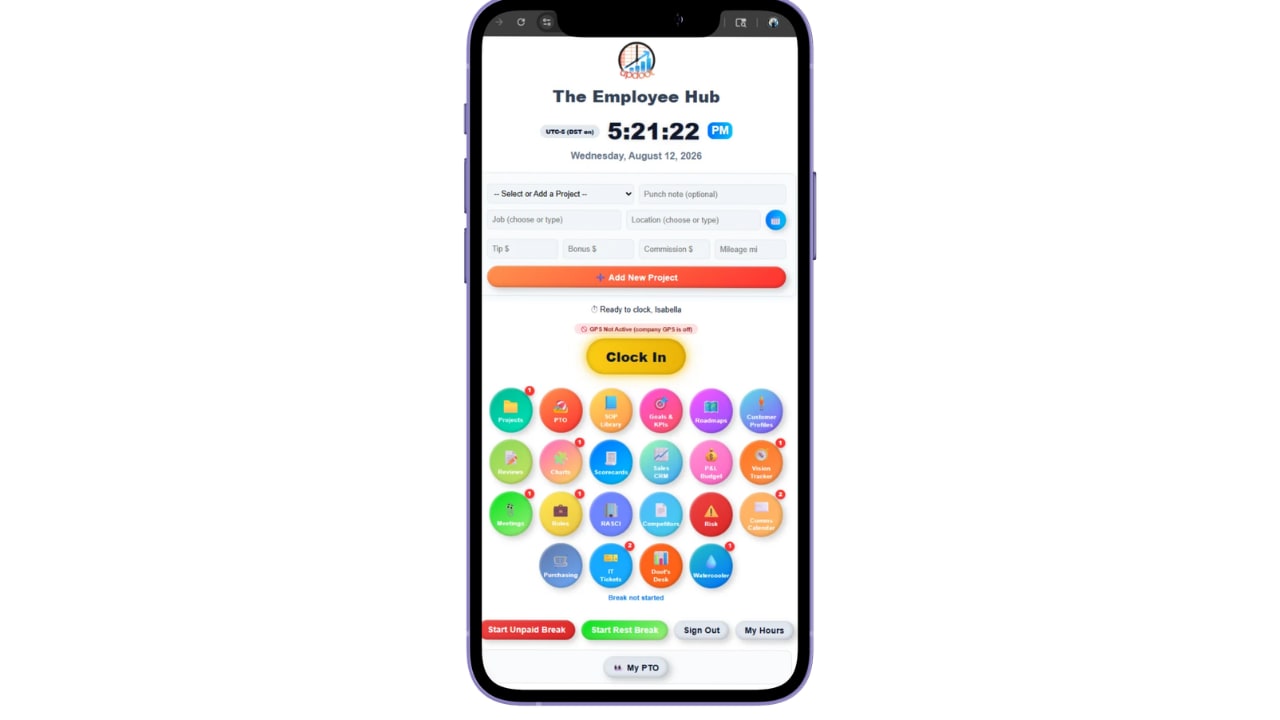
One tap from the phone captures the punch, a photo, and GPS coordinates at the job site.
Select the job, project, or location, log mileage between sites, and add a punch note if something needs flagging.
The team map shows who is where, and admins can punch someone in or out from the dashboard when a phone dies.
Know the punch happened at the job site, not in the truck three miles out.
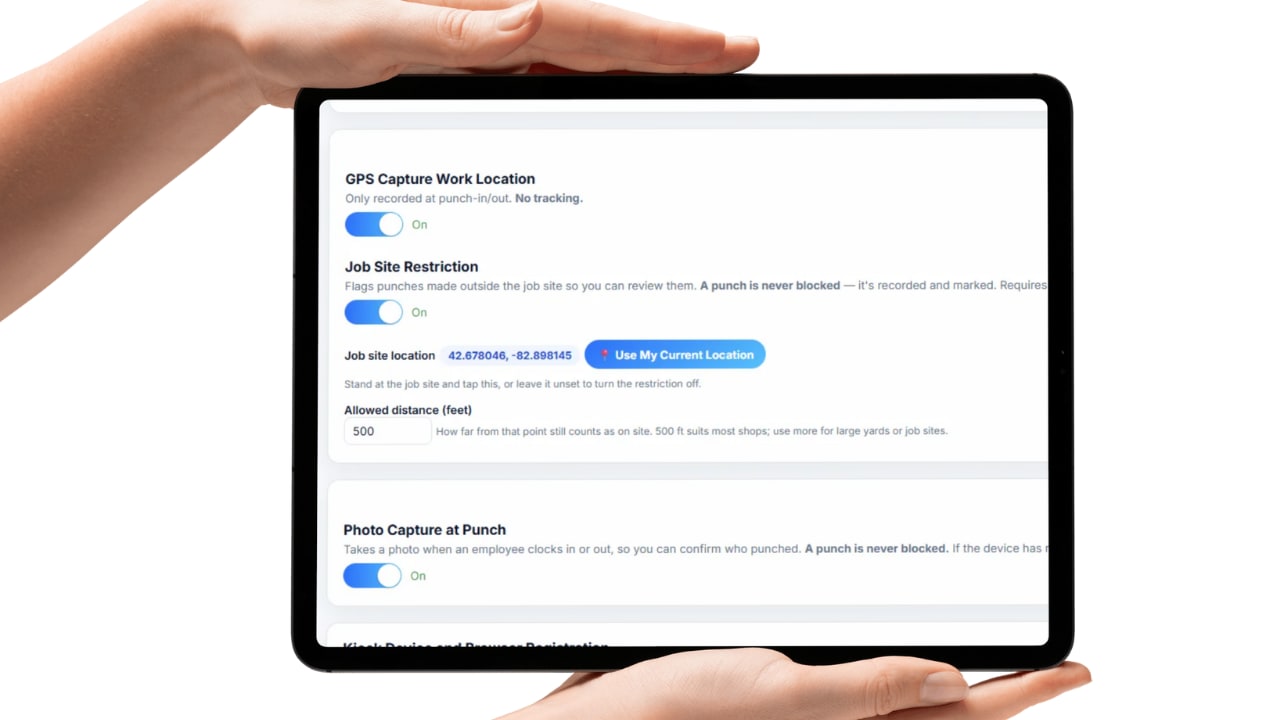
Every mobile punch can capture GPS coordinates, so the record shows where the shift started rather than where someone says it did. Geofencing takes it further by keeping punches inside the boundary you set for a site.
Photo capture runs on mobile too. The picture is attached to the punch, which matters as much on a phone as it does at a shared terminal, because a phone can be handed to a coworker just as easily as an ID can be shared.
Together they answer the question every field business eventually has to ask: were they actually there when they said they were. Not as an accusation, but because job costing, customer billing, and payroll all depend on the answer being right.
The whole day's cost captured on the phone that's already in their pocket.
Crews that move between sites generate more than hours. Mileage tracking captures the driving between jobs, so reimbursement stops depending on someone reconstructing a week of routes from memory on a Friday afternoon.
Punching into a job, project, or location means labor lands where it belongs from the start. When you go to bill a customer or check whether a job made money, the hours are already attributed instead of being allocated after the fact by best guess.
Tips, bonus, and commission can be tracked alongside hours, and punch notes let a tech flag a delay, an access problem, or a change on site while it's still fresh. By the time the shift ends, the record already explains itself.
A dead battery shouldn't cost someone their hours.
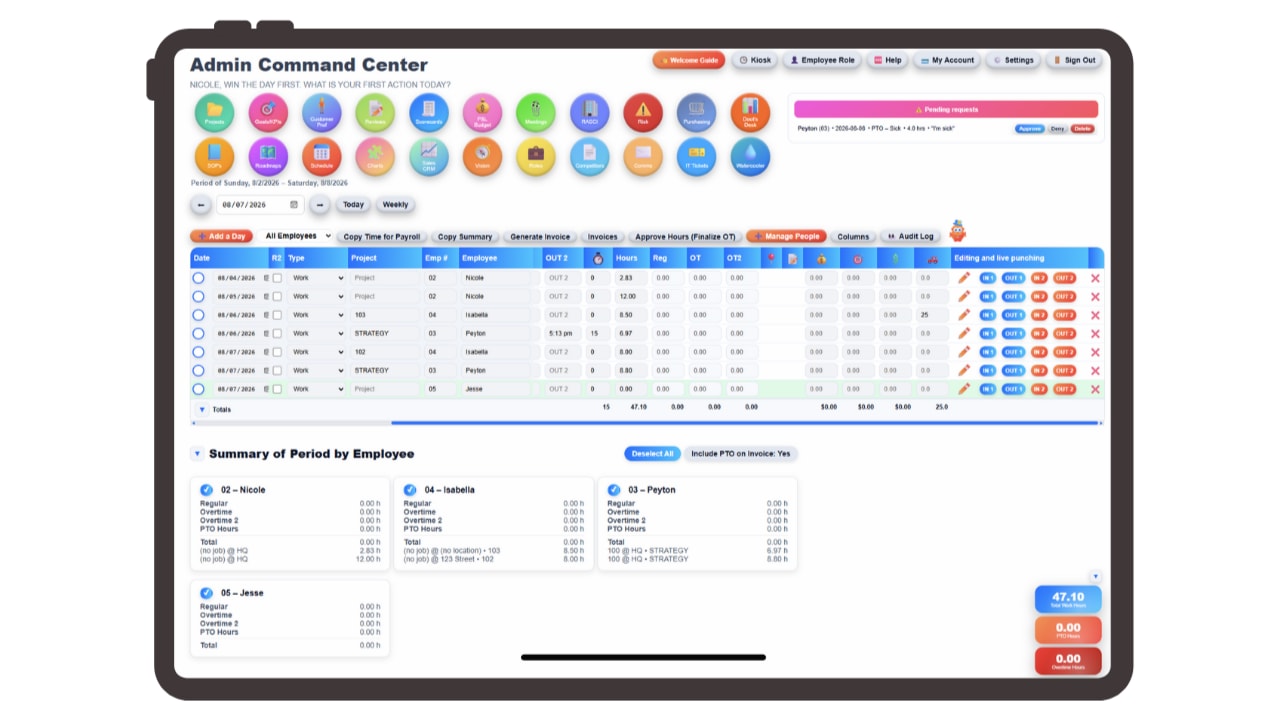
Phones die, get left in a truck, or lose signal in a basement. Admins can punch an employee in or out directly from the dashboard, so a hardware problem becomes a ten-second fix instead of a payroll dispute.
Every one of those corrections is captured in the audit log. The timecard shows the final hours and the history behind them, which protects both the employee and the business if an entry is ever questioned.
The break timer also keeps running even if the app is closed, so someone who locks their phone at lunch doesn't come back to a break that never got recorded. The team location map rounds it out, showing at a glance who is on which site right now.
Field crews have never fit the office model of time tracking. There's no front desk to walk past, no shared terminal, and the day is spread across several sites with driving in between. Asking people to remember all of that and write it down later guarantees hours that are approximately right and never quite defensible.
Updoot puts the clock on the phone that's already in their pocket. Punches capture GPS coordinates and a photo, geofencing keeps them at the site, and the job, project, or location gets selected as they punch so labor is coded from the start.
Mileage between jobs is tracked in the same place, along with tips, bonus, and commission, and punch notes let a tech flag what happened while it's fresh. The break timer keeps running even with the app closed.
On the management side, the team map shows who is where, admins can punch someone in or out when a phone fails, and every correction is recorded in the audit log. The result is field hours accurate enough to bill from and documented enough to defend.
Everything a crew needs to track time accurately from wherever the work actually is.
Each punch records where it happened, not just when.
Keep punches inside the boundary you set for each site.
A photo at the punch, because a phone can be handed over too.
Capture driving between job sites without reconstructing routes later.
Labor coded at the punch for costing and customer billing.
Track earnings beyond hourly pay on the same record.
Flag a delay or site issue while the details are still fresh.
Keeps running even if the employee closes the app.
Clock someone in or out from the dashboard, logged in the audit trail.
Short, practical reads on time tracking, labor management, and running a tighter operation.
GPS, photos, mileage, and job costing from the phone they already carry. Start your free trial of Updoot -- mobile punching, geofencing, admin punch control, and an audit log built for small business.
Start Free Today →