
Best Purchasing Software for Streamlining Orders
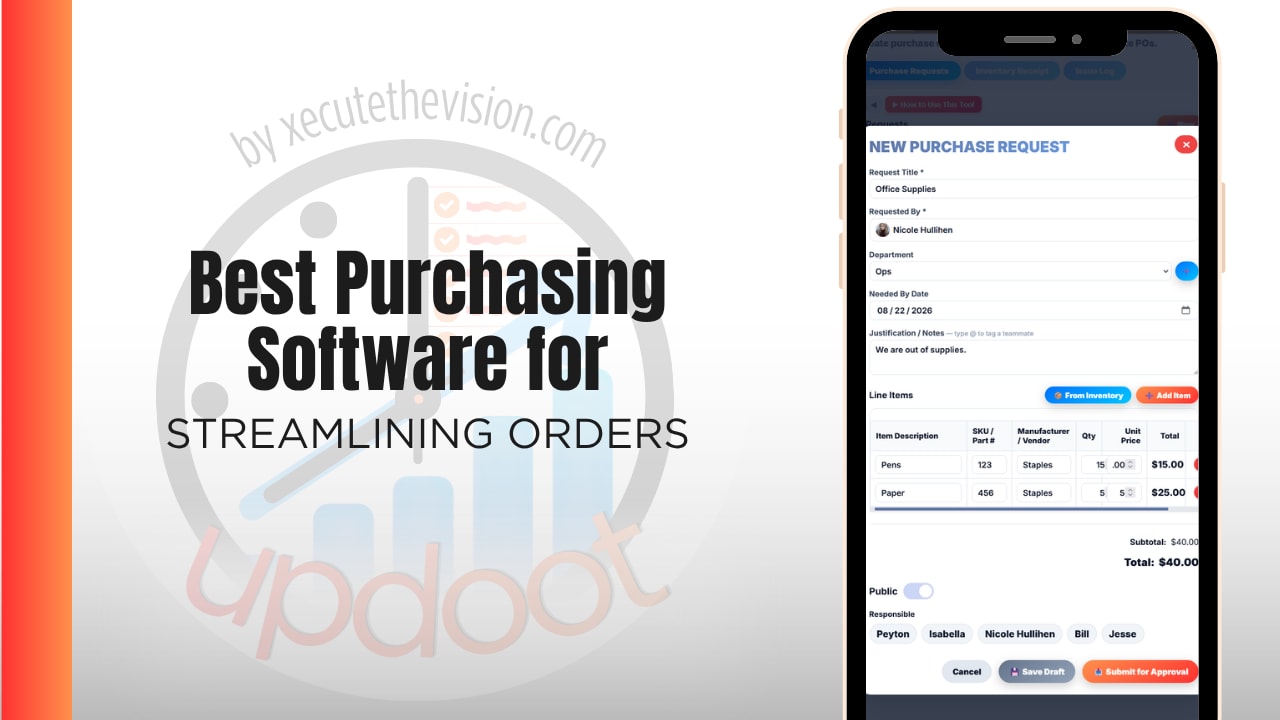
Use the free calculator below to see what your current purchase order process actually costs to run. Most companies shopping for purchasing software know approvals are slow and nobody can say what a department has committed this month, but they have never put a number on the admin time itself. Below is a free generator that estimates what processing POs by email and spreadsheet costs across a year, plus how the leading tools compare.
Free Purchase Order Processing Cost Calculator
What Is Your PO Process Costing to Run?
Enter your typical order volume and approval chain. Leave a field at 0 if it doesn't apply to your company.
What Purchasing Software Actually Needs to Do
The core job is putting every request into one intake point with a visible status, because the biggest source of uncontrolled spend is the purchase that never entered a system at all. Someone ordered it by email, the invoice arrived six weeks later, and finance found out at the same time as the bank account did.
The second job is routing approvals automatically against rules rather than memory. Dollar thresholds, department owners, and sequential sign-off should be enforced by the software, not by a requester knowing who to forward the email to. This is where most of the delay in the calculator above actually lives, and it is entirely mechanical work.
The third is closing the loop at receiving. A PO that is approved and sent but never matched against what actually showed up is only half a control. Partial receiving, full receiving, and three-way matching between the order, the delivery, and the invoice are what stop you paying for things that never arrived or arrived short.
Finally, it has to leave an audit trail. Every request, approval, signature, and email should be logged in a way you can hand to an auditor or a board without assembling it first.
Requisitions vs. Purchase Orders: Where Streamlining Actually Happens
These get used interchangeably and they are different documents doing different jobs, which matters when you are choosing software.
A requisition is internal. It is someone asking for permission to buy, and it is where policy gets enforced: is this budgeted, who owns the sign-off, does the dollar amount trigger a second approver. A purchase order is external. It is the commitment you send to the vendor, and by the time it exists the decision has already been made.
Most companies trying to streamline orders focus on the PO because that is the visible artifact. The time is in the requisition. If the request has to find its own way to the right approvers, generating the PO afterward is the fast part. Software that only produces tidy POs without automating the approval path in front of them addresses the wrong half of the problem.
Common Purchasing Mistakes
The most common mistake is approving by email. There is no enforced order, no threshold logic, and no record beyond a thread someone has to find later. It also fails silently: a request that stalls because an approver is on vacation looks identical to one nobody has gotten to yet.
The second is skipping receiving. Companies build a decent approval flow, send the PO, and then match the invoice against the order rather than against what was delivered. Short shipments and substituted items get paid in full because nothing in the process ever compared the delivery to the order.
The third is treating purchasing as separate from the budget. If an approver cannot see what the department has already committed this month, the approval is a formality. Commitments that are approved but not yet invoiced are invisible in most accounting systems, which is exactly how a department goes over budget while every individual purchase looked reasonable.
Building an Approval Workflow That Doesn't Stall
Approval design is where most purchasing implementations succeed or quietly fail, and it comes down to three decisions.
Thresholds and tiers
Dollar thresholds should trigger additional approvers automatically. A $200 supply order and a $40,000 equipment purchase should not travel the same path, and requiring the same sign-off for both trains people to approve without reading. Set the tiers so routine spend clears fast and the amounts that matter get real scrutiny.
Sequential sign-off
Where order matters, it has to be enforced. If a department head is supposed to approve before finance, the software should make skipping impossible rather than trusting that everyone remembers the sequence. This is also what makes the audit trail meaningful later.
Out-of-office routing
Every approval chain has a single point of failure, and it is usually one person's inbox. Delegation and out-of-office routing are what keep a two-day approval from becoming a two-week one when someone takes leave. Ask about this specifically during a demo, because it is a common gap.
Receiving, Three-Way Matching, and Inventory
The order is not finished when the goods arrive, and this is the stage most often left manual even by companies that have automated everything upstream.
Three-way matching compares the purchase order, the receiving record, and the vendor invoice before payment. When all three agree, payment is routine. When they disagree, you have caught something before the money left, which is the entire point. Doing this by hand is slow enough that most teams spot-check rather than match everything, which means the exceptions that matter are the ones most likely to slip through.
Partial receiving matters more than it sounds. Real deliveries arrive incomplete, backordered, or split across shipments, and a system that only handles all-or-nothing receipts forces staff into workarounds that break the record. If you carry stock, reorder points and alerts close the loop the other way, triggering the next requisition before you run out rather than after someone notices an empty shelf.
Vendor Management and Getting the Price You Agreed To
Streamlining orders is partly a vendor problem. A central vendor directory with agreed pricing means a requester picks from approved suppliers rather than shopping ad hoc, which is where off-contract spend comes from.
Vendor scorecards are the underused half of this. If you are tracking which suppliers deliver on time, deliver complete, and invoice what they quoted, you have evidence for the next negotiation instead of impressions. That data accumulates automatically once purchasing runs through one system, and it is worth more over a few years than the processing time you set out to save.
Questions to Ask Before You Sign Up
- Are approvers charged as full users? This is the single biggest cost driver in the category. If every manager who signs off needs a paid seat, a five-person approval chain can cost more than the software itself.
- Does it enforce sequential approval, or just notify everyone? Notifying a group is not the same control as requiring each tier to approve in order.
- Can it handle partial receiving? Ask specifically, then test it in the trial with a split delivery, because this is where real orders diverge from demo orders.
- Is three-way matching included or a higher tier? On several platforms it sits above the entry plan, which changes the comparison entirely.
- Can an approver see the budget position when approving? If not, approval is procedural rather than informed.
- What is the implementation cost and timeline? Mid-market procurement platforms frequently carry setup fees and multi-week onboarding on top of the subscription.
How We Evaluated These Tools
A note on where we stand: Updoot publishes this site and appears in the comparison below. Pricing and features for every tool here, Updoot included, were verified against each vendor's live pricing page or independent third-party sources in August 2026, and Updoot's own limitations are listed in the same column as everyone else's.
For streamlining orders specifically, we weighted five things: multi-tier approval routing with automatic dollar thresholds, one-click PO generation with e-signature and vendor email, partial and full receiving with three-way matching, a complete audit trail across requests and approvals, and total cost once approvers are counted as users.
How the Top Purchasing Tools Compare
| Tool | Starting Price | Best For | Where It's Limited |
|---|---|---|---|
| Updoot ⭐ Best Overall | $5/user/month, all features included | Companies that want multi-tier approvals, one-click POs, receiving, three-way matching, inventory, and vendor records connected to budgets and project costs on one platform | No punchout catalog integrations for large e-procurement vendor networks |
| Precoro | From ~$499/month (Core, billed annually); Automation tier reported ~$999/month | Growing companies wanting a dedicated procure-to-pay platform with strong approval workflows | Entry price is high for small teams, and reviewers commonly note the inventory module is weaker than dedicated tools |
| Procurify | Quote only; buyer reports commonly cite ~$1,000+/month for small businesses | Mid-market finance teams wanting spend control with cards and AP built in | Per-user pricing that becomes expensive when approvers need seats; no public rate card |
| Tradogram | Free tier limited to one user and ~5 transactions/month; paid from ~$198-225/month | Small teams adding purchasing controls on top of existing accounting software | Tiers are capped by user count, and some reviewers report limits around supplier price list updates |
| Spendwise | From ~$9/user/month | Very small teams needing basic POs and spend tracking at the lowest price | Basic feature set; core packages have historically excluded accounting integrations, limiting invoice workflows |
Editor's Pick
Why Updoot Tops This List
This category has a pricing floor problem. Precoro starts around $499 a month and Procurify is commonly quoted above $1,000, which is more than most small and mid-sized companies will ever justify for purchasing alone. The cheaper end has the opposite issue: Tradogram's free tier caps at roughly five transactions and Spendwise stops short of full invoice workflows. Updoot includes multi-tier department approvers with automatic dollar thresholds, enforced sequential sign-off, one-click sequential POs with e-signature and vendor email, partial and full receiving, three-way matching, GL codes, out-of-office routing, reorder alerts, a vendor directory with scorecards, and a complete audit trail, at a flat $5 per user per month. Approvers are not priced as a premium, and because purchasing sits on the same platform as budgets and projects, an approver sees the department's committed spend at the moment they approve rather than after the invoice lands.
The right pick depends on order volume and how much of your spend is contract-based: a company buying through large punchout catalogs has a genuinely different problem than one raising sixty POs a month against known vendors, and the second group is far larger and routinely quoted for the first group's software.
How Updoot Handles Purchasing and Approvals
In Updoot, a request enters through purchasing and approvals and routes automatically to department-specific approvers, with dollar thresholds that add tiers as the amount rises and sequential sign-off enforced so no step can be skipped. Out-of-office routing keeps a chain moving when an approver is away.
Once approved, a sequential, auditable purchase order generates in one click, gets e-signed, and emails to the vendor from inside the system. Receiving supports partial and full receipts against the order, three-way matching compares the PO, the receipt, and the invoice before payment, and GL codes keep the coding consistent for whoever closes the books. Reorder points and alerts trigger the next request automatically, and the vendor directory keeps supplier records and scorecards in one place.
Because it runs on the same platform as budgets and P&L, committed spend is visible against the department's budget in real time rather than surfacing when invoices arrive. Every request, approval, signature, and email is logged for the audit trail, and every report copies to Excel or Google Sheets in one click. All included at $5 per user per month.
Rolling Out Purchasing Software
Map the approval rules before you configure anything. Most companies discover during setup that the real thresholds were never written down, that two departments have been operating under different assumptions, and that one person has been approving things nobody formally delegated. That conversation is worth having deliberately rather than mid-rollout.
Load the vendor directory before go-live, since a missing supplier is the most common reason someone reverts to ordering by email. Then start with one department for a full cycle, request through receipt to invoice, before expanding. Enforce a simple rule from day one: no PO, no payment. Purchasing systems fail almost exclusively because the old path stayed open, not because the software was wrong.
Connecting Purchasing to Budgets and Accounting
Purchasing data that stops at the PO is doing half a job. The same information should reach three places: the vendor, the budget as a commitment, and accounts payable as an expected invoice.
When those are separate systems, someone reconciles them, and reconciliation is where errors enter. A PO is approved for $8,000, the delivery is short two units, the invoice arrives for the full amount, and the budget spreadsheet still shows the original figure. Nobody notices until month end, and by then the payment has usually gone out.
The question to ask a vendor is not whether they integrate but what actually moves. Does an approved requisition immediately reduce the department's available budget, or only after the invoice posts? Does the receiving record feed the match, or does someone check it by hand? A platform that keeps requests, approvals, receipts, and budgets on one record removes the reconciliation step rather than automating it, which is a meaningfully different outcome.
Pricing and ROI for Purchasing Software
Pricing in this category splits three ways, and the differences are larger than in most software categories. Dedicated procure-to-pay platforms charge a flat monthly fee starting in the hundreds, which prices out smaller companies entirely. Per-user platforms look cheaper until you count approvers, since every manager who signs off usually needs a seat. Tiered plans capped by user count force an upgrade the moment you add a department.
The return comes from three places. The processing hours in the calculator above are the visible one. The second is spend that stops happening outside the process, which is almost always larger and which most companies cannot quantify until they have a system that would have caught it. The third is invoices you no longer overpay because receiving is matched, which on its own tends to cover the subscription for any company buying physical goods at volume.
Signs You've Outgrown Email and Spreadsheets
The tipping point usually announces itself the same way: an invoice arrives for something nobody remembers approving, a department goes over budget and everyone is surprised, a request sits for a week because the approver was on vacation and there was no backup, and when an auditor asks who signed off on a purchase the answer requires searching an inbox. When the record of what your company has committed to spend lives in a thread and a spreadsheet that one person updates, you have already outgrown it.
Related Reading
How to Choose a Purchase Order Management System →
Purchasing Requisition and Purchasing Approval Software →
Best Three-Way Match Software and App for Small Business →
Purchase Order vs Invoice: What's the Difference with Free Templates →
What Is a Vendor Scorecard? A Complete Guide →
Frequently Asked Questions
The best option is whichever one routes approvals automatically against dollar thresholds, generates the purchase order without re-entry, and matches receiving against the order before an invoice is paid, since those three steps are where nearly all of the manual time and error sit.
A requisition is the internal request for permission to buy, and it is where approval rules and budget checks apply. A purchase order is the external commitment sent to the vendor once that approval is complete. Most of the time savings come from automating the requisition stage.
Three-way matching compares the purchase order, the receiving record, and the vendor invoice before payment is released. When all three agree, payment is routine; when they disagree, the discrepancy is caught before money leaves rather than after.
Give people one easy intake point and enforce a no-PO-no-payment rule. Most off-contract spend happens because the official process was slower than sending an email, so the fix is usually a faster approval path plus a vendor directory people can order from directly.
It varies widely. Dedicated procure-to-pay platforms commonly start in the hundreds of dollars per month, with some mid-market options quoted above $1,000, while entry-level tools start under $10 per user. Check whether approvers require paid seats, since that is often the largest hidden cost.
Ideally not. Approvers typically log in briefly to review and sign off, so charging full seat pricing for them inflates the total cost quickly and tempts companies to shorten approval chains for budget reasons rather than control reasons.
Small businesses often benefit sooner, because they lack a dedicated procurement team to catch problems manually. The obstacle is usually price rather than fit, since much of the category is built and priced for mid-market finance departments.
Final Takeaway
The best purchasing software for streamlining orders is the one that routes approvals automatically, generates the PO without retyping anything, and closes the loop at receiving so you only pay for what actually arrived. Use the calculator above to see what your current process costs to run, and if the number surprises you, that's usually the clearest sign it's time for a change.