
Purchase Order vs Invoice: What Is the Difference, With Free Templates
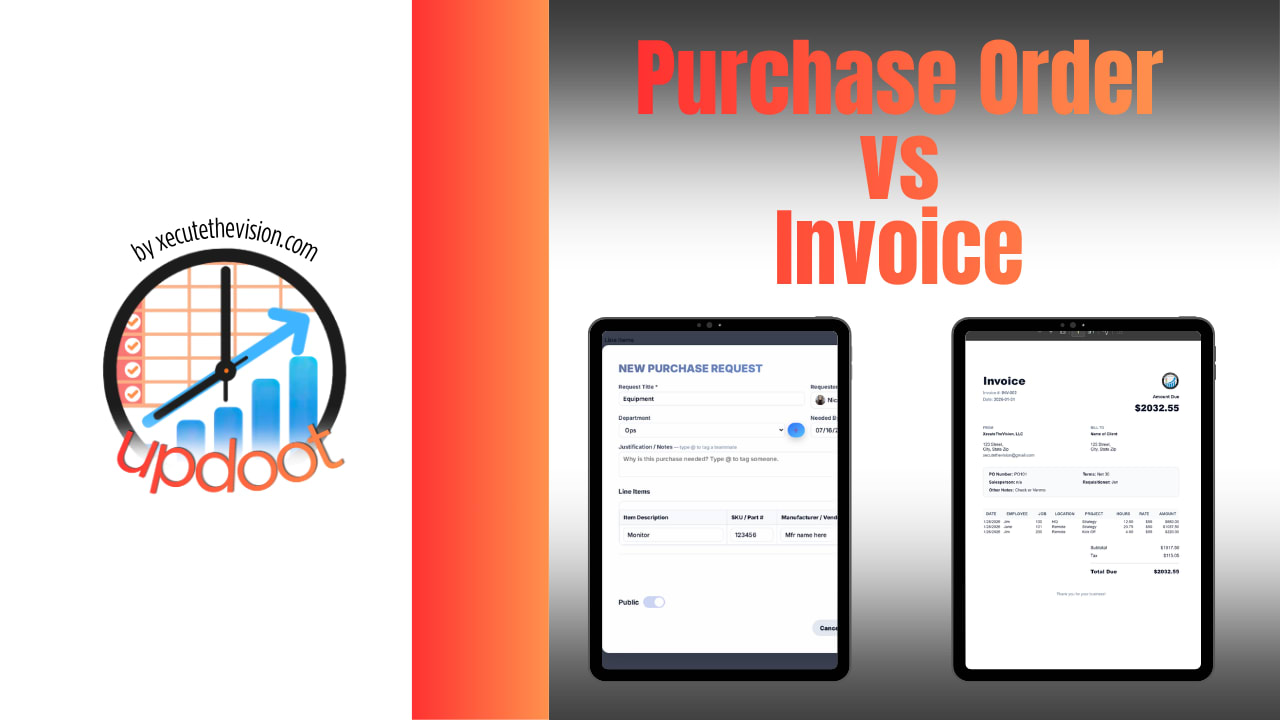
Purchase order vs invoice is one of the most common points of confusion in small business bookkeeping, and the short answer is simple: a purchase order comes from the buyer before the sale, and an invoice comes from the seller after it. The two documents often list the same items and look similar, and people sometimes use the terms interchangeably, but they sit at opposite ends of the same transaction and do completely different jobs.
A purchase order says "here is what we are agreeing to buy, at this price." An invoice says "here is what you now owe for what was delivered." Keeping them straight, and making sure they agree with each other, is one of the easiest ways for a small business to avoid paying for things it never ordered or waiting longer than necessary to get paid.
This guide explains what each document is, who creates it, when you need it, and what has to be on it. It then covers how the two are matched before payment, and includes free purchase order and invoice templates you can fill in on this page, with a match checker that compares the two line by line. At the end, you will see how Updoot connects both into a system that tracks a purchase from request through payment.
Key Takeaways
The most important difference is direction and timing. A purchase order comes from the buyer before the sale, while an invoice comes from the seller after it. A PO authorizes a future purchase and locks in the price and quantity, while an invoice requests payment for a purchase that has already been delivered.
Not every purchase needs a PO, but every sale eventually needs an invoice to get paid. Where a PO does exist, the invoice should reference its PO number so the two can be matched before payment. And both documents need clear numbering, dates, line items, and totals to work as reliable records, not just as requests for money.
What Is a Purchase Order?
A purchase order, usually shortened to PO, is a document a buyer sends to a vendor to formally request specific goods or services at an agreed price and quantity. It is created before anything is delivered and before any money changes hands. Once the vendor accepts it, a PO generally becomes a binding agreement to buy what is listed, at the price listed, under the terms listed.
The purpose of a PO is control. It gives the buyer a written record of exactly what was ordered, so there is no confusion later about quantity, price, or specifications. It gives the vendor a clear, approved order to fulfill. And inside the business, it tracks committed spending, meaning money that will go out even though no invoice has arrived yet. That commitment is easy to lose track of without a formal order in place, especially when several people are placing orders.
A typical purchase order includes a unique PO number, the date, the vendor's name, who requested the purchase, where it should be shipped and billed, a list of items with quantities and unit prices, the total, the date the items are needed, and who approved the order.
What Is an Invoice?
An invoice is a document a seller sends to a buyer after goods or services have been delivered, requesting payment for what was provided. Where a PO is a request to buy, an invoice is a bill. It lists what was delivered, the agreed price, any taxes or fees, the total amount due, and the payment terms, including the due date.
An invoice is the seller's formal record that a sale happened and that payment is now owed. In accounting terms, it creates an account receivable for the seller and an account payable for the buyer. Unlike a PO, an invoice does not need the buyer's prior agreement to exist. A seller can invoice for completed work even if no purchase order was ever issued, which is common for service businesses and freelancers. Our guide to making your invoices look professional covers layout and design in more detail.
Purchase Order vs. Invoice: Side-by-Side Comparison
| Purchase Order | Invoice | |
|---|---|---|
| Created by | The buyer | The seller |
| Sent to | The vendor | The buyer |
| Timing | Before the purchase | After delivery |
| Purpose | Authorize and request a purchase | Bill for a completed sale |
| Triggers | An order to fulfill | A payment obligation |
| Required? | Optional, used for control | Needed to get paid |
| Key number | PO number | Invoice number, plus the PO number if one exists |
The easiest way to keep the two straight is to remember which direction each document travels and when. A purchase order moves from buyer to seller, before the fact. An invoice moves from seller to buyer, after the fact. If you are ever unsure which one you are holding, check who sent it and whether the goods have already been delivered.
When You Need Each One
Not every transaction needs a purchase order. A one-off purchase from a local supplier, a small recurring subscription, or a quick service call often goes straight to an invoice with no PO involved, and that is perfectly normal for a small business without a formal purchasing process.
Purchase orders earn their keep once a business wants approval before money is committed, once purchasing volume grows large enough that duplicate or unauthorized orders become a real risk, or once the company wants a documented trail for every dollar it spends. They are especially useful for larger purchases, equipment, and new vendor relationships, where getting the price and terms in writing up front prevents disputes later.
An invoice, on the other hand, is nearly universal. Almost every sale eventually needs one, whether or not a PO came first, because the invoice is what actually triggers payment and what both sides use for their bookkeeping and tax records. A business can operate without ever issuing a purchase order. It cannot get paid, or pay anyone else, without an invoice somewhere in the process.
Free Purchase Order and Invoice Templates
Use the templates below to fill in a purchase order and then create a matching invoice from it with one click. Add as many line items as you need and the totals update automatically. The match check compares the invoice to the purchase order line by line and flags anything billed that was not ordered, extra units, or higher prices. Print either document or copy it into Excel with working formulas.
Purchase Order and Invoice Templates
Fill in a purchase order, then turn it into a matching invoice with one click. The match check compares the two line by line, the way accounts payable does before paying. Print either document or copy it into Excel. Nothing you enter is saved or sent anywhere.
| Description | Qty | Unit Price ($) | Amount |
|---|
PO total: $0.00
| Description | Qty | Unit Price ($) | Amount |
|---|
Total due: $0.00
PO and Invoice Match Check
Why the Two Documents Should Match
When a purchase order exists, the invoice that eventually arrives for it should reference the PO number and agree with it on items, quantities, and prices. This is the basis of the three-way match used in purchasing controls. The purchase order shows what was approved, a receiving record shows what actually arrived, and the invoice shows what is being billed. Payment goes out only when all three agree.
When the documents do not match, the mismatch is exactly what catches billing errors before they turn into overpayments: a vendor billing for more units than were ordered, a price that crept up from what was quoted, or an invoice for something that was never ordered at all. Keeping the PO number on the invoice, and keeping both documents organized and easy to compare, is what turns catching those errors into a routine step instead of a matter of luck.
Partial shipments are the one common exception. If a vendor ships part of an order and invoices for what was delivered, the invoice will show fewer units than the PO. That is fine, as long as the remaining units are tracked so the order is not billed twice or forgotten.
How a Purchase Moves From Request to Payment
It helps to see both documents in the order they appear. A purchase usually starts inside the buying company with a request, where someone who needs supplies, equipment, or a service asks for it and a manager approves the spending. That approved request becomes a purchase order, which goes to the vendor with the exact items, quantities, prices, and delivery date.
The vendor accepts the PO and ships the goods or performs the service. When the delivery arrives, someone at the buying company checks it and records what was actually received, which becomes the receiving record. The vendor then sends an invoice for what was delivered, referencing the PO number. Accounts payable compares the invoice with the PO and the receiving record, and once all three agree, the invoice is approved and paid. Seen this way, the purchase order and the invoice are bookends: one opens the transaction and the other closes it.
Purchase Orders, Invoices, Quotes, and Receipts
Two other documents often get mixed up with these. A quote, sometimes called an estimate, comes from the seller before any agreement and tells the buyer what the work or goods would cost. The buyer uses the quote to decide whether to proceed, and if they do, they may issue a purchase order based on it. Our guide to invoice vs quote covers that difference in more detail.
A receipt comes last. It is the seller's confirmation that payment was received, and it closes the transaction for good. So the full sequence for a larger purchase often runs quote, purchase order, delivery, invoice, payment, and receipt, with each document confirming a different step.
Common Mistakes With Purchase Orders and Invoices
The most common mistake is leaving the PO number off the invoice. For customers with a purchasing process, an invoice without a PO number often cannot be matched, so it sits in a queue while someone tracks down which order it belongs to, and the seller waits longer to get paid.
Another frequent problem is reusing or skipping document numbers. Every PO and every invoice should have its own unique number in a simple sequence, because duplicate numbers make it easy to pay the same invoice twice or lose track of an order. Vague line items cause trouble too. "Supplies" or "services rendered" gives nobody anything to match against, while "Toner cartridge, black, 2 units at $89" can be checked in seconds.
Finally, many small businesses skip the receiving step and pay an invoice simply because it matches the PO. That confirms what was ordered, but not what actually arrived. A quick check that the goods were received in full, before payment, is the step that catches short shipments and damaged deliveries.
Doing This Automatically With Updoot
A fillable template is a real improvement over building a purchase order or invoice from a blank document every time, and the templates above will serve a small business well for occasional use. But once purchasing and invoicing happen every week, doing it by hand means retyping the same vendor names, re-entering line items that already exist somewhere else, and manually checking whether each invoice matches the PO it claims to reference.
Updoot Purchasing handles that automatically. Once a purchase request is approved, it becomes a numbered purchase order without anyone retyping it. Approvals route by dollar amount, so the right person signs off before an order goes out. Every PO is tracked from request through delivery, and when a vendor invoice arrives, Updoot checks it against the purchase order and the receiving record before it is approved for payment, the same three-way match described above, done automatically instead of by hand.
It all lives inside the same business management platform as time tracking, projects, and HR, with simple per-user pricing, so a small business gets real purchasing and invoicing controls without paying for a separate procurement tool. You can start free today. For more on choosing a system, see our guides to choosing a purchase order management system, purchasing requisition and approval software, and vendor scorecards.
Opens in Google Drive. View and download for free.
Related Reading
How to Choose a Purchase Order Management System →
Invoice vs Quote: What Is the Difference? →
RFQ Meaning: What It Is, When to Use It, and a Free Template →
Frequently Asked Questions About Purchase Orders and Invoices
What is the difference between a purchase order and an invoice?
A purchase order is sent by the buyer to the seller before the sale, asking for specific goods or services at an agreed price. An invoice is sent by the seller to the buyer after delivery, requesting payment for what was provided. The PO authorizes a future purchase and the invoice bills for a completed one.
Who creates a purchase order and who creates an invoice?
The buyer creates the purchase order, because it represents their request and approved budget. The seller creates the invoice, because it represents their bill for what they delivered.
Does every purchase need a purchase order?
No. Small, routine, or one-off purchases often skip a formal PO and go straight to an invoice. Purchase orders become valuable when a business wants approval, budget control, or a paper trail before money is committed.
Can an invoice be sent without a purchase order?
Yes. Many businesses, especially service providers and freelancers, invoice without a purchase order. Where a PO does exist, most accounts payable teams expect the invoice to reference the PO number so the two can be matched.
What should a purchase order and an invoice include?
A purchase order should include a PO number, date, vendor, ship-to and bill-to details, line items with quantities and prices, and the total. An invoice should include an invoice number, date, the PO number if one exists, bill-to details, line items for what was delivered, the total due, and payment terms with a due date.
What is a three-way match?
A three-way match compares the purchase order, the receiving record, and the vendor's invoice before payment. Payment is approved only when the items, quantities, and prices agree across all three.