
The Best Excel Courses for Every Skill Level: A Comparison Guide
The best Excel courses can turn one of the most widely used business tools into one of your strongest skills. Whether you are starting from zero or want to master advanced features, learning Excel pays off in almost every role, from finance and operations to marketing and project management.
The challenge is choice. There are hundreds of courses, and they vary widely in depth, price, teaching style, and how well they connect to real work.
This guide compares nine of the best Excel courses and learning resources based on their content, value, delivery style, and who they suit best. Each includes its strengths and drawbacks, and a quick quiz at the end ranks them for your level, budget, and goals.
How We Compared These Excel Courses
Every course here was judged on the same four questions. What does it teach, and how deep does it go? What does it cost, and is that a one-time price or a subscription? How is it delivered, whether as a structured course, short videos, or a reference library? And who will get the most out of it?
Prices and course details change often, so the descriptions below reflect what each provider listed when this guide was written. Always check the provider's site for current pricing before you enroll. A quick side-by-side view comes first.
| Course | Best for | Cost model | Level | Certificate |
|---|---|---|---|---|
| XecuteTheVision Foundations and Xpert | Business-focused learning with real templates | Free | Beginner to advanced | No |
| Coursera, Excel Skills for Business | A structured, academic path | Coursera enrollment | Beginner to advanced | Yes |
| Udemy, Excel from Beginner to Advanced | A big bundle of content for a low price | One-time purchase | Beginner to advanced | Completion certificate |
| LinkedIn Learning, Excel Essential Training | Existing LinkedIn Learning subscribers | Subscription | Beginner to intermediate | Yes |
| Exceljet | Formulas, shortcuts, and quick answers | Free references, paid courses | Intermediate to advanced | No |
| Chandoo's Excel School | Analysts who want dashboards | One-time purchase | Intermediate to advanced | No |
| GoSkills | Bite-sized lessons with quizzes | Subscription | Beginner to intermediate | Yes |
| Miss Excel | Visual, energetic learners | Paid courses | Beginner to intermediate | Varies |
| Excel Dictionary | Shortcuts, productivity, and AI with Excel | Paid courses, free guides | Intermediate to advanced | Varies |
1. XecuteTheVision Excel Courses
Website: xecutethevision.com. Best for: Professionals and business owners who want Excel training tied to real business tasks.
Created by Nicole Hullihen, a multi-year Microsoft MVP and former COO, these courses teach Excel by building the spreadsheets businesses actually use, rather than working through abstract practice files. Full disclosure: XecuteTheVision publishes this guide, so we have put our own courses first, and we have kept the comparison honest so you can judge for yourself.
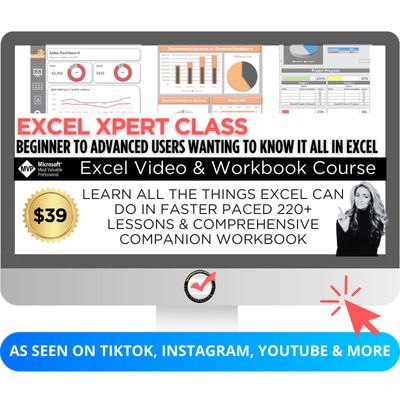
There are two free programs. Excel Foundations has 67 short video lessons across four courses, each building a working tool: an event planner, an order manager, a basic budget, and a project tracker. Excel Xpert is the full library of more than 200 lessons covering formulas, lookups, PivotTables, conditional formatting, charts, dashboards, and VBA and macros, drawn from the videos that built a large social media following.
Every video is a minute or two long and matched to a tab in a free companion workbook you keep. There is no login, no subscription, and no credit card required.
Strengths: Completely free, practical business examples, short lessons, and workbooks you keep as a reference.
Drawbacks: No formal certificate, and the short-video format suits hands-on learners more than people who want long lectures.
2. Excel Skills for Business (Coursera and Macquarie University)
Website: www.coursera.org. Best for: Learners who want a structured, academic path with a certificate.
This specialization from Macquarie University is made up of four courses that progress from essentials through intermediate and advanced skills, covering formatting, charts, formulas, data validation, dashboards, and forecasting. It uses practical business scenarios and downloadable workbooks with challenge exercises, and learners who complete it earn a shareable certificate.
Strengths: University-backed credibility, a clear progression from beginner to advanced, a flexible pace, and a certificate for your resume.
Drawbacks: An academic tone and pacing that may feel slow if you only need specific skills, and a certificate that requires paid enrollment.
3. Microsoft Excel: Excel from Beginner to Advanced (Udemy)
Website: www.udemy.com. Best for: Cost-conscious learners who want a large amount of content in one course.
Taught by Kyle Pew, this is one of the most popular Excel courses on Udemy, with more than 1.8 million students and a 4.7 out of 5 rating at the time of writing. Its 22-plus hours of video cover beginner through advanced skills, including PivotTables, Power Query, Power Pivot, modern lookup functions, and macros and VBA.
Strengths: A low one-time price, since Udemy courses are frequently discounted, lifetime access, and very broad coverage.
Drawbacks: Less focus on real business applications, and the sheer length can make it hard to finish.
4. Excel Essential Training (LinkedIn Learning)
Website: www.linkedin.com. Best for: Professionals who already have LinkedIn Learning or LinkedIn Premium.
LinkedIn Learning offers a well-produced Excel Essential Training series that builds a solid foundation in formulas, formatting, charts, and core features. Because the platform is often provided by employers, it is a common choice for team onboarding and ongoing training.
Strengths: High production quality, easy to follow, good for teams, and a certificate of completion you can add to your LinkedIn profile.
Drawbacks: Requires a subscription, and the essentials course stays fairly high level without much real-world scenario work.
5. Exceljet
Website: exceljet.net. Best for: People who want to learn formulas and shortcuts and find quick answers.
Exceljet is known for its clean, no-fluff approach. Its free library of function explanations, formula examples, and shortcut lists is one of the most useful Excel references online, and it offers paid video courses for deeper training. Its weekly tips newsletter reaches more than 100,000 subscribers.
Strengths: Fast, focused lessons, a strong emphasis on formula structure and keyboard shortcuts, and an excellent free reference.
Drawbacks: Not designed for complete beginners, and it offers little context about business use.
6. Chandoo's Excel School
Website: chandoo.org. Best for: Analysts and professionals who want to master dashboards and reporting.
Chandoo is one of the best-known names in the Excel community. His Excel School is a self-paced program with six core modules and an optional dashboards module, delivered as downloadable videos with example workbooks and reference material. At the time of writing, the basic program was listed at $147 and the version with dashboards at $247, both as one-time payments with two years of access and a 30-day money-back guarantee.
Strengths: A respected instructor, a strong focus on data visualization and dashboards, and no recurring fees.
Drawbacks: A higher upfront price than most courses, and content that suits analysts more than general business users.
7. GoSkills Microsoft Excel
Website: www.goskills.com. Best for: Learners who want bite-sized lessons with quizzes and a certificate.
GoSkills teaches Excel in 60 short lessons of three to six minutes each, organized into modules from essential formulas through data analysis, dynamic arrays, and reporting. Lessons include practice exercises and quizzes, and completing the course earns a certificate.
Strengths: Short, digestible lessons, a modern interface, and a certificate of completion.
Drawbacks: Subscription-based rather than a one-time fee, and not tailored to any particular industry.
8. Miss Excel
Website: www.miss-excel.com. Best for: Visual learners who want a fun, high-energy way to learn.
Miss Excel is Kat Norton, whose viral TikTok and Instagram videos made her one of the best-known Excel creators. Her courses, including The Excelerator, cover Excel and the wider Microsoft 365 toolkit in a bright, upbeat style, and she also offers training for organizations.
Strengths: An engaging, creative teaching style that is very beginner-friendly.
Drawbacks: May feel light for people who need deep business applications or advanced analysis.
9. Excel Dictionary
Website: www.excel-dictionary.com. Best for: Learners who want shortcuts, productivity tips, and AI skills for Excel.
Excel Dictionary was founded by Emma Chieppor, a Microsoft MVP who built a very large social media following teaching quick Excel skills. It offers paid courses on shortcuts and productivity and on using AI tools such as Copilot and ChatGPT with Excel, along with free function, shortcut, and AI guides and a weekly newsletter.
Strengths: Clear, concise teaching, strong coverage of productivity and AI, and useful free guides.
Drawbacks: Focused on specific skills rather than a full beginner-to-advanced path, and the courses are paid.
Which Excel Course Is Right for You?
If you are a complete beginner, start with a structured path that builds fundamentals in order. XecuteTheVision's Excel Foundations is free and teaches through real tools, while Coursera and GoSkills suit learners who want a certificate at the end.
If you already know the basics and want to become faster and more capable, choose resources built around formulas and shortcuts, such as Excel Xpert, Exceljet, or Excel Dictionary. If dashboards and reporting are your goal, Chandoo's Excel School specializes in them.
If your budget is tight, the free options go a long way, and a discounted Udemy course adds breadth for a small one-time price. If your employer already pays for LinkedIn Learning, it is worth using before you buy anything else.
Not sure where you stand? Our free Excel courses page includes a two-minute skills quiz, and our guide on how long it takes to learn Excel sets realistic expectations.
Free Excel Course Finder
For a personal recommendation, answer the four questions below. The finder scores all nine courses on your level, budget, learning style, and main goal, ranks them, and explains each score. The example is set for an intermediate learner with a small budget who wants to build real business tools.
Find Your Best Excel Course
Answer four quick questions and the tool ranks the nine courses in this guide by how well they fit your level, budget, learning style, and goal, with a short reason for each. Copy the full ranking to Excel or print it. Nothing you enter is saved or sent anywhere.
| Rank | Course | Fit | Why |
|---|
Tips for Getting the Most Out of Any Excel Course
Follow along in Excel. Watching is not the same as doing. Keep the workbook open and repeat every step, then try it again on your own data.
Learn in short, regular sessions. Fifteen minutes a day builds skill faster than a three-hour session once a month, because each lesson has time to stick.
Apply each skill at work right away. The fastest way to remember a function is to use it on a real task the same week.
Keep a reference. Save the formulas and shortcuts you learn in one place. Our Excel formula cheat sheet is a good starting point.
Final Thoughts
The best Excel course is the one that matches your level, fits your budget, and teaches the skills you will use at work. If you want to improve your Excel skills in a way that changes how you work, not just memorize formulas, XecuteTheVision's free courses are built for exactly that, with business-focused lessons, real templates, and no cost to start. They are especially useful for teams, small business owners, and professionals who want to stop wrestling with spreadsheets and start working smarter.
Explore the full course list on the free Excel courses page.
Sources
Course details were taken from each provider's own pages: Coursera, Udemy, Exceljet, Chandoo, GoSkills, Miss Excel, and Excel Dictionary. Prices and student counts are as listed at the time of writing and may change.
Opens in Google Drive. View and download for free.
Related Reading
How Long Does It Take to Learn Excel? →
Frequently Asked Questions About Excel Courses
What is the best Excel course for beginners?
A structured course that builds fundamentals in order. XecuteTheVision's Excel Foundations is free and teaches through real business tools, while Coursera's Excel Skills for Business and GoSkills suit beginners who want a certificate.
Are there good free Excel courses?
Yes. XecuteTheVision offers Excel Foundations and Excel Xpert free with workbooks and no login, and Exceljet has an excellent free library of function and formula explanations.
Which Excel course gives a certificate?
Coursera's Excel Skills for Business, LinkedIn Learning, GoSkills, and Udemy all offer certificates of completion. Coursera's certificate comes from Macquarie University.
What is the best Excel course for dashboards?
Chandoo's Excel School has a dedicated dashboards module, and Excel Xpert and the Udemy course both cover PivotTables, charts, and dashboards.
How long does it take to finish an Excel course?
It ranges from a few hours for short video programs to several weeks for a multi-course specialization. Short daily sessions with hands-on practice usually work better than long, infrequent ones.
Should I choose a subscription or a one-time purchase?
A one-time purchase suits you if you want a single course. A subscription can be better value if you plan to take several courses or your employer already pays for the platform.
Who teaches the XecuteTheVision Excel courses?
Nicole Hullihen, a multi-year Microsoft MVP and former COO, who teaches Excel through the spreadsheets businesses actually use.