
Best HR Software for Remote Teams
Use the free calculator below to see what manual HR admin and tool sprawl actually cost a distributed team. Remote companies rarely lose money on one big line item. They lose it in fifteen minutes here and a fourth subscription there, spread across every employee, every week, until the HR function costs more than anyone budgeted for. Below is a free generator that estimates that combined cost across a year, plus how the leading tools compare.
Free Remote HR Admin Cost Calculator
What Is Manual HR Admin Costing Your Remote Team?
Enter your headcount and the tools you pay for. Leave a field at 0 if it doesn't apply to your company.
What Remote Teams Actually Need from HR Software
A remote team needs a single source of truth that every employee can reach without asking anyone, because the hallway question that resolves something in ten seconds in an office becomes a two-day message thread when the person who knows the answer is asleep.
Self-service matters more than it does in an office. An employee should be able to check a PTO balance, find the expense policy, submit a request, and see where it stands without messaging a manager. Every question that requires a human to answer it becomes a delay measured in time zones rather than minutes.
The third requirement is visibility that does not turn into surveillance. Remote managers need to know what is in progress and who is available, but the tools that answer that by monitoring keystrokes damage trust far more than they help. Hours logged against real projects answer the same question without the cost.
Finally, records have to be complete without an office to fall back on. There is no filing cabinet down the hall and no HR desk to walk up to. Signed offers, policy acknowledgments, review history, and emergency contacts all have to live in one system, or they live in someone's inbox and leave with them.
Distributed Employees vs. Hybrid and In-Office Staff
Most companies described as remote are actually mixed, and the mix is where HR software either holds up or breaks. Fully remote employees need async everything: self-service records, written approvals, no assumption that anyone is at a desk at the same hour. In-office and hybrid staff need shared schedules, coverage visibility, and a way to see who is in on which days.
A platform that only handles one of those well forces the other group into a workaround, which is how companies end up with a spreadsheet running alongside the system they paid for. The test is whether both groups can be managed in one place without either being an afterthought.
Common HR Mistakes on Remote Teams
The most common mistake is running HR through chat. PTO gets approved in a direct message, a policy change gets announced in a channel, and six months later nobody can prove what was agreed or who saw it. Chat is not a record system, and it becomes an expensive discovery problem the moment there is a dispute.
The second is buying a separate tool for each function. A remote team ends up with one tool for time off, another for reviews, a third for onboarding documents, and a fourth for announcements, none of which know about each other. The employee experience becomes four logins and the admin experience becomes reconciliation.
The third is treating engagement as something that happens by itself. In an office, culture has a physical container. Remotely it does not, and companies that never measure whether people feel connected tend to find out through resignations rather than through data.
Time Zones, Async Work, and PTO Visibility
Time zones are the operational problem that makes remote HR different from office HR, and most of the friction traces back to one thing: nobody can see who is available.
PTO and coverage
When half the team is off on a national holiday the other half has never heard of, work stalls for reasons nobody anticipated. A shared PTO calendar that shows the whole team, including local holidays, turns that from a recurring surprise into something a manager can plan around a week ahead.
Async approvals
Any approval that requires two people to be awake at once will be slow. Requests that route automatically, notify the right approver, and show their status to the requester remove the follow-up message entirely, which is where most of the admin minutes in the calculator above are actually spent.
Scheduling across zones
For teams with any shift or coverage component, schedules have to be readable in the employee's own context rather than headquarters time. Ambiguity here produces missed shifts that look like reliability problems and are actually interface problems.
Onboarding Someone You'll Never Meet in Person
Remote onboarding fails quietly. A new hire who is confused in an office asks the person next to them. A new hire at home decides not to bother, and two weeks later everyone concludes they are slow to ramp.
What works is making the first week entirely self-guided. The offer letter, the paperwork, the org chart, the SOPs for their role, their first tasks, and the names of the people they need to know should all be waiting in one place on day one. When onboarding runs from the same system that holds the org chart and the SOP library, a new hire can answer their own questions at 6 a.m. their time without waiting for anyone.
The org chart matters more remotely than it does in an office, because a new hire cannot learn the structure by looking around the room. Knowing who owns what is the difference between asking the right person and broadcasting into a channel.
Keeping Remote Employees Connected and Measuring Whether It's Working
Engagement on a distributed team has to be deliberate, and it has to be measured, or you are guessing about the thing most likely to cost you a key employee.
An internal announcement feed solves a narrow but real problem: important updates buried in email get missed, and important updates posted in chat scroll away in an hour. A dedicated place for company news, wins, and employee spotlights gives remote staff the ambient awareness that office staff get for free.
Measurement is the other half. Regular anonymous eNPS surveys turn a vague sense that things are fine into a trend line you can act on. On a remote team this is often the only early warning you get, because the usual signals, someone going quiet in meetings or looking checked out, are much harder to read through a screen.
Questions to Ask Before You Sign Up
- Can an employee resolve a routine request without messaging anyone? If PTO balances, policies, and request status all require a human, the tool has not removed the admin work, it has just relocated it.
- Is the advertised price the price? Ask specifically which of time tracking, performance reviews, onboarding, and payroll reporting are included versus billed as modules, because in this category the entry price and the invoice are frequently different numbers.
- Is there a minimum, and what happens below it? Several platforms in this category charge a flat floor that a 12-person remote team pays regardless of headcount, which changes the math dramatically for small companies.
- Does it handle contractors alongside employees? Most remote teams have both, and a system that only models W-2 employees leaves a chunk of the team outside the record.
- Can you deactivate a seat mid-contract? Remote headcount moves in both directions. Find out whether you keep paying for a seat until renewal.
- Does time tracking connect to projects, or only to payroll? If hours only produce a payroll file, you still cannot answer what a project cost, which is the question remote managers are usually trying to answer.
How We Evaluated These Tools
A note on where we stand: Updoot publishes this site and appears in the comparison below. Pricing and features for every tool here, Updoot included, were verified against each vendor's live pricing page or independent third-party sources in August 2026, and Updoot's own limitations are listed in the same column as everyone else's.
For remote teams specifically, we weighted five things: employee self-service that works without a manager present, PTO and availability visibility across time zones, breadth of HR functions on a single platform rather than sold as modules, engagement and internal communication tools, and pricing that stays predictable as headcount moves.
How the Top HR Tools Compare for Remote Teams
| Tool | Starting Price | Best For | Where It's Limited |
|---|---|---|---|
| Updoot ⭐ Best Overall | $5/user/month, all features included | Remote teams that want HR records, PTO, scheduling, time tracking, performance, eNPS, onboarding, and projects on one flat-priced platform with no modules | Not a payroll processor or EOR; exports payroll-ready hours rather than filing taxes or employing staff abroad |
| BambooHR | ~$10-25/employee/month; flat ~$250/mo minimum at 25 employees or fewer | Companies wanting a polished standalone HRIS with strong records and reporting | Quote-based pricing with no public rate card; payroll, time tracking, and performance are add-ons; the flat minimum makes small remote teams pay well above list |
| Rippling | From ~$8/user/month plus a monthly base fee, modules quoted separately | Companies that want HR bundled with IT and device management | Modular pricing means the entry price rarely reflects the final bill; implementation fees and minimum seat counts are common |
| Deel | Contractor management from ~$49/month; EOR reported from ~$599/employee/month | Companies hiring internationally through an employer of record | Built around global employment rather than day-to-day HR operations; expensive if you mainly need records, PTO, and reviews |
Editor's Pick
Why Updoot Tops This List for Remote Teams
The pattern in this category is that the sticker price is a starting point. BambooHR charges a flat floor that a small remote team pays whether they use it or not, then sells time tracking and performance separately. Rippling's $8 entry price sits underneath a stack of quoted modules. Deel is priced for global employment, not for running HR on a distributed team. Updoot includes HR records, PTO and scheduling, time tracking, performance reviews, eNPS, onboarding, the org chart, SOPs, the announcement feed, and projects at a flat $5 per user per month, with no modules to add and no minimum to clear. For a remote team, that is the whole HR function on one login for less than most platforms charge for records alone.
The right pick tracks how distributed you actually are: a fully international team hiring through an EOR has a different problem than a 20-person US remote team, and the second group is far larger and far more often sold the first group's software.
How Updoot Handles Remote HR in One Platform
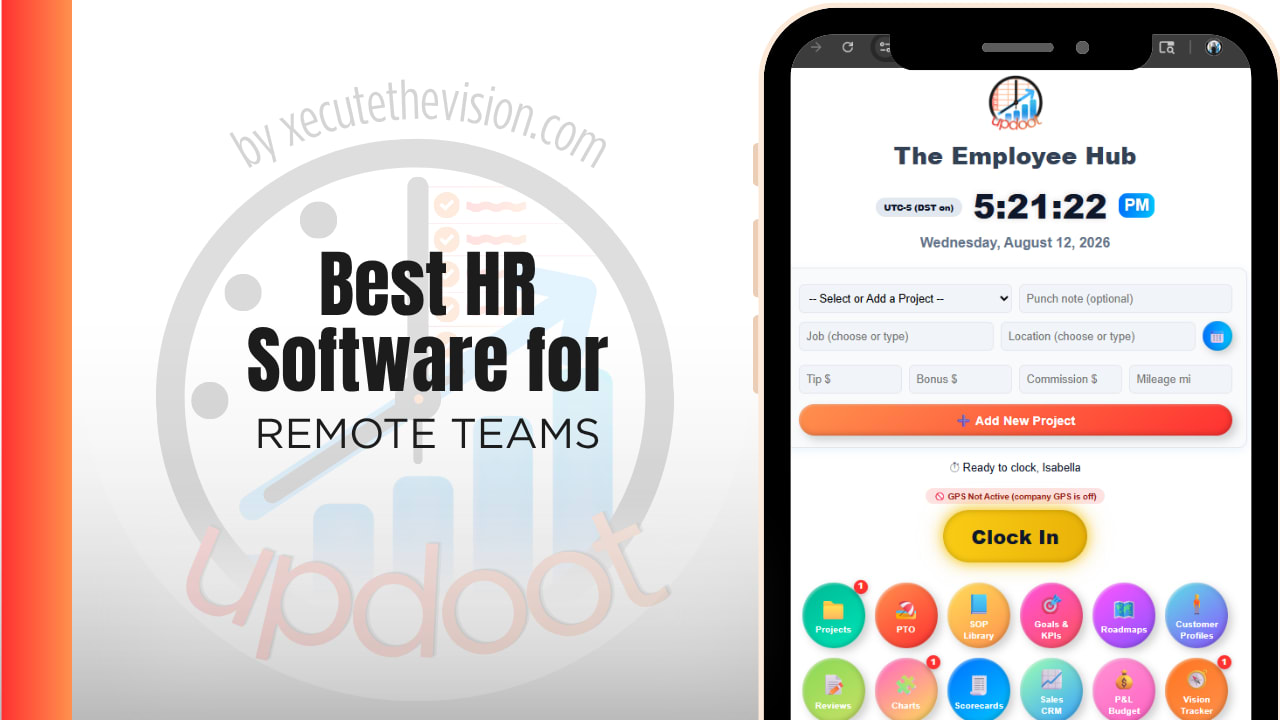
In Updoot, every employee has a dashboard they reach in one click, showing their hours, schedule, PTO balance, requests, assigned SOPs, projects, and tasks. Nothing on that list requires messaging a manager to find out, which is what removes the admin minutes the calculator above is measuring.
On the admin side, the employee vault holds records, emergency contacts, review history, and goals in one place, with performance reviews that support traditional or 360 formats and feedback hidden until it is shared. PTO and scheduling run on a shared calendar with shift swaps, requests, and blackout dates, so availability is visible to everyone rather than living in one manager's head. eNPS surveys run anonymously and track team health over time, and the Watercooler feed carries announcements and employee spotlights so remote staff see company news without it being buried in email.
Time tracking ties hours to projects rather than just to a pay period, so a remote manager can answer what a project cost without a separate system, and every tool copies to Excel or Google Sheets in one click for whoever processes payroll. All of it is included at $5 per user per month.
Rolling Out New HR Software to a Distributed Team
Start by loading the records before you announce anything, so the first thing an employee sees is their own accurate information rather than an empty profile. Pilot with one team for a week to catch the setup gaps, particularly around PTO balances carried over from whatever you were using before, since a wrong balance is the fastest way to lose trust in a new system.
Announce it once, in writing, in the place you intend to use going forward, and make the first task in the system something every employee has to do, like acknowledging a policy or confirming their profile. Remote adoption fails when the new tool is optional, because the old habit of asking in chat is always easier until the answer stops being there.
Connecting HR Data to Payroll and Project Work
HR data that stops at records is doing half a job. On a remote team the same information should reach three places: payroll, project cost, and the availability picture managers plan around.
When those are separate systems, someone reconciles them, and reconciliation is where errors enter. An employee takes three days off, payroll is run from a spreadsheet that was updated on Tuesday, and the project timeline still assumes they were working. Multiply that across a year and both the payroll numbers and the capacity picture become unreliable in exactly the way that makes planning guesswork.
The question to ask a vendor is not whether they integrate but what actually moves. Does an approved time-off request change the availability view managers see, or only the balance? Do logged hours reach the project cost report, or only the payroll export? A platform that keeps records, hours, and availability on one record removes the reconciliation step rather than automating it, which is a meaningfully different outcome.
Pricing and ROI for Remote Teams
HR pricing in this category splits two ways: a flat monthly minimum that small teams pay regardless of headcount, or a per-employee rate with functions sold as modules on top. Flat minimums punish small remote teams specifically, because a 15-person company can pay the same as a 25-person one. Per-employee pricing is more predictable, but confirm that time tracking, performance, and onboarding are included rather than quoted separately, since that is where the difference between the pricing page and the invoice usually lives.
For a remote team the payback shows up in three places: admin hours that stop being spent chasing approvals across time zones, subscriptions that get cancelled when one platform covers what four were covering, and retention, which is the expensive one. Replacing a single mid-level remote employee costs more than most HR platforms cost in a year, which is why the eNPS trend line tends to justify the spend on its own.
Signs You've Outgrown Spreadsheets and Group Chat
The tipping point usually announces itself the same way on a distributed team: nobody can say who is off next week without asking, a PTO balance gets disputed and there is no record to check, onboarding depends on one person being available to walk someone through it, and the answer to "where is that policy" is a link to a message from March. When your HR record is a spreadsheet that one person maintains and a chat history nobody can search, you have already outgrown it, and the risk is compounding quietly.
Related Reading
What Hiring Software Is Best →
Best HR Software for Nonprofits →
Frequently Asked Questions
The best option is whichever one lets an employee answer their own question without messaging anyone, and keeps records, PTO, performance, and engagement on one platform rather than four subscriptions, since tool sprawl is the main hidden cost on a distributed team.
Use a shared PTO calendar that shows the whole team's availability alongside local holidays, with requests that route and approve asynchronously. The goal is that no one has to ask who is off next week, because the answer is visible without a conversation.
Most benefit from it, though not for monitoring. Hours logged against projects answer what work cost and where capacity is going, which is the question remote managers are usually trying to answer. Tools that monitor keystrokes or screens tend to damage trust more than they help.
Make the first week self-guided. Paperwork, policies, the org chart, role SOPs, and first tasks should all be waiting in one place on day one, so a new hire can answer their own questions without waiting for someone in another time zone to wake up.
Yes, mainly through measurement and communication. Anonymous eNPS surveys turn a vague sense of how people feel into a trend you can act on, and a dedicated announcement feed keeps company news from being buried in email or scrolling away in chat.
For a handful of people, a free tier can cover basic records and time off. Once you need performance reviews, onboarding, engagement measurement, and reporting, most free tiers stop being enough, and the usual next step is several paid tools that do not talk to each other.
It ranges widely. Some platforms charge a flat monthly minimum that small teams pay in full regardless of headcount, and others charge per employee with functions sold as modules on top. Updoot is a flat $5 per user per month with all features included.
Final Takeaway
The best HR software for remote teams is the one an employee can use to answer their own question at any hour, without messaging anyone and without you paying for four subscriptions to make it possible. Use the calculator above to see what manual admin and tool sprawl are costing you right now, and if the number surprises you, that's usually the clearest sign it's time for a change.