
Sales & Marketing Templates
Four plug-and-play templates for small business lead tracking, content planning and customer support, built in Excel and Google Sheets so you can start using them today.
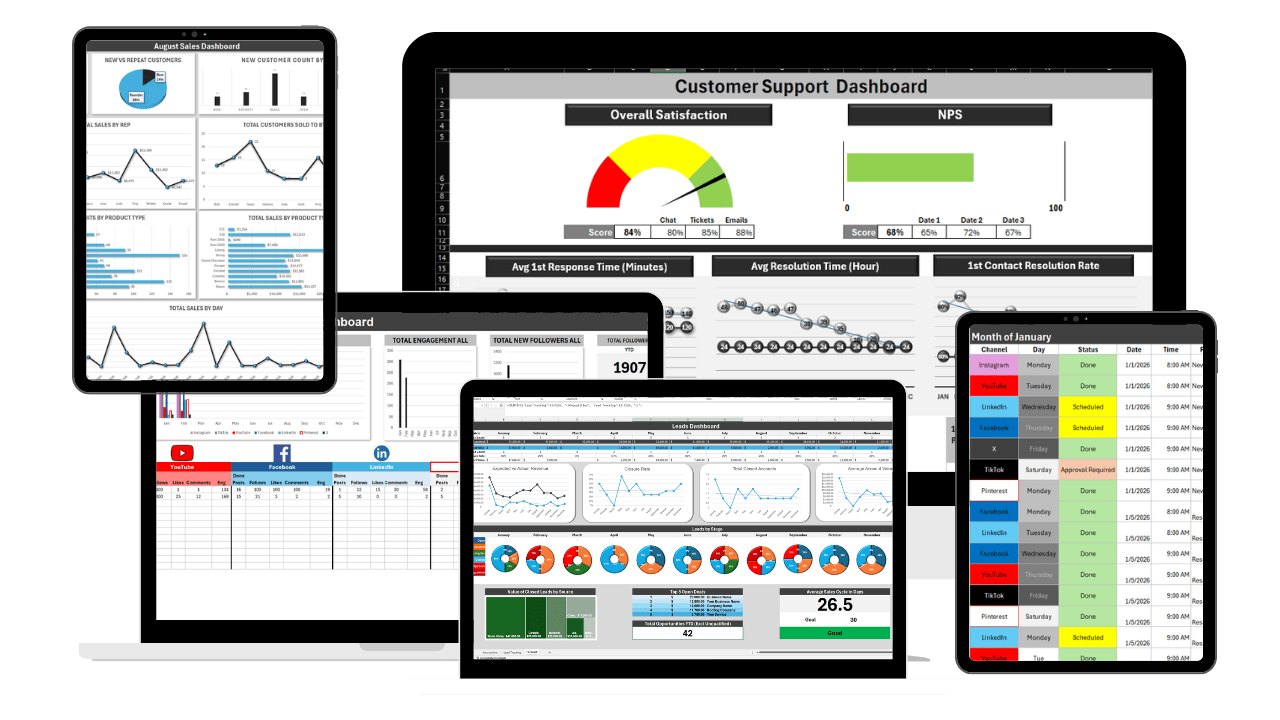
These free sales and marketing templates in Excel and Google Sheets help small businesses track every lead, plan content ahead of time, and keep customer support organized, without paying for CRM or marketing software.
In most small businesses the pipeline lives in three or four places at once: an inbox, a phone, a notepad, and somebody's memory. That works until it does not. A quote goes out and nobody follows up. A warm lead goes quiet for six weeks. Support requests sit in a shared inbox with no owner. The templates below give you one place for each of those, with the stages, formulas and layout already built so you can start tracking today rather than designing a system first.
They work well as a set. Capture every enquiry in the lead tracker, roll the pipeline up into the sales dashboard so you can see what is closing without digging, plan posts a month ahead in the social media calendar instead of scrambling every morning, and log, assign and close out every request in the customer support dashboard so nothing gets buried.
All four free sales and marketing templates are yours to download and edit, no account, email address or credit card required. And when chasing leads across spreadsheets starts costing you deals, Updoot is the upgrade: a real sales CRM, content planner and ticketing system in one connected platform, with notifications, AI assistance and automation a spreadsheet cannot provide.
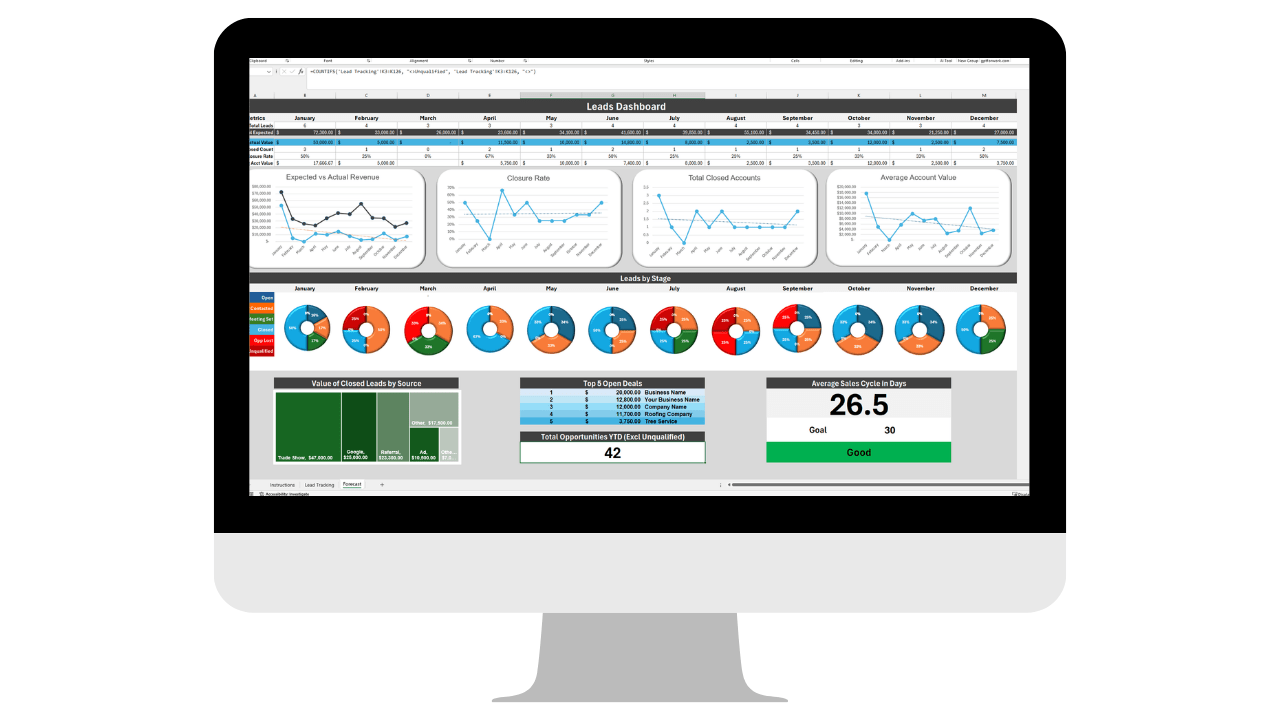
Leads slip through the cracks when they're scattered across inboxes and sticky notes. This template keeps every lead, stage, and next step in one place so nothing gets forgotten.
Updoot's Sales CRM tracks every lead for you
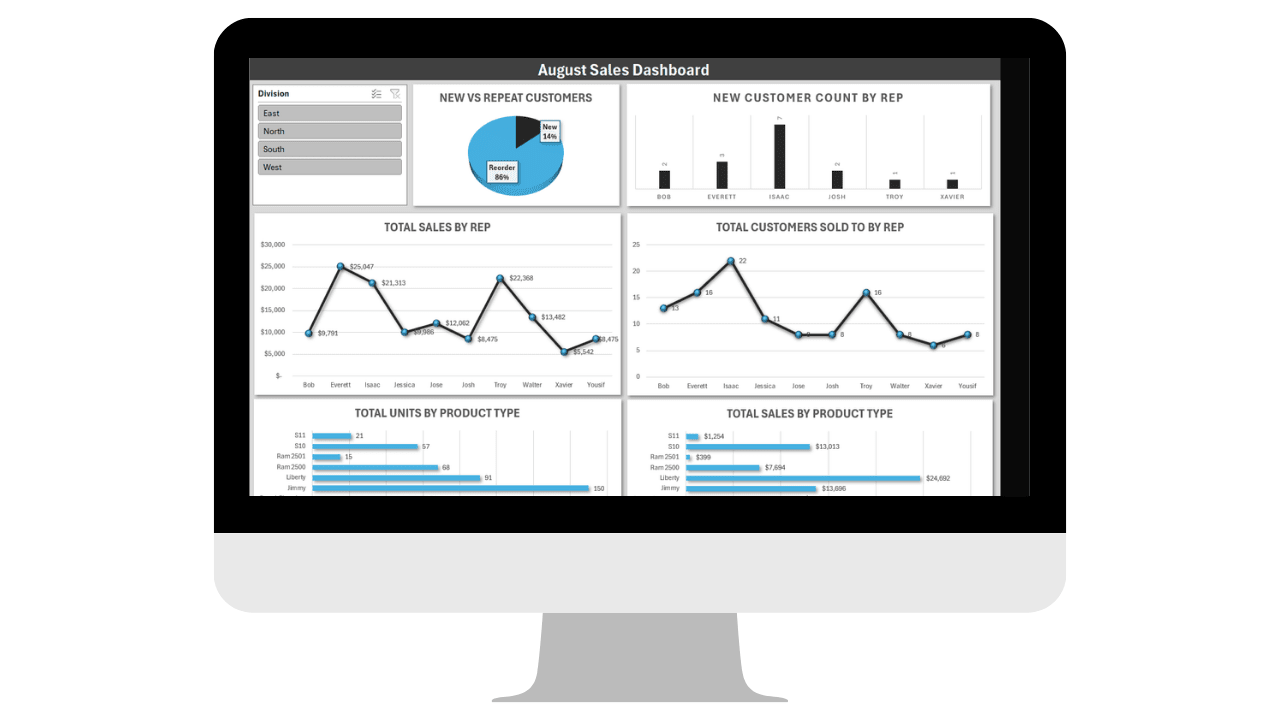
You shouldn't have to dig through the tracker to know how the month is going. This dashboard rolls your pipeline up into one view so you can see what's closing at a glance.
Updoot's dashboards show what's really happening
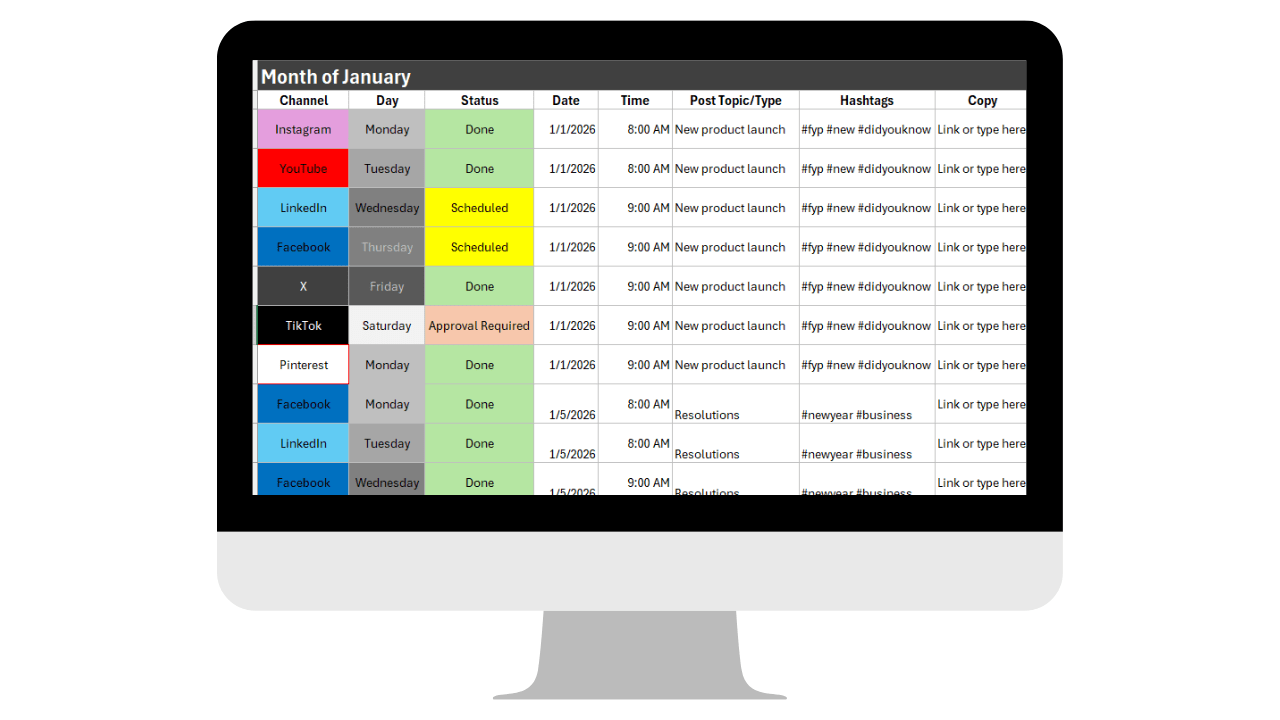
Posting whatever comes to mind that day isn't a marketing plan. This template gives you a simple calendar to plan content ahead of time instead of scrambling every morning.
Updoot's Content Planner keeps marketing ahead of schedule
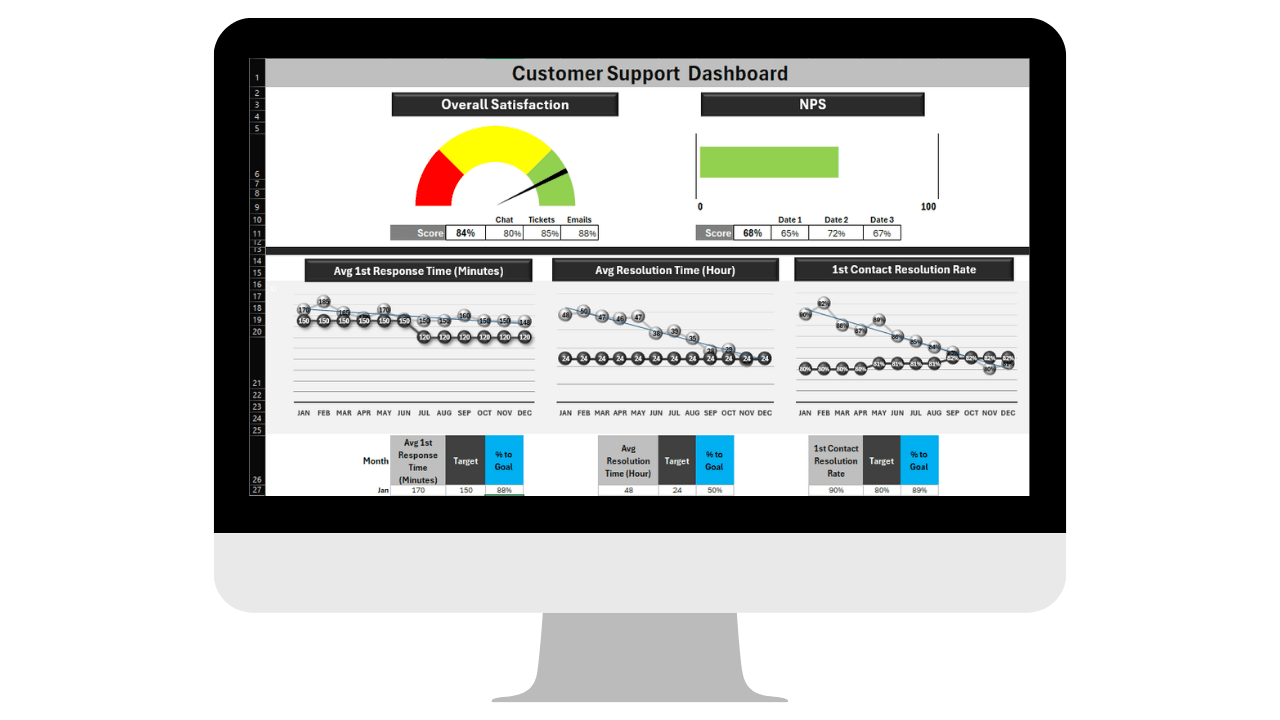
When support requests live in a shared inbox, things get missed and customers get frustrated. This template gives you one place to log, assign, and close out every request.
Updoot's ticketing system keeps requests from slipping through
A spreadsheet pipeline is far better than no pipeline, and for a business closing a handful of deals a month it may be all you need. It is still worth knowing what you give up.
There is no faster way to get a pipeline out of your head and onto a page. No CRM setup, no field configuration, no data migration, no per-seat cost. You can change the stages to match how you actually sell in about a minute.
A lead tracker only helps if someone updates it, and the moment you are busy is exactly the moment nobody does. Nothing reminds you that a quote has been sitting for eleven days. The dashboard is only accurate if the tracker underneath it was filled in. Support requests logged in one file have no connection to the customer record in another.
Updoot keeps the same pipeline stages, dashboards and content calendar, and takes over the part that keeps failing: remembering. Leads, deals, content and support tickets sit in one connected system that prompts you instead of waiting for you.
| What you need | Free Excel & Google Sheets template | Updoot |
|---|---|---|
| Lead tracking | A row you remember to update | A CRM that tracks every lead and its next step |
| Sales dashboard | Accurate only when the tracker is current | Live dashboards showing what is really closing |
| Follow-ups | Whatever you remember | Notifications when a deal has gone quiet |
| Content planning | A calendar someone maintains | A content planner that keeps marketing ahead of schedule |
| Customer support | A log with no link to the customer | Ticketing tied to the customer record and the sales history |
| Automation | None | Status, reminders and reporting update themselves |
| Connected data | Four separate files | One customer record across sales, marketing and support |
| Access controls | Whoever has the link | Approval and access controls per role |
The single biggest difference between a spreadsheet and a CRM is not the fields, it is the reminders. Updoot tells you when a deal has gone quiet, when a quote is aging, and what needs a next step today, so revenue does not depend on remembering.
The lead in your tracker, the account on your dashboard, and the person raising a support ticket are the same customer. In Updoot they are one connected record, so the support team can see what was sold and the sales side can see what has gone wrong.
The content planner keeps posts scheduled ahead instead of improvised, and because it lives alongside the pipeline you can see which campaigns actually preceded the deals, rather than guessing.
Use these free sales and marketing templates for as long as they work. When you lose a deal to a missed follow-up, or you cannot answer what is closing this month without an hour of tidying, start a 14-day Updoot trial with no credit card required.
These templates are part of a wider set of free Excel and Google Sheets tools for small business. Every one of them is free to download, and every one of them is a process Updoot can run for you once you outgrow the spreadsheet.
Yes. All 4 templates are free to download and use in Excel or Google Sheets, no login or credit card required.
Yes, every template is built to work in either Excel or Google Sheets.
Small business owners who need practical lead tracking, content planning and customer support tools without paying for CRM or marketing software.
Updoot automates the same processes these templates cover, sales pipeline, content planning, and customer support, in one connected platform instead of separate spreadsheets.
Yes. Every file is an unlocked Excel and Google Sheets template. Rename the pipeline stages, add your own fields, change the dashboard formulas, or strip out anything you do not use.
No. Each template opens in Google Sheets for free, and the .xlsx download works in Excel, Numbers or LibreOffice.
In Google Sheets, yes, with the usual caveats: no ownership rules, no history of who changed what, and a real chance of two people overwriting the same row. Once more than one person is selling, that is normally the point to move to a proper CRM.
For a solo owner with a short pipeline, often yes. The tipping point is usually the volume of follow-ups rather than the number of deals, because a spreadsheet has no way to remind you. If you are losing deals to silence rather than to price, the spreadsheet is the problem.
Updoot adds notifications on aging deals, automation so dashboards stay current, AI assistance, real multi-user collaboration, one connected customer record across sales, marketing and support, and access controls on pricing and customer data.
No. There is no form, no login and no credit card. Download for Excel or open in Google Sheets and make a copy.
Updoot brings your sales pipeline, content calendar, and customer support into one connected platform, automated and always up to date.
Start Your 14-Day Trial →