
HR Templates
Six plug-and-play HR templates for small business hiring, onboarding and performance, built in Excel and Google Sheets so you can start using them today.
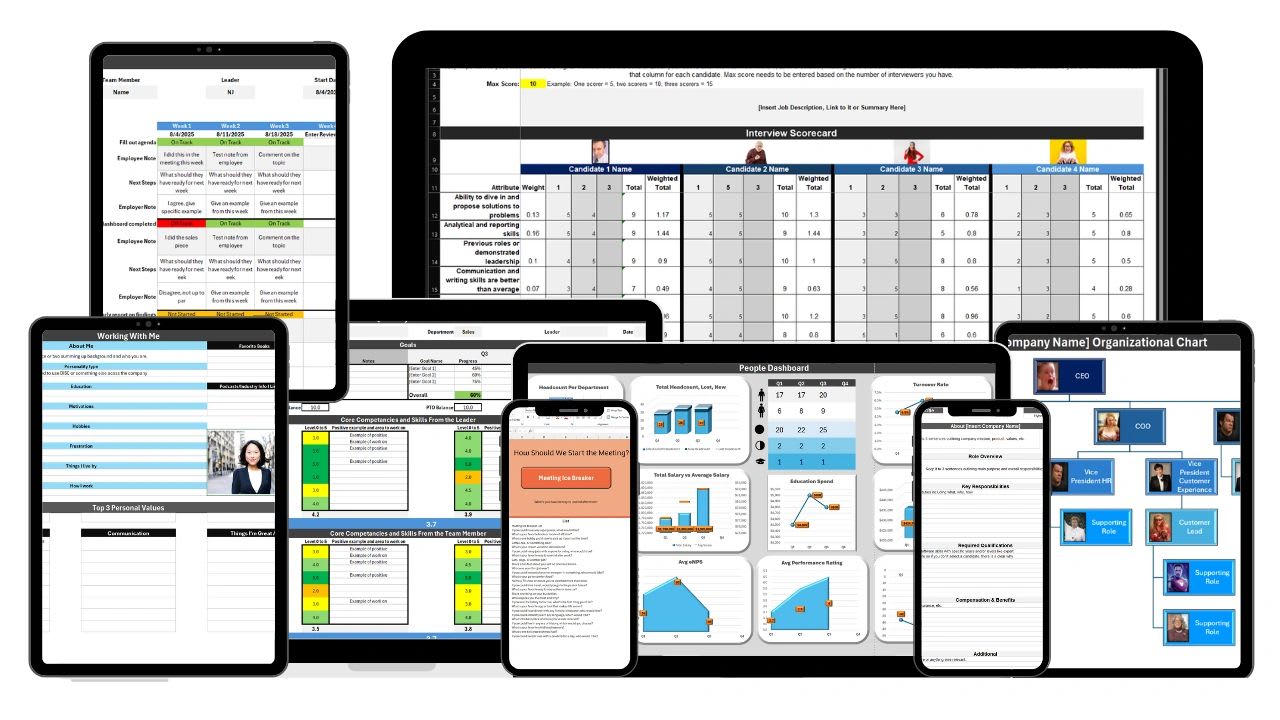
These free HR templates in Excel and Google Sheets cover the full employee lifecycle for a small business: finding candidates, setting expectations from day one, defining roles clearly, showing how the team fits together, running fair performance reviews, correcting course when someone is struggling, and keeping a pulse on team health.
Most small businesses do not have a dedicated HR department. Hiring, onboarding and reviews land on the owner, an office manager, or whoever has time that week, and enterprise HR software is priced for companies ten times the size. Spreadsheets fill that gap. Every template below is a working file you can download for Excel or open directly in Google Sheets, with the columns, formulas and prompts already built, so you are not staring at a blank grid trying to invent a hiring process from scratch.
Use them one at a time or run the whole set together. A common order looks like this: post a role and score applicants in the hiring scorecard and tracker, hand the new hire a working-with-me guide in their first week, add them to the org chart, review them on a consistent schedule with the performance review template, document a plan with the performance improvement plan template if things slip, and watch turnover and engagement trends in the team health dashboard so you catch problems before someone resigns.
All six free HR templates are yours to download and edit, no account, email address or credit card required. And when the spreadsheets start costing you more time than they save, Updoot is the upgrade: it runs these same HR processes automatically, with notifications, AI assistance, connected employee records and approval controls that a spreadsheet simply cannot give you.
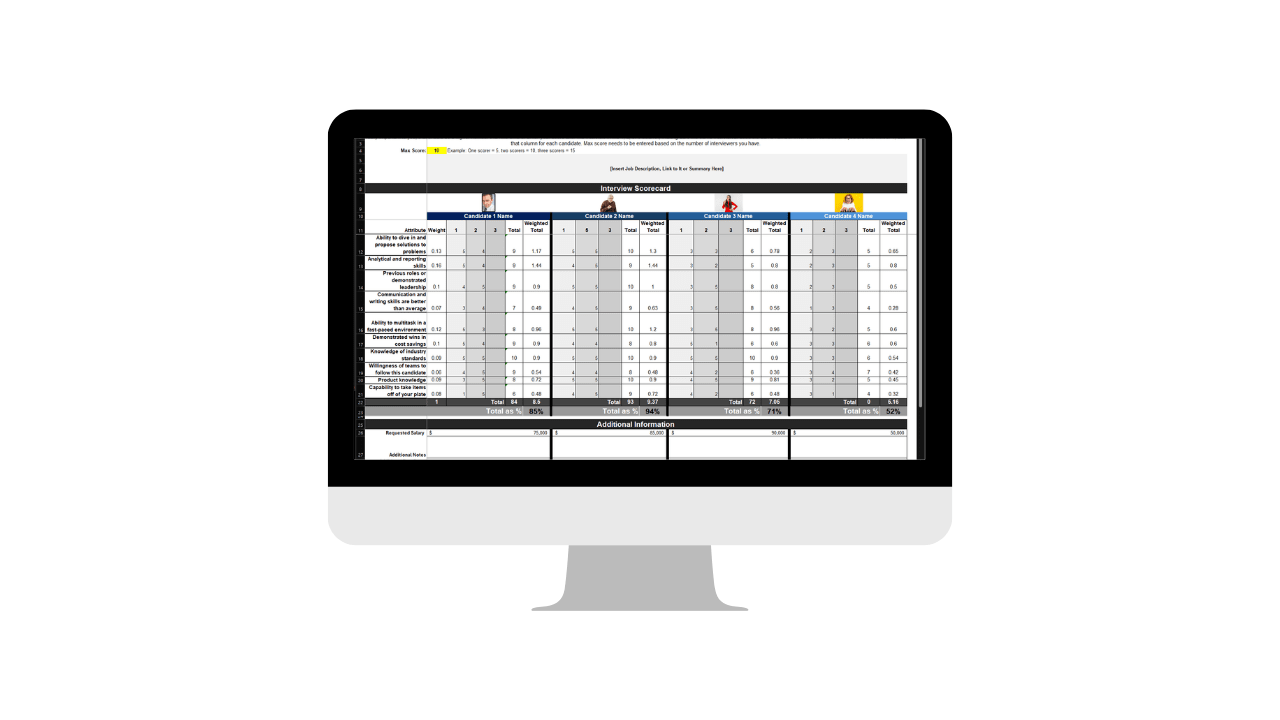
For a small business, one bad hire is expensive and one missed follow-up can cost you a good candidate. This all-in-one file takes a role from posting through the first week: track every applicant through the pipeline, define the role clearly with a reusable job description, and hand new hires a working-with-me guide so expectations are clear from day one.
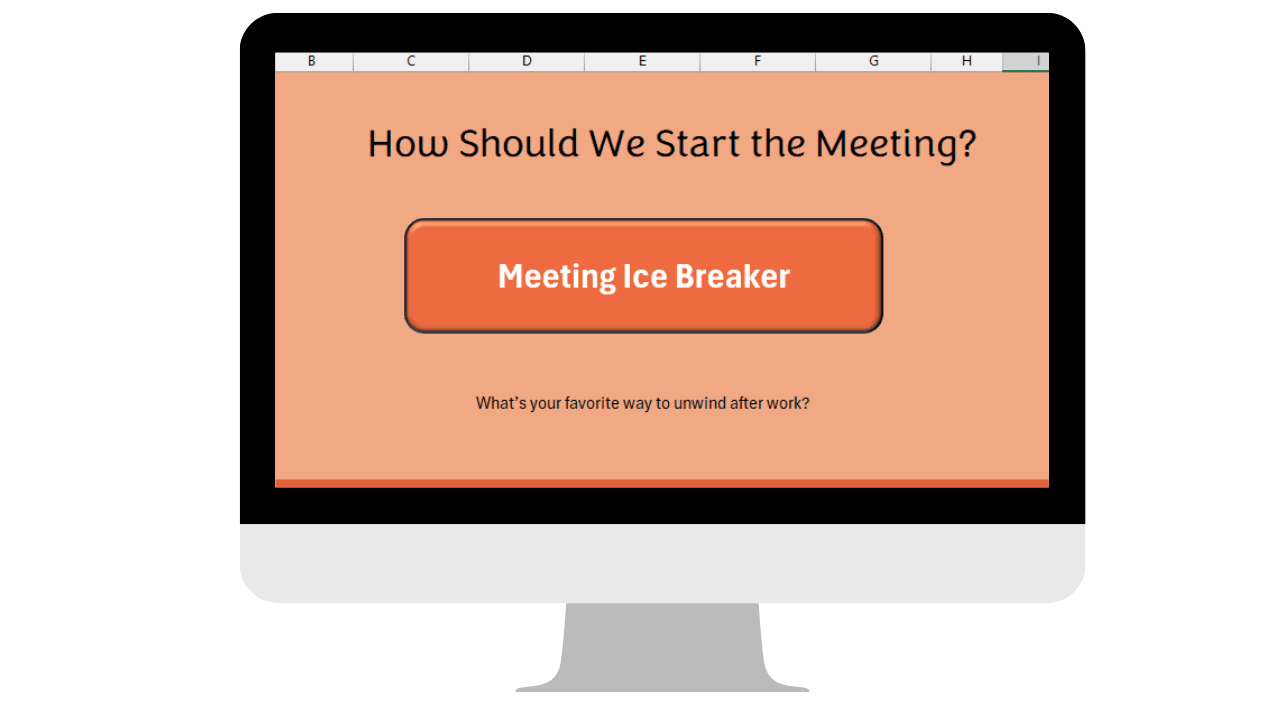
Strong teams don't happen by accident, they need a little structure. This toolkit gives you a lunch picker and a set of meeting icebreakers so bringing the team together doesn't take hours of prep every time.
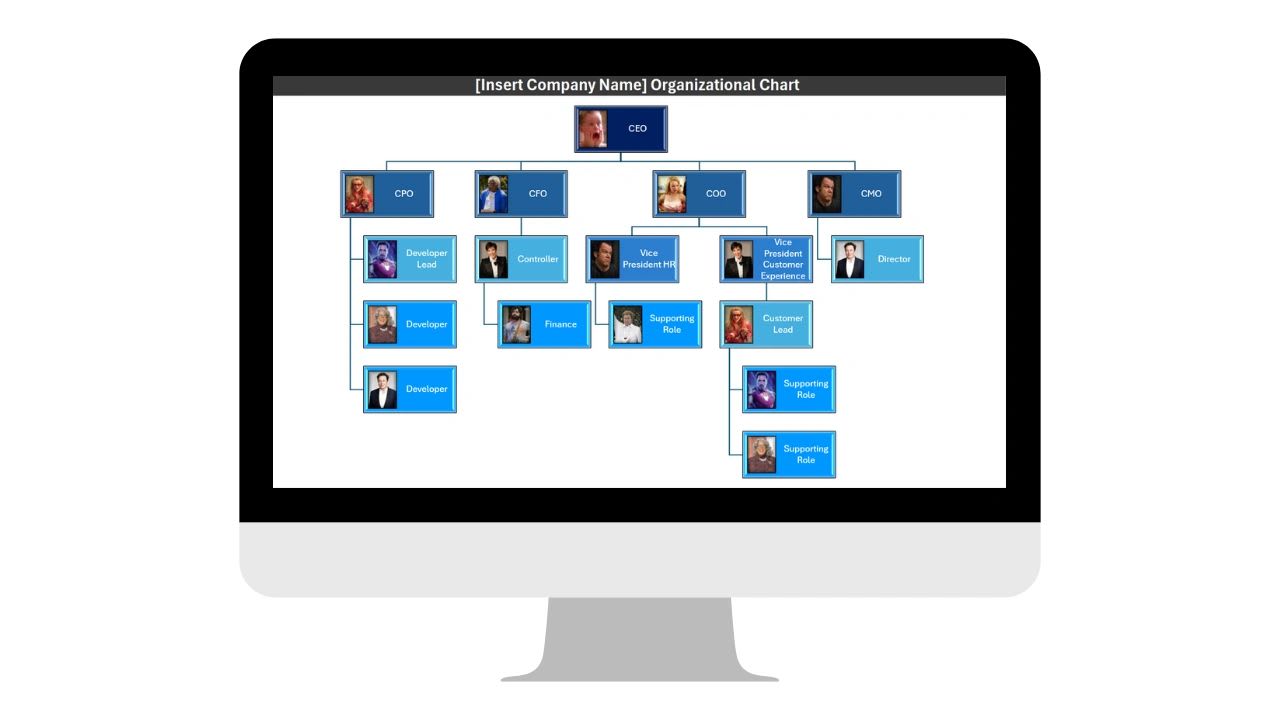
Even a 5-person team benefits from a clear picture of who reports to whom. This template makes it easy to build, and just as easy to update as your team changes, without hiring a designer.
Reviews only work when they're consistent and fair. This template gives you a repeatable structure so every employee is evaluated against the same criteria, not whatever comes to mind that week.
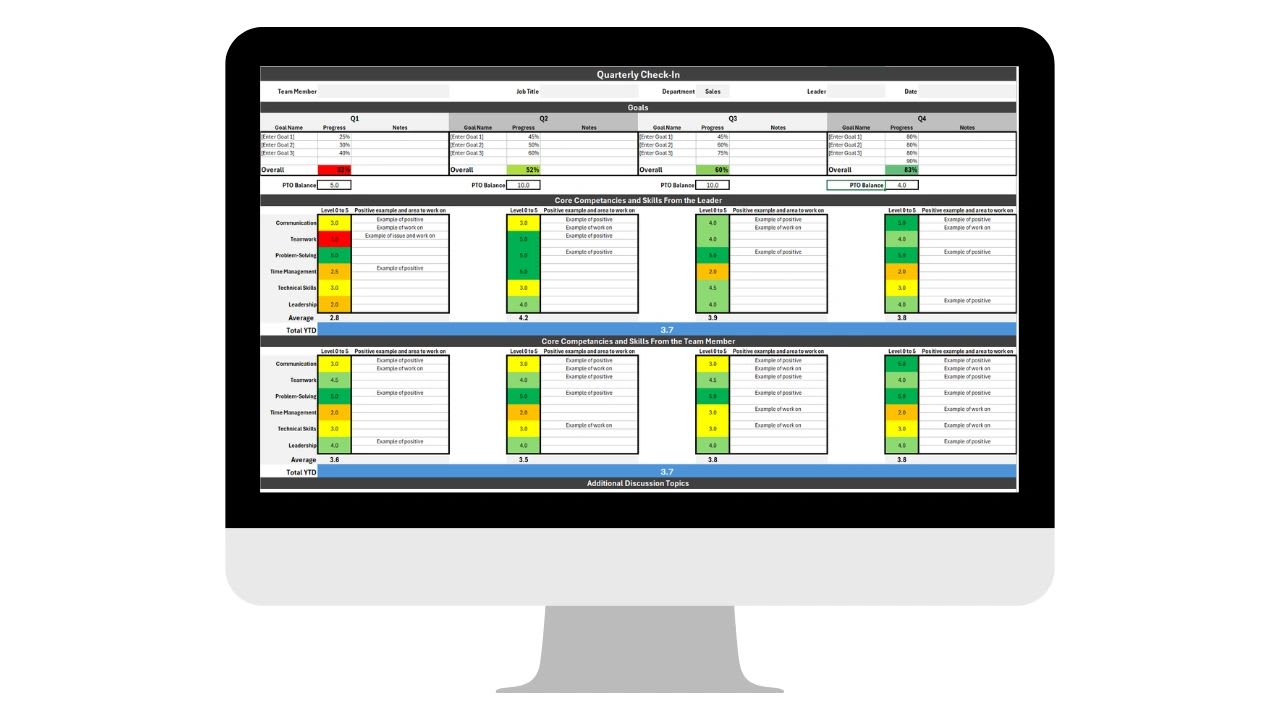
When performance slips, a documented plan protects both the employee and the business, and gives someone an actual path to turn things around instead of a vague warning.
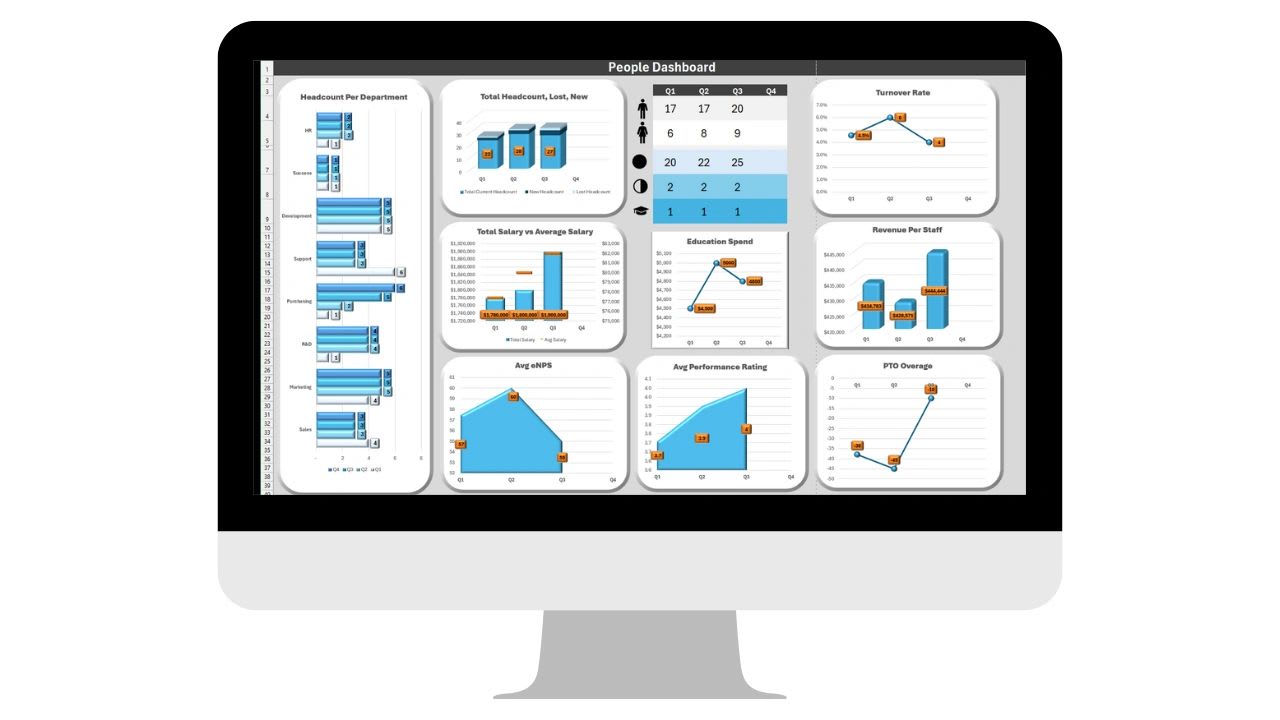
Turnover and burnout rarely show up out of nowhere, there are usually warning signs first. This dashboard rolls up the numbers that actually predict team health so you can catch problems before someone quits.
A good template beats no process, and for a five or ten person team a spreadsheet is often exactly the right tool. It is worth being honest about both sides before you build your whole HR function on one.
Spreadsheets are free, familiar and instant. There is no procurement conversation, no onboarding call, and no one has to learn new software to fill in a review form. For a small business hiring a few people a year, these templates give you structure and consistency on day one.
The trouble starts once more than one person is involved, or once you need the same information in two places. A candidate scored in the hiring tracker has to be re-typed into the org chart, then again into the review template, then again into the team health dashboard. Nothing tells you a review is overdue. Nothing stops the wrong person opening a performance improvement plan they should not see.
Updoot does not replace the thinking behind these templates, it replaces the manual work. The same hiring scorecards, org charts, performance reviews and team health metrics live in one connected system instead of six separate files, and the system keeps itself current.
| What you need | Free Excel & Google Sheets template | Updoot |
|---|---|---|
| Applicant tracking | Type each candidate into a sheet by hand | AI-powered resume upload and scorecards summarize candidates for you |
| Org chart | Redraw boxes every time someone is hired or promoted | Change a role once and the chart updates everywhere |
| Performance reviews | Email a blank file to every manager each cycle | Traditional or 360 reviews run on a schedule, feedback hidden until it is ready |
| Offer letters and onboarding | Write and send each one separately | Offer letters, welcome emails and interview requests sent from the system |
| Team health | Manually update turnover and engagement numbers | Trends update automatically and roll into one live business health score |
| Notifications | None | Reminders when a review, check-in or PIP milestone is due |
| Connected data | Six separate files | One employee record linked to hiring, reviews, goals and history |
| Access controls | Whoever has the link | Approval and access controls per role |
In a spreadsheet, every figure is a figure somebody typed. In Updoot, turnover, headcount, engagement and review completion update themselves as the work happens, so the dashboard is right on a Tuesday afternoon without anyone preparing it.
A person hired in Updoot is the same person in the org chart, the same person in the review history, and the same person in the performance improvement plan. Promote someone once and it is reflected everywhere, instead of remembering which four files need editing.
Performance notes, PIPs and compensation conversations are exactly the information you do not want sitting in a shared folder. Approval and access controls decide who can open what, and there is a clear paper trail if you ever need to show your work.
There is no reason to buy software before you need it. Run these free HR templates until you notice the same numbers being re-typed, reviews slipping, or candidates going cold, then start a 14-day Updoot trial with no credit card and move the process over.
These templates are part of a wider set of free Excel and Google Sheets tools for small business. Every one of them is free to download, and every one of them is a process Updoot can run for you once you outgrow the spreadsheet.
Yes. All 6 templates are free to download and use in Excel or Google Sheets, no login or credit card required.
Yes, every template is built to work in either Excel or Google Sheets.
Small business owners and HR decision-makers who need practical hiring, onboarding and performance tools without paying for enterprise HR software.
Updoot automates the same processes these templates cover, applicant tracking, org charts, performance reviews and team health, in one connected platform instead of separate spreadsheets.
Yes. Every file is an unlocked Excel and Google Sheets template. Change the rating scales, add your own review criteria, rename columns or delete sections you do not use. Nothing is protected or watermarked.
No. Each template opens in Google Sheets for free, and you can also download an .xlsx copy for Excel, Numbers, or LibreOffice. Use whichever your team already has.
In Google Sheets a few people can edit at the same time, but there is no way to keep one manager's draft review hidden from another, and Excel files emailed around quickly turn into conflicting versions. That is usually the point where a small business moves to Updoot, where feedback stays private until it is ready to share.
Monthly is enough for most small businesses, with a closer look each quarter alongside reviews. The value comes from consistency, a number tracked every month tells you far more than a perfect number tracked once.
Updoot adds the things a spreadsheet has no way to do: notifications when reviews and check-ins are due, AI assistance that reads and scores resumes, automation so dashboards update themselves, real collaboration on reviews, one connected employee record across hiring and performance, and approval and access controls on sensitive HR data.
No. There is no form, no login and no credit card. Click download for Excel, or open the file in Google Sheets and make your own copy.
Updoot brings hiring, org charts, performance reviews and team health into one connected platform, automated and always up to date.
Start Your 14-Day Trial →