
Process Templates
Five plug-and-play templates for small business project management, documentation and risk, built in Excel and Google Sheets so you can start using them today.
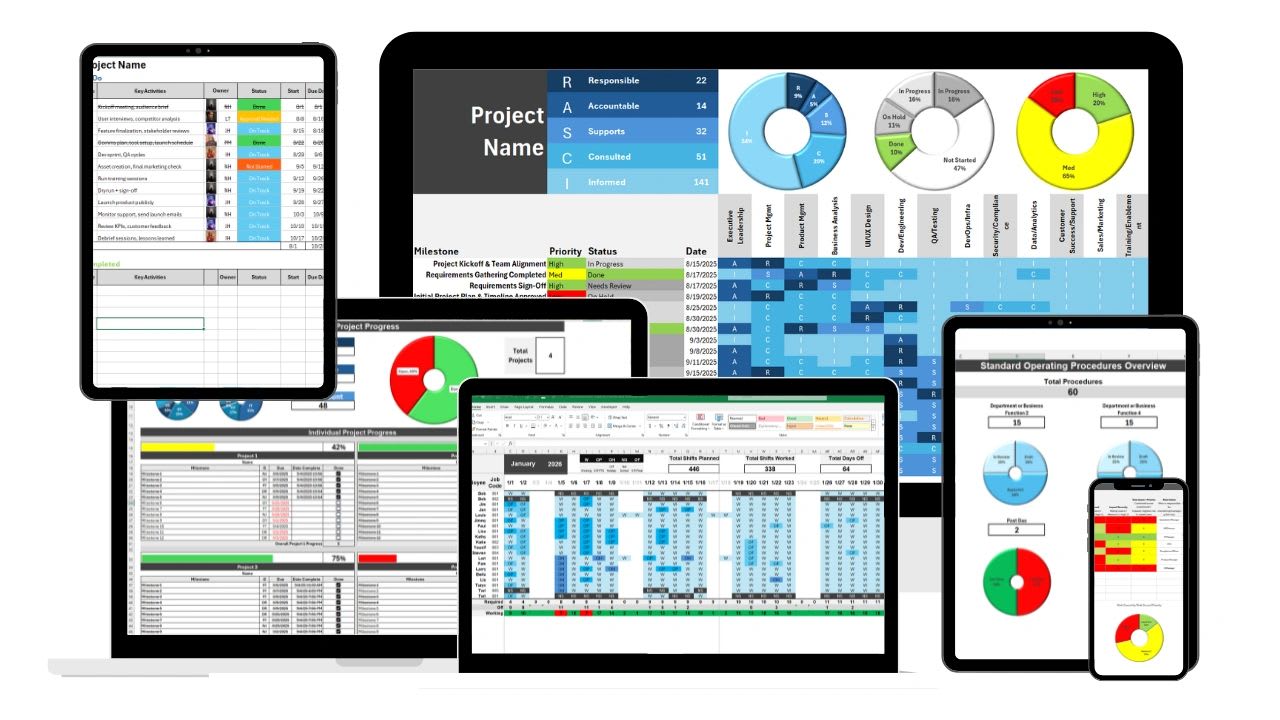
These free process improvement templates in Excel and Google Sheets help small businesses manage projects, document procedures, plan capacity and reduce risk, without paying for project management software like Monday.com or Asana.
Process improvement sounds like a big-company exercise, but in a small business it is usually much simpler and much more urgent: work is getting done, it is just getting done differently every time depending on who does it. One person knows how to run the month-end close. One person remembers which client needs the extra approval step. Deadlines get committed to before anyone checks who actually has capacity. Each template below turns one of those informal habits into something written down and repeatable.
You can use them individually or as a set. Map who owns what with the RASCI chart, write down how the work is actually done in the SOP builder, check who has room before you commit with the capacity planner, run the work itself through the project tracker, and log what could go wrong in the risk analysis tool so problems get spotted early instead of explained afterwards.
All five free process templates are yours to download and edit, no account, email address or credit card required. And when running the business out of five separate spreadsheets becomes its own process problem, Updoot is the upgrade: the same projects, SOPs, capacity and risks in one connected platform, with notifications, AI assistance, automation and approval controls a spreadsheet cannot offer.
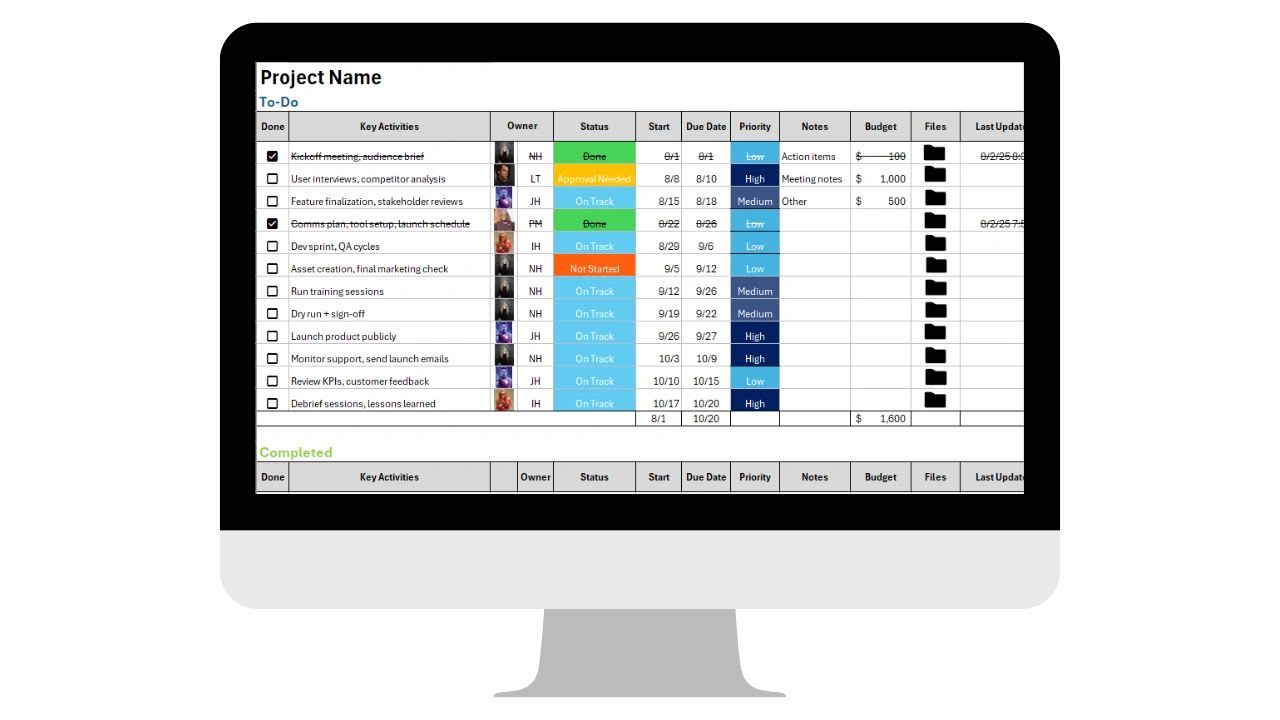
You don't need a Monday.com or Asana subscription to keep projects on track. This template gives you the same visibility, deadlines, owners, and progress at a glance, without the monthly bill.
Updoot's Project Manager replaces the subscription with every tool to run the business
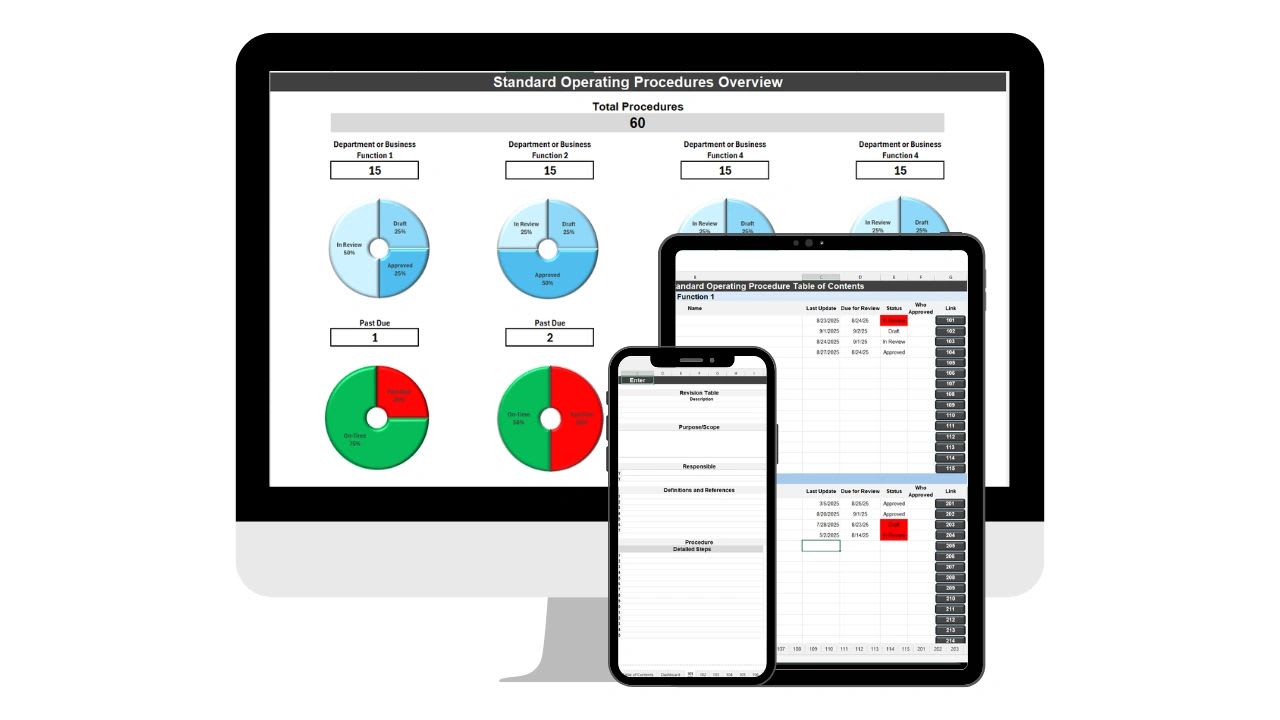
When the one person who knows how something works leaves, that knowledge shouldn't leave with them. This template gives you a simple, repeatable format for writing down how things actually get done.
Updoot's SOP library keeps procedures in one place
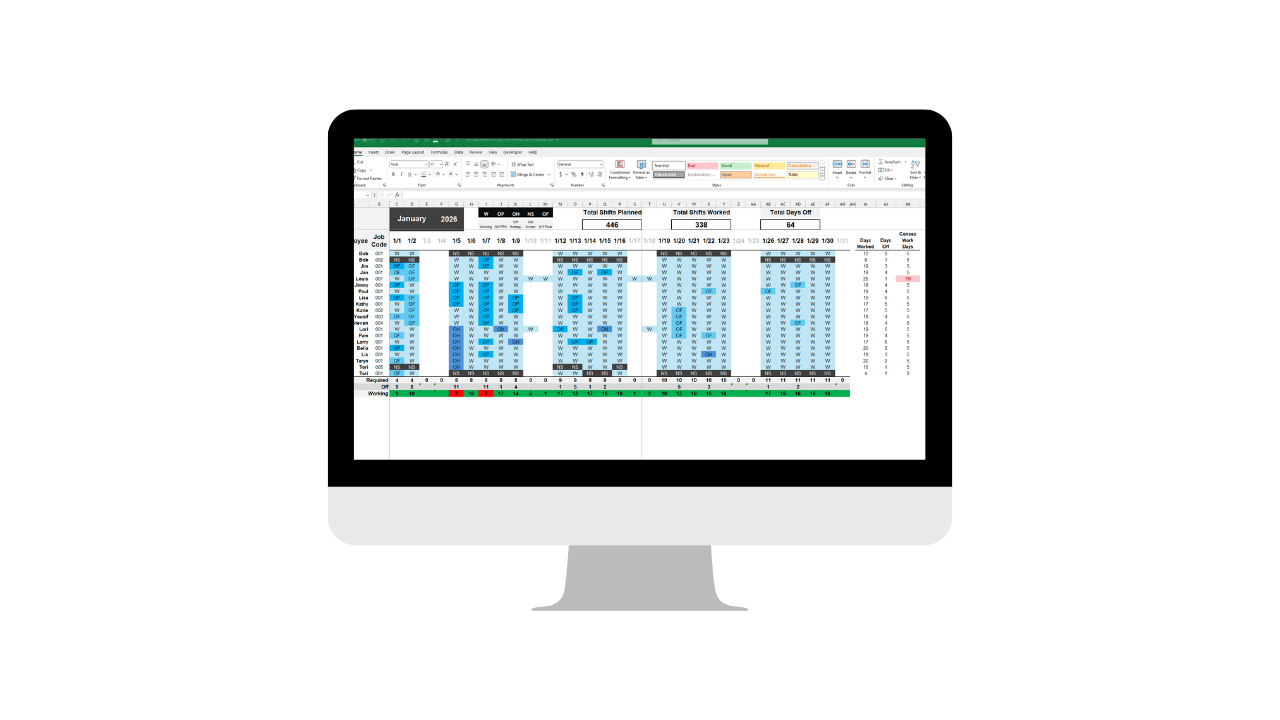
Overbooking your team is how deadlines slip and burnout starts. This template shows you who has room to take on more before you commit to another project or deadline.
Updoot's scheduling shows real capacity, not guesswork
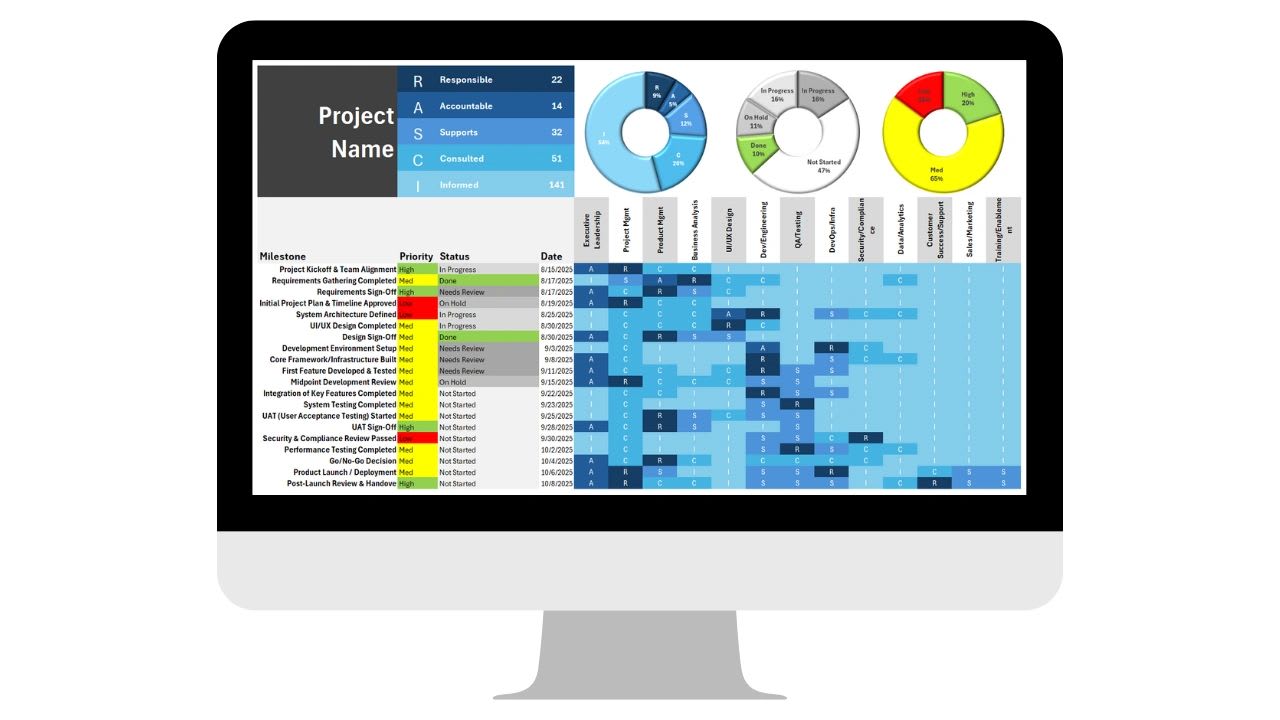
When nobody's sure who's supposed to sign off on what, decisions stall. This template maps out who's Responsible, Accountable, Supportive, Consulted and Informed for every task, so nothing sits waiting on an unclear owner.
Updoot's RASCI charts stay tied to your org chart
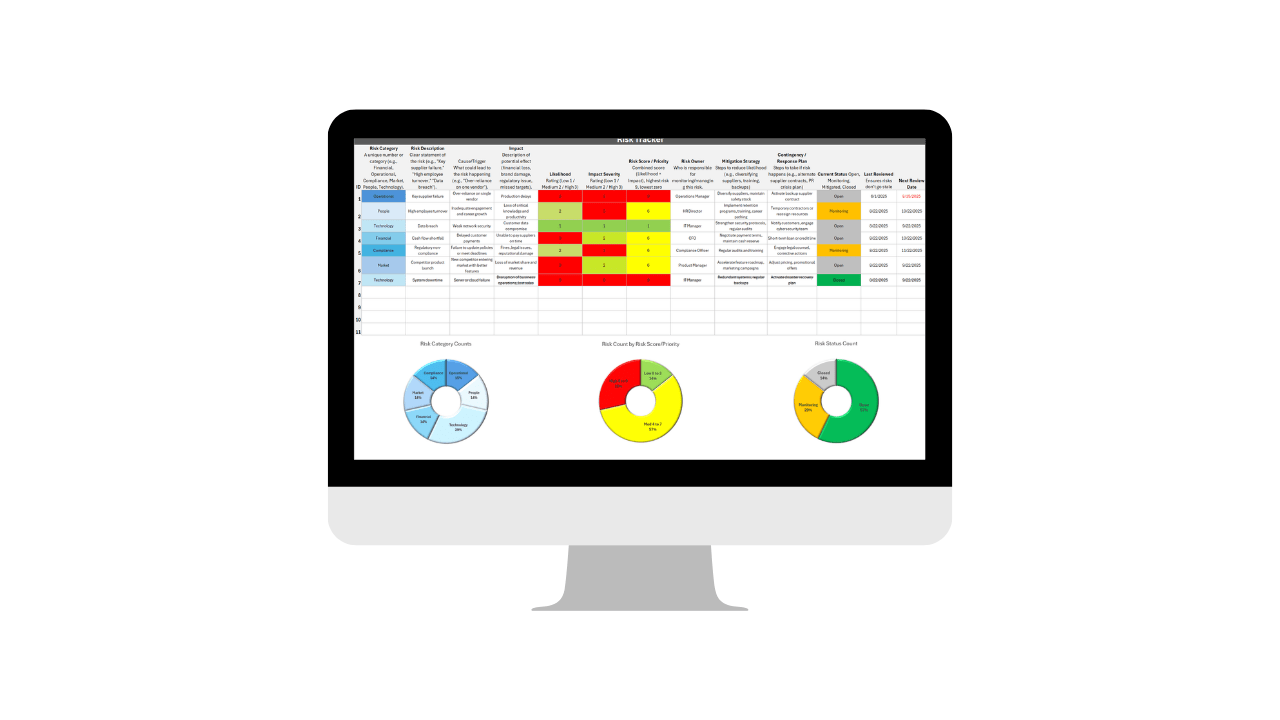
Most business risks don't come out of nowhere, they get spotted late because nobody wrote them down. This tool gives you a simple way to log risks, rate them, and decide what actually needs attention first.
Updoot's Risk Register catches issues before they escalate
For a small team running a handful of projects, a spreadsheet tracker is genuinely enough, and it is a lot better than a subscription you are not ready for. It is still worth knowing where the ceiling is.
A tracker in Excel or Google Sheets costs nothing, needs no rollout, and can be reshaped in an afternoon when your process changes. For documenting an SOP or mapping responsibilities on a single project, that flexibility is the whole point.
Spreadsheets are a record of the work, not a participant in it. Nothing moves unless someone opens the file and moves it. A deadline slipping does not tell anyone. A risk logged in March does not resurface in June. A task assigned in the RASCI chart does not appear on anybody's list. The tracker becomes another thing to maintain on top of the work it was supposed to organize.
Updoot keeps the structure these templates give you and removes the maintenance. Projects, SOPs, capacity, responsibilities and risks stop being five files that have to agree with each other and become one system that already does.
| What you need | Free Excel & Google Sheets template | Updoot |
|---|---|---|
| Project tracking | A tracker someone has to update | A project manager that updates as work is completed |
| SOPs | Documents saved wherever the author put them | One searchable SOP library tied to the work it describes |
| Capacity planning | A snapshot that is out of date the next day | Scheduling that shows real capacity before you commit |
| RASCI and ownership | A chart that has to be rebuilt when the team changes | Responsibilities tied to your live org chart |
| Risk management | A list nobody reopens | A risk register that surfaces issues before they escalate |
| Notifications | None | Alerts on deadlines, approvals and stalled work |
| Cost | Free | One platform instead of a Monday.com or Asana subscription |
| Access controls | Whoever has the link | Approval and access controls per role |
In a spreadsheet, keeping the project tracker accurate is work on top of the project. In Updoot, status changes as tasks are actually completed, so the view of the business is current without anyone spending Friday afternoon updating cells.
Committing to a deadline in Updoot checks against real scheduled capacity, and the RASCI responsibilities behind it are tied to your live org chart. Change the team and the chart changes with it, instead of five files quietly disagreeing.
A risk logged in the register comes back to you before it becomes a problem, and approvals route to the right person automatically with a record of who signed off and when. That is the part a spreadsheet has no way to do.
Run these free process improvement templates for as long as they serve you. When you notice the same status being retyped in three places, or work stalling because nobody was told, start a 14-day Updoot trial with no credit card required.
These templates are part of a wider set of free Excel and Google Sheets tools for small business. Every one of them is free to download, and every one of them is a process Updoot can run for you once you outgrow the spreadsheet.
Yes. All 5 templates are free to download and use in Excel or Google Sheets, no login or credit card required.
Yes, every template is built to work in either Excel or Google Sheets.
Small business owners who need practical project management, documentation and risk tools without paying for software like Monday.com or Asana.
Updoot automates the same processes these templates cover, project management, SOPs, capacity planning and risk tracking, in one connected platform instead of separate spreadsheets.
Yes. Every file is an unlocked Excel and Google Sheets template. Add your own project stages, rewrite the SOP format, change the risk scoring, or delete anything you do not need.
No. Each template opens in Google Sheets for free, and an .xlsx copy works in Excel, Numbers or LibreOffice.
A few people can edit a Google Sheet together, but there is no permission model, no history of who changed what, and no way to stop someone overwriting a status. Emailed Excel copies are worse. That is usually the point where a growing team moves to Updoot.
These templates give you the visibility those tools provide, deadlines, owners and progress, without the monthly bill. What they do not give you is automation, notifications or connected data. Updoot covers that and runs the rest of the business alongside it, rather than being one more subscription.
Detailed enough that someone who has never done the task can follow it without asking a question. A useful test is handing it to the newest person on the team and watching where they get stuck, then fixing those steps.
No. There is no form, no login and no credit card. Download the Excel file or open it in Google Sheets and make a copy.
Updoot brings project management, SOPs, capacity planning and risk tracking into one connected platform, automated and always up to date.
Start Your 14-Day Trial →