
Job Management Software for Tradesmen
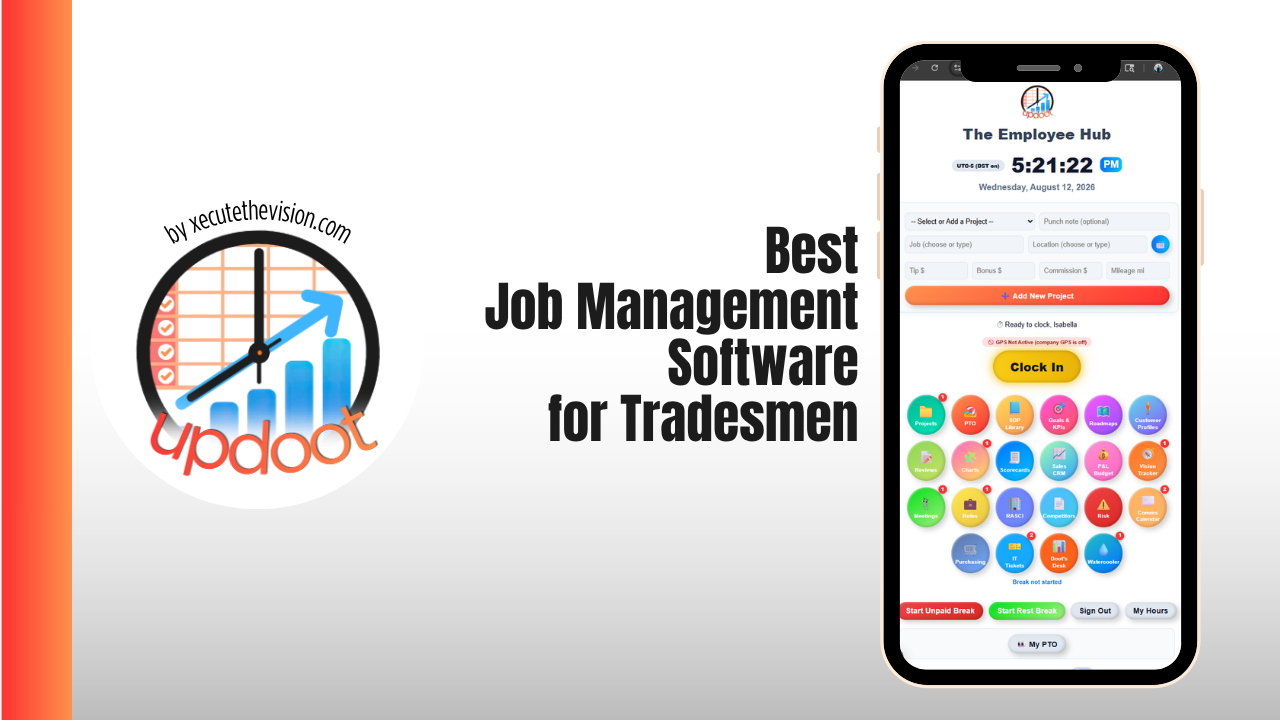
Job management software for tradesmen is the difference between running the business from a phone and running it from a glovebox full of paperwork. The job of the software is simple to state and hard to do well: carry one job from the first phone call through the quote, the schedule, the hours on site, the materials used, and the invoice, without anyone writing the same information down twice. This guide covers what tradespeople specifically need from that software, the platforms worth shortlisting in 2026 with real pricing, and a free calculator below that tells you whether your last job actually made money once labour and materials are counted properly.
🔗 Part of our job management software guide
- Best Job Management Software — the full category guide and platform comparison
- Job Management Software for Tradesmen — you are here
- Job Management Software for Electricians — certificates, test results, and price books
- Best Cloud-Based Job Management Software for Restoration Contractors — carrier claims and drying logs
What Job Management Software Does for a Trade Business
Every trade business already has a job management system. It is usually a whiteboard, a phone, a notebook in the van, a shoebox of receipts, and one person's memory. That system works until the fourth job of the week, at which point something falls out of it: a quote nobody followed up, an hour nobody logged, a variation nobody wrote down, or an invoice that went out three weeks late because assembling it meant reconstructing what happened.
Software replaces that with a single job record. The customer, the quote, the assigned day, the hours logged, the photos from site, the materials used, and the invoice all attach to one job. That structure is what makes the numbers add up at the end of the month, and it is what lets anyone in the business answer a customer's question without ringing the person who did the work.
Where the Time Actually Goes in a Trade Business
Ask most tradespeople where their admin time disappears and the answer is the same four places, in roughly this order:
- Quoting in the evening. Work stops at five, quoting starts at eight, and the quote that took two days to send is the quote the customer already gave to someone else.
- Chasing what was never followed up. Quotes sent and never chased are the largest single source of lost revenue in most trade businesses, and it is invisible because nothing appears to go wrong.
- Rebuilding the invoice. Hours from a scribbled sheet, materials from a receipt in the van, extras from memory, all typed fresh into accounting software. Every rekey is a chance to bill less than you earned.
- Answering "when are you coming". Calls that a scheduled job with an automated text notification would have prevented entirely.
None of those is a skills problem. All four are what happens when the information about a job lives in five places instead of one.
🔧 Job Profit Checker
Enter what you quoted and what the job actually took. See your real cost, gross profit, margin, and the number of labour hours at which the job stops making money.
Two things usually surprise people the first time they run a real job through this. The first is how quickly margin disappears when labour runs two or three hours over, because labour is the only cost that moves after the quote is signed. The second is the break-even hours figure: knowing that a job stops paying at, say, forty-one hours turns a vague sense of "that one dragged" into a number you can quote against next time. That is exactly the calculation job management software runs automatically on every job, which is why job costing is worth more to a trade business than almost any other feature.
The Features That Matter On Site
Quoting from your phone, on the driveway
The quote you send while still parked outside wins work the quote you send on Thursday evening does not. Look for saved line items and templates so a common job is three taps rather than a blank page, and digital acceptance so approval is timestamped rather than a text saying "yeah go ahead". Automated follow-up on unanswered quotes is the single highest-return feature in this category.
A diary that lives on the crew's phones
Every job, every person, every day in one view, updating on the crew's phones the moment it changes. Drag-and-drop rescheduling matters because trade work moves constantly. Automated "on our way" notifications remove most of the inbound calls asking where you are.
An app that works with one hand and no signal
If starting a job, logging time, and attaching a photo takes more than a few taps, the crew will keep using text messages. Check offline mode properly during the trial, because signal is not guaranteed in basements, plant rooms, or half-built houses, and a platform that silently loses an hour of data on a bad connection will not be trusted twice.
Time logged to the job, not the week
Hours logged to a week tell you what to pay. Hours logged to a job tell you whether the job made money. GPS-verified clock in and out also settles the travel-time question before it becomes an argument, and it produces the arrival record you need when a customer says nobody turned up until eleven.
Materials and variations captured on site
The extra sockets, the additional day, the parts collected from the merchant on the way. Variations that are not recorded at the moment they happen are variations that never get billed. A platform that lets the person on site add a material or a variation in seconds recovers more money than most owners expect.
Photos attached to the job record
Before, during, and after. Photos are how disputes end early, and on a job you return to in two years they are the only reliable record of what was behind the wall.
Invoicing that builds itself
The invoice should assemble from the accepted quote plus the logged hours and materials, not be typed fresh. Check how card payments are handled and what processing costs, since fees around 2.9% plus a per-transaction charge add up quickly on trade-sized invoices.
Job costing and simple reporting
Quoted versus actual on every completed job, profit by job type, and quote win rate. If those sit behind a premium tier, factor that into the price you are comparing rather than the headline plan.
Best Job Management Software for Tradesmen Compared
Pricing reflects published rates as of August 2026 and changes regularly, so confirm on each vendor's own page. The pricing shape matters as much as the number: per-user pricing scales with hiring, job-volume pricing scales with how busy you are, and bundled-seat plans jump sharply at the tier boundary.
| Platform | Pricing Shape | Best For | The Trade-off |
|---|---|---|---|
| Updoot Best value | $5 per user / month, everything included | Trade businesses that also need HR, payroll reporting, and CRM in one place | Not a specialist dispatch tool with route optimization |
| Tradify | About $39-47 per user / month | First move off paper for teams under about 20 | Scales with headcount; lighter back office |
| ServiceM8 | From about $29 / month by job volume | Sole traders and small iOS-based teams | Busy months cost more; weaker on Android |
| Jobber | From about $39 / month (1 user) | Home service trades wanting strong client comms | Job costing and automation sit on higher tiers |
| Housecall Pro | About $59-$299 / month by tier | Trades with a marketing and retention focus | GPS and accounting sync require the mid tier |
| simPRO | Quote-based | Larger contractors with stock and multiple crews | Overkill below roughly 10 staff |
| Joblogic / Commusoft | Roughly $45+ per user / month | Compliance-heavy and maintenance contract work | Priced and built for six-plus engineer operations |
Updoot
$5 per user per month · every tool included · 14-day free trialMost trade platforms handle the job and stop there, which leaves you paying separately for the time clock, the HR records, and the CRM. Updoot puts all of it in one place at a price that does not punish you for hiring: a six-person outfit pays $30 a month for the entire stack.
- Quotes that convert straight into live jobs rather than being rebuilt as tasks
- GPS time tracking logged against the job, feeding both the invoice and the payroll report
- Scheduling with crew capacity and PTO in the same calendar
- Invoicing generated from the accepted quote plus actual hours and materials
- Sales CRM so quotes sent and quotes chased sit in one pipeline
- HR records, performance reviews, SOPs, and KPI dashboards included at no extra cost
- No tiers, no feature gates, no per-module upgrades as the team grows
Best for: trade businesses from 1 to 50 people that want the whole back office in one subscription. Trade-off: if route optimization across dozens of daily calls is your core problem, a dedicated field service platform goes deeper there.
Tradify
Roughly $39 to $47 per user per month depending on tier and region- Strengths: the most approachable option for a business coming off paper, with setup measured in hours and equally capable iOS and Android apps
- Pricing shape: straightforward per user per month, unlimited jobs
- Watch for: cost rises directly with headcount, so run the numbers at next year's team size
- Watch for: offline capability is limited, which matters for basement and new-build work
- Best for: plumbers, electricians, and HVAC teams under about 20 staff who want trade-shaped simplicity
ServiceM8
From about $29 per month · priced by monthly job volume · unlimited staff logins- Strengths: excellent mobile experience, genuine offline access on site, and adding an apprentice costs nothing
- Pricing shape: tiers based on jobs completed per month, so a quiet winter costs less than a busy summer
- Watch for: costs rise exactly when you are busiest, and some features are gated to higher volume tiers
- Watch for: built iOS-first; mixed-device crews consistently report a weaker Android experience
- Best for: sole traders and small teams doing a high volume of short jobs on Apple devices
Jobber
From about $39 per month (1 user) · team plans in the hundreds- Strengths: polished quoting, strong customer communication, and a client portal that reduces inbound calls
- Pricing shape: individual and team tracks with bundled seats plus per-user charges beyond the cap
- Watch for: job costing, two-way texting, and accounting sync sit above the entry plan
- Best for: home service trades up to roughly 15 users where customer experience wins the work
Housecall Pro
About $59 / $149 / $299 per month on annual billing · extra users about $35- Strengths: solid dispatch plus deeper marketing and customer retention tooling than most trade platforms
- Watch for: GPS tracking and accounting sync push most teams straight past the entry tier
- Watch for: add-ons for proposals, per-vehicle GPS, and call answering are billed separately
- Best for: HVAC, plumbing, electrical, and cleaning businesses running short service calls
simPRO, Joblogic and Commusoft
Quote-based or roughly $45+ per user per month- Strengths: real stock control and purchase orders, planned maintenance contracts, asset registers, and deep certificate workflows
- Watch for: implementation is a project measured in weeks, not an afternoon
- Watch for: more system than a one-van or two-van business can absorb
- Best for: contractors with commercial portfolios, facilities clients, or genuine inventory constraints
Job Management Software by Trade
Electricians
Certificates and test results are the deciding factor. If the platform cannot attach compliance documentation to the job record, you end up running a second app alongside it. We cover the shortlist, the certificate question, and a quoting calculator in the dedicated guide to job management software for electricians.
Plumbers and Heating Engineers
Emergency callouts and planned maintenance pull in opposite directions: one needs same-day dispatch and the other needs recurring jobs that generate themselves. Parts on the van and gas or heating compliance records matter here too, so check how the platform handles both scheduled contracts and same-day work in the same diary.
HVAC
Service agreements are the most predictable revenue an HVAC business has, and they need to auto-generate rather than depend on someone remembering. Equipment and asset history per site is the second requirement, since the technician arriving next season needs to know what was installed and what was done last time.
Builders, Carpenters and Renovation
Longer jobs need phases, variations, and budget-versus-actual across months rather than days. Home service platforms handle a two-visit repair beautifully and struggle with a four-month project, so either choose a construction-shaped platform or one that pairs job management with genuine project tracking.
Painters, Landscapers and Recurring Service
Recurring job scheduling decides it. If the software cannot generate a repeating series and let you skip or move one occurrence without breaking the series, the office ends up rebuilding the diary manually every month.
Restoration and Damage Repair
Insurance work is a different sport: carrier documentation, drying logs, equipment tracking, and estimate formats that adjusters accept. Standard trade platforms do not cover it. See the guide to cloud-based job management software for restoration contractors.
What It Costs, Honestly
Sticker price is the smallest part of the number. Budget for these too:
- Per-user growth. A platform at $45 per user is $90 a month at two users and $450 at ten. Price it at the team you expect, not the team you have.
- Tier jumps. Features you assume are standard, especially job costing, GPS, and accounting sync, frequently sit one tier up.
- Card processing. Roughly 2.9% plus a fixed fee per transaction. On $40,000 a month of card payments that is over $1,100, which can exceed the subscription.
- Add-ons. Proposals, GPS per vehicle, marketing suites, and call answering are separate line items on several platforms.
- Your own time during changeover. Real, and usually a week of evenings if you do it properly.
Against that, weigh the admin hours the software removes. Six hours a week of quoting and invoicing rebuilt by hand, valued at $30 an hour, is over $9,000 a year, which is almost always larger than the software bill it replaces. The main job management software guide has a calculator that runs that comparison across your whole tool stack.
Getting the Crew to Actually Use It
- Start with quoting, not the crew. The office feels the benefit first, and a platform that is already producing quotes is easier to sell to the van.
- Teach three actions. Open the job, log time, attach a photo. Nothing else in week one.
- Run new jobs in the new system only. Let existing jobs finish in the old way. Parallel-running everything doubles the work and kills the rollout.
- Make the timesheet the payslip. When logged hours are what gets paid, hours get logged. This single link solves most adoption problems on its own.
- Review quoted versus actual in week three. Show the crew a job where the numbers were tight. It turns the software from surveillance into something the team can see the point of.
Common Mistakes
- Buying on the feature list instead of the phone. The office chooses the software; the crew decides whether it gets used.
- Ignoring offline mode. One lost afternoon of data and nobody opens the app again.
- Pricing at today's headcount. Growth is the point of the purchase.
- Leaving quoting and invoicing in separate systems. The gap between what was sold and what was billed is where margin disappears.
- Skipping job costing because it looks like bookkeeping. It is not bookkeeping, it is pricing.
- Migrating three years of messy customer data. Clean the list on the way in or the new system feels as chaotic as the old one on day one.
How Updoot Handles Trade Job Management
- Quote → job. An accepted quote becomes a live job instead of being rebuilt from scratch
- Job → diary. Crews assigned against the job, with capacity and time off in the same view
- Job → hours. GPS time tracking logged to the job, so quoted labour and actual labour sit side by side
- Hours → invoice and payroll. The same logged hours produce the customer invoice and the payroll report
- Customer → history. Job history and sales pipeline on one record, so anyone can answer the phone
All at $5 per user per month with no tiers and no feature gates, which means the price you work out today is the price you pay when the team doubles.
Related Reading
Best Job Management Software: The Complete Guide →
Job Management Software for Electricians →
Best Cloud-Based Job Management Software for Restoration Contractors →
Job Quoting Software: The Complete Guide for Service Businesses →
Frequently Asked Questions
Final Takeaway
The best job management software for tradesmen is the one your crew will open on a wet Tuesday. Every platform on this list quotes, schedules, and invoices competently, so the decision comes down to three things: does the app work with one hand and no signal, does the pricing shape match how your business grows, and does it show you quoted versus actual on every job. Run three real jobs through a trial, put the phone in airplane mode at least once, and check the profit number afterwards with the calculator above.