
Best Cloud-Based Job Management Software for Restoration Contractors
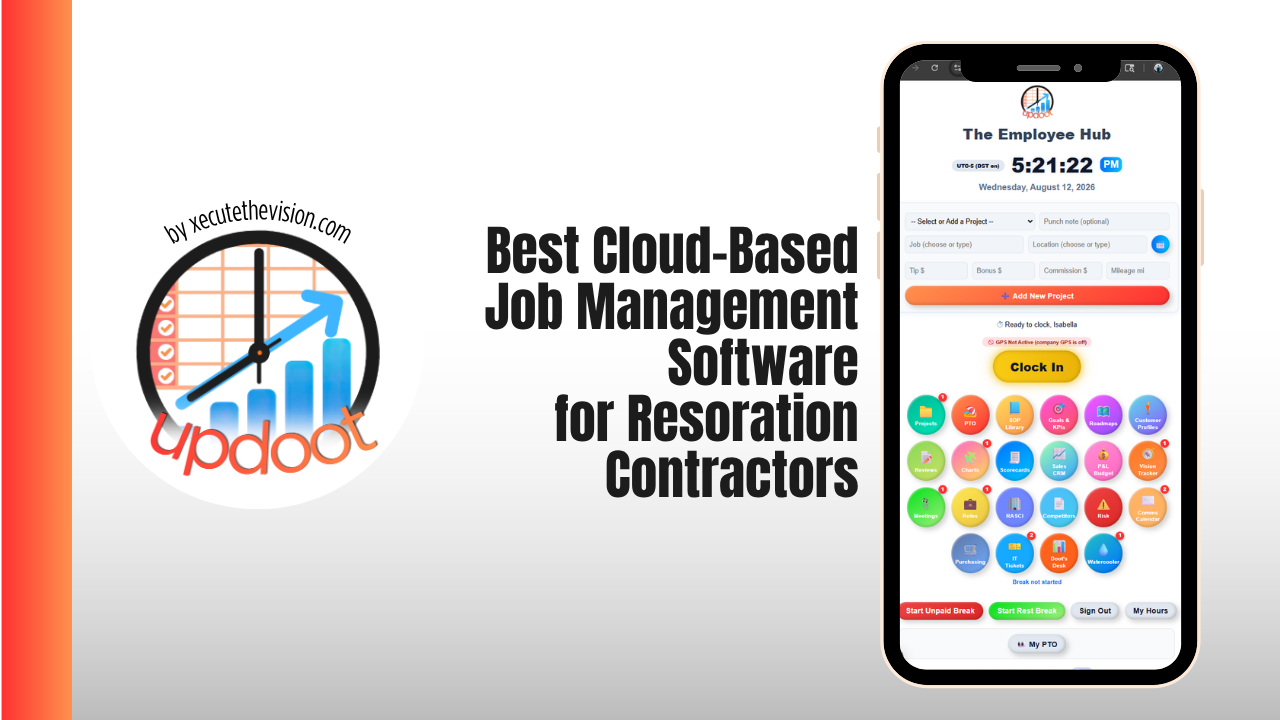
Restoration is job management with the difficulty turned up. The work starts at two in the morning, the customer who calls you is not usually the customer who pays you, the documentation you gather in the first four hours determines whether a line item gets approved six weeks later, and every dehumidifier you leave on site is either billable equipment or forgotten equipment depending entirely on whether someone logged it. That is why the best cloud-based job management software for restoration contractors looks different from the platforms a general trade business would shortlist. This guide covers what mitigation work actually demands, how the leading platforms compare, and includes a free job file readiness scorecard below to check documentation before you submit to a carrier.
🔗 Part of our job management software guide
- Best Job Management Software — the full category guide and platform comparison
- Best Cloud-Based Job Management Software for Restoration Contractors — you are here
- Job Management Software for Tradesmen — the general trades shortlist
- Job Management Software for Electricians — certificates and compliance records
Why Restoration Job Management Is a Different Problem
A plumbing company quotes a job, does the job, and invoices the homeowner. A restoration company responds to a loss before anyone knows the scope, performs emergency work under a signed authorization, documents continuously to a standard set by someone who was never on site, submits an estimate in a format an adjuster expects, and often waits on approval from a third-party administrator with its own cycle-time requirements. Four things follow from that:
- Documentation is the product. The drying was done correctly or it was not, but what gets paid is what was recorded. Photos, readings, and logs are not paperwork about the job, they are part of the deliverable.
- The clock is a scored metric. Carrier and TPA programs measure contact time, arrival time, and cycle time. Missing those affects program standing, not just this job.
- Equipment is inventory that walks. Air movers, dehumidifiers, and air scrubbers sit on sites for days across multiple jobs, and unlogged equipment is both an unbilled line item and an asset nobody can find.
- There are two businesses inside one company. Mitigation is a fast documentation sprint. Reconstruction is a construction project. They need different tooling, and pretending otherwise is the most common software mistake in this industry.
What "Cloud-Based" Actually Buys You on a Loss Site
Cloud is not a feature checkbox here, it is the operating model. A hosted platform means the technician standing in a flooded basement at 3 a.m. is writing directly into the same job file the project manager opens at 8 a.m. and the office bills from on Friday. Specifically it buys you four things:
- Field-to-office in real time. Readings and photos land in the file as they are captured, so nobody reconstructs a drying log from memory at the end of the week.
- Multi-site visibility. Every active loss, every crew, and every piece of deployed equipment in one view, which is the only way to run a storm event without a whiteboard.
- Off-hours access from anywhere. Losses do not respect business hours, and an on-premise system in a locked office is a system nobody can reach at midnight.
- An audit trail. Timestamped, attributed entries that hold up when a carrier questions what was done and when.
The one thing to verify carefully is offline behavior. A basement with the power off is a basement with poor signal, and a field app that drops captured photos will be abandoned by your crew within a week.
📋 Restoration Job File Readiness Scorecard
Check off what is actually in the file before you submit. Anything unchecked is a likely question from the adjuster, a delay, or a denied line item.
First Response and Authorization
Scope and Photo Evidence
Mitigation and Drying Documentation
Contents, Labor and Billing
Run that against a file you are about to submit and the gaps are almost always in the same two places: daily readings that stopped before dry standard was documented, and equipment that was placed but never logged with a removal date. Both are recoverable if you catch them the same week and effectively unrecoverable if you catch them in month two. Software that prompts for the reading at the moment the technician is standing in the room is worth more than software that reports on the gap afterwards.
The Features Restoration Contractors Actually Need
Estimating that fits the claims ecosystem
Xactimate is the format adjusters expect for property claims, and XactAnalysis is how many carrier assignments flow. The practical requirement for a job management platform is not to replace estimating but to connect cleanly to it, so scope captured in the field becomes the estimate without being retyped. Verify the depth of that integration during the demo, because "integrates with Xactimate" covers everything from a full line-item sync to a file export.
Moisture, psychrometric and drying logs
Daily readings per affected material, tracked against an established dry standard from a control area, with the chart the carrier will want to see. If your platform cannot produce that, your technicians are running a second app, and the drying record lives outside the job file.
Equipment tracking
What is deployed, where, since when, and when it came back. This is simultaneously an asset management problem and a billing problem: unlogged equipment is unbilled equipment, and equipment nobody can locate gets replaced at full cost.
Photo capture organized by area
Hundreds of photos per loss is normal. The value is not in capturing them, it is in having them filed by room and stage so the ones proving a specific line item can be found in seconds rather than scrolled past.
Carrier and TPA program compliance
Contact, arrival, and cycle-time targets tracked automatically, with the status reporting programs require. Program standing drives referral volume, so this is a revenue feature disguised as a compliance feature.
Job costing across labor, equipment and subs
Restoration margins are decided by labor hours and equipment days, both of which move after the job starts. Hours logged against the specific loss rather than the week are what let you compare the estimate to reality while there is still time to do something about it.
Crew scheduling and 24/7 dispatch
Emergency response and scheduled mitigation visits in the same calendar, with an on-call rotation that works at 2 a.m. Storm events turn this from a convenience into the whole operation.
Handoff to reconstruction
When mitigation ends and the rebuild begins, the job file, photos, and scope need to travel with it rather than being rebuilt in a second system by someone who was not there.
Best Cloud-Based Platforms for Restoration Contractors Compared
Public pricing is rare in this category, and most vendors route buyers through a demo. Where numbers are published they are noted below and reflect August 2026 information, so confirm current terms directly. For any custom quote, ask specifically for first-year total, renewal terms, required user mix, onboarding and migration fees, storage, and data export on cancellation.
| Platform | Pricing | Best For | The Trade-off |
|---|---|---|---|
| Updoot Best value | $5 per user / month, everything included | Small and growing restoration firms running crews, time, and rebuild work | No native Xactimate or XactAnalysis integration |
| DASH by Next Gear | Custom quote | Heavy carrier and TPA program volume | Older interface; learning curve is real |
| Albi | About $6,000 annual minimum; roughly $60-$100 per user / month | Firms wanting restoration workflow with published pricing | Cost climbs quickly with high-permission users |
| PSA | Custom quote | Compliance-heavy operations wanting job management plus accounting | Enterprise weight and implementation time |
| Xcelerate | Custom quote | Multi-crew operations wanting operational clarity | Smaller ecosystem than DASH |
| Encircle | Per user, published tiers | Field documentation, photos, and moisture logs | Documentation tool, not full job management |
| Jobber | From about $39 / month | Small or early-stage firms doing mostly non-carrier work | No restoration-specific claims or drying workflow |
Updoot
$5 per user per month · every tool included · 14-day free trialRestoration-specific platforms price most owner-operator shops out of the market, which is why the common setup is a documentation app, a Xactimate seat, and a general operations platform behind them. Updoot is built for that third slot: the business side of a restoration company, at a price that does not require TPA volume to justify.
- Job records with photos, notes, and full history for every loss
- GPS time tracking logged to the specific job, so labor cost per loss is visible while the job is live
- Crew scheduling and capacity across simultaneous losses and storm surges
- Quoting and invoicing for the non-carrier and reconstruction side of the work
- Project tracking with budgets for the rebuild after mitigation ends
- HR records, onboarding, payroll reporting, and SOPs for IICRC-aligned procedures
- KPI dashboards and P&L tracking so job-level cost rolls into the business picture
Best for: restoration firms up to about 50 people that want operations, crews, and reconstruction in one affordable platform. Trade-off: it does not carry native Xactimate or XactAnalysis integration, so carrier-heavy shops should plan to run it alongside their estimating and claims tooling.
DASH by Next Gear
Custom quote · part of the CoreLogic / Cotality ecosystem- Strengths: the deepest carrier and TPA connectivity in the category, built around the claims ecosystem restoration companies actually work inside
- Strengths: production task management, equipment tracking, and documentation designed for mitigation from the ground up
- Watch for: the technology base is older than newer competitors and reviewers consistently flag ease of use and learning curve
- Watch for: quote-based pricing with no public rates, so budget comparison requires a sales process
- Best for: established firms where carrier workflow and program compliance drive the day
Albi
Roughly $6,000 annual minimum · about $60 (Base) to $100 (Pro) per user per month- Strengths: modern interface, strong mobile records, workflow automation and equipment tracking built for restoration
- Strengths: the clearest published pricing in a category that mostly hides it, which makes budgeting possible before a demo
- Watch for: user mix drives cost, and a team with many Pro users gets expensive quickly against the annual minimum
- Watch for: carrier-specific handoffs and integration limits should be tested against your actual programs before signing
- Best for: restoration companies wanting industry-specific workflow with pricing they can evaluate up front
PSA
Custom quote- Strengths: all-in-one coverage spanning job management, CRM, field operations, and accounting in a single system
- Strengths: suited to compliance-heavy operations that want financials and job data in one place
- Watch for: enterprise weight, longer implementation, and a configuration burden that needs an internal owner
- Best for: mid-size and larger restoration firms consolidating operations and accounting together
Xcelerate
Custom quote- Strengths: purpose-built for restoration with a focus on operational visibility across multiple crews and jobs
- Watch for: a smaller ecosystem and integration list than the longest-established platforms
- Best for: growing multi-crew operations that want clarity without full enterprise overhead
Encircle
Per user, published tiers- Strengths: the strongest field documentation experience in the category, covering photos, moisture logs, contents, and sketches
- Strengths: fast for technicians to use on site, which is the real determinant of whether documentation actually gets captured
- Watch for: it is a documentation tool rather than a full job management platform, so scheduling, costing, and billing live elsewhere
- Best for: pairing with a job management platform when field capture quality is the priority
Jobber and other general field service platforms
From about $39 per month- Strengths: affordable, quick to learn, and genuinely good at scheduling, dispatch, quoting, and invoicing
- Watch for: no drying logs, no equipment day tracking, no carrier or TPA workflow, and no claims ecosystem connectivity
- Best for: small or early-stage restoration businesses whose work is mostly direct-pay rather than carrier-assigned
Mitigation and Reconstruction: The Two-Tool Reality
The most expensive mistake in this category is expecting one platform to run both halves of the business. Mitigation is a documentation sprint measured in days, priced through Xactimate, and judged on cycle time. Reconstruction is a construction project measured in months, with budgets, subcontractor schedules, selections, and change orders. A mitigation platform will not run a rebuild like the project it is, and a construction platform will not write an insurance estimate.
The practical setup most restoration companies land on is three layers: an estimating seat for the claim, a job management platform for mitigation and documentation, and an operations or project platform for the rebuild and the business behind it. What matters is that the job file, photos, and scope hand off between them cleanly rather than being rekeyed by someone who never visited the site.
What It Costs
Restoration-specific software is priced well above general trade platforms, and for good reason at scale: a denied line item or a program removal costs more than a year of subscription. The categories to budget for are:
- Subscription. Frequently annual with minimums attached. Public rates are scarce, so ask for the first-year total, not the monthly headline.
- User mix. Several platforms price field and office users differently, and the ratio changes your bill significantly.
- Implementation and migration. Real money and real weeks at the enterprise end, and often quoted separately from the subscription.
- Estimating seats. Xactimate is usually a separate line item and a separate skillset.
- Integration limits. Some carrier connections depend on third-party policies outside the vendor's control, so test the specific programs you work in.
For a general framework on total cost of ownership across a software stack, including a calculator that adds admin hours to the subscription line, see the main job management software guide.
Implementation Without Losing a Storm Season
- Do not go live during peak. Pick a slow window. A rollout in the middle of a freeze event will be abandoned by day two.
- Standardize the job file first. Decide what a complete file looks like before configuring the software, using the checklist above as a starting point. Software enforces a standard, it does not invent one.
- Train technicians on capture only. Photos, readings, equipment on and off. Office staff learn the rest.
- Run new losses in the new system. Let open jobs finish where they started.
- Audit the first ten files. Compare each against the checklist before submission and fix the pattern, not the individual file.
Common Mistakes
- Buying enterprise before the volume justifies it. A platform built for fifty trucks will consume more owner time than it saves at five.
- Assuming one tool covers mitigation and rebuild. It rarely does, and finding out mid-project is expensive.
- Skipping the offline test. Losses happen where signal does not reach.
- Not verifying carrier integrations against your actual programs. Integration support varies by carrier and by third-party policy.
- Tracking equipment on a whiteboard. Equipment days are billable revenue and the whiteboard does not survive a storm week.
- Logging labor to the week instead of the loss. Without job-level hours, you cannot tell which losses were profitable until long after the pattern could have been fixed.
How Updoot Fits a Restoration Business
- Loss → job record. Every job carries its own photos, notes, assigned crew, and full timeline
- Job → hours. GPS time tracking logged to the specific loss, so labor cost per job is visible while it is still live
- Crew → schedule. Simultaneous losses, on-call coverage, and capacity in one calendar
- Mitigation → rebuild. Project tracking with budgets and tasks for the reconstruction phase, in the same platform
- Hours → invoice and payroll. The same logged hours produce direct-pay invoices and payroll reporting
- Procedures → SOP library. Documented drying and safety procedures with version control, so the standard is written down once
$5 per user per month, everything included. Plan to run it alongside your estimating and carrier tooling rather than instead of it.
Related Reading
Best Job Management Software: The Complete Guide →
Job Management Software for Tradesmen →
Frequently Asked Questions
Final Takeaway
Choose restoration software by the half of the business that is currently costing you the most. If carrier programs, cycle time, and drying documentation are where files get stuck, a restoration-specific platform like DASH or Albi earns its price. If the bottleneck is crews, hours, equipment days, and the rebuild that follows, an affordable operations platform alongside your estimating tooling will do more per dollar. Either way, run the readiness scorecard above against a file you are about to submit. The gaps it finds are the same gaps the adjuster will find, and finding them first is the cheapest thing you can do this week.