
Hourly Contractor Invoice Template
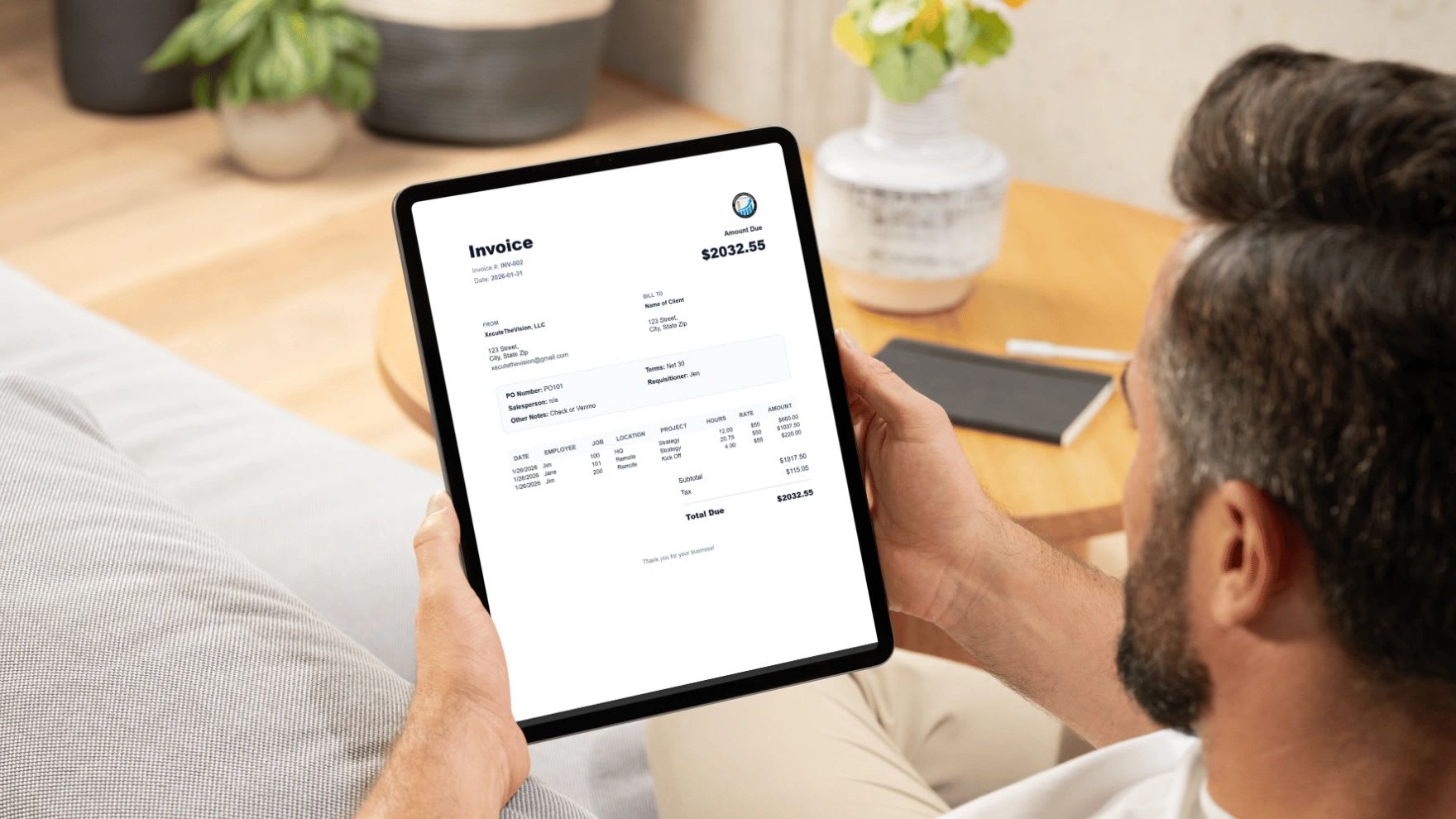
An hourly contractor invoice template is a structured bill that lists who did the work, who is paying, the invoice number and due date, and a line-by-line breakdown of each date, project, task, hours, and rate, with totals and clear payment instructions. A detailed invoice answers the client's questions before they ask them, which is what gets you paid faster. Use the free invoice builder below, or copy the spreadsheet template into Excel or Google Sheets.
If you work with hourly contractors, or you are one, the invoice is your payment engine. Too often it is rushed, inconsistent, or missing details. It gets questioned, sits in an approval queue, or gets lost, and cash flow suffers. That is not a billing problem. It is a systems problem, and a good template fixes most of it.
Why Hourly Invoicing Matters
The math is simple: hours worked times hourly rate equals the amount due. But clients are not just paying for time. They are paying for clarity and confidence that the hours are real. If your invoice does not show what was done, when, how long it took, and how the total was calculated, you create friction, and friction delays payment.
Free Hourly Invoice Builder
Free Hourly Invoice Builder
Fill in your details, add a line for each day or task, and the builder totals hours and amounts, applies tax or a discount, and calculates the due date from your payment terms. Print it or save it as a PDF from the print dialog.
Add a Time Entry
Use "Print or Save PDF" and choose "Save as PDF" in the print dialog to send a clean invoice. This page does not save your data, so download or copy your invoice before leaving.
What a Strong Hourly Contractor Invoice Includes
| Section | What to Include | Why It Matters |
|---|---|---|
| Contractor details | Name or business name, email, phone, address | Tells the client who to pay |
| Client details | Company name, contact or AP department, purchase order number if used | Routes the invoice to the right person |
| Invoice details | Unique invoice number, invoice date, due date | Creates a clear timeline and reference |
| Time breakdown | Date, project, task, hours, rate, and line total for each entry | Shows the work behind the total |
| Totals | Total hours, subtotal, discounts, taxes, amount due | Makes the math easy to verify |
| Payment terms | Net 7, 15, or 30, accepted payment methods, late fee policy if any | Removes guesswork about when and how to pay |
Hourly Contractor Invoice Template for Excel or Google Sheets
Copy this template and paste it into cell A1 of a blank sheet. Enter the invoice date in cell F2 and each work date in column A. The due date and all totals calculate automatically. Adjust the "+15" in cell F4 to match your payment terms, and enter the tax rate in F12 as a decimal, such as 0.06, if you charge sales tax.
INVOICE				Invoice #	INV-1042
From:	[Your name or business]			Invoice Date	[date]
	[Email / phone]			Payment Terms	Net 15
Bill To:	[Client name]			Due Date	=F2+15
	[Client contact]

Date	Project	Task Performed	Hours	Hourly Rate	Amount
[date]	Process audit	Kickoff meeting and document review	3	95	=D8*E8
[date]	Process audit	Interviewed line supervisors	4.5	95	=D9*E9
[date]	Process audit	Drafted findings and recommendations	5	95	=D10*E10
		Total Hours	=SUM(D8:D10)	Subtotal	=SUM(F8:F10)
				Tax Rate	0
				Tax	=F11*F12
				Amount Due	=F11+F13
Payment instructions:	[Bank transfer, card link, or check details]
Common Mistakes That Delay Payment
Vague Descriptions
"Consulting services" forces the client to ask what they are paying for. Every question adds days. Describe the task and, where possible, the result.
No Time Breakdown
One line with total hours leaves clients wondering which days you worked and on what. Itemize by date and task.
Inconsistent Format
When every invoice looks different, the client has to relearn how to review it. Use the same template every time.
Missing Invoice Number or Due Date
Without them, payments get lost, follow-ups get messy, and accounting takes longer on both sides.
Sending Late
Invoice on a fixed schedule, such as every Friday or the first business day of the month. Late invoices get paid late.
How Often Should Contractors Invoice?
| Frequency | Best For | Trade-Off |
|---|---|---|
| Weekly | Short engagements, new clients, high hours | More invoices to manage |
| Biweekly | Ongoing work with steady hours | Balanced cash flow and admin |
| Monthly | Long-term clients and retainers | Longer wait for cash |
| By milestone | Project-based work with clear deliverables | Cash depends on project pace |
Whatever you choose, put it in the contract so both sides expect it.
Tips to Get Paid Faster
- Agree on terms up front in a written contract: rate, invoicing schedule, payment terms, and late fees.
- Track time as you work instead of reconstructing it at the end of the week.
- Send invoices to the right person, usually accounts payable, and copy your project contact.
- Offer easy payment options such as bank transfer or a card payment link.
- Follow up on a schedule: a reminder a few days before the due date, another a few days after, then a call.
- Keep records of every invoice and payment for your taxes. If you are self-employed, the IRS Self-Employed Individuals Tax Center explains your tax obligations.
More ideas: how to make your invoices look professional.
Invoice Description Examples
| Vague | Clear |
|---|---|
| Consulting | Interviewed 6 line supervisors and documented changeover steps |
| Website work | Built and tested contact form with email notifications |
| Meetings | Weekly status meeting with operations team, agenda and notes sent |
| Bookkeeping | Reconciled checking and credit card accounts for the month |
| Design | Second round of logo revisions based on client feedback |
Clear descriptions answer the question "what did we get for this?" before the client asks it.
Late Payment Follow-Up Schedule
- 3 days before due: a friendly reminder with the invoice attached.
- Due date: confirm receipt and ask if anything is needed to process payment.
- 5 days past due: a firmer reminder referencing your payment terms.
- 15 days past due: a phone call to your client contact and accounts payable.
- 30 days past due: pause new work if your contract allows, and apply any agreed late fee.
Put this schedule in your contract or first invoice so it never comes as a surprise.
What to Do If a Client Disputes an Invoice
- Ask which lines are in question so the rest of the invoice can be paid on time.
- Share the supporting detail: time logs, deliverables, emails approving extra work.
- Check your contract for scope, rate, and approval terms.
- Correct genuine errors quickly with a revised invoice that keeps the same number plus a suffix, such as INV-1042-R.
- Document the resolution and update your process so the same issue does not repeat.
Most disputes come from vague descriptions or work nobody approved in writing. Detailed line items and written approval for out-of-scope work prevent the majority of them.
For Businesses That Hire Hourly Contractors
If you receive contractor invoices, ask every contractor to use the same format so reviews are fast. Collect a Form W-9 before the first payment, match invoiced hours to approved work, and pay on the agreed terms. Make sure each person is correctly classified as a contractor rather than an employee, since the difference affects taxes and wage obligations. The IRS guidance on contractors and employees explains the factors.
Hourly vs. Fixed-Fee vs. Retainer Invoices
| Billing Model | How the Invoice Works | Best For |
|---|---|---|
| Hourly | Itemized hours times rate for the period | Work with uncertain scope, ongoing support |
| Fixed fee | One price per project or milestone | Well-defined deliverables |
| Retainer | A set monthly amount for a block of hours or availability | Long-term clients with steady needs |
| Hourly with cap | Hourly billing up to a maximum without approval | Clients who want budget certainty |
Even on fixed-fee or retainer work, tracking hours internally shows whether the price was right. Include a summary of hours on retainer invoices so clients can see the value they receive.
Setting Your Hourly Rate
An hourly rate needs to cover more than your time. Add up your target annual income, business expenses, self-employment taxes, and the cost of benefits you pay for yourself, then divide by the hours you can realistically bill. Most independent contractors bill far fewer than 2,080 hours a year because sales, admin, and learning take time. If you can bill 1,200 hours and need $120,000 to cover income and costs, your rate needs to be at least $100 an hour.
Turn Invoices Into a Business System
Invoices should not be built from memory. When invoices pull from tracked time, they are accurate, consistent, and fast to create. Over time, invoice data shows which tasks take longer than expected, which services are underpriced, and which clients are most profitable, so you can adjust pricing and focus on high-value work.
A spreadsheet works well at the start. As you grow, manual entry and disconnected tools become the bottleneck. Updoot tracks hours in real time, connects them to projects and clients, and generates invoices directly from approved time, so billing takes minutes instead of hours. Plans start at $5 per user per month. Or try the free invoice generator.
Final Thoughts
Your invoice reflects how you run your business. A clear, detailed, consistent invoice signals control and professionalism, and it gets paid faster. Track time as you work, itemize every entry, state your terms, send on schedule, and follow up. That is how invoicing becomes a system instead of a chore.
Sources: IRS, Self-Employed Individuals Tax Center; IRS, Independent Contractor or Employee.
Opens in Google Drive. View and download for free.
Related Reading
Frequently Asked Questions About Hourly Contractor Invoices
What is an hourly contractor invoice template?
It is a ready-made invoice format for billing clients by the hour, with sections for contractor and client details, invoice number and dates, a line-by-line time breakdown, totals, and payment terms.
What should be included on a contractor invoice?
Include your name and contact details, the client's details, a unique invoice number, invoice date, due date, each date and task with hours and rate, totals, and payment instructions.
How often should contractors send invoices?
Most contractors invoice weekly, biweekly, or monthly, or by project milestone. Choose a schedule, put it in the contract, and stick to it.
What does Net 15 mean on an invoice?
Net 15 means payment is due 15 days after the invoice date. Net 30 means 30 days, and due on receipt means payment is expected immediately.
How can contractors get paid faster?
Agree on terms up front, track time as you work, itemize each entry, send invoices on a fixed schedule to accounts payable, offer easy payment options, and follow up on a set timeline.
Should contractors charge sales tax on hourly services?
It depends on the service and the state. Many services are not taxable, but some are. Check with your state tax agency or a tax professional.