
Tools for Tracking Billable Hours in Consulting (Template)
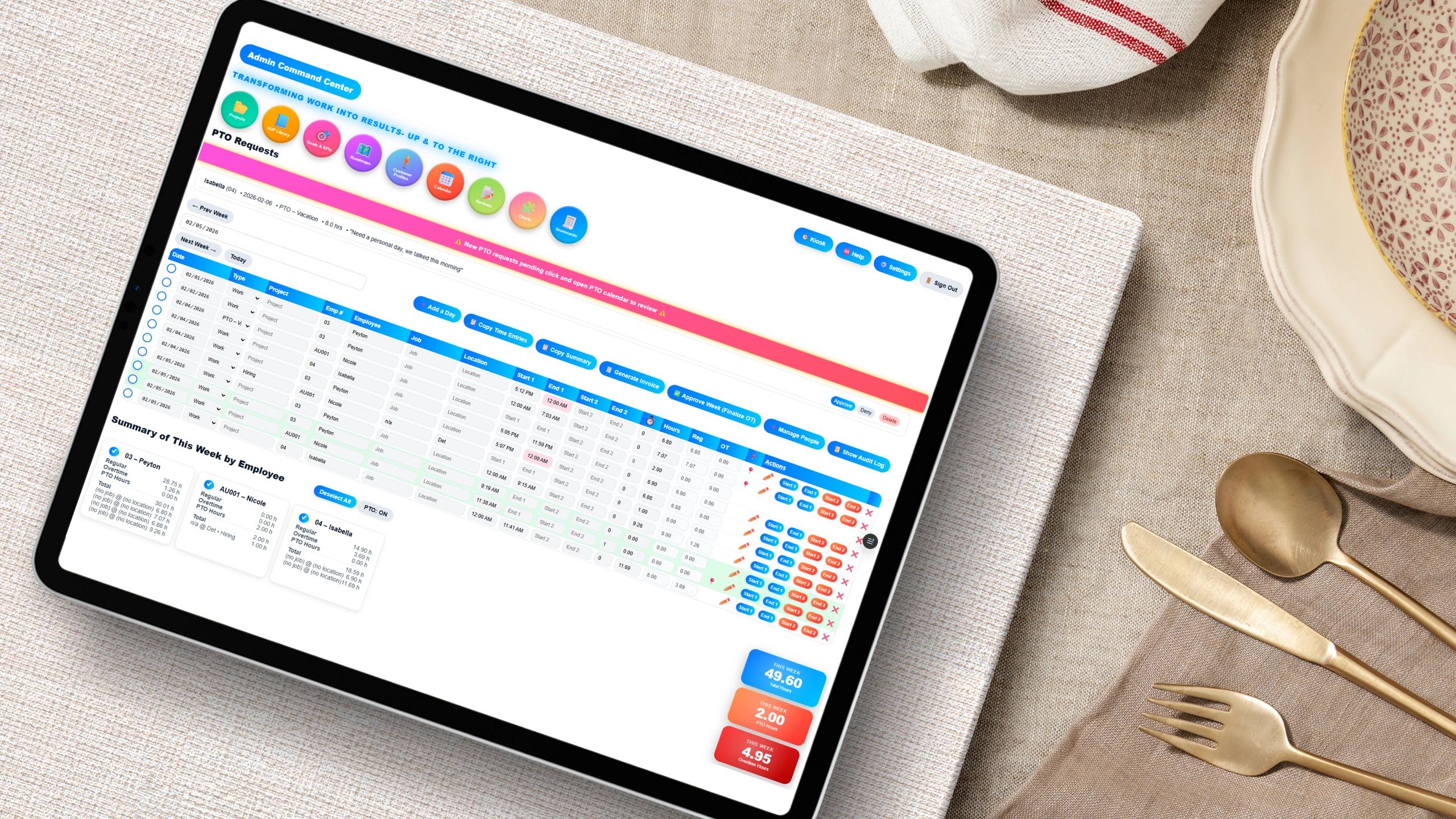
Tracking billable hours in consulting means recording every hour against a client, project, and task, and marking whether it can be invoiced, so you can bill accurately and see where your margins come from. Copy the free billable hours template below, run your team through the utilization calculator, and use this guide to turn time data into better pricing and staffing decisions.
In consulting, time is the product. Every hour your team works either generates revenue, supports revenue, or quietly erodes your margins. Yet many firms still lack a reliable way to track billable hours that actually improves the business. They track time, but they do not use it. The gap between collecting hours and managing them is where profit leaks.
Free Billable Hours Tracking Template
Click Copy Template and paste into cell A1 of Excel or Google Sheets. Every entry captures the fields you need, and the formulas calculate the billable amount per line, utilization, and total revenue. Add rows and extend the ranges as you go.
Date	Consultant	Client	Project	Task	Billable (Y/N)	Hours	Bill Rate	Amount
[date]	Jordan	Acme Co	Process Audit	Client workshop	Y	3	150	=IF(F2="Y",G2*H2,0)
[date]	Jordan	Internal	Admin	Proposal writing	N	1.5	0	=IF(F3="Y",G3*H3,0)
[date]	Sam	Acme Co	Process Audit	Data analysis	Y	4	125	=IF(F4="Y",G4*H4,0)
					Utilization	=SUMIF(F2:F4,"Y",G2:G4)/SUM(G2:G4)	Revenue	=SUM(I2:I4)
Free Billable Utilization Calculator
Free Billable Utilization Calculator
Add each consultant with total hours worked, billable hours, and bill rate for the period. The calculator shows utilization, billable revenue, and who is underused or at risk of burnout.
| Consultant | Total Hrs | Billable Hrs | Utilization | Billable Revenue | Status |
|---|
Why Billable Hour Tracking Matters
On the surface, tracking billable hours looks like an administrative task done to create invoices. In reality, it is one of the most powerful levers in a consulting business. Done well, it tells you which clients are profitable, which projects are over budget, which people are underused or overloaded, and whether your pricing reflects the effort the work actually takes. Without that data, you are guessing.
Billable vs. Non-Billable Hours
| Billable work | Non-billable work |
|---|---|
| Client meetings and workshops | Internal meetings and planning |
| Research and analysis for a client | Business development and proposals |
| Writing client deliverables and reports | Training and professional development |
| Travel time billed under the contract | Administration, invoicing, and email housekeeping |
| Client-approved project management | Marketing and content creation |
Where the line falls depends on your contracts, so define it in writing and train everyone to classify time the same way. Every time entry should answer one question clearly: is this billable or not?
What Effective Billable Hour Tracking Looks Like
Every Hour Is Tied to a Client, Project, and Task
Time without context is useless. Connecting each entry to a client, project, and task lets you compare hours worked with hours budgeted, effort with revenue, and scope with reality.
Entries Are Logged Daily
When people log time at the end of the week, details are forgotten and estimates replace reality. Daily logging is more accurate and captures small tasks that otherwise disappear, which usually means more billable time.
Utilization Is Tracked Weekly
Utilization is billable hours divided by total hours worked, and it is the core operating metric of a consulting firm. Reviewing it weekly shows capacity problems, staffing needs, and efficiency gaps while there is still time to act.
Budgets Are Reviewed Before They Are Blown
Waiting until month end is too late. By then budgets are spent and over-servicing has already happened. Strong firms review project hours against budget, the billable mix, individual utilization, and revenue by client every week.
Consulting Metrics to Track
| Metric | Formula | What it tells you |
|---|---|---|
| Utilization rate | Billable hours / total hours worked | How much of your team's time earns revenue |
| Realization rate | Amount billed / (billable hours x standard rate) | How much billable time you actually collect after discounts and write-offs |
| Effective hourly rate | Revenue / hours worked on the project | What you really earned per hour, especially on fixed-fee work |
| Budget vs. actual hours | Actual hours / budgeted hours | Which projects run over and why |
| Revenue per consultant | Billable revenue / number of consultants | Productivity and capacity for hiring decisions |
What Is a Good Utilization Rate?
Targets depend on the role. Partners and managers spend more time on sales and leadership, so their targets are lower, while delivery-focused consultants typically carry higher targets. Many firms treat something in the range of 70% to 85% as strong for delivery roles and watch closely when someone stays above about 85%, because sustained utilization that high often leads to burnout and leaves no room for training or sales. Set targets by role and adjust them with your own data.
Tools for Tracking Billable Hours Compared
| Tool type | Strengths | Limits | Best for |
|---|---|---|---|
| Spreadsheet template | Free, flexible, familiar | Manual entry, easy to break, no reminders | Solo consultants and very small teams |
| Standalone timer app | Quick to start, simple timers | Often disconnected from projects, payroll, and invoicing | Freelancers who invoice from another tool |
| Accounting add-on | Hours flow into invoices | Weak project and utilization reporting | Firms focused mainly on billing |
| Integrated operations platform | Time, projects, approvals, payroll, and invoicing in one place | More setup than a simple timer | Growing firms with several consultants |
How to Choose a Billable Hours Tracking Tool
- Can every entry be tied to a client, project, and task, with a billable flag?
- Can each person use a different bill rate, and can rates vary by client?
- Does it show utilization and budget vs. actual without building reports by hand?
- Can managers approve time before it is invoiced?
- Do approved hours flow into invoices and payroll without retyping?
- Is it easy enough on a phone that consultants will log time daily?
Common Mistakes That Quietly Destroy Profitability
Delayed Time Entry
End-of-week reconstruction is inaccurate. Require daily entries and send reminders.
No Standard Categories
If everyone names projects and tasks differently, the data cannot be compared. Standardize task categories, project names, and billable definitions.
No One Reviews the Data
If nobody looks at the numbers, nobody takes tracking seriously. Review utilization and budgets in a weekly meeting.
Tracking Without Acting
Time data that never changes a decision is just overhead. Use it to adjust pricing, reallocate people, and rethink client scope.
Turning Time Tracking Into a Profit Engine
Find Unprofitable Clients
If a client consistently needs more hours than planned, the price or the scope is wrong. Time data gives you the facts for that conversation.
Price With Confidence
When you know how long work really takes, you can raise rates, move repeatable work to fixed fees, and protect margins.
Balance the Team
Utilization by person shows who is overloaded and who has room, so work can be redistributed before deadlines or people suffer.
Forecast Revenue
Billable hours booked against rates give you a forward view of revenue that is based on data instead of hope.
How to Set Up Billable Hour Tracking in One Week
- Write down what counts as billable under your contracts.
- Create a standard list of clients, projects, and task categories.
- Set bill rates by person or role, and by client if they differ.
- Choose your tool, whether the template above or a time tracking system.
- Require daily entries and set an automatic reminder.
- Add a weekly approval and utilization review.
- Invoice from approved hours only.
Where It All Comes Together
The challenge is not just tracking time. It is connecting time to projects, billing, payroll, and performance. When those systems are separate, you get gaps and retyping. Updoot's time tracking records hours by client, project, and task, managers approve them, and approved hours flow into payroll and project billing and invoicing, so every billable hour turns into revenue. For firms that recommend tools to clients, see time tracking for accountants and advisors.
How to Price Consulting Work From Your Time Data
Time data is the most reliable input you have for pricing. Start with the fully loaded cost of each consultant, meaning salary plus payroll taxes, benefits, and overhead, and divide it by the billable hours that person realistically delivers in a year. That gives you a break-even hourly cost. Your bill rate has to clear that number with enough margin to cover non-billable staff, sales time, and profit.
Time history also makes fixed-fee pricing safer. Before quoting a flat fee, look at how many hours similar past projects actually took, not how many you estimated. If a website audit has averaged 32 hours across the last ten projects, pricing it as a 20-hour job guarantees a loss even if the client is happy. Tag every entry with a project type so you can pull these averages in seconds.
Finally, compare realization by client. Some clients consistently push back on invoices or ask for write-offs. Their effective rate may be far below your standard rate, and time data is how you prove it before renegotiating or raising prices at renewal.
Final Thoughts
Most consulting firms treat time tracking as a chore. The ones that scale treat it as a system that gives them control over revenue, margins, team performance, and client profitability. Start with the template, measure utilization weekly, and let the data guide your pricing and staffing decisions.
Opens in Google Drive. View and download for free.
Related Reading
Best Time Tracking Software for Consultants →
Frequently Asked Questions About Tracking Billable Hours
What are billable hours?
Billable hours are the hours spent on client work that can be invoiced under the client agreement, such as meetings, analysis, and deliverables.
What is the difference between billable and non-billable hours?
Billable hours are charged to a client. Non-billable hours are necessary work that cannot be invoiced, such as internal meetings, business development, training, and administration.
How do you calculate utilization rate?
Divide billable hours by total hours worked. A consultant who works 40 hours and bills 30 has a 75% utilization rate.
What is a good billable utilization rate for consultants?
It depends on the role. Many firms consider roughly 70% to 85% strong for delivery consultants, with lower targets for partners and managers who spend more time on sales and leadership.
What is realization rate?
Realization rate is the amount you actually bill divided by the value of billable hours at standard rates. It shows how much time is lost to discounts, write-offs, and unbilled work.
What is the best way to track billable hours?
Log time daily against a client, project, and task with a billable flag, review utilization and budgets weekly, and invoice from approved hours. A spreadsheet works for small teams, and integrated time tracking software scales better.
How often should consultants log their time?
Daily. Logging at the end of the week leads to forgotten tasks and estimated hours, which usually means lost billable time.