
Compare Best Asset Tracking Software Features: The Free Cheatsheet
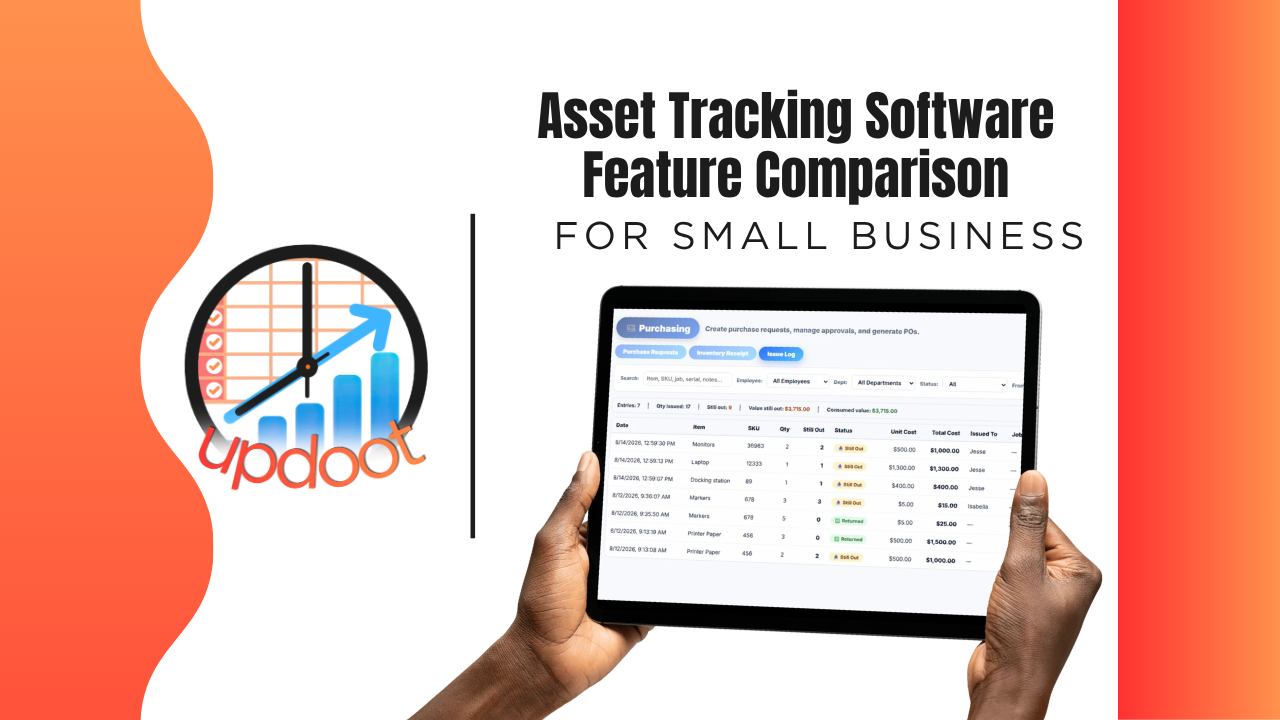
If you've looked at asset tracking tools, you already know the pitch sounds the same everywhere: know what you own, know where it is. What actually separates a system that stops equipment from quietly disappearing off the shelf from one that's just a spreadsheet with better formatting shows up in the details, whether checking equipment out is actually logged, whether maintenance gets tracked before something breaks down mid-job, and whether the tool ties material cost back to the work it actually supported.
This guide breaks down the asset tracking features worth comparing, organized the way you'd actually evaluate a vendor, plus a free interactive cheatsheet you can filter by category and print or copy into your own comparison sheet.
On this page
- Why comparing asset tracking features actually matters
- Asset records and assignment features to compare
- Checkout and issuance features to compare
- Maintenance and value tracking features to compare
- The interactive asset tracking feature cheatsheet
- Free vs. mid-tier vs. all-in-one asset tracking software
- Red flags to watch for when evaluating vendors
- How Updoot compares
- Frequently asked questions
Why Comparing Asset Tracking Features Actually Matters
Nearly every asset tracking tool on the market can do the baseline job: list what you own. That's table stakes, not a differentiator, which is exactly why comparing tools on "can it hold a list of equipment" gets you nowhere. The real differences live one layer deeper, in the features that determine whether equipment actually stays accounted for, or quietly walks off a job site with nobody noticing until it's needed again.
A tool with no checkout tracking still means nobody knows who has a piece of equipment or when it's due back. A tool with no maintenance log still means a repair need goes unnoticed until something breaks down mid-job. A system disconnected from job or project data still means material cost has no connection to the work it actually supported. None of these gaps show up in a five-minute demo. They show up the day someone needs a specific tool and nobody can say where it is.
That's the lens for this whole comparison: not "does the feature exist," but "does the feature keep equipment actually accounted for, or does it just give you a nicer-looking list of things you own."
Asset Records and Assignment Features to Compare
This is where an asset tracking system starts, and where visibility either exists or doesn't.
A full record for every asset
Compare whether every tool, vehicle, and piece of equipment gets its own record with details and value, versus a flat spreadsheet with minimal information attached to each line.
Assignment to a job, site, or employee
Look for the ability to see which job, site, or person an asset is currently assigned to, so you know where it's supposed to be without physically tracking it down.
Assignment history over time
Compare whether the tool keeps a record of every employee and job an asset has been checked out to, useful for accountability, insurance, and figuring out what happened if something goes missing.
Checkout and Issuance Features to Compare
This is where the gap between "a list" and "a real accountability system" gets the widest.
Checkout and check-in workflow
Compare whether checking an asset out and back in is a simple, logged action tied to the person and job, versus relying on someone remembering to update a spreadsheet after the fact.
Inventory issuance and usage log
Look for a system that logs what left inventory, in what quantity, and where it went, so stock doesn't just quietly disappear off the shelf with no record of who took it.
Receiving tied to purchasing
Compare whether receiving new equipment or inventory connects to the original purchase order, confirming what actually arrived against what was ordered, including partial shipments.
Maintenance and Value Tracking Features to Compare
This is where asset tracking either prevents downtime or just documents it after the fact.
Maintenance and service history
Compare whether the tool tracks service dates, repairs, and upcoming maintenance for each asset, so issues get caught before they cause a breakdown mid-job.
Depreciation and current value tracking
Look for the ability to log purchase price and track value over time, giving you a real picture of what your equipment is actually worth, useful for insurance and replace-versus-repair decisions.
Reorder points and low-stock alerts
A system that flags low stock before it becomes a problem saves a business from finding out it's out of something critical at the worst possible moment.
Interactive Cheatsheet: Compare Best Asset Tracking Software Features
Filter by category to compare what free asset tools, mid-tier equipment tracking apps, and Updoot typically include. Print it for your notes or copy it as a table you can paste straight into Excel or Google Sheets.
Updoot bundles everything on this list into one flat per-user price, not a stack of add-ons piled on top of a mid-tier tool's cost. You get full-platform coverage without paying for five separate subscriptions to get there.
| Feature | Free / Basic Trackers | Mid-Tier Equipment Apps | Updoot |
|---|
Comparisons reflect typical feature availability across the category as of 2026 and can vary by specific vendor and plan tier. Location is tracked by job/site assignment, not GPS device.
Free vs. Mid-Tier vs. All-In-One Asset Tracking Software
Looking at the cheatsheet above, a pattern emerges: free and basic asset trackers reliably hold a list and not much else. Mid-tier equipment apps close some of the gap, usually around checkout workflows and basic maintenance logging, but assignment history, inventory issuance logs, and connections to purchasing and project cost stay inconsistent from vendor to vendor. All-in-one platforms are built around the assumption that asset data feeds directly into purchasing, receiving, and job costing, so those connections exist by default rather than as a workaround.
None of these tiers is universally right. A very small business with just a handful of tools may genuinely be well served by a simple spreadsheet. The comparison matters most once a business has enough equipment that a checkout workflow and assignment history actually matter, or wants material cost connected to the jobs that equipment supports. That's where the free and mid-tier gaps turn into lost or unaccounted-for equipment.
Red Flags to Watch For When Evaluating Vendors
A few patterns are worth watching for during a demo or trial, regardless of which tier of product you're considering.
No real checkout logging. If checking an asset out doesn't create a record tied to a person and a date, you're looking at a static list, not an accountability system.
No maintenance tracking at all. A tool that only tracks what you own, with no way to log service history or upcoming maintenance, misses one of the main reasons businesses lose money on equipment: unexpected breakdowns.
"GPS tracking" that's really just a marketed buzzword. Ask specifically how location is determined, whether it's an actual GPS device, or simply the job or site an asset is manually assigned to. The two are very different capabilities with very different costs behind them.
Asset data disconnected from purchasing and job cost. If receiving and issuance aren't connected to purchase orders and project budgets, material cost ends up as a disconnected number instead of information that actually informs job profitability.
How Updoot Compares
Updoot's asset tracking was built around the gaps described throughout this comparison, not as a standalone equipment list but as the inventory and accountability layer of a full work management platform. Every asset gets a full record with assignment to the job, site, or employee it's currently with, current status at a glance, and a complete assignment history over time.
Checkout and check-in are logged workflows, inventory issuance tracks what left the shelf and where it went, and maintenance logs capture service history so problems get caught before they cause downtime. Receiving connects directly to purchasing, confirming what actually arrived against what was ordered, including partial shipments.
One thing worth being direct about: Updoot's asset tracking uses job and site assignment, not a GPS device, to show where something is supposed to be. If real-time GPS location on physical assets is a hard requirement, that's worth confirming with any vendor specifically, since it's a genuinely different capability than assignment-based tracking.
Sign up free and see how the full asset, purchasing, and job cost workflow works end to end.
Related Reading
Best Time Tracking Software for Field Service →