
Best CRM for Moving Company
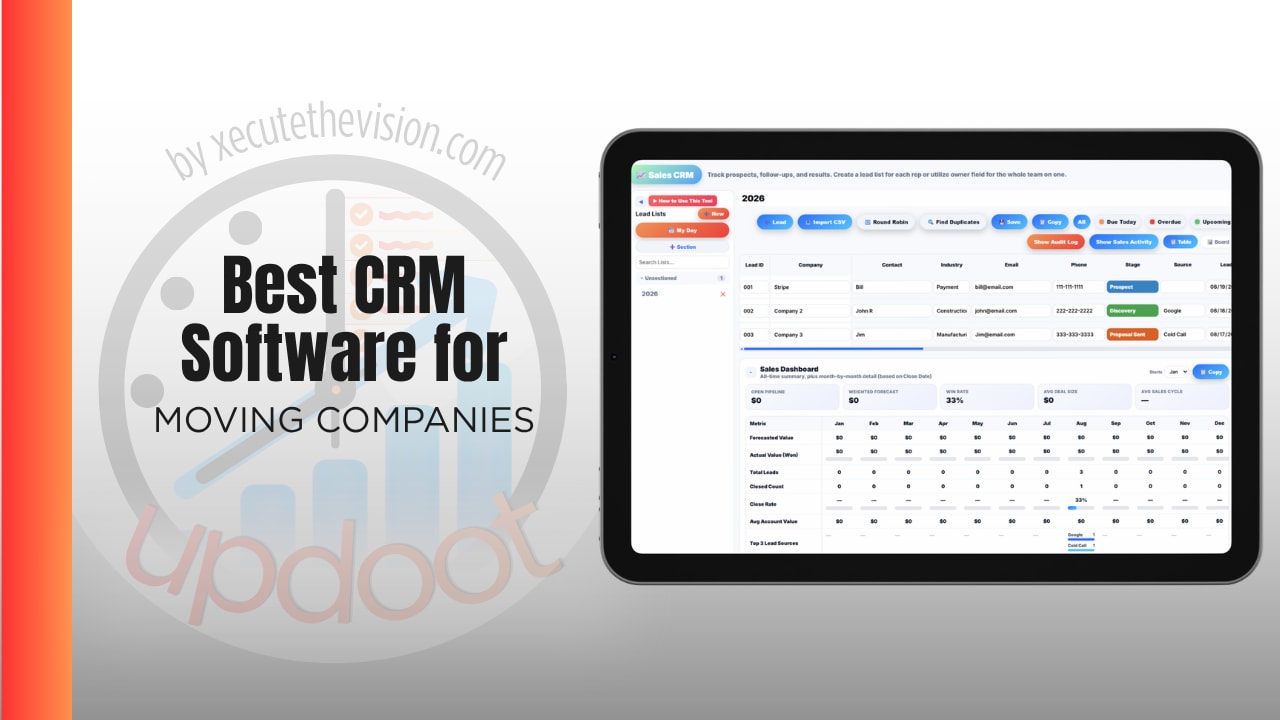
What a moving company loses without the right system rarely appears on a report. It is the crew that billed four hours for a job that ran six. The lead that sat in a voicemail while a competitor answered in ten minutes. The estimate built from a walkthrough nobody documented, disputed by a customer at the door. And it is the stack of subscriptions holding your leads, dispatch, crew hours, and invoicing separately, none of which reconcile without someone in the office doing it by hand. Use the calculator below to size the job costing gap, then see how the leading options compare.
Free Job Costing Gap Calculator
What Is the Gap Between Billed and Actual Hours?
Estimate your typical monthly volume and how far actual crew time drifts from what gets billed.
Why Time Tracking Is the Core of a Moving CRM
Moving is one of the few trades where the product is literally hours. Hourly local moves bill on time worked, and flat-rate jobs live or die on whether the crew beat the estimate. Either way, the number that determines profit is how long the job actually took.
Most moving companies capture that number badly. A crew lead writes start and finish times on a paper ticket, or texts them in, and the office enters them later. By the time it reaches payroll and invoicing, it has been rounded twice and nobody can reconstruct the drive time between the origin and the destination.
Timestamped clock-ins at the job, with GPS, fix the accuracy problem and settle disputes at the same time. When a customer questions the hours, you have arrival and departure times rather than a crew member's recollection. That single capability protects revenue on hourly work and reveals which flat-rate jobs were underpriced.
Lead Response Speed Decides Booking Rate
Moving is a high-intent, high-competition purchase. Customers request several quotes in one sitting, and the company that responds first is disproportionately likely to book the job.
That makes lead routing a revenue feature rather than an administrative one. Leads should reach an available person automatically instead of landing in a shared inbox, with a status that makes an unanswered enquiry visible rather than invisible. Round-robin distribution matters most during peak season, when the volume that arrives on a Monday morning is exactly the volume most likely to be dropped.
Ranking helps too. A local two-bedroom move and a long-distance job with a flexible date are not equally valuable, and when your team can only call fifteen people back before lunch, the order matters.
The Tool Stack Problem
Moving companies tend to accumulate software by department. Sales has a lead tool. Dispatch has a board. The crews have a time app or paper. Accounting has QuickBooks. Somebody keeps a spreadsheet that ties them together.
The seams cost more than the subscriptions. Hours from the crew app have to be matched to jobs from the dispatch board so an invoice can go out and payroll can run. That is manual work every single week, and it delays the only report that matters, what each move actually cost against what it billed.
Industry pricing compounds this. SmartMoving starts around $299 a month and $399 for its Growth plan. Supermove is commonly reported around $176 per truck per month before modules. MoveitPro starts near $150 with additional cost as you add modules and users. Those are the CRM and dispatch layers alone, before anything covering staff records, purchasing, or budgets.
Crews, Scheduling, and Seasonality
Moving demand is violently seasonal, and the workforce follows it. Summer requires temporary crew, which means onboarding in batches and a constant flow of people who have not done it your way before.
Two things make that survivable. Documented procedures assigned to roles, so training is consistent rather than dependent on which crew lead delivered it. And a shared schedule with real availability, so dispatch is working from who is actually free rather than who they think is free.
Damage claims are the other seasonal reality. What protects you is documentation captured at the time: condition notes, photos, and signatures attached to the job record rather than living on a crew lead's phone. A claim defended with the job record is a different conversation from one defended with recollection.
Questions to Ask Before You Sign Up
- Is pricing per truck, per user, or flat? Per-truck pricing looks reasonable until you add a truck, and the models are hard to compare at headline level.
- Does crew time land on the job automatically? If hours arrive as a separate file to be matched later, you still have the reconciliation problem.
- Is there a contract, and what happens at renewal? Annual commitments and renewal increases are common complaints in this category.
- What is quote-only? Several platforms publish an entry price and quote the rest, so ask which modules are included at the number you were given.
- Can dispatch see crew availability and time off? Otherwise scheduling runs on phone calls during your busiest weeks.
- How many subscriptions would this replace? Compare against your whole stack rather than the one tool you are unhappy with.
How We Evaluated These Tools
A note on where we stand: Updoot publishes this site and appears in the comparison below. Pricing and features for every tool here, Updoot included, were verified against each vendor's live pricing page or independent third-party sources in August 2026, and Updoot's own limitations are listed in the same column as everyone else's.
For moving companies specifically, we weighted five things: timestamped crew hours attached to jobs, lead routing and response speed, how many separate subscriptions the platform replaces, pricing transparency including per-truck and module costs, and whether the office side, invoicing, purchasing, staff records, is covered too.
How the Top Options Compare for Moving Companies
| Tool | Starting Price | Best For | Where It's Limited |
|---|---|---|---|
| Updoot ⭐ Best Overall | $5/user/month, all features included | Moving companies wanting GPS crew time tied to each job, real job costing, lead routing, quotes and invoices, scheduling, and staff records on one platform | No bill of lading, tariff-based long-distance pricing, or built-in claims workflow |
| SmartMoving | Essential from ~$299/month; Growth ~$399/month | Small to mid-sized operations wanting moving-specific dispatch and estimating with fast onboarding | Entry price is high before you have added staff or office tooling; advanced automation and reporting sit in higher tiers |
| Supermove | Commonly reported from ~$176 per truck per month; modules quoted | Operations scaling past roughly 15 trucks needing deep workflow automation | Per-truck pricing rises with fleet growth, and full pricing is behind a sales conversation |
| MoveitPro | From ~$150/month, additional cost per module and user | Companies wanting all-in-one moving software with strong customer communication | Reported as lighter on dispatch depth, and the real cost depends on modules added |
| Movegistics | Quote only | Companies wanting leads, operations, and billing on one moving-specific platform | No published pricing, so comparison requires a sales cycle |
Editor's Pick
Why Updoot Tops This List
The moving software category starts at $150 to $299 a month and climbs per truck or per module, and every platform on this list covers sales and dispatch while leaving crew hours, staff records, purchasing, and budgets to other subscriptions. Updoot puts GPS time tracking with geofencing on the same platform as the job, so crew hours land against the move automatically with timestamps you can show a customer, labor cost accrues in real time, and job costing is a report rather than a month-end exercise. Add CRM with round-robin lead routing and scoring so enquiries get answered fast in peak season, quotes and invoices, crew scheduling and PTO, purchasing for materials and equipment, an SOP library for seasonal onboarding, and KPI dashboards, all at a flat $5 per user per month. A twenty-person moving company pays about $100 a month for the whole stack, which is less than most competitors charge for the entry tier alone.
To be direct about the tradeoff: if you run interstate work requiring bills of lading, tariff-based long-distance pricing, or a formal claims module, those are genuine gaps and a moving-native platform covers them. For local and regional operators, the hours-to-job connection is the thing that moves margin, and that is where Updoot is strongest.
How Updoot Handles Crews, Jobs, and Costing
In Updoot, the GPS time clock runs on mobile, desktop, or a shared kiosk with geofencing, so crew members clock into a specific move rather than a generic shift. Arrival and departure are timestamped, hours attach to the job, and timecards are approved rather than rebuilt from paper tickets.
Each move runs as a project with a budget and over or under flags, so the gap between billed and actual is visible while you can still do something about it. Templates cover the move types you repeat, and documents and notes attach to the job record, which is what you want when a damage claim arrives.
The CRM handles enquiries with lead scoring, status, call logging, custom fields, and round-robin routing so no quote request waits in a shared inbox, and the invoice generator builds invoices from logged hours. Crew scheduling, PTO, purchasing, SOPs for seasonal training, and KPI dashboards round it out, all at $5 per user per month.
Signs You've Outgrown Your Current Setup
The tipping point usually announces itself the same way: crew hours arrive on paper or by text and get typed in later, a customer disputes the bill and the only evidence is a crew member's memory, nobody can say which move types actually make money, a quote request goes unanswered because it landed in a shared inbox, and payroll week means moving numbers between three systems. When your hours and your jobs live in different places, every profitability question becomes a spreadsheet.
Related Reading
Best CRM for Landscape Company →
Best CRM for Construction Company →
Best CRM for Roofing Companies →
Frequently Asked Questions
The best option is whichever one puts timestamped crew hours on the job automatically, since moving sells hours and the gap between billed and actual is where margin disappears. Fast lead routing wins the job; accurate time tracking determines whether it was worth winning.
It fixes accuracy and settles disputes at once. When a customer questions the bill on an hourly move, arrival and departure timestamps are evidence, while a crew member's recollection is not. It also reveals which flat-rate job types were underpriced.
SmartMoving is reported at about $299 a month for Essential and $399 for Growth, Supermove is commonly cited near $176 per truck per month before modules, and MoveitPro starts around $150 with additional cost per module and user. Several platforms quote rather than publish.
As fast as possible, because customers request several quotes in one sitting and the first responder is disproportionately likely to book. That makes automatic lead routing a revenue feature rather than an administrative one, especially during peak season when volume is highest.
Most run four or five: leads, dispatch, crew time, accounting, and a spreadsheet tying them together. The subscriptions are rarely the main cost; matching hours from the crew app to jobs from the dispatch board every week is.
With documentation captured at the time and attached to the job record: condition notes, photos, and signatures. A claim defended with the job record is a very different conversation from one defended with recollection.
If you run interstate work needing bills of lading, tariff-based long-distance pricing, or a formal claims module, yes. For local and regional operators, the hours-to-job connection moves margin more than vertical-specific features, and general platforms handle it at a fraction of the cost.
Final Takeaway
The best CRM for a moving company is the one where crew hours land on the job automatically, because in this business hours are the product and everything else is bookkeeping. Fast lead routing wins you the job; accurate time tracking determines whether it was worth winning. Use the calculator above to size the gap between billed and actual, and count how many subscriptions one platform would replace before comparing monthly prices.