
Best CRM for Financial Advisors
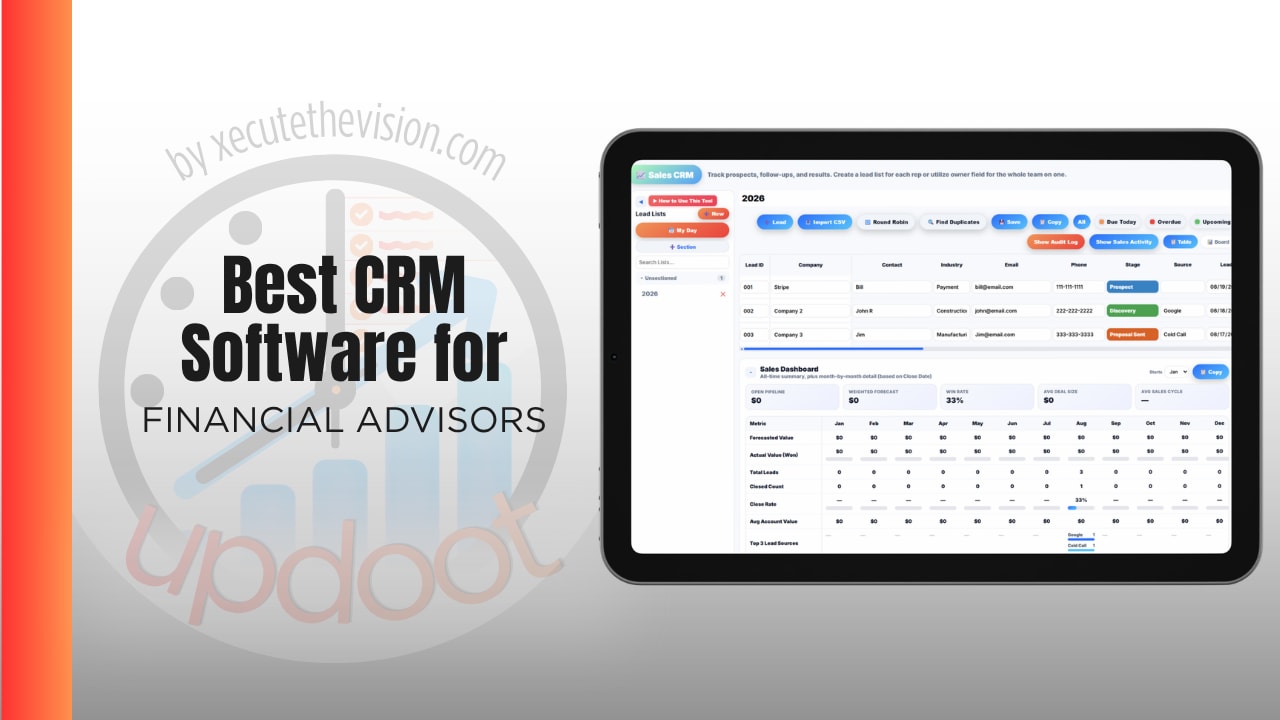
Without a system holding it together, a practice loses things it never sees leave. A referral sits in an inbox until the introduction goes cold. A commitment made in a review is remembered by one person and never actioned. An annual review gets scheduled late because nobody was tracking the cycle, and the client notices. None of that appears on an invoice, which is why it goes unmanaged for years. The subscription is the visible cost of a CRM; the clients who quietly drifted are the expensive one. Use the calculator below to size both, then see how the leading options compare and where a general platform beats a vertical one.
Free Advisor CRM Cost Calculator
What Does Your CRM Really Cost per Year?
Enter your team size and client load. Leave a field at 0 if it doesn't apply to your practice.
What Advisory Practices Actually Need from a CRM
The first requirement is a client record that reflects reality: households rather than isolated individuals, with relationships, dependants, and related entities visible together. Advisory relationships are rarely one person, and a CRM that treats a couple as two unconnected contacts creates work at every touchpoint.
The second is repeatable service workflows. The recurring work in a practice, annual reviews, onboarding a new client, processing a transfer, follows the same steps every time. Whether those steps are templated or reconstructed from memory largely determines how many households an advisor can serve well.
The third is a documented interaction history. Regulatory expectations aside, an advisor needs to open a record and see what was discussed, what was recommended, and what was agreed, without depending on personal recall.
The fourth is the one most often skipped in evaluations: the practice itself. Staff, projects, budgets, capacity, and the internal work of running a firm sit outside every vertical CRM, and that work does not disappear because the CRM ignores it.
Vertical CRMs vs. General Platforms
This is the real decision, and it is worth being direct about the tradeoff rather than pretending one side wins outright.
Advisor-specific CRMs exist because generic sales tools were built around deals and pipelines rather than ongoing client relationships. They bring custodian integrations, financial planning connections, household grouping, and compliance-oriented recordkeeping out of the box. If those integrations carry your daily workflow, that is a genuine reason to buy one, and no general platform replaces them.
General platforms bring different strengths: broader operational coverage, far lower per-seat cost, and no assumption that every client interaction is a fundraising or trading event. They handle the prospect pipeline, the service workflows, the internal projects, and the staff side of the practice on one system.
The practical question is which problem is actually costing you more. If it is a missing custodian feed, buy vertical. If it is that your CRM handles clients but nothing else about running the firm, and you are paying $69 a seat for that, the calculus is different. Many practices end up running both, which is a legitimate answer as long as it is chosen deliberately rather than arrived at by accident.
Where the Admin Hours Actually Go
Meeting preparation
Assembling context before a review, last conversation, open items, what changed, is one of the largest recurring time costs in a practice. It is also almost entirely a retrieval problem. When notes, tasks, and documents live on one record, preparation drops from a task to a glance.
Follow-up after the meeting
The gap between a meeting ending and the actions being logged is where commitments quietly disappear. Turning meeting outcomes into assigned tasks with dates, in the moment rather than later, is the single highest-return habit in client service.
Recurring service work
Annual reviews, birthday and anniversary contacts, required check-ins. These are predictable and should be templated. Practices that rebuild them each cycle pay the setup cost every time and inevitably miss some.
Duplicate entry across systems
Anything typed into two systems is both wasted time and a future inconsistency. This is worth auditing directly: list what gets entered more than once, and you will usually find the largest recoverable block in the calculator above.
Prospecting Without Losing Track
Most advisory CRMs are strong at servicing existing clients and thinner on the pipeline before someone becomes one. Referrals in particular tend to live in an inbox rather than a system, which is why they go cold.
What helps is treating prospects with the same structure as clients: a status, an owner, a next action with a date, and a record of where the introduction came from. Referral source tracking matters more in this profession than in almost any other, because it tells you which relationships actually generate business and therefore where your attention belongs.
Scoring prospects by fit is also worth doing. Not every enquiry is a good client for your practice, and an advisor's time is the constraint on growth. A simple ranking on fit and engagement keeps the limited prospecting hours pointed at the right people.
Running the Practice, Not Just the Client Book
This is where advisory firms are least well served by their software. Beyond client relationships, a practice has staff, capacity, recurring internal projects, budgets, and goals, and none of that is in a vertical CRM.
So it goes into spreadsheets: a staffing plan here, a budget there, a project tracker for the compliance review, a document for team goals. Each is fine alone, and together they are the reason firm owners work evenings. The information required to run the business is spread across systems that do not reconcile, and someone has to hold the whole picture.
An advisory practice of ten people has the same operational needs as any other ten-person business. Choosing software that acknowledges that is a different exercise from choosing a client database.
Questions to Ask Before You Sign Up
- Is pricing per user or per database? This category has both, and the difference is dramatic at team size. Flat database pricing favours larger teams; per-seat favours solo practices.
- Which integrations do you actually use daily? Be specific. Advisors frequently buy for an integration list and use two of them.
- What is included versus added? Note-taking assistants, storage above a base level, and premium integrations are commonly priced separately.
- Can you template recurring service workflows? If annual reviews have to be rebuilt each time, the CRM is a database rather than a workflow tool.
- Does it handle the practice as well as the clients? Ask what happens to staff management, internal projects, and budgets, because the answer is usually "somewhere else."
- What does migration cost in staff hours? The subscription is rarely the expensive part of switching; data cleanup and retraining are.
How We Evaluated These Tools
A note on where we stand: Updoot publishes this site and appears in the comparison below. Pricing and features for every tool here, Updoot included, were verified against each vendor's live pricing page or independent third-party sources in August 2026, and Updoot's own limitations are listed in the same column as everyone else's.
For advisory practices specifically, we weighted five things: client and prospect pipeline management, templated recurring workflows, whether the platform also covers running the firm, transparency of pricing including add-ons, and total cost per user at realistic team sizes.
How the Top CRMs Compare for Advisors
| Tool | Starting Price | Best For | Where It's Limited |
|---|---|---|---|
| Updoot ⭐ Best Overall for Practice Operations | $5/user/month, all features included | Practices that want the client and prospect pipeline plus projects, staff, budgets, KPIs, and SOPs on one platform at a fraction of vertical CRM pricing | No custodian or financial planning integrations, no household grouping, and not built for SEC or FINRA books-and-records archiving |
| Wealthbox | Reported from ~$45-49/user/month, higher tiers to ~$97-99 | Advisors wanting a modern, easy-to-use interface built for the profession | Per-user pricing adds up quickly at team size; the AI note-taker has been offered as a paid add-on on top of the plan |
| Redtail | Commonly reported at ~$99/month per database covering up to 15 users; per-user tiers also reported | Small and mid-sized firms wanting predictable flat pricing and deep industry integrations | Interface is widely described as dated, and storage above the base level costs extra |
| Salesforce Financial Services Cloud | Reported from ~$325-375/user/month | Large firms with dedicated administrators and complex requirements | Cost and implementation overhead are prohibitive for most independent practices |
| Practifi | Quote only, built on Salesforce | Larger RIAs wanting deep practice management on an enterprise foundation | Enterprise pricing and implementation; oversized for small practices |
Editor's Pick
Why Updoot Tops This List
Every vertical CRM here solves the client book and stops there, at $45 to $375 a seat. None of them runs your practice: staff, capacity, internal projects, budgets, goals, and documented procedures all end up in spreadsheets beside the CRM you are already paying for. Updoot covers the prospect and client pipeline with lead scoring, status tracking, call logging, custom fields, round-robin routing, and AI win/loss analysis, then adds projects with templates for recurring service work, HR records and performance reviews, PTO and scheduling, budgets and P&L, KPI dashboards, and an SOP library, at a flat $5 per user per month. For a six-person practice that is roughly $360 a year against $4,968 for a $69 seat, and it replaces the spreadsheets rather than sitting next to them. The honest caveat is below.
To be direct about the tradeoff: if custodian feeds, planning software integrations, or books-and-records archiving are central to how you work, a vertical CRM earns its price and Updoot does not replace it. Plenty of practices run a lean vertical CRM for the regulated client record and Updoot for everything else, which at $5 a seat costs less than the difference between two tiers of most advisor platforms.
How Updoot Handles the Client Pipeline and the Practice
In Updoot, the CRM and pipeline tracks prospects and clients with status, lead scoring, custom fields for the data specific to your practice, call logging, document attachments, and due, upcoming, and overdue flags so no follow-up sits unattended. Round-robin assignment distributes new enquiries automatically, and AI-powered win and loss summaries show why prospects convert or do not.
For recurring service work, projects carry reusable templates, so an annual review or a new client onboarding launches with its tasks, owners, and dates already in place rather than being rebuilt each time. Meeting agendas turn discussion into assigned action items tied back to the client or project, which closes the follow-up gap that costs practices the most.
On the practice side, KPI dashboards track targets and actuals with percent-to-goal and at-risk flags, budgets monitor spend against plan, the SOP library documents procedures so service is consistent regardless of who performs it, and HR records, reviews, and PTO handle the team. All at $5 per user per month.
Migrating Without Losing a Quarter
Clean the data before it moves, not after. Duplicate households, stale contacts, and inconsistent naming multiply in a new system, and the cleanup is the same work either way, only cheaper before migration.
Run one service workflow end to end before moving everything. Take annual reviews, build the template, run a handful of real clients through it, and fix what breaks. That single cycle surfaces more configuration gaps than a full data import does.
Keep read-only access to the old system for a period rather than cutting over immediately. The reassurance is worth the overlap cost, and it prevents the panic that makes teams revert.
Signs You've Outgrown Your Current Setup
The tipping point usually announces itself the same way: meeting prep starts with assembling information from three places, a commitment made in a review is remembered by one person, annual reviews get rebuilt from scratch each cycle, referrals sit in an inbox until they go cold, and everything about running the firm rather than serving clients lives in spreadsheets. When your CRM holds the client book and nothing else, you have outgrown it as a business system even if it is fine as a database.
Related Reading
How to Score Leads Manually and Automatically →
How to Track Leads Effectively →
Sales Lead Tracker: Organize, Track, Convert More Leads →
Frequently Asked Questions
It depends on whether your binding constraint is integrations or operations. If custodian feeds and financial planning connections carry your daily workflow, a vertical CRM built for advisors earns its price. If your client database works and everything about running the practice lives in spreadsheets, a broader platform closes a bigger gap for far less per seat.
Published figures range widely. Wealthbox is reported from roughly $45 to $49 per user per month with higher tiers near $97 to $99, Redtail is commonly cited around $99 per month per database covering up to 15 users, and Salesforce Financial Services Cloud is reported from roughly $325 per user per month. Always confirm what counts as an add-on.
Per-database pricing favours larger teams, since a ten-person firm pays the same as a solo advisor. Per-user pricing favours small practices that would not use a full database allowance. The crossover point matters, so run your actual headcount rather than comparing headline prices.
Not always. The genuine reasons to buy vertical are custodian integrations, financial planning software connections, household grouping, and compliance-oriented recordkeeping. If those are central to your workflow, no general platform replaces them. If they are not, you are paying a premium for integrations you do not use.
Template the recurring service work. Annual reviews, onboarding, and transfers follow the same steps every time, and whether those are templated or rebuilt from memory largely determines how many households an advisor can serve well. Meeting follow-up turning into assigned tasks with dates is the other high-return capability.
Many small practices do, particularly for the prospect pipeline, service workflows, and internal operations. The caveat is regulatory: a general platform is not built for books-and-records archiving, so firms with those obligations typically keep a vertical system for the regulated client record.
Clean the data before it moves rather than after, run one service workflow such as annual reviews end to end before importing everything, and keep read-only access to the old system for a period. Most migration pain is data cleanup and retraining, not the import itself.
Final Takeaway
The best CRM for a financial advisor depends on whether your binding constraint is integrations or operations. If custodian feeds and planning connections carry your daily work, a vertical CRM is worth its seat price. If your client database is fine and the rest of running the practice lives in spreadsheets, that is the gap worth closing, and it costs far less to close than most practices assume. Use the calculator above to see the full number, including the admin hours that never appear on an invoice.