Work Management Software
Stop losing tools, chasing down equipment, and guessing what's on which job site. Assign, track, and maintain every asset your business owns from one dashboard.
Updoot's asset tracking connects every tool and vehicle your business owns to the people and jobs using them -- so nothing goes missing and everything stays accounted for.
Add every tool, vehicle, or piece of equipment to your asset list with its own record, value, and details.
Check assets out to an employee, job, or project so you always know who has it and what it's being used for.
See current status, assignment, and maintenance history for every asset, and check items back in when a job wraps.
Every tool, vehicle, and piece of equipment your business owns, in one dashboard.
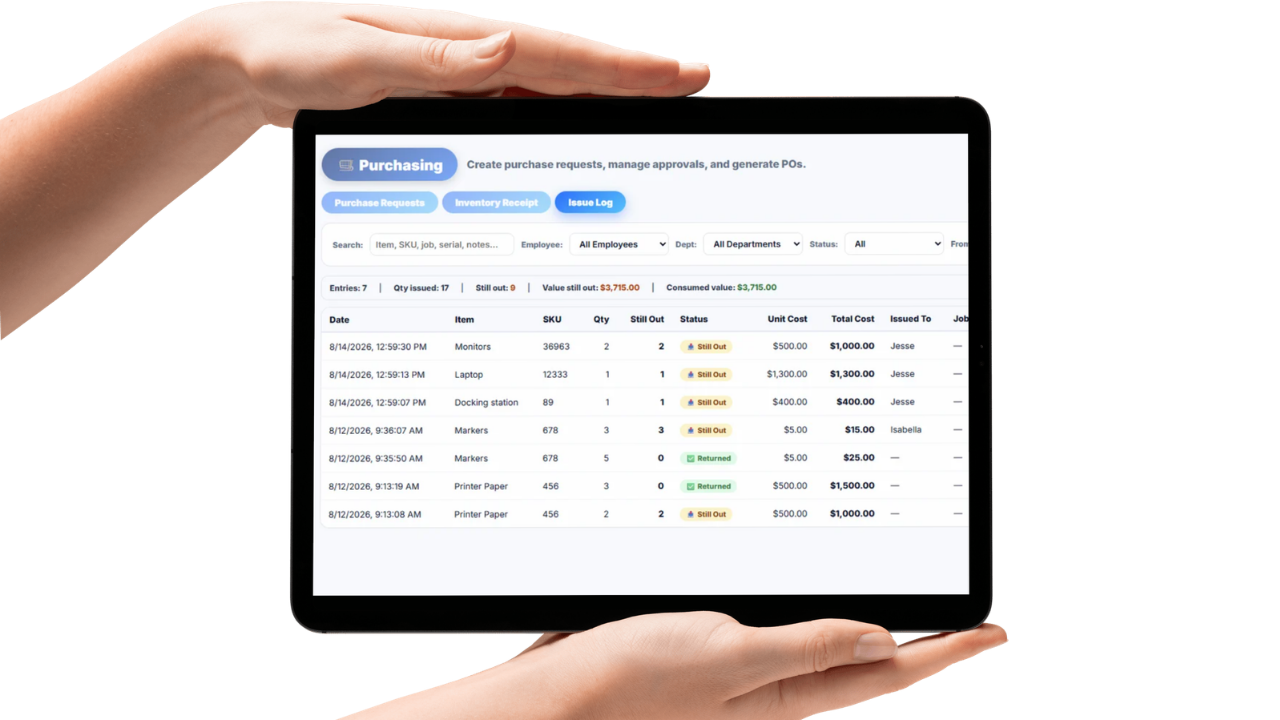
The Asset Command Center is where every asset your business owns lives in one place. See what's checked out, what's available, what's overdue for maintenance, and what's sitting idle, all without walking the yard or calling around.
Search, filter, and sort by asset type, location, assigned employee, or job so you can find what you need in seconds instead of digging through a spreadsheet nobody's updated in months.
Every asset record connects to the same projects, jobs, and reporting tools already built into Updoot, so equipment data doesn't live in a separate system from the rest of your business.
Know who has what, and where it's supposed to be.
Checking an asset out takes seconds. Assign a tool, vehicle, or piece of equipment to an employee, job, or project, and Updoot logs who has it, when it was checked out, and when it's due back.
Every checkout is tied to the job or site it belongs to, so you always know where an asset is supposed to be and who's responsible for it, without needing to physically track it down.
When an asset comes back, one click checks it back in and updates its status for the next person who needs it, no phone calls, no group texts, no "does anyone know where the drill is" at 7am.
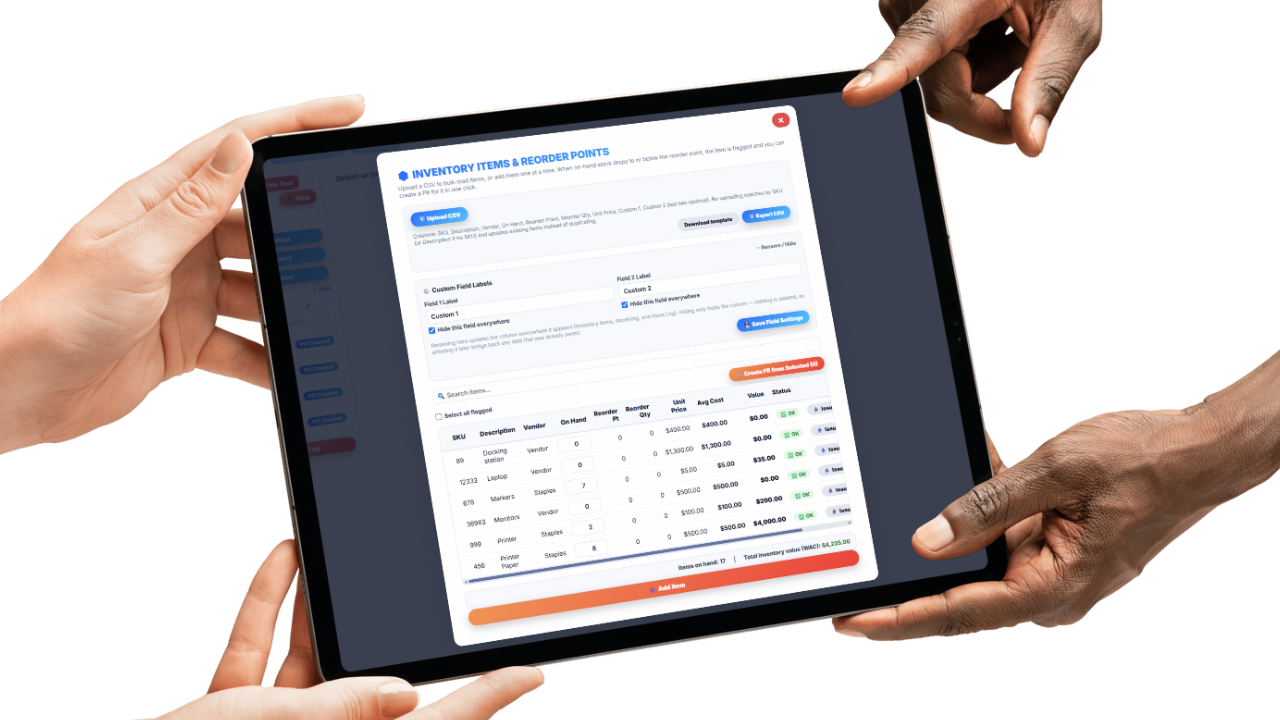
A full record of every asset's service history, location, and use.

Every asset in Updoot carries its own history log: who's had it, where it's been, and what maintenance or repairs it's needed along the way. No more trying to remember when the generator was last serviced.
Log service dates, repair costs, and upcoming maintenance so nothing gets missed until it breaks down mid-job. Track purchase price and current value to keep a real picture of what your equipment is actually worth.
Combined with assignment and location data, the history log gives you a complete paper trail for every asset, useful for insurance, audits, and deciding what's actually worth repairing versus replacing.
Tools walk off job sites. Vehicles get moved without anyone updating the log. Equipment sits broken for weeks because nobody knew it needed service. If you're managing tools, vehicles, or equipment with a whiteboard, a shared spreadsheet, or just memory, you're not just dealing with an inconvenience, you're losing money every time something goes missing or breaks down unexpectedly.
Updoot's asset tracking software gives every tool, vehicle, and piece of equipment its own record, with assignment history, current status, and maintenance logs in one place. You always know who has an asset, what job it's tied to, and when it's due back.
Every checkout and check-in is logged with the job or site it's assigned to, so you can confirm where equipment is supposed to be instead of taking someone's word for it. For contractors, field service teams, and multi-location businesses, that accountability alone pays for the software.
Every asset connects to the same projects and jobs already running in Updoot. Maintenance history, depreciation, and usage all live alongside the work the asset supports, so you're never digging through a separate system to answer a simple question like "where's the trailer."
Whether you're tracking a handful of power tools or a fleet of vehicles across multiple crews, Updoot gives you one place to see what you own, who has it, and what condition it's in, without the chaos of a spreadsheet nobody trusts anymore.
The daily system for assigning equipment, tracking location, and keeping maintenance records accurate.
Every tool, vehicle, and piece of equipment gets its own record with details, value, and current status.
Assign assets to an employee, job, or project in seconds, and check them back in with one click when work wraps.
Every checkout is tied to the job or site it belongs to, so you always know where an asset is supposed to be.
Track service dates, repairs, and upcoming maintenance so equipment issues get caught before they cause downtime.
Log purchase price and track current value over time to know what your equipment is actually worth.
See every employee and job an asset has ever been checked out to, useful for audits, insurance, and accountability.
Short, practical reads on field service operations, job costing, and keeping equipment accounted for.
Stop losing tools, chasing equipment, and guessing what's on which job. Start your free trial of Updoot -- asset tracking, time tracking, scheduling, projects, invoicing, and payroll-ready reporting all in one platform built for small business.
Start Free Today →