Work Management Software
Stop chasing down handwritten mileage logs or separate spreadsheets. Log miles the same place your team already tracks time.
Updoot's mileage tracking lives right alongside time cards, so employees log miles as part of the same entry they're already filling out for hours worked.
Enter mileage directly on a time card entry, tied to the job, client, or project the trip was for.
Managers review mileage the same way they review hours, catching errors before it goes to reimbursement.
Approved mileage exports alongside hours, ready to hand off for payroll or reimbursement.
One entry for hours and miles, not two separate systems.
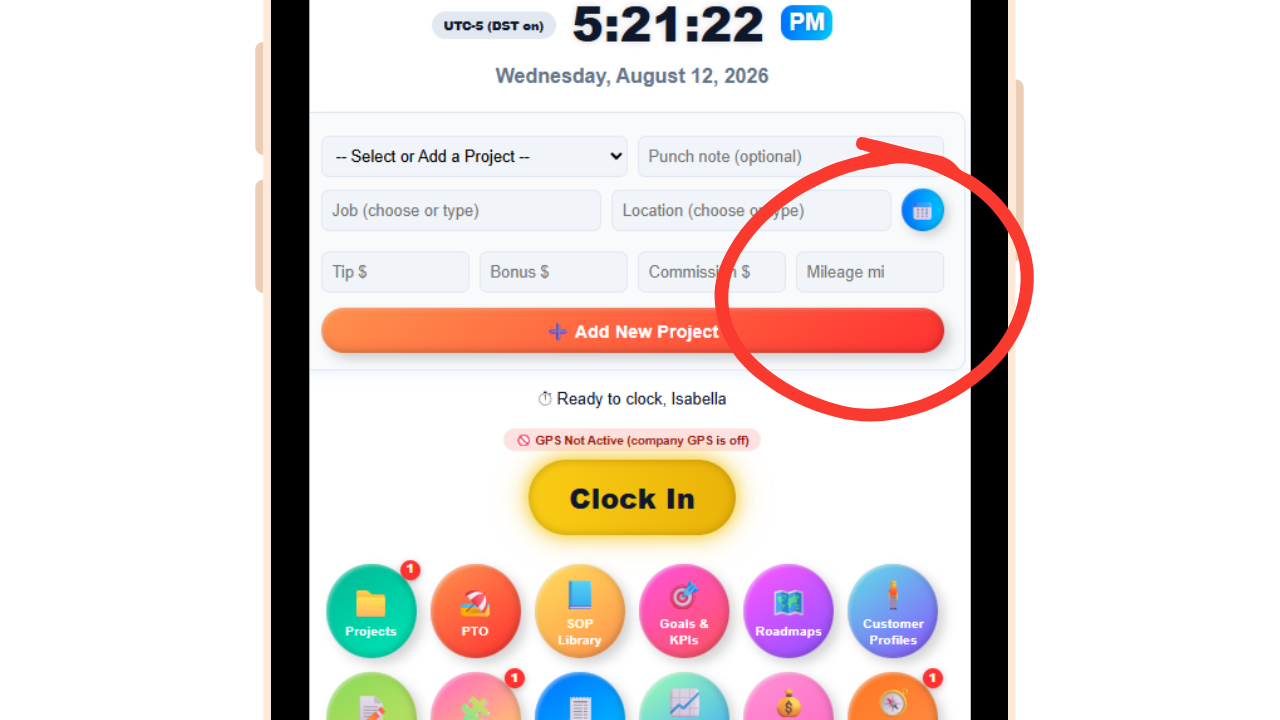
Instead of a separate mileage app or a paper log that gets filled out days later from memory, employees log miles right on the same time card entry where they're already tracking hours.
Each trip gets tied to the job, client, or project it was driven for, so mileage isn't just a number, it's connected to the work it actually supports.
Because it's logged in the moment alongside the time entry, mileage records stay more accurate than trying to reconstruct a week of driving from memory at the end of a pay period.
Mileage reviewed the same way hours already are.
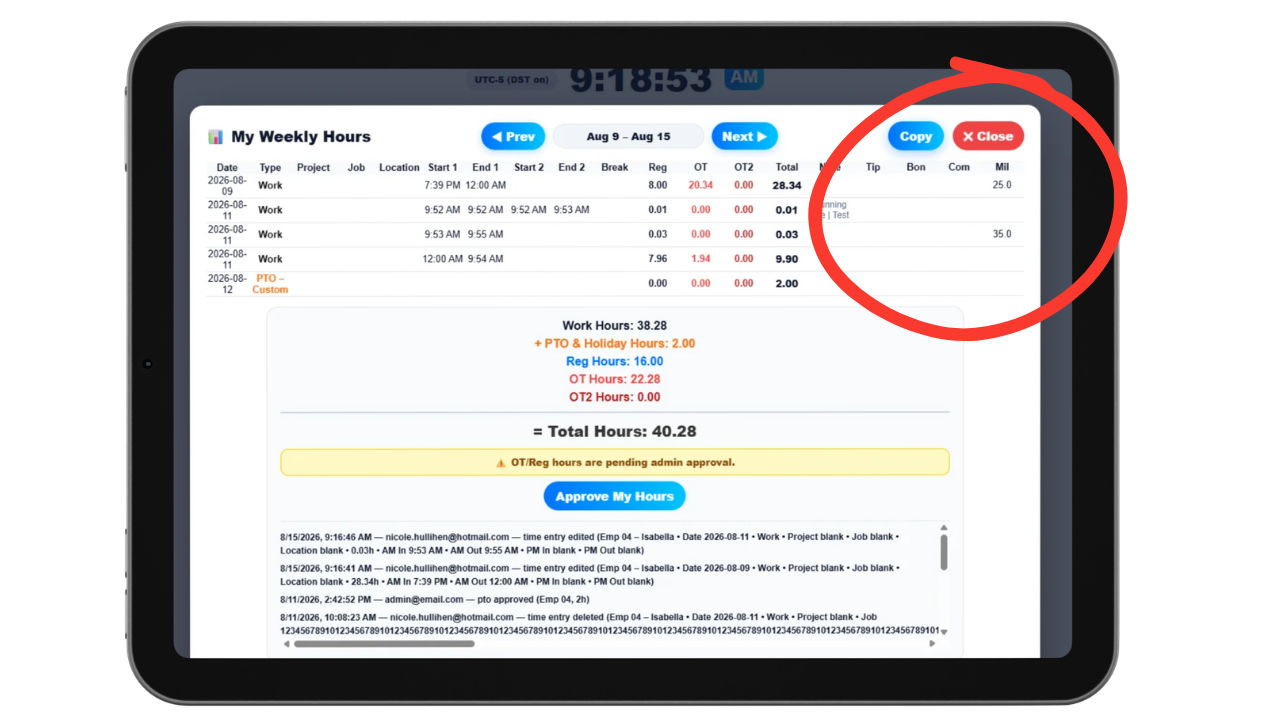
Managers review and approve mileage entries as part of the same time card approval process, so there's no separate mileage report to chase down or reconcile after the fact.
Approval can also optionally be set up at the employee level, so specific employees are required to have their hours and mileage approved before they're finalized.
Because mileage and hours are reviewed together, there's one clear approval step instead of two disconnected processes running in parallel.
A clean, exportable record for reimbursement or taxes.
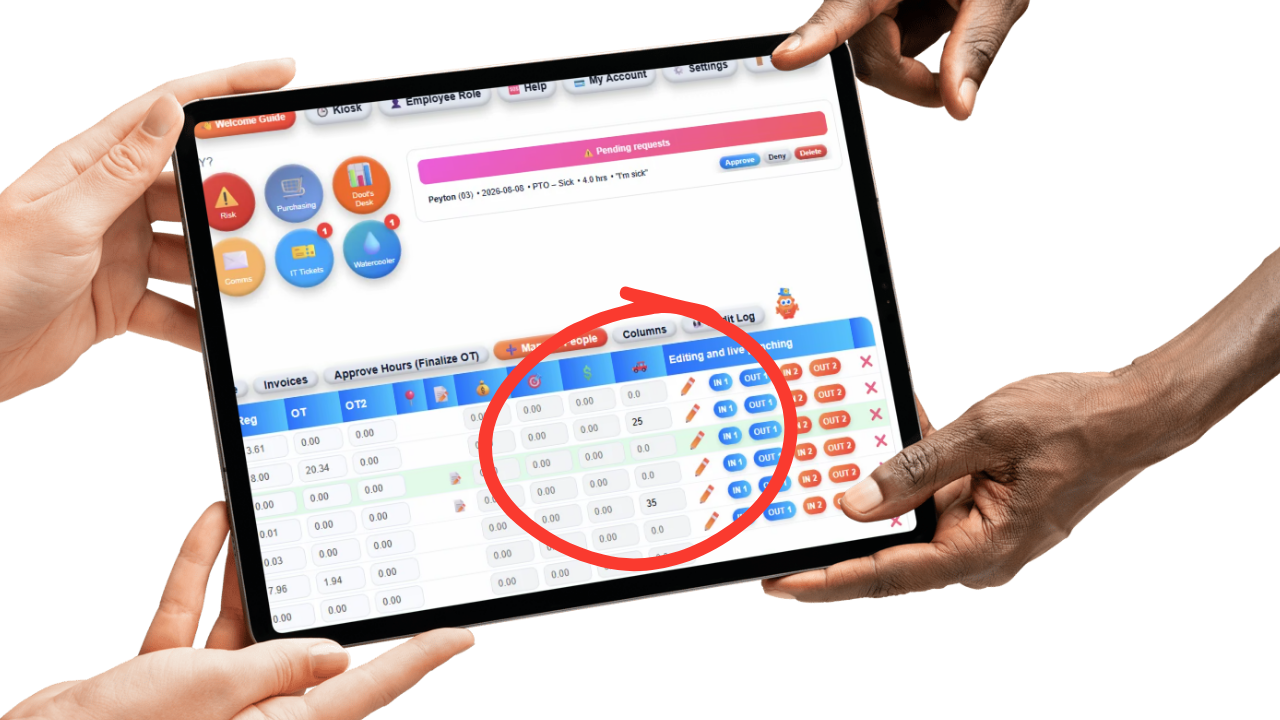
Approved mileage rolls up into reporting alongside hours, giving you a clear record of miles driven by employee, job, or time period without pulling data from a separate app.
That record exports right along with payroll-ready hours, so reimbursement doesn't require a second export or a manual reconciliation step.
Whether it's for reimbursing employees or documenting mileage for tax purposes, the record is already organized and ready to hand off.
Mileage tracking usually lives somewhere disconnected from everything else, a separate app, a paper log kept in the glove box, or a spreadsheet someone updates from memory once a week. By the time it's reviewed, half the trips are estimated and the other half are missing entirely.
Updoot logs mileage right on the same time card entry employees are already filling out for hours worked. It's manual, entered by the employee at the time of the trip, and tied to the job or client it was driven for, so there's no separate system to maintain.
Because mileage and hours are reviewed together, managers get one approval process instead of chasing down a mileage report that's disconnected from payroll.
The result is a mileage record that's more accurate because it's logged close to when the trip actually happened, and easier to manage because it's part of the same time tracking your team already uses every day.
The system for logging, reviewing, and reporting mileage alongside time cards.
Log miles right alongside hours worked, no separate app required.
Every trip connects to the job, client, or project it was driven for.
Mileage is reviewed and approved as part of the same time card process.
See miles driven by employee, job, or time period in one report.
Approved mileage exports alongside hours, ready for reimbursement.
Keep an organized record ready for reimbursement or tax documentation.
Short, practical reads on time tracking, field service operations, and running a tighter operation.
Log miles right alongside time cards, tied to the job that needed them. Start your free trial of Updoot -- mileage tracking, time tracking, payroll export, and invoicing all in one platform built for small business.
Start Free Today →