
The Best HR System for Small Businesses and Why
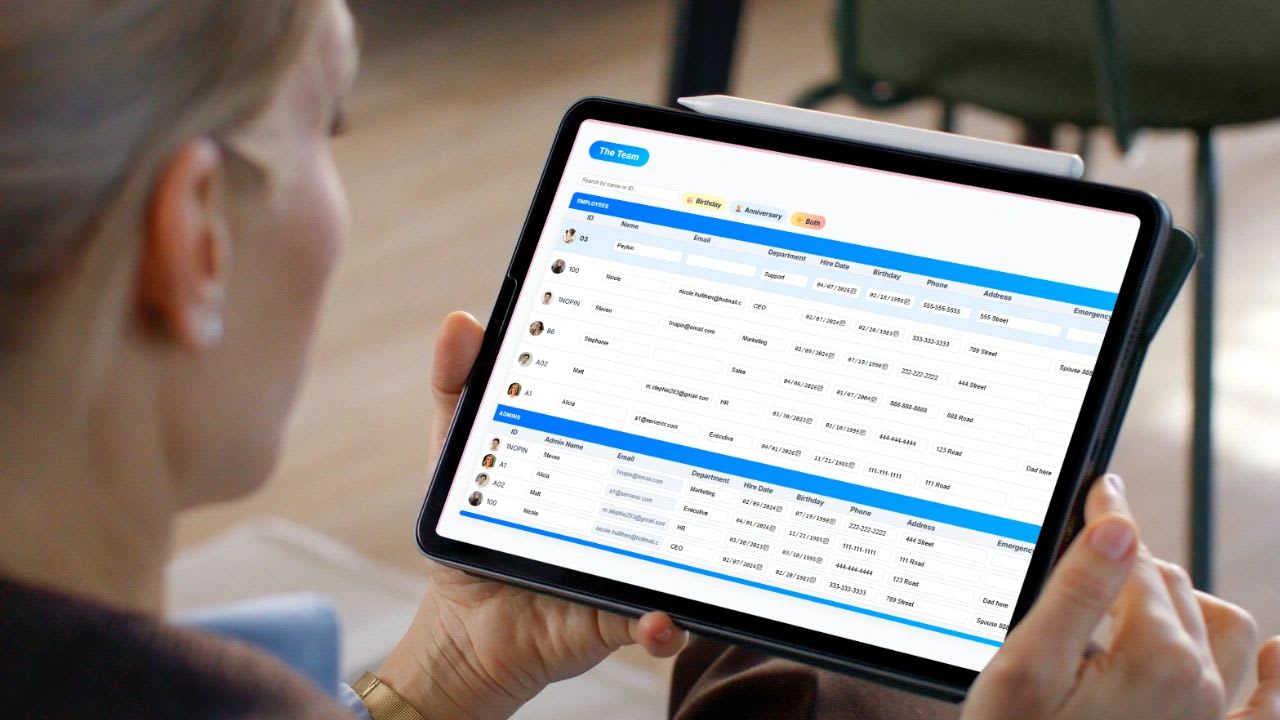
The best HR system for small businesses is the one your team will actually use, that keeps every employee record in one place, and that connects hours, PTO, and people data to the rest of the business.
Most small businesses do not start with a system. They start with a spreadsheet, a shared folder, and an owner who remembers everything. That works for a while. Then hiring gets inconsistent, employee files end up in five places, payroll mistakes creep in, and compliance questions start keeping you up at night.
Here is what an HR system should do, the features that matter most, the record keeping rules it should help you follow, the mistakes to avoid, and a free tool to compare the systems on your shortlist side by side.
What Is an HR System?
An HR system is software that holds your people operations in one place: employee records, hiring, onboarding, time tracking, PTO, performance, and the documents that go with all of it. You may also see it called an HRIS (human resources information system) or HR software.
For a small business, the goal is not complexity. It is control and clarity.
| Without an HR System | With an HR System |
|---|---|
| Employee details live in email, spreadsheets, and paper files | One record per employee with everything attached |
| Every manager hires and onboards differently | The same steps for every new hire |
| PTO balances are tracked by memory | Balances and requests in one place |
| Payroll hours are re-typed by hand | Clean, payroll-ready exports |
| Decisions are based on gut feel | Decisions are based on real data |
Features That Matter Most
Most HR tools oversell features and underdeliver on ease of use. These are the ones that actually change how your week goes.
1. Centralized employee records
One place for contact details, role, pay type, documents like offer letters and tax forms, certifications, and history such as promotions and reviews. If you are still digging through folders and email threads, you do not have a system yet.
2. Time tracking and attendance
Look for easy clock-in on mobile, desktop, or a shared kiosk, tracking by job, project, or location, automatic overtime totals, and PTO requests with approvals. If time tracking is a separate tool, you will be stitching data together every pay period.
3. Payroll-ready reporting
Even if payroll runs somewhere else, your HR system should total hours, separate regular and overtime time, and export a clean report. Re-typing hours is one of the fastest ways to lose time and trust.
4. Hiring and onboarding
Track candidates, keep resumes and interview notes together, and give every new hire the same onboarding checklist. Our new hire orientation checklist shows what that should cover.
5. Performance and goals
Goal tracking, reviews, and running notes keep feedback from piling up until one awkward conversation a year.
6. Scheduling
If you run shifts or project-based work, you need to see who is working, where, and when. Scheduling tied to time tracking has a direct effect on labor cost.
7. Record keeping and compliance support
The system should make it easy to keep the records you are required to keep, for as long as you are required to keep them, without a filing cabinet.
HR System vs. Payroll Software vs. a PEO
These three get mixed up a lot, and many small businesses end up paying for overlap. Here is how they differ.
| HR System | Payroll Software | PEO | |
|---|---|---|---|
| What it is | Software for people records, time, PTO, hiring, and reviews | Software that calculates pay, taxes, and deposits | An outside company that co-employs your staff and runs HR, payroll, and benefits |
| Who does the work | You and your managers | You, with the software doing the math | The PEO, with you approving |
| Typical cost | Per user per month | Base fee plus per employee | Per employee or a percentage of payroll |
| Best for | Keeping people data organized and connected | Accurate paychecks and tax filings | Businesses that want to hand off HR and benefits |
Many small businesses pair an HR system with a payroll provider: the HR system tracks hours, PTO, and people data, then exports clean totals for payroll to run.
Records Your HR System Should Help You Keep
Federal law sets minimum retention periods for several kinds of employee records. A good HR system keeps these organized and easy to find. Your state may require more, so confirm with your state labor agency.
| Record | Federal Minimum | Source |
|---|---|---|
| Payroll records | At least 3 years | DOL Fact Sheet 21 |
| Time cards, schedules, and wage rate tables | 2 years | DOL Fact Sheet 21 |
| Personnel and employment records | 1 year (1 year from termination for involuntary terminations) | EEOC recordkeeping |
| Form I-9 | 3 years after hire or 1 year after employment ends, whichever is later | USCIS I-9 Central |
Free HR System Comparison Tool
Free HR System Comparison Tool
Set how important each feature is to you, name up to three HR systems you are considering, and tick what each one includes. The tool scores each system on your must-haves first and lists what is missing. Nothing you enter is saved or sent anywhere.
| Feature | Importance | Option A | Option B | Option C |
|---|---|---|---|---|
| Employee records and documents | ||||
| Time tracking (mobile, desktop, kiosk) | ||||
| PTO requests and balances | ||||
| Payroll-ready exports | ||||
| Scheduling | ||||
| Hiring and applicant tracking | ||||
| Onboarding checklists | ||||
| Performance reviews and goals | ||||
| Org chart | ||||
| Connects to projects and invoicing |
| System | Must-Haves Covered | Overall Score | Missing Must-Haves |
|---|
Score on must-haves first. A system with every nice-to-have but one missing must-have will cost you more in workarounds than it saves.
What a Good HR System Should Actually Do
- Save time by removing manual steps like re-typing hours and chasing PTO requests
- Reduce errors in payroll, schedules, and records
- Show you what is happening with your team without asking around
- Create consistency in how you hire, onboard, and manage
- Grow with you from five employees to fifty without a painful switch
If a system is not doing these things, it is not worth paying for.
Common Mistakes When Choosing an HR System
| Mistake | Why It Hurts | Do This Instead |
|---|---|---|
| Choosing on feature count | A tool with 100 features can still be too hard to use | Have two employees test it during the free trial |
| Using too many separate tools | Data does not match and someone re-types it | Consolidate time, PTO, records, and hiring |
| Ignoring operations | HR data never reaches projects, billing, or payroll | Pick a system that connects to the rest of the business |
| Skipping process design | Software cannot fix an unclear process | Write down how you hire, onboard, and track time first |
| Waiting too long | More messy data to clean up later | Start before things break |
For more on the process side, see 20 common HR mistakes small businesses face.
When to Move Off Spreadsheets
It is time for a real HR system if several of these sound familiar:
- You have more than five to ten employees
- Time is tracked manually or inconsistently
- Payroll takes too long or keeps having errors
- You cannot quickly see who is working or what they are working on
- Hiring and onboarding feel different every time
- You have had to dig for an employee document during an audit, claim, or dispute
At that point, the spreadsheet is costing you more than it saves.
Questions to Ask in Every HR Software Demo
- Can an employee clock in, request PTO, and see their balance from a phone in under a minute?
- What does the payroll export look like, and does it work with our payroll provider?
- Can managers see only their own team's information?
- How do we get our current employee data in, and how do we get it out if we leave?
- Which features cost extra, and what will we pay at twice our current headcount?
- Is there a contract, or can we cancel any month?
- Who answers support questions, and how fast?
Write the answers into the comparison tool above so every option is judged on the same facts.
How to Roll Out an HR System in 30 Days
| Week | Focus |
|---|---|
| 1 | Load employee records, roles, pay types, and managers. Upload key documents. |
| 2 | Turn on time tracking and PTO. Set your PTO policy and approval rules. |
| 3 | Run one pay period in parallel with your old method and compare totals. |
| 4 | Add scheduling, hiring, and onboarding checklists. Retire the spreadsheets. |
Where Updoot Fits In
Updoot is business management software that puts HR in the same system as the rest of the business. It connects employee time tracking on mobile, desktop, and kiosk, PTO and scheduling, payroll-ready exports, hiring and applicant tracking, employee records, performance reviews, and org charts with projects, job-based time, and invoicing. Because it all works together, you manage the business instead of managing a stack of tools. Plans start at $5 per user per month with every feature included.
Final Thoughts
The best HR system for a small business is not the one with the longest feature list. It is the one that keeps your people data in one place, covers your must-haves, is easy enough that your team actually uses it, and connects HR to time, payroll, and projects. Build that system before you need it, and growth gets a lot less chaotic.
Opens in Google Drive. View and download for free.
Related Reading
Top HRIS System Recommendations →
Frequently Asked Questions About HR Systems for Small Businesses
What is an HR system?
An HR system is software that keeps employee records, hiring, onboarding, time tracking, PTO, performance, and related documents in one place. It is also called an HRIS or HR software.
What features should a small business HR system have?
The core features are centralized employee records, time tracking and PTO, payroll-ready reports, hiring and onboarding, performance and goal tracking, scheduling, and support for record keeping.
When should a small business get an HR system?
Most businesses need one once they pass five to ten employees, when time is tracked inconsistently, payroll keeps having errors, or hiring and onboarding feel different every time.
How long do employee records need to be kept?
Under federal rules, payroll records must be kept at least three years, time cards and wage records two years, personnel records one year, and Form I-9 three years after hire or one year after employment ends, whichever is later. States may require longer.
What is the biggest mistake when choosing an HR system?
Choosing based on the number of features instead of ease of use. If employees and managers find it hard to use, the data stays in spreadsheets and the system never pays off.
How much does Updoot cost?
Updoot is $5 per user per month with every feature included, covering time tracking, PTO, scheduling, hiring, employee records, performance reviews, projects, and invoicing.