
Staffing Agency Billing and Invoicing Software: The Complete Guide
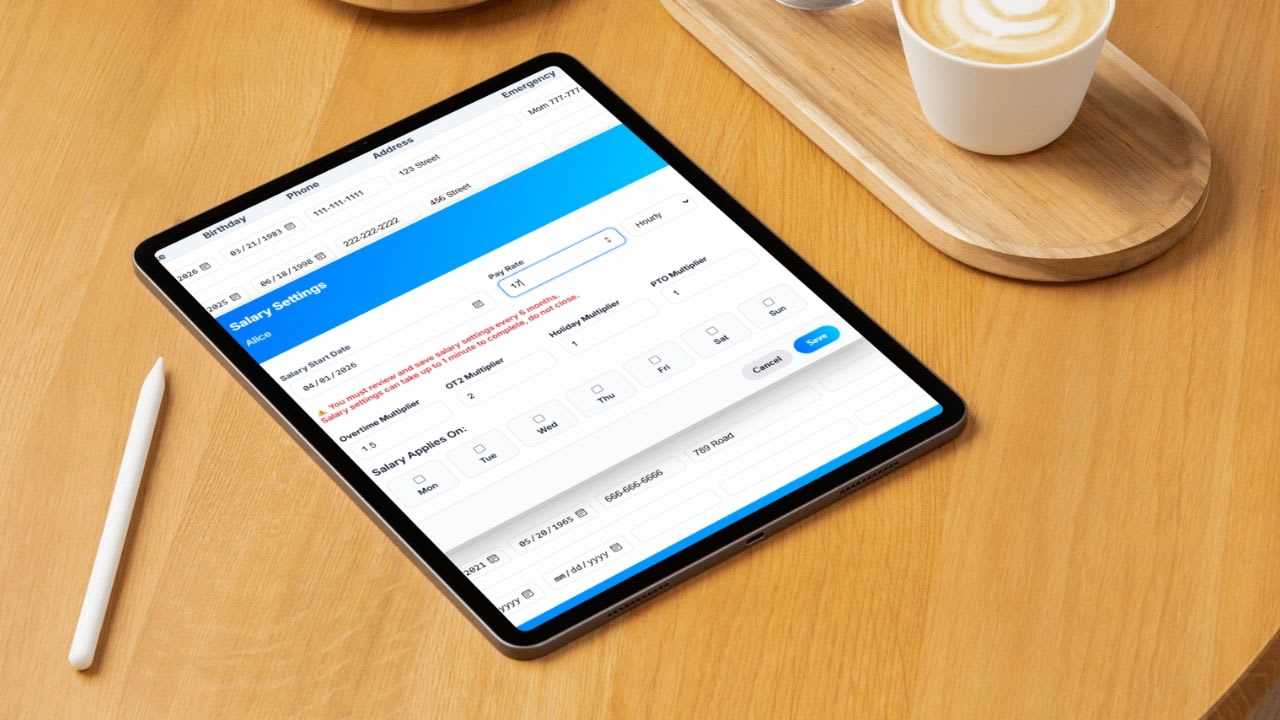
Staffing agency billing software is a system that tracks each worker's hours by client and assignment, applies the right pay and bill rates, and turns approved timesheets into accurate payroll and client invoices without re-entering data. For agencies, it is the difference between billing every hour worked and leaking margin through spreadsheets. This guide explains how it works, the features that matter, how it protects profit, how to choose a platform, and includes a free markup and margin calculator.
Running a staffing agency is a balancing act: tracking hours across many clients, paying workers correctly, managing different bill rates, and invoicing on time. When any one piece breaks, margins shrink fast.
What Is Staffing Agency Billing Software?
Staffing agency billing software connects the full time-to-cash cycle in one system:
- Workers clock time by client, job, and location.
- Supervisors approve hours, often the client's site manager.
- Rates are applied: the pay rate for payroll and the bill rate for the invoice, including overtime.
- Payroll and invoices are generated from the same approved hours.
Because every number comes from one approved timesheet, payroll and billing always match.
Why Staffing Agencies Struggle Without It
Most agencies start with spreadsheets, emailed timesheets, and a separate payroll tool. That works until volume grows. Common problems include:
- Timesheets that arrive late, incomplete, or illegible
- Invoices built by hand, which is slow and error-prone
- Hours paid to workers that never make it onto a client invoice
- Overtime paid at 1.5 times but billed at straight time
- No real-time view of labor cost, margin, or overtime risk by client
If time tracking, payroll, and billing are not connected, you are almost certainly leaking profit.
Key Staffing Billing Terms
| Term | Meaning |
|---|---|
| Pay rate | What the agency pays the worker per hour |
| Bill rate | What the agency charges the client per hour |
| Markup | The percentage added to the pay rate to reach the bill rate. A $20 pay rate with a 50% markup bills at $30. |
| Burden | Employer costs on top of pay: payroll taxes, unemployment insurance, workers' compensation, and benefits |
| Gross margin | Bill rate minus pay rate minus burden. The money left to cover overhead and profit. |
| Spread | Bill rate minus pay rate, before burden |
| OT multiplier | The factor applied to the bill rate for overtime hours, often matched to the 1.5 times pay premium |
Markup and margin are not the same. A 50% markup produces a 33% spread as a share of the bill rate, and less once burden is subtracted. Confusing the two is one of the most common pricing mistakes in staffing.
Free Staffing Markup and Margin Calculator
Free Staffing Markup and Margin Calculator
Enter a worker's pay rate, your employer burden, and either a markup or a bill rate. The calculator shows the bill rate, gross margin per hour, and weekly profit per placement, including overtime billed at your OT multiplier.
| Per Worker per Week | Regular | Overtime | Total |
|---|
Burden should include employer payroll taxes, unemployment insurance, workers' compensation, and any benefits you pay. Overtime pay is calculated at 1.5 times the pay rate for hours over 40, the federal minimum for nonexempt workers.
Notice what happens to margin on overtime hours when the OT bill multiplier is lower than 1.5. If your contract bills overtime at straight time, every overtime hour costs you money. Build the OT multiplier into every client agreement.
How Billing Software Fixes the Problem
Time Tracking by Client and Job
Workers clock in through a mobile app or a shared kiosk at the client site, and every hour is tied to a client, assignment, and cost code.
Approvals
Supervisors review and approve hours before they reach payroll or invoices, which prevents disputes and creates a record the client already agreed to.
Rate Application
Each worker, role, or client can carry its own pay rate, bill rate, and overtime rules. The system splits regular and overtime hours and calculates both sides automatically.
Automatic Invoicing
Approved hours flow straight onto invoices grouped by client, location, or purchase order, ready to send the same day.
Payroll Alignment
The same approved hours drive payroll, so there is no reconciliation between what workers were paid and what clients were billed.
Key Features to Look For
| Feature | Why It Matters |
|---|---|
| Time tracking by client, job, and location | Every paid hour must map to a billable hour |
| Mobile and kiosk clock-in | Covers field workers and busy client sites |
| Client-side approvals | Reduces invoice disputes |
| Separate pay and bill rates with OT rules | Protects margin on every hour |
| Automatic invoice generation | Faster billing and fewer errors |
| Real-time dashboard | Shows who is working, hours today, overtime risk, and pending approvals |
| PTO and holiday handling | Separates billable from non-billable paid time |
| Payroll export or integration | Eliminates double entry |
| Margin reporting by client | Shows which accounts are actually profitable |
How Billing Software Increases Profit
- Captures every billable hour. Small gaps add up. Ten unbilled minutes per shift across 50 workers at a $30 bill rate is about $250 a day.
- Eliminates underbilling of overtime premiums, rate differences, and job-specific pricing.
- Speeds up cash flow. Invoices go out as soon as hours are approved instead of days later.
- Reduces admin time spent on data entry, corrections, and reconciliation.
- Builds client trust with detailed, accurate invoices backed by approved time.
Compliance Considerations for Staffing Agencies
Agencies that employ workers placed at client sites generally handle payroll, tax withholding, and overtime for those workers. Nonexempt workers must receive overtime at 1.5 times their regular rate for hours over 40 in a workweek under the federal FLSA, and in some situations both the agency and the client can be treated as joint employers responsible for wage and hour compliance. The Department of Labor FLSA page is the starting point for federal rules. State rules on overtime, pay frequency, and staffing agencies vary, so confirm the requirements where you place workers.
Example: Where Margin Leaks Without Connected Billing
Take a worker paid $20 an hour, billed at $30 with an 18% burden, working 45 hours in a week. The five overtime hours cost the agency $30 an hour in pay plus burden, about $35.40 an hour. If the client contract bills overtime at 1.5 times, those hours bill at $45 and still earn a margin. If overtime is accidentally billed at straight time, each of those hours bills at $30 and loses about $5.40. Multiply that by dozens of workers and weeks of overtime and a spreadsheet mistake becomes a meaningful loss.
The same pattern shows up with rate changes that never reach the invoice, shift differentials paid but not billed, and hours approved late that miss the billing cycle. Connected software applies the rules the same way every time.
Staffing Billing Workflow Checklist
- Client contract lists bill rates, OT and holiday multipliers, and invoice frequency
- Each worker's pay rate, bill rate, and assignment are set up before the first shift
- Workers clock in by client and job every shift
- Client or site supervisor approves hours by a fixed weekly deadline
- Payroll runs from approved hours only
- Invoices generate from the same approved hours the same day
- Margin report reviewed weekly by client
- Disputes resolved against the approved timesheet, not memory
Who Needs Staffing Billing Software?
Any agency that places temporary or contract workers, bills clients by the hour, serves multiple clients or sites, or wants to grow without adding administrative staff. The more workers and rate combinations you manage, the faster spreadsheets break.
Spreadsheets vs. Staffing Billing Software
| Spreadsheets and Email | Connected Billing Software | |
|---|---|---|
| Timesheet collection | Emailed, photographed, or retyped | Clocked in by worker, approved online |
| Rate application | Manual lookups and formulas | Automatic by worker, role, and client |
| Overtime | Easy to miss or bill at straight time | Split and billed by rule |
| Invoice creation | Hours of work each cycle | Generated from approved time |
| Margin visibility | After the fact, if at all | Real time by client |
How to Choose the Right Platform
- Map your time-to-cash process from clock-in to payment.
- List your rate complexity: number of clients, roles, and overtime rules.
- Test the worker experience. If clocking in is hard, timesheets will be wrong.
- Confirm billing pulls from approved hours with no re-entry.
- Check reporting for margin by client and overtime by site.
- Compare total cost at your current and projected headcount.
The Bottom Line
Staffing agency billing software is about control, accuracy, and profit. If your system does not connect time, billing, and payroll, requires manual work, or delays invoices, it is holding your agency back.
A Better Way to Run It
Most tools solve one piece: time tracking, invoicing, or payroll. Updoot connects them. Workers clock in by client and job through mobile or kiosk, managers approve hours, rates are applied, and invoices are generated from the same data, with real-time labor cost visibility. Plans start at $5 per user per month. Related reading: time tracking for invoicing vs. payroll.
Sources: U.S. Department of Labor, Fair Labor Standards Act.
Opens in Google Drive. View and download for free.
Related Reading
Time Tracking for Invoicing vs. Payroll →
Frequently Asked Questions About Staffing Agency Billing Software
What is staffing agency billing software?
It is software that tracks worker hours by client and assignment, applies pay and bill rates, and generates payroll and client invoices from the same approved timesheets.
What is the difference between markup and margin in staffing?
Markup is the percentage added to the pay rate to get the bill rate. Margin is what remains after pay and employer burden are subtracted, usually shown as a percentage of the bill rate. A 50% markup does not mean a 50% margin.
What is employer burden in staffing?
Burden is the employer cost on top of wages, including payroll taxes, unemployment insurance, workers' compensation, and any benefits. It must be covered by the bill rate.
How should staffing agencies bill overtime?
Agencies typically bill overtime hours at a multiplier, often 1.5 times the bill rate, to cover the 1.5 times overtime pay owed to nonexempt workers. Put the multiplier in every client agreement.
What features should staffing billing software have?
Look for time tracking by client and job, mobile and kiosk clock-in, approvals, separate pay and bill rates with overtime rules, automatic invoicing, payroll integration, and margin reporting.
How does billing software increase agency profit?
It captures every billable hour, applies the correct rates and overtime, speeds up invoicing and cash flow, and cuts the admin time spent reconciling payroll and billing.