
What Is a Time Clock Kiosk? A Kiosk Guide for Under 100 Employees
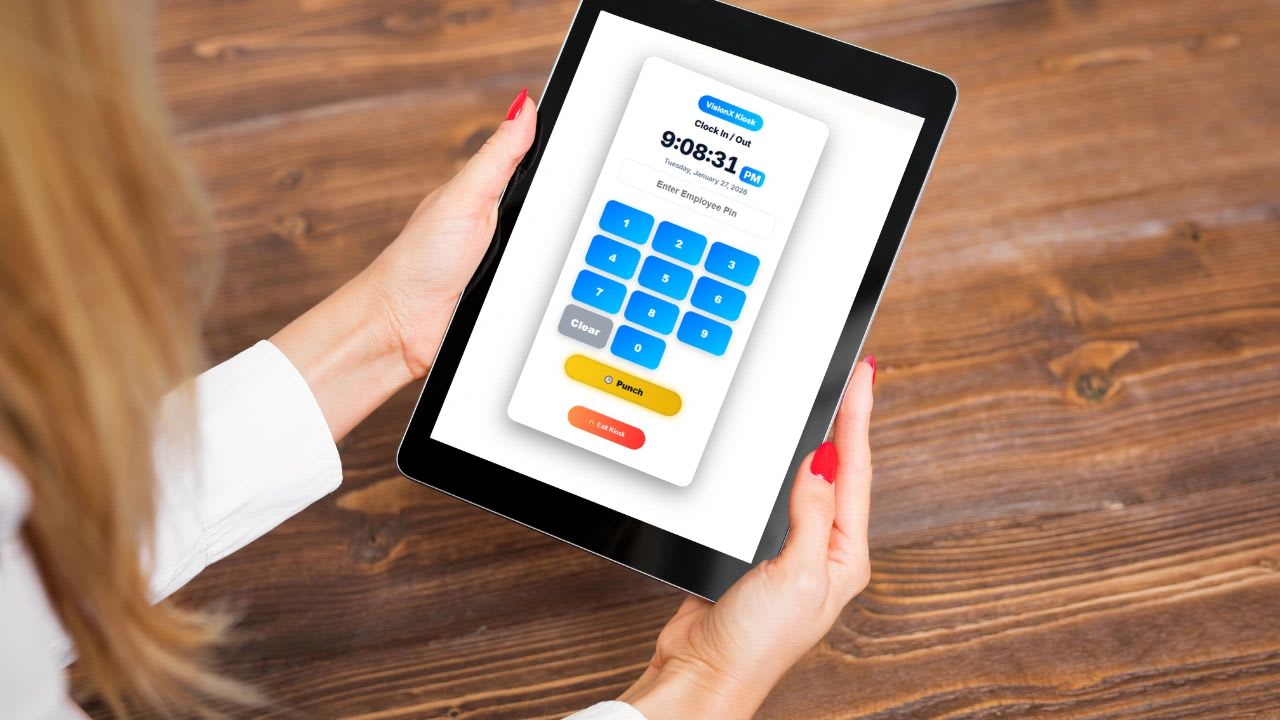
A time clock kiosk is a shared device, usually a tablet or wall-mounted terminal, where employees clock in and out using a PIN, badge, or face or fingerprint scan. It replaces paper timesheets and punch cards with accurate, timestamped records that flow straight into payroll. This guide explains how kiosks work, compares the main types, covers setup for teams under 100 employees, and includes a free calculator for how many kiosks you need and what manual time tracking errors cost.
Knowing exactly when employees start and finish work affects payroll, labor costs, and compliance. Many businesses start with paper sheets or honor-system spreadsheets. As the team grows, those methods produce rounding, forgotten punches, and disputes. A kiosk fixes that by giving everyone one fast, consistent way to record time.
What Is a Time Clock Kiosk?
A time clock kiosk is a shared clock-in station placed where employees start their shifts, such as a break room, warehouse entrance, front office, or job site trailer. Instead of each person logging in on their own device, everyone uses the same station. Employees identify themselves by:
- Entering an employee ID or PIN
- Scanning a badge or card
- Using facial recognition or a fingerprint
- Selecting their name from a list, often paired with a PIN or photo
How a Time Clock Kiosk Works
- The employee walks up to the kiosk at the start of a shift.
- They identify themselves with a PIN, badge, or biometric scan.
- They choose an action: clock in, start break, end break, or clock out.
- The system records the exact timestamp, and many systems also capture a photo.
- Punches sync to the time tracking system, where managers review and approve hours for payroll.
More advanced kiosks let employees choose a job, project, department, or location when they clock in, so every hour is tied to the work it supports. That turns a time clock into a job costing tool.
Why Businesses Use Time Clock Kiosks
- Accuracy. Real-time timestamps replace guesses and rounded numbers.
- Speed. A good kiosk takes a few seconds per punch, even at shift change.
- Consistency. Everyone uses the same process, so payroll data arrives in one format.
- Less buddy punching. PINs with photo capture or biometrics make it harder to clock in for someone else.
- Visibility. Managers can see who is working, who is on break, and who has not arrived.
- Recordkeeping. Federal law requires employers to keep accurate records of hours worked for nonexempt employees, as explained by the Department of Labor recordkeeping fact sheet. A kiosk produces those records automatically.
Where Time Clock Kiosks Work Best
Kiosks fit any workplace where employees start and end shifts on site without their own computer: manufacturing plants, warehouses, construction sites, retail stores, restaurants, clinics, and service businesses. For crews that travel between sites, pair a kiosk at the shop with mobile clock-in in the field.
Types of Time Clock Kiosks Compared
| Type | How Employees Clock In | Pros | Cons | Best For |
|---|---|---|---|---|
| Tablet or computer kiosk | PIN or name plus photo in kiosk software | Low cost, easy setup, flexible | Needs a secure mount and power | Most small businesses |
| Biometric | Fingerprint or face scan | Strongest protection against buddy punching | Higher cost, privacy rules to follow | Larger shifts, high-turnover teams |
| Badge or card | Swipe or tap a card | Very fast, familiar | Cards get lost or shared | Facilities already using access badges |
| PIN only | Unique code | Cheap, nothing to carry | Codes can be shared | Small, trusted teams |
If you consider biometrics, know that some states and cities regulate how biometric data is collected, stored, and disclosed, often requiring written notice and consent. Review the rules where you operate before rolling them out. A photo captured at each punch is a lighter-weight alternative that still discourages buddy punching.
Free Time Clock Kiosk Calculator
Use the calculator to size your kiosk setup and put a number on the problem you are solving.
Free Time Clock Kiosk Calculator
Find out how many kiosks you need so nobody waits in line at shift start, and estimate what manual time tracking errors cost you today.
How Many Kiosks Do You Need?
What Do Time Errors Cost Now?
If most of your team arrives within a few minutes of each other, add a kiosk rather than letting a line form. Employees waiting to punch in is paid time you get nothing for, and it creates pressure to skip or fake punches.
Common Challenges and How to Solve Them
| Challenge | Solution |
|---|---|
| Lines at shift change | Add kiosks or stagger start times by a few minutes |
| Device failure or internet outage | Use a kiosk app that stores punches offline and syncs later, and keep a backup method |
| Employees forget to punch | Place the kiosk on the natural path in and out, and send missed-punch alerts |
| Resistance to change | Keep the screen simple, train in five minutes, and explain that accurate records protect employee pay |
| Buddy punching | Enable photo capture or biometrics and review exceptions weekly |
How to Set Up a Time Clock Kiosk in 5 Steps
Step 1: Choose the Location
Place the kiosk where employees naturally pass at the start and end of shifts, with power, a reliable connection, and a secure mount or stand.
Step 2: Define Your Process
Decide how employees identify themselves, whether they select a job or location, how meal and rest breaks are recorded, and how missed punches are corrected and approved.
Step 3: Write It Down
Put the process in a short written policy: when to clock in, what to do if you forget, and who approves corrections. Add rounding rules only if they are neutral over time. Store the policy with your SOPs and have employees acknowledge it.
Step 4: Train the Team
Most kiosk systems can be learned in a few minutes. Walk each shift through a practice punch on day one.
Step 5: Monitor and Adjust
For the first month, review missed punches, lines at peak times, and employee feedback every week. Adjust placement, the number of kiosks, or the process as needed.
Time Clock Kiosk vs. Mobile Time Tracking
| Kiosk | Mobile App | |
|---|---|---|
| Best for | On-site teams at a fixed location | Field, remote, and multi-site teams |
| Control | High, one controlled device | Depends on GPS or geofencing settings |
| Employee needs | Nothing, uses a shared device | A smartphone |
| Cost | One device per location | No hardware for the business |
Many businesses combine both: a kiosk at the shop or store and mobile clock-in for people who work in the field. For the mobile side, see the mobile workforce management guide.
Kiosk Hardware Checklist
- Device: a tablet with a front camera is enough for most small businesses.
- Mount: a locking wall or floor stand keeps the device secure and at a consistent height.
- Power: a permanent power connection so the kiosk never runs out of battery.
- Connection: reliable Wi-Fi or wired internet, plus offline mode for outages.
- Kiosk mode: lock the device to the time clock app so it cannot be used for anything else.
- Accessories: a badge reader or fingerprint scanner only if you use those methods.
Breaks, Rounding, and Missed Punches
Decide how breaks will be recorded before rollout. Short rest breaks are generally paid time under federal rules, while bona fide meal periods where the employee is fully relieved of duty generally are not, as described in the Department of Labor's hours worked guidance. If you round punches, the rounding must not consistently favor the employer. For missed punches, require the employee to submit a correction and a manager to approve it, with every edit saved in an audit trail. Some states have their own break rules, so confirm what applies where you operate.
What to Look for in Kiosk Software
- Fast punches with PIN, photo, badge, or biometric options
- Offline mode that syncs when the connection returns
- Job, project, or location selection at clock-in
- Break tracking and missed-punch alerts
- Manager approval and an audit trail for every edit
- Overtime and payroll-ready exports or integrations
- Pricing that works for teams under 100 employees
Compare options in the best time clock kiosk apps and software.
Connect Time to More Than Payroll
A kiosk that only records hours leaves value on the table. When punches connect to jobs, projects, labor costs, and invoicing, you can see which work is profitable, which crews are overloaded, and where overtime comes from. Updoot includes a built-in time clock kiosk that ties every punch to projects, payroll, and reporting, starting at $5 per user per month.
Final Thoughts
For teams under 100 employees, a time clock kiosk is one of the simplest ways to improve payroll accuracy, cut admin time, and reduce time disputes. Choose the right type, place it well, write a clear policy, and connect the data to the rest of your operations.
Sources: U.S. Department of Labor, Recordkeeping Requirements Under the FLSA.
Opens in Google Drive. View and download for free.
Related Reading
Best Time Clock Kiosk App and Software →
Frequently Asked Questions About Time Clock Kiosks
What is a time clock kiosk?
A time clock kiosk is a shared device, usually a tablet or wall terminal, where employees clock in and out with a PIN, badge, or biometric scan. It records exact timestamps that feed into payroll.
How does a time clock kiosk work?
Employees identify themselves at the kiosk, choose clock in, break, or clock out, and the system records the timestamp. Many kiosks also capture a photo and let employees select a job or location.
How many time clock kiosks do I need?
It depends on how many people clock in at peak and how quickly. Multiply peak employees by seconds per punch, then compare that to the arrival window. The calculator on this page does the math.
Do time clock kiosks prevent buddy punching?
They reduce it. PIN-only kiosks can still be misused, but photo capture and biometric options make clocking in for someone else much harder.
Are biometric time clocks legal?
Biometric time clocks are widely used, but some states and cities regulate biometric data and require notice and consent. Review the rules where you operate before using fingerprint or face scans.
Is a kiosk better than a mobile time clock app?
A kiosk is better for on-site teams at a fixed location. Mobile apps are better for field and remote teams. Many businesses use both.