
Monday.com Pricing Plans vs Updoot Pricing Side-by-Side Chart
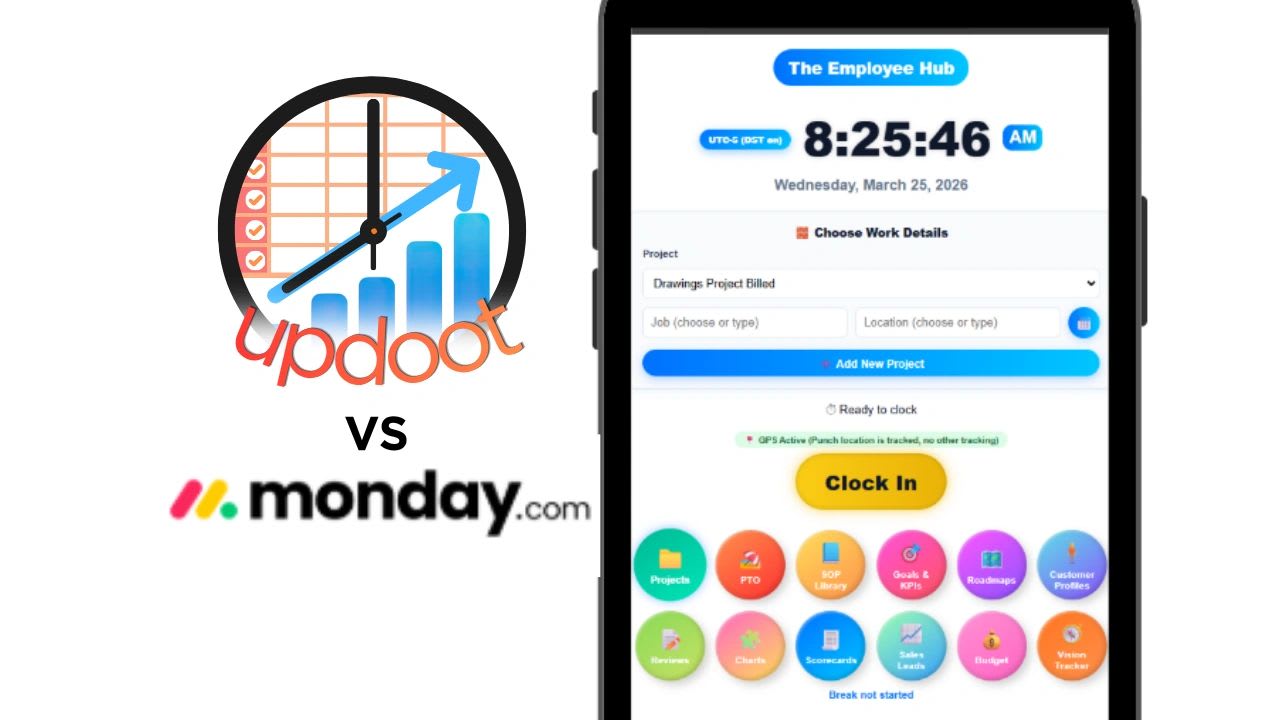
Monday.com pricing looks simple until you add up what a real team pays. Compare monday.com to Updoot pricing and features to determine which is the best fit for you.
If you are comparing monday.com and Updoot, you are probably asking one of two questions. Either you are already paying for monday.com and wondering if you are getting enough for what it costs, or you are evaluating both from scratch and trying to understand which one actually fits a growing business.
The short answer is that monday.com and Updoot are built for different things. Monday.com is a project management and work operating system. Updoot is business management software built around workforce management, time tracking, HR, operations, sales, and leadership tools in one platform. The overlap exists, but the core purpose is different, and that difference shows up clearly when you compare what each platform costs and what you actually get for that cost.
This article breaks down monday.com pricing plan by plan, compares it directly to Updoot’s flat pricing, calculates the real cost for a 10-person team, and shows exactly what each platform includes, so you can compare actual features rather than marketing language. A free cost calculator at the end runs the numbers for your own team.
Monday.com Pricing Plans Explained
Monday.com pricing starts from $9 per seat per month, billed annually. That number is accurate but incomplete. Here is what each plan costs and includes, based on the monday.com pricing page.
| Monday.com plan | Price per seat, billed annually | Key limits |
|---|---|---|
| Free | $0 | Up to 2 seats and 3 boards |
| Basic | $9 | No automations, integrations, timeline, or time tracking |
| Standard | $12 | 250 automation and 250 integration actions a month; timeline and Gantt views |
| Pro | $19 | 25,000 automation and integration actions a month; private boards; time tracking |
| Enterprise | Custom pricing | Negotiated with monday.com sales |
Monday.com Free Plan
Monday.com’s free plan is limited to 2 seats and 3 boards. It is genuinely useful for a two-person team testing the tool, but it is not a sustainable working plan for most teams.
Monday.com Basic Plan: $9 per Seat per Month
The Basic plan costs $9 per seat per month when billed annually, and more on monthly billing. You need at least three seats to get started, so the minimum cost is $27 per month.
Basic notably does not include automations or integrations. A team on Basic must manually update every status, manually move tasks between stages, and cannot connect monday.com to Slack, Gmail, or other tools. For most teams, Basic’s lack of automation makes it a limited step up from free.
Monday.com Standard Plan: $12 per Seat per Month
Standard plan: $12 per user per month, billed annually. Standard is where monday.com becomes genuinely useful for teams. It unlocks automations up to 250 runs per month, integrations with external tools up to 250 per month, the timeline Gantt chart view, and guest access. For most teams evaluating monday.com, Standard is the minimum viable paid plan.
Monday.com Pro Plan: $19 per Seat per Month
The Pro plan adds private boards, time tracking, chart views, and formula columns. It raises automation and integration limits from 250 to 25,000 actions per month. Time tracking, which most growing businesses consider a basic requirement, is only available from the Pro plan up.
Monday.com Enterprise Plan: Custom Pricing
Enterprise pricing is not published. You negotiate directly with monday.com sales, and the price depends on contract terms, commitment length, and features. Enterprise raises automation and integration limits to up to 250,000 actions a month.
Monday.com’s 3-Seat Minimum and Seat Increments
According to monday.com’s own support article, paid plans start at a minimum of 3 seats and then go up in multiples of 5. You cannot buy fewer than 3 seats on a paid plan. A solo user still pays for 3 seats, and so does a 2-person team.
The increments matter as you grow. A 4-person team buys 5 seats, and a 6-person team buys 10, so you often pay for seats nobody uses.
Monday.com Monthly vs Annual Billing
Monthly billing costs more. Monday.com says the yearly option includes an 18% discount over monthly billing, so every price on this page assumes you commit to a full year.
Updoot Pricing Explained
Updoot is $5 per user per month. One plan. Everything included. No minimum seat requirement, no automation limits, no feature gating behind higher tiers, no annual commitment required to get the real price.
That is the entire pricing structure.
What a 10-Person Team Pays: Monday.com vs Updoot
This is where the comparison becomes concrete. A 10-person team is a common small business size and a practical benchmark for understanding what each platform actually costs in real life.
| Plan, 10 users | Per month | Per year | What is missing |
|---|---|---|---|
| Monday.com Basic ($9 per seat, annual) | $90 | $1,080 | Time tracking, automations, integrations |
| Monday.com Standard ($12 per seat, annual) | $120 | $1,440 | Time tracking; automations capped at 250 actions a month |
| Monday.com Pro ($19 per seat, annual) | $190 | $2,280 | Employee time clock, payroll export, HR, scheduling |
| Updoot ($5 per user) | $50 | $600 | Every feature included, no tiers |
A 10-person team on monday.com Pro pays $2,280 per year. The same team on Updoot pays $600 per year. That is a difference of $1,680 per year for a 10-person team, and the Updoot plan includes significantly more than monday.com Pro covers.
What a 10-Person Team Gets: Monday.com vs Updoot
Price only tells part of the story. Here is what each platform actually delivers for a 10-person team.
What Monday.com Pro Includes at $190 per Month
Project management with boards, timelines, and Gantt views. Task assignment, status tracking, and workflow automation up to 25,000 actions per month. Private boards, time tracking on tasks, chart views, and formula columns. Integrations with external tools. Dashboards combining data across boards.
What Monday.com Does Not Include as Built-In Features
The monday.com work management plans do not include these as built-in features: an employee time clock with GPS, overtime calculation, payroll-ready export, scheduling with shift management, PTO accruals and allocations, HRIS and employee records, performance reviews, an SOP library, invoice generation, a P&L builder, a Vision Tracker, tips, bonuses, commission, and mileage tracking, or midnight splits for overnight shifts.
Monday.com sells its CRM as a separate product, and some of these gaps can be patched with templates or marketplace apps. That usually means extra setup, extra cost, or both.
What Updoot Includes at $50 per Month
Everything monday.com Pro includes in project management, plus the functions listed above. Here is the complete list from Updoot’s actual feature set.
| Area | What Updoot includes |
|---|---|
| Time and attendance | Employee time clock with GPS clock-in, midnight splits, break timer, kiosk punch mode, and photo verification; daily, weekly, and California overtime tracking and dashboard; admin and optional employee time card approval with a full audit log |
| Pay and payroll | Tips, bonuses, commission, mileage, and punch notes tracked alongside time entries; pay rates and multipliers with gross pay in the payroll export; payroll-ready export to Gusto, ADP, Paychex, and more; five categories of PTO accruals and allocations; salaried employee setup |
| HR and people | HRIS with employee management, roles, and performance tracking; employee HR vault with emergency contacts, birthdays, and anniversaries; team location map; eNPS employee satisfaction surveys; two-way performance reviews; custom job description creator and library; ATS applicant tracking for hiring |
| Scheduling | Shift scheduling with suggest and swap by job and location; capacity calendar |
| Operations and projects | SOP library with review due alerts, revision, and approval tracking; project management with custom templates, briefs, and proposals; flow chart builder; risk tracker; RASCI roles and accountability chart builder; Gantt roadmap builder |
| Leadership | Meeting agenda with Vision Tracker integration; Vision Tracker inspired by Traction; org chart builder; goal and KPI tracking |
| Sales and finance | Sales CRM lead tracker and dashboard; sales quote creator; customer profile builder; competitor analysis; invoice generator; project billing; budget to actual tracker; vendor management scorecards; P&L builder |
| Platform and support | AI assistant Doot built in; sign in with Google; one-click dashboards for admins, managers, and employees; unlimited human support |
That is the complete Updoot feature set at $5 per user per month with no plan required to unlock any of it.
Monday.com vs Updoot: What Are You Actually Buying?
Monday.com is a project management platform. It is genuinely strong at managing tasks, boards, workflows, and team collaboration across projects. If project management and work coordination are the primary need, monday.com does that well, particularly on the Standard and Pro plans.
But monday.com is not built to run a business. It does not track employee hours, run payroll exports, manage HR records, handle performance reviews, run recruiting, document operating procedures, or give leadership teams a place to connect strategy to execution. Businesses that need those functions alongside project management end up paying for monday.com plus several other tools simultaneously.
The sticker price is also only the start. The 3-seat minimum, the seat increments, and the need to move up a tier for features like time tracking can make monday.com cost noticeably more than its starting price suggests for startups and small teams on tight budgets.
Updoot is built for a growing business that needs the whole operational picture in one place. The time clock, the HR system, the scheduling tool, the SOP library, the project management, the sales CRM, the financial tracking, and the leadership tools all run from the same platform at the same flat price.
For a 10-person team, that means $600 per year instead of $2,280 per year, and a platform that covers what monday.com covers plus every function monday.com does not touch.
Monday.com Pricing vs Updoot: Feature Comparison Chart
Here is the full side-by-side comparison. Monday.com details come from its pricing page; Updoot details are its standard plan.
| Feature | monday.com Basic | monday.com Standard | monday.com Pro | Updoot |
|---|---|---|---|---|
| Price per seat, billed annually | $9 | $12 | $19 | $5 |
| Minimum seats | 3 | 3 | 3 | None |
| Seat increments | 3, then multiples of 5 | 3, then multiples of 5 | 3, then multiples of 5 | Any number of users |
| Automations | Not included | 250 actions a month | 25,000 actions a month | Included |
| Integrations | Not included | 250 actions a month | 25,000 actions a month | Payroll export to Gusto, ADP, Paychex, and more |
| Timeline and Gantt views | Not included | Included | Included | Gantt roadmap builder |
| Private boards | Not included | Not included | Included | Separate admin, manager, and employee views |
| Time tracking | Not included | Not included | Time spent on tasks | Employee time clock with GPS |
| Overtime and payroll-ready export | Not built in | Not built in | Not built in | Included |
| Shift scheduling with swaps | Not built in | Not built in | Not built in | Included |
| PTO accruals, HRIS, performance reviews | Not built in | Not built in | Not built in | Included |
| Applicant tracking and job descriptions | Not built in | Not built in | Not built in | Included |
| SOP library with review alerts | Not built in | Not built in | Not built in | Included |
| Sales CRM | Separate monday CRM product | Separate monday CRM product | Separate monday CRM product | Included |
| Invoices, budget to actual, P&L builder | Not built in | Not built in | Not built in | Included |
| Vision Tracker and org chart | Not built in | Not built in | Not built in | Included |
Free Monday.com vs Updoot Cost Calculator
Use the calculator below to run the comparison for your own team. Enter the number of people and anything you pay for tools monday.com does not replace, such as a separate time clock, scheduling app, or HR system, either per user or as a flat monthly fee.
The calculator applies monday.com’s 3-seat minimum and seat increments, so a 12-person team is billed for 15 seats. At 10 people with no other tools, monday.com Pro costs $2,280 a year against $600 for Updoot, a difference of $1,680.
Copy the comparison to Excel, where seats, totals, and differences stay live formulas, or print it to share with whoever approves software spending.
Monday.com vs Updoot Cost Calculator
Enter your team size and what you pay for the other tools monday.com does not replace, such as a time clock, scheduling, or HR software. The calculator applies monday.com’s 3-seat minimum and seat increments, compares every paid plan at annual billing with Updoot, and shows the yearly difference. Nothing you enter is saved or sent anywhere.
Who Should Stay on Monday.com
Monday.com is the right choice for teams whose primary need is project management, task tracking, and cross-team collaboration without workforce management requirements. The Standard plan is where monday.com becomes genuinely useful for most teams, unlocking automations, integrations, the Gantt timeline view, and guest access.
If your team is primarily knowledge workers managing complex projects, does not need an employee time clock, does not run hourly payroll, and does not need HR tools connected to the same platform as project data, monday.com handles that use case well.
The cost becomes harder to justify when the business needs more than project management. At that point monday.com is a $1,440 to $2,280 per year line item for one function, and every additional business need requires another tool at another cost.
Who Should Choose Updoot
Updoot is the right choice for growing businesses that need more than project management. If your team includes hourly employees, if you run payroll, if you need HR tools, scheduling, SOPs, and operational visibility in the same platform as your project and goal tracking, Updoot covers the full scope at $5 per user per month.
For a 10-person team, that means $50 per month instead of $190 per month, and a platform that replaces monday.com plus the time clock, the HR system, the scheduling tool, the SOP library, the sales CRM, and the financial tracking tools that would otherwise be separate subscriptions.
See the full Updoot pricing page, or read our guide to monday.com alternatives.
Sources
Pricing plans (monday.com)
Plans and pricing for monday.com (monday.com Support)
Opens in Google Drive. View and download for free.
Related Reading
monday.com Alternatives: How to Manage Projects Cheaper →
Frequently Asked Questions About Monday.com Pricing vs Updoot
How much does monday.com cost for 10 users?
Monday.com's Pro plan costs $19 per seat per month billed annually, or $190 per month and $2,280 per year for 10 users. Standard at $12 per seat costs $1,440 per year but does not include time tracking. Basic at $9 per seat costs $1,080 per year but does not include automations or integrations.
Does monday.com have a minimum number of users?
Yes. Paid plans start at a minimum of 3 seats and then go up in multiples of 5, so a solo user or a 2-person team still pays for 3 seats, and a 4-person team pays for 5.
Does monday.com include time tracking?
Time tracking is only available from the Pro plan up, at $19 per seat per month. It logs time spent on tasks rather than working as an employee time clock with GPS, overtime calculation, payroll export, and shift management.
What does monday.com not include that Updoot does?
Monday.com's work management plans do not include a built-in employee time clock with GPS, overtime calculation, payroll-ready export, shift scheduling, PTO accruals, HRIS, performance reviews, an SOP library, invoice generation, or a Vision Tracker. Updoot includes all of these at $5 per user per month.
Is monday.com worth it for a small business?
For small businesses that mainly need project management and task tracking, monday.com Standard at $12 per seat delivers reasonable value. For small businesses that also need time tracking, HR, payroll export, and operational tools, monday.com plus the extra tools to fill those gaps usually costs far more than Updoot's flat $5 per user.
Can I switch from monday.com to Updoot?
Yes. Updoot supports data import and the onboarding team walks new customers through the transition. Because Updoot replaces multiple tools, switching usually means consolidating several subscriptions rather than migrating just one platform.
Does monday.com cost more on monthly billing?
Yes. Monday.com says its yearly option includes an 18% discount over monthly billing. Updoot does not charge more for monthly billing.